
ブログ
Codiaチームからのインサイト、チュートリアル、プロダクト更新情報をお届けします。
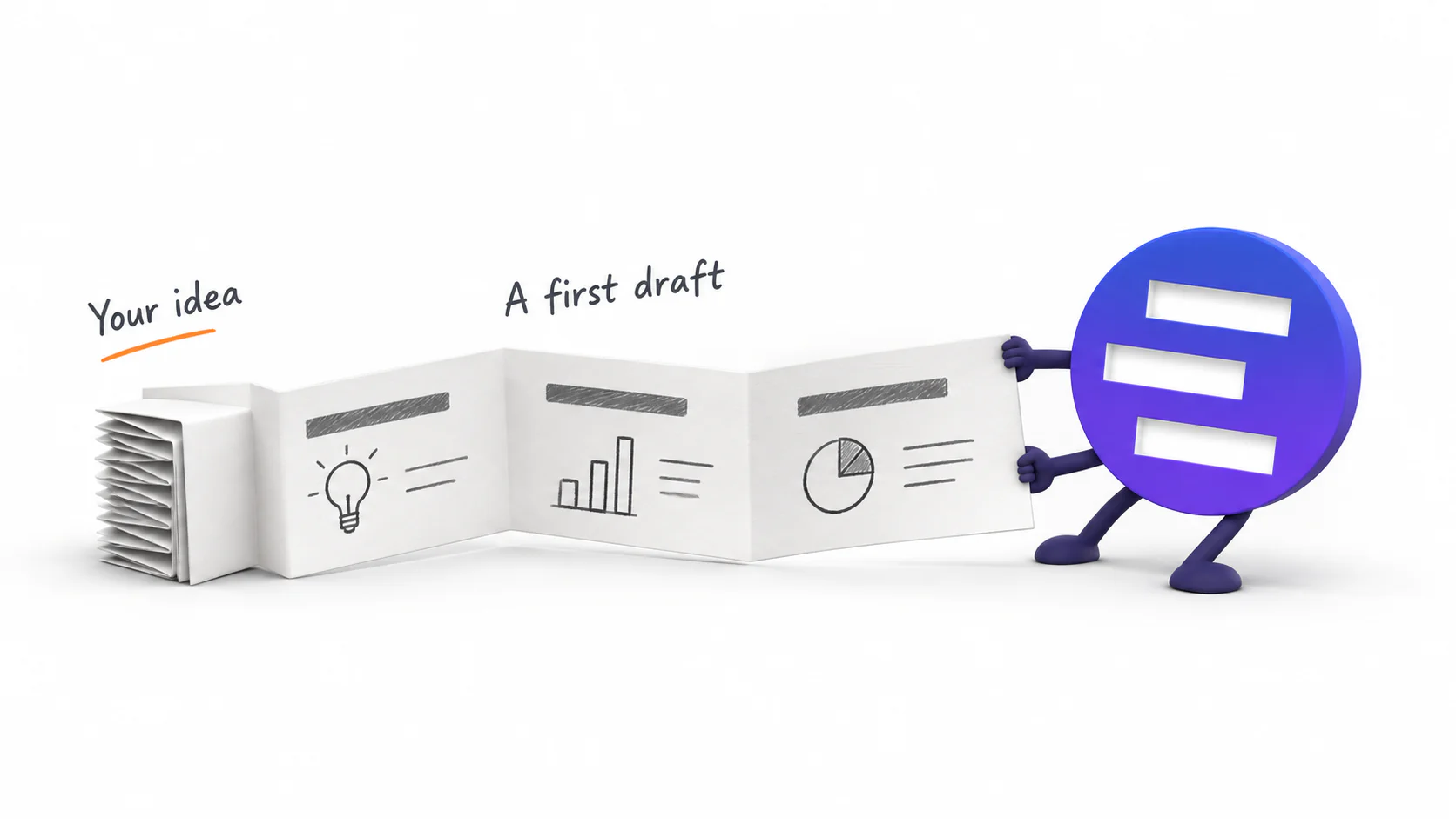
Introducing AI Presentation Generation in NoteSlide
Turn ideas, notes, and documents into AI-generated presentations with NoteSlide. Review the outline, preview the design, and download an editable PPTX.

AIでパワポを美化する前の準備チェックリスト
AIにPowerPointを作り直してもらう前に、原本、確定文言、数値、画像、グラフ、フォント、対象ページ、合格条件を整理する実務チェックリストです。

PowerPointテンプレートとAI美化、どちらを使うべき?
テンプレートはブランドのルールを定め、AI美化はページごとの内容を読み直して配置します。それぞれが直せる問題と、併用すべき場面を比較します。
AI生成のPowerPointは本当に編集できる?5つの確認方法
拡張子が.pptxでも、各ページが1枚画像なら実務では編集できません。文字、オブジェクト、画像、グラフ、ファイル動作の5項目で確認します。

Word・PDF・Webページ・テキストからPowerPointを作る方法
Word、PDF、Webページ、貼り付けたメモでは、AIに渡す前の整え方が違います。元資料ごとの準備、指示文、アウトライン確認のコツを解説します。
古いパワポを、内容を変えずに見やすくする方法
承認済みの文言や数値を守りながら、古いPowerPointのレイアウト、文字、配色、画像の扱いを整える手順とレビュー項目をまとめました。

AIで資料を作る・整える・PowerPointに戻す:3つの使い分け
ゼロから作る、手元のパワポを見やすくする、PDFや画像を編集可能に戻す。似ているようで目的の違う3つのAIワークフローを、手元の素材から選び分けます。
パワポが素人っぽく見える6つの理由と、それぞれの直し方
レビューする側が最初の3秒で気づく6つのこと——バラバラの体裁、揺れる文字サイズ、崩れた整列、文字だらけのスライド、浮いた画像、規則のない色——と、それぞれを最短で直す方法。
Nano Banana Pro でスライド一式を作る:実践ワークフローと、最後に詰まる一歩
Nano Banana Pro で実際に資料を仕上げるための手順。1スライド1画像、使い回せるプロンプトの骨組み、10枚で崩れない視覚言語、そして後から編集できるかどうかを決める書き出しの設定まで。
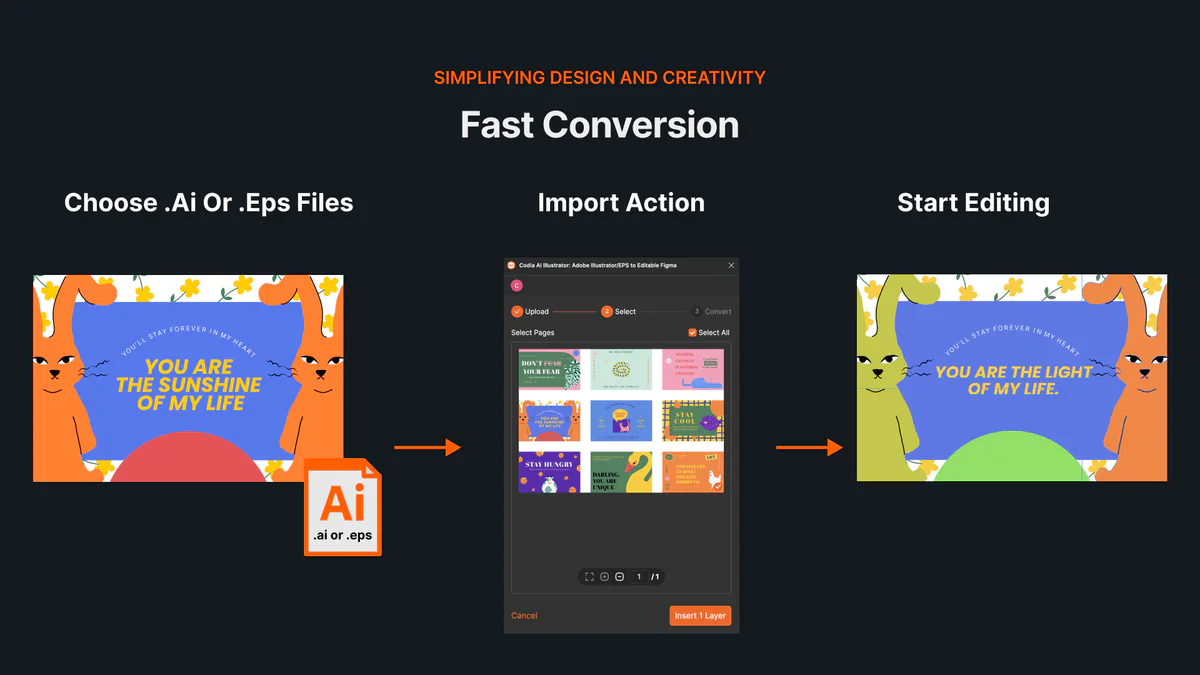
IllustratorなしでAI・EPSファイルをオンラインで開いて編集する方法
AI・EPSファイルをオンラインで開き、アートボードと編集可能なベクターレイヤーをCodia Studioへ読み込む方法を解説します。
NotebookLMがGemini Notebookに名称変更。何が変わり、スライド書き出しにどう影響する?
GoogleはNotebookLMをGemini Notebookへ名称変更しました。同じ製品なのか、既存ノートはどうなるのか、スライドの書き出し手順に影響があるのかを整理します。
写真や画像の文字を消して新しい文字に置き換える方法
画像内の不要な文字を消し、新しい文字に自然に置き換えるには、背景補完と文字再配置の両方が必要です。AI編集で実用的に進める手順を解説します。
Photoshopなしで画像の文字を編集する方法:ブラウザで完結するAIワークフロー
Photoshopや元デザインファイルがなくても、画像内の文字を修正したい場面は多くあります。ブラウザで使えるAI画像文字編集ワークフローと、向いているケース・向いていないケースを解説します。
NotebookLMスライドの文字を修正する方法:文字編集できない時の現実的な手順
NotebookLMで作ったスライドの文字を直したいのに、PowerPointで選択できない。そんな時に試すべき、NotebookLM内の修正、PPTX確認、NoteSlideでの編集可能化までを整理します。

NotebookLMスライド修正プロンプト例:タイトル・箇条書き・レイアウト別
NotebookLMのスライド修正機能を使う時に、そのまま使える日本語プロンプト例を目的別にまとめました。タイトル、箇条書き、レイアウト、発表用スライド、教育用スライド、ビジネス資料まで対応します。
NotebookLMのPPTXは本当に編集できる?PowerPointで開いたときの注意点
NotebookLMはスライド資料の修正とPowerPoint出力に対応しました。ただし、PPTXで開けることと、文字・図形・レイアウトを自由に編集できることは同じではありません。PowerPointで確認すべきポイントと、NoteSlideで編集可能なPPTXにする流れを解説します。
NotebookLMでスライドを追加・削除できる?できない時の代替ワークフロー
NotebookLMのスライド修正機能では、現時点でスライドの追加や削除はまだサポートされていません。代わりにどう構成を直し、PowerPointやNoteSlideで仕上げるべきかを解説します。
画像の文字を同じフォントで書き換えるには?AI編集の実用ガイド
画像内の文字を別の文言に変えるとき、元のフォントや雰囲気に合わせるのが難しい理由と、AI画像文字編集で自然に書き換えるための実践手順を解説します。
画像内の文字を編集するAIツール:日本語テキストを自然に書き換える方法
画像内の日本語テキストを自然に修正・置換したい人向けに、AI画像文字編集ツールでできること、従来の文字入れツールとの違い、Codiaで編集可能なレイヤーに変換する流れを解説します。
How to Review NoteSlide Output: A Text, Image, Chart, and Number Checklist
After NoteSlide converts a PDF into editable PPTX, review text, images, charts, numbers, citations, and slide status before using the deck formally.
How to Prepare Files for NoteSlide: A PDF to PPTX Quality Checklist
Before converting a PDF into editable PPTX with NoteSlide, check source quality, page scope, image clarity, and file size to reduce rework.

How Teachers Can Turn PDF Handouts into Editable Slides with NoteSlide
Teachers can use NoteSlide to turn PDF handouts, scanned slides, or NotebookLM decks into editable PPTX files for classroom review and presentation.
How Researchers Can Turn a Paper PDF into a Conference Presentation with NoteSlide
Researchers can use NoteSlide to convert paper PDFs, research summaries, or scanned materials into editable PPTX files, then review figures, citations, and claims before presenting.
How Marketing Teams Can Turn Whitepapers into Sales Decks with NoteSlide
Marketing teams can use NoteSlide to turn whitepapers, product PDFs, and long-form documents into editable PPTX decks for sales, events, and training.
How Consultants Can Turn Report PDFs into Client Decks with NoteSlide
Consultants can use NoteSlide to turn report PDFs into editable PPTX decks, then refine structure, reduce density, review claims, and prepare client-ready presentations.
What Can You Edit After NoteSlide Conversion? Text, Images, Layout, and More
NoteSlide conversion is not just about placing PDF pages into slides. This guide explains what users can edit after conversion and when complex visuals may remain image-based.

How to Turn NotebookLM Slides into an Editable PPTX with NoteSlide
NotebookLM often gives you a PDF slide deck, not a PowerPoint file you can keep editing. This guide explains how NoteSlide converts NotebookLM PDFs into editable PPTX decks.
NotebookLM 編集:スライドを編集可能な PowerPoint にする方法
NotebookLM 編集で困るポイントは、書き出したスライドがそのままでは直しにくいことです。NotebookLM スライドを編集可能な PowerPoint に変換し、テキストやレイアウトを調整する方法を解説します。
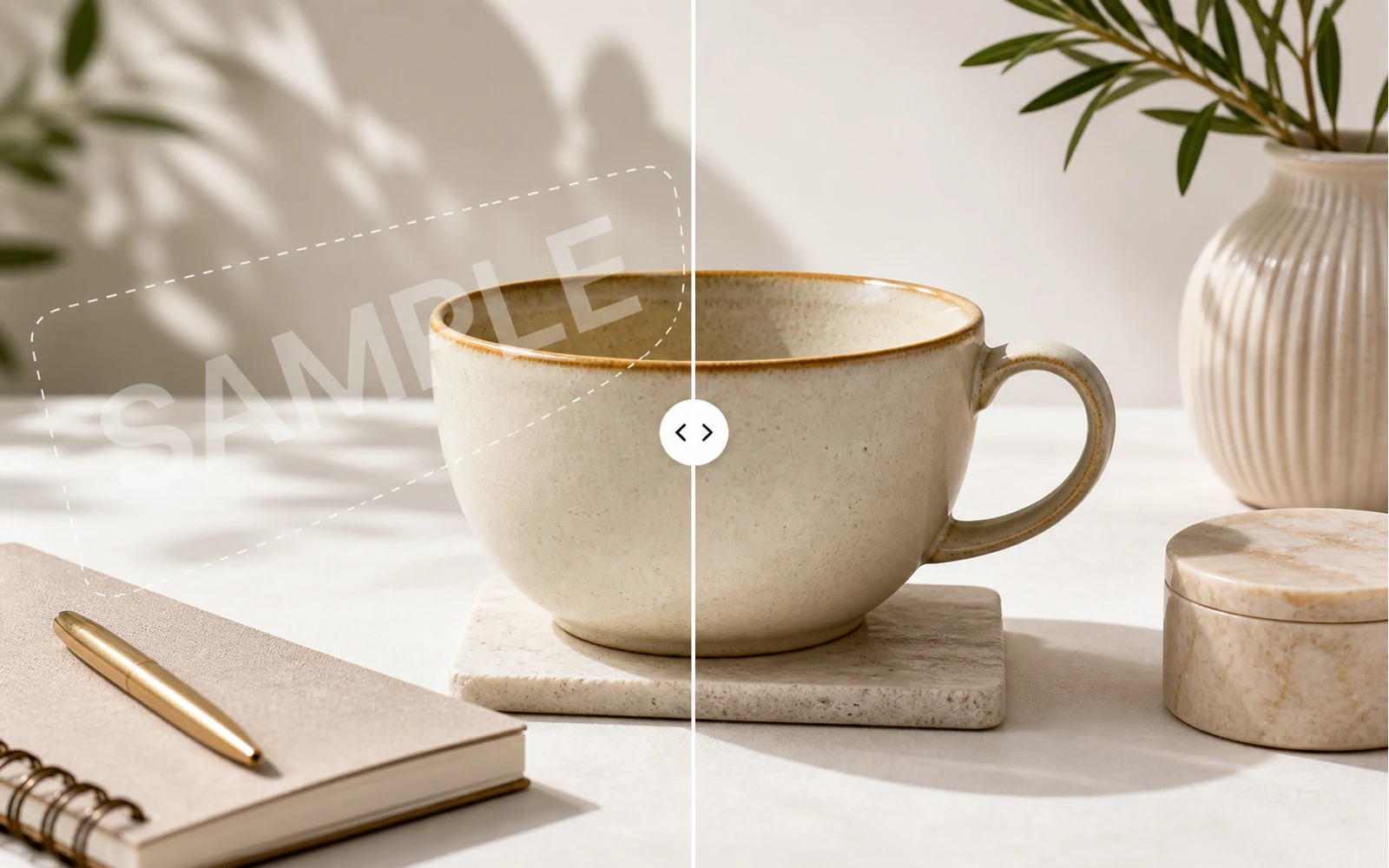
How to Remove a Watermark from an Image with AI
A practical guide for removing watermarks, draft labels, and sample overlays from images you own or are authorized to edit, then continuing the cleanup in Codia Studio.
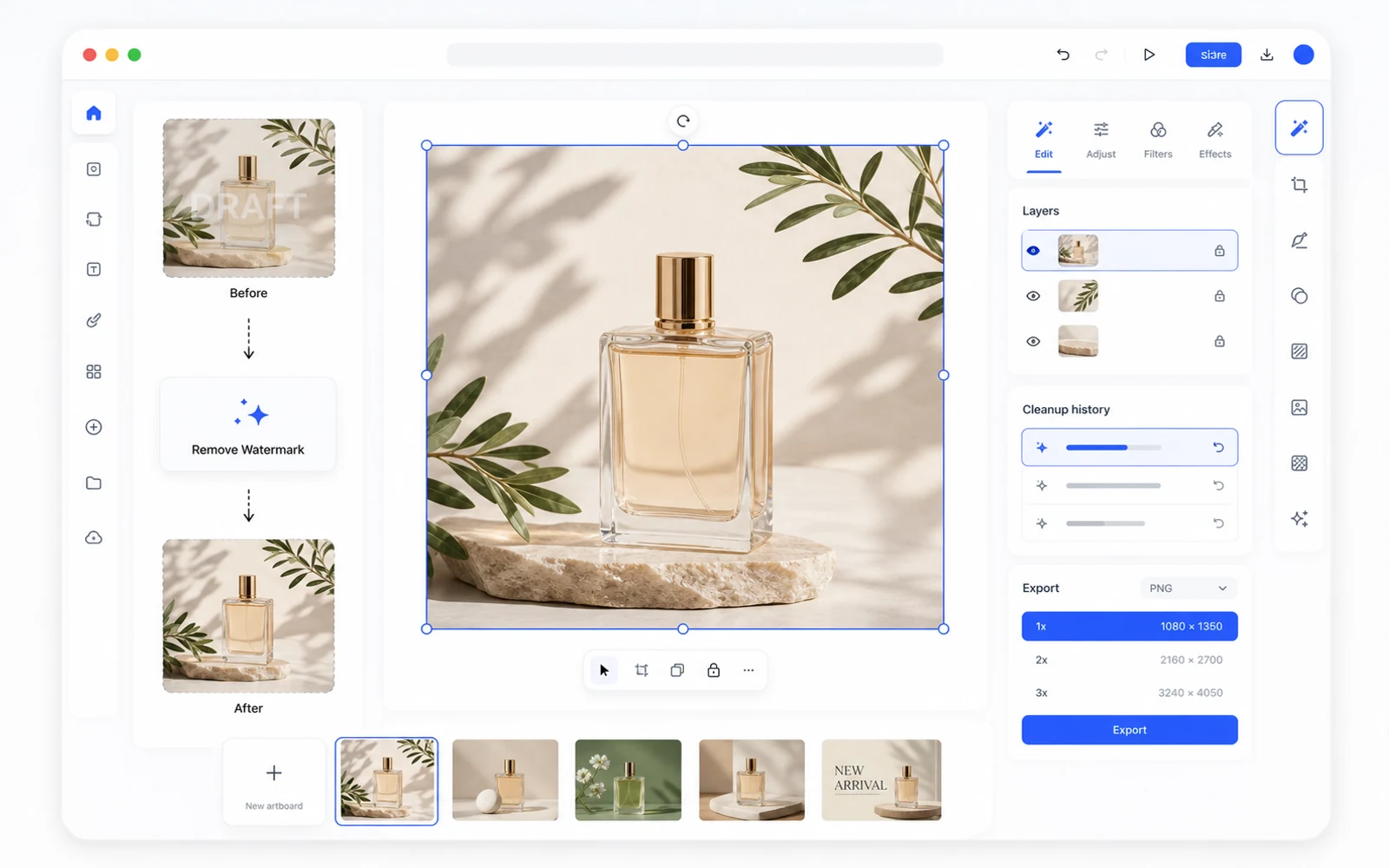
Remove a Watermark, Then Keep Editing in Codia Studio
Why watermark removal works better when it is part of a broader design workflow, not a one-off upload-download task.
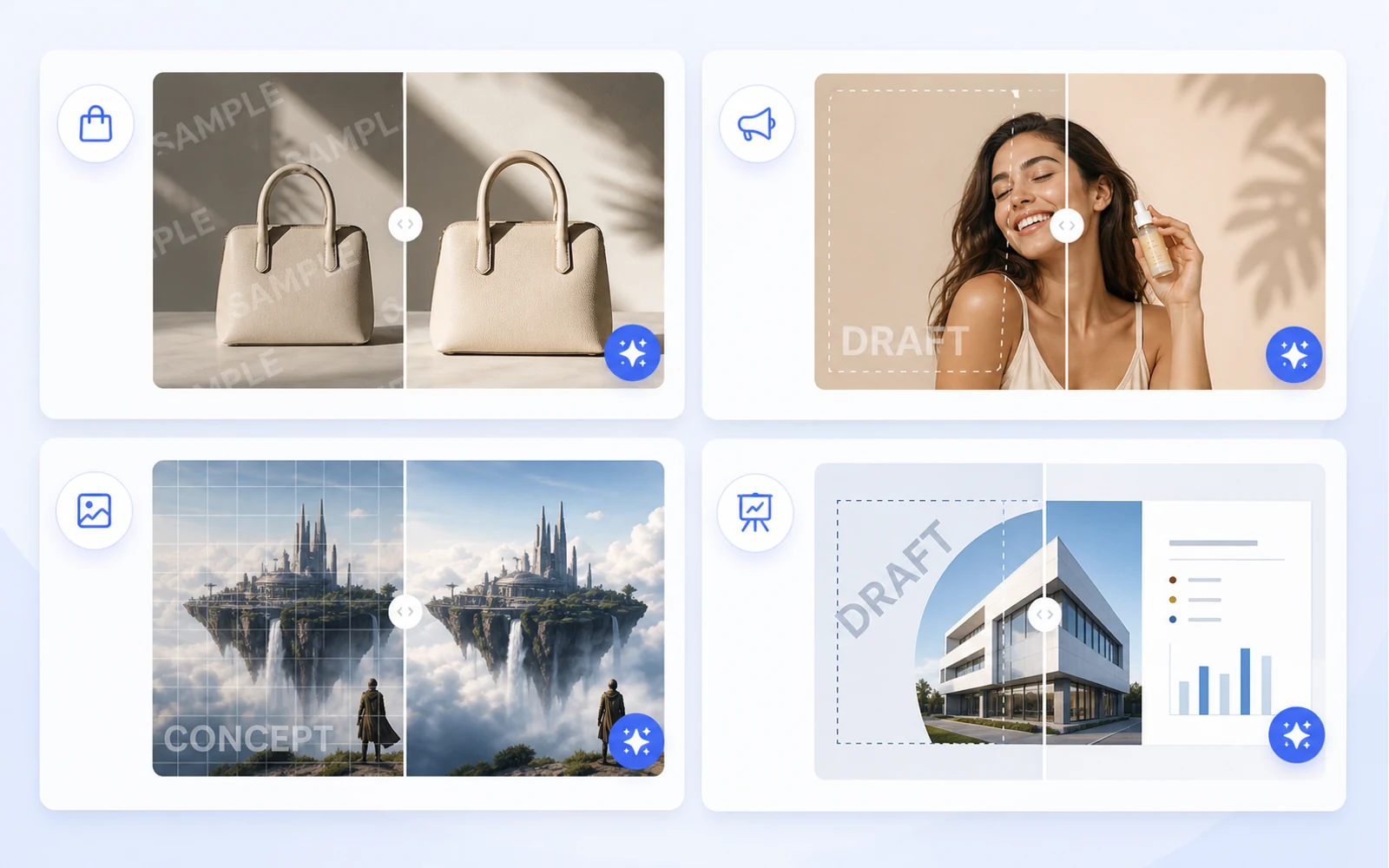
Clean Product Images Before Publishing: Remove Draft Marks and Sample Overlays
How ecommerce teams and marketers can clean authorized product images by removing draft marks, sample overlays, timestamps, and visual clutter before publishing.
スクリーンショットを編集可能なFigmaに変換する方法: UI参照のための実践ワークフロー
元データがスクリーンショットしかなくても、Figmaで使える出発点は作れます。リデザイン、参照、古いUIの復元に使えるワークフローを紹介します。
Canvaや画像アセットを編集可能なデザインとして再利用する方法
マーケティング素材は、Canvaリンク、書き出したPNG、フラット画像として届くことがよくあります。それらを再利用、ローカライズ、制作に使える編集可能なデザインファイルへ変える方法を紹介します。
PDFをPowerPointへ: スライド画像ではなく本当に編集できるPPTを作る方法
PDFからPPTへ変換するとき、多くのツールは各ページをフラットな画像として配置します。編集可能かどうかの見極め方と、CodiaのPDF to Editable PPTワークフローを使う場面を紹介します。
Codia PSD Editor Onlineのご紹介: ブラウザでPhotoshopファイルを編集
Codia PSD Editor Onlineが利用可能になりました。フルのPhotoshopワークフローなしでPSDファイルを開き、編集し、書き出したいチーム向けです。
Codia Magic Layersのご紹介: フラット画像を編集可能なレイヤーに変換
Codia Magic Layersが利用可能になりました。フラット画像を、編集可能なオブジェクト、テキスト、背景、商品、視覚要素に分けられます。
Codia AI Image Text Editorのご紹介: 画像内の文字を修正して書き換える
Codia AI Image Text Editorが利用可能になりました。文字化けしたAI画像の修正、フラット画像内のコピー更新、画像テキストの編集可能なレイヤー化に使えます。
AI画像の文字化けを修正する方法: 画像全体を再生成せずに崩れた単語を直す
AI画像生成は美しい見た目を作れても、文字だけが崩れることがあります。再生成と編集の使い分け、そしてCodiaで画像テキストを編集可能なレイヤーに変える方法を紹介します。
デザイン全体を作り直さずに画像内テキストを編集する方法
見出し、価格、日付、ラベルをフラット画像の中で変えたいときに。画像内の文字を編集可能なレイヤーへ変える実践的な手順を紹介します。
Photoshopを入れずにPSDをオンライン編集する方法
PSDを開いてすぐに修正し、再び書き出したいときに。オンラインPSDエディタが役立つ場面と、Codiaがレイヤー構造を保ったまま扱う方法を紹介します。
Codiaガイド: AI Prompting Lessons from Practical Product Work
AI Prompting Lessons from Practical Product Work を現在のCodiaワークフローに合わせて解説します。デザインからコードへの引き継ぎ、品質確認、チーム運用を扱います。
Codiaガイド: Flutter or React Native: Choosing a Cross-Platform Framework
Flutter or React Native: Choosing a Cross-Platform Framework を現在のCodiaワークフローに合わせて解説します。デザインからコードへの引き継ぎ、品質確認、チーム運用を扱います。
Codiaガイド: Top 15 Tools for macOS App Development
Top 15 Tools for macOS App Development を現在のCodiaワークフローに合わせて解説します。デザインからコードへの引き継ぎ、品質確認、チーム運用を扱います。
Codiaガイド: The Evolution of UI Development
The Evolution of UI Development を現在のCodiaワークフローに合わせて解説します。デザインからコードへの引き継ぎ、品質確認、チーム運用を扱います。
Codiaガイド: Image Processing for UI Element Segmentation
Image Processing for UI Element Segmentation を現在のCodiaワークフローに合わせて解説します。デザインからコードへの引き継ぎ、品質確認、チーム運用を扱います。
Codiaガイド: SwiftUI UI Layout Introduction
SwiftUI UI Layout Introduction を現在のCodiaワークフローに合わせて解説します。デザインからコードへの引き継ぎ、品質確認、チーム運用を扱います。
Start Here: A Practical Guide to Codia
Start Here: A Practical Guide to Codia explained through practical product workflow, design-to-code handoff, review steps, and how Codia helps teams move from visual input to usable output.
Codiaガイド: Set Up an iOS Development Environment
Set Up an iOS Development Environment を現在のCodiaワークフローに合わせて解説します。デザインからコードへの引き継ぎ、品質確認、チーム運用を扱います。
Codiaガイド: Set Up a Flutter Development Environment
Set Up a Flutter Development Environment を現在のCodiaワークフローに合わせて解説します。デザインからコードへの引き継ぎ、品質確認、チーム運用を扱います。
Codiaガイド: Set Up an Android Development Environment
Set Up an Android Development Environment を現在のCodiaワークフローに合わせて解説します。デザインからコードへの引き継ぎ、品質確認、チーム運用を扱います。
Transform Wireframes into Polished Design Drafts with AI
Transform Wireframes into Polished Design Drafts with AI explained through practical product workflow, design-to-code handoff, review steps, and how Codia helps teams move from visual input to usable output.
React Native Tutorial: Build Your First Mobile App
React Native Tutorial: Build Your First Mobile App explained through practical product workflow, design-to-code handoff, review steps, and how Codia helps teams move from visual input to usable output.
Codiaガイド: PDF to HTML: Turn Static Documents into Web Layouts
PDF to HTML: Turn Static Documents into Web Layouts を現在のCodiaワークフローに合わせて解説します。デザインからコードへの引き継ぎ、品質確認、チーム運用を扱います。
Node.js API Development Best Practices
Node.js API Development Best Practices explained through practical product workflow, design-to-code handoff, review steps, and how Codia helps teams move from visual input to usable output.
Codiaガイド: Mastering macOS: 17 Common Development Challenges
Mastering macOS: 17 Common Development Challenges を現在のCodiaワークフローに合わせて解説します。デザインからコードへの引き継ぎ、品質確認、チーム運用を扱います。
Codiaガイド: Mastering Figma to Vue
Mastering Figma to Vue を現在のCodiaワークフローに合わせて解説します。デザインからコードへの引き継ぎ、品質確認、チーム運用を扱います。
Codiaガイド: JPEG to SVG: Convert Raster References into Editable Vector Assets
JPEG to SVG: Convert Raster References into Editable Vector Assets を現在のCodiaワークフローに合わせて解説します。デザインからコードへの引き継ぎ、品質確認、チーム運用を扱います。
Jetpack Compose Mastery Finale: 38 Key UI Issues
Jetpack Compose Mastery Finale: 38 Key UI Issues explained through practical product workflow, design-to-code handoff, review steps, and how Codia helps teams move from visual input to usable output.
Codiaガイド: Jetpack Compose Mastery Part 1: Build Your First Compose App
Jetpack Compose Mastery Part 1: Build Your First Compose App を現在のCodiaワークフローに合わせて解説します。デザインからコードへの引き継ぎ、品質確認、チーム運用を扱います。
Codiaガイド: An In-Depth Perspective on Flutter
An In-Depth Perspective on Flutter を現在のCodiaワークフローに合わせて解説します。デザインからコードへの引き継ぎ、品質確認、チーム運用を扱います。
Codiaガイド: How to Use Screenshot to Editable Figma
How to Use Screenshot to Editable Figma を現在のCodiaワークフローに合わせて解説します。デザインからコードへの引き継ぎ、品質確認、チーム運用を扱います。
Codiaガイド: The Future of Design to Code: Automating Figma to Vue.js
The Future of Design to Code: Automating Figma to Vue.js を現在のCodiaワークフローに合わせて解説します。デザインからコードへの引き継ぎ、品質確認、チーム運用を扱います。
Flutter Development from Zero to Production
Flutter Development from Zero to Production explained through practical product workflow, design-to-code handoff, review steps, and how Codia helps teams move from visual input to usable output.
Codiaガイド: Figma to React: Convert Design Structure into Components
Figma to React: Convert Design Structure into Components を現在のCodiaワークフローに合わせて解説します。デザインからコードへの引き継ぎ、品質確認、チーム運用を扱います。
Codiaガイド: Figma to Code: An Automated Journey from Design to Implementation
Figma to Code: An Automated Journey from Design to Implementation を現在のCodiaワークフローに合わせて解説します。デザインからコードへの引き継ぎ、品質確認、チーム運用を扱います。
Codiaガイド: Figma to Android: From Design Frames to Buildable UI
Figma to Android: From Design Frames to Buildable UI を現在のCodiaワークフローに合わせて解説します。デザインからコードへの引き継ぎ、品質確認、チーム運用を扱います。
Codiaガイド: Starting a macOS Development Journey from Zero
Starting a macOS Development Journey from Zero を現在のCodiaワークフローに合わせて解説します。デザインからコードへの引き継ぎ、品質確認、チーム運用を扱います。
Codiaガイド: How Deep Learning Accelerates Application Development
How Deep Learning Accelerates Application Development を現在のCodiaワークフローに合わせて解説します。デザインからコードへの引き継ぎ、品質確認、チーム運用を扱います。
Codiaガイド: A Comprehensive Guide to Flutter Development for macOS
A Comprehensive Guide to Flutter Development for macOS を現在のCodiaワークフローに合わせて解説します。デザインからコードへの引き継ぎ、品質確認、チーム運用を扱います。
A Comprehensive Exploration of Flutter
A Comprehensive Exploration of Flutter explained through practical product workflow, design-to-code handoff, review steps, and how Codia helps teams move from visual input to usable output.
Codiaガイド: Electron vs. Flutter: A Practical Comparison
Electron vs. Flutter: A Practical Comparison を現在のCodiaワークフローに合わせて解説します。デザインからコードへの引き継ぎ、品質確認、チーム運用を扱います。
Codiaガイド: Understanding the Compose UI Layout System
Understanding the Compose UI Layout System を現在のCodiaワークフローに合わせて解説します。デザインからコードへの引き継ぎ、品質確認、チーム運用を扱います。
Codiaガイド: Codia AI UI Generator Design Toolkit Guide
Codia AI UI Generator Design Toolkit Guide を現在のCodiaワークフローに合わせて解説します。デザインからコードへの引き継ぎ、品質確認、チーム運用を扱います。
Codia AI Design OCR Technology
Codia AI Design OCR Technology explained through practical product workflow, design-to-code handoff, review steps, and how Codia helps teams move from visual input to usable output.
The Codia AI Design-to-Code Revolution
The Codia AI Design-to-Code Revolution explained through practical product workflow, design-to-code handoff, review steps, and how Codia helps teams move from visual input to usable output.
Codiaガイド: The Codia AI Design-to-Code Revolution, Part 2
The Codia AI Design-to-Code Revolution, Part 2 を現在のCodiaワークフローに合わせて解説します。デザインからコードへの引き継ぎ、品質確認、チーム運用を扱います。
Codiaガイド: Android 14 Adaptation Guide: Upgrading targetSdkVersion to 34
Android 14 Adaptation Guide: Upgrading targetSdkVersion to 34 を現在のCodiaワークフローに合わせて解説します。デザインからコードへの引き継ぎ、品質確認、チーム運用を扱います。
Codiaガイド: Advanced iOS Development: Practical SwiftUI Tips
Advanced iOS Development: Practical SwiftUI Tips を現在のCodiaワークフローに合わせて解説します。デザインからコードへの引き継ぎ、品質確認、チーム運用を扱います。
Codiaガイド: A Deep Dive into Apple Vision Pro and visionOS
A Deep Dive into Apple Vision Pro and visionOS を現在のCodiaワークフローに合わせて解説します。デザインからコードへの引き継ぎ、品質確認、チーム運用を扱います。
Codiaガイド: Supercharge Your Mobile Dev Skills: 10 Essential Tools for Max Efficiency
Supercharge Your Mobile Dev Skills: 10 Essential Tools for Max Efficiency を現在のCodiaワークフローに合わせて解説します。デザインからコードへの引き継ぎ、品質確認、チーム運用を扱います。
Screenshot to Figma Design by AI: A New Chapter in Future Design
How AI screenshot-to-Figma workflows turn flat UI images into editable design structure, where they help, where they fail, and how teams use them responsibly.
Jetpack Compose Mastery Part 2: Advanced Tools and Resources for Mastering Compose UI
A practical guide to advanced Jetpack Compose tooling: previews, Material theming, state, performance, testing, accessibility, and design-to-code workflow.
Codiaガイド: Image to HTML: Convert UI Screenshots into Editable Web Pages
Image to HTML: Convert UI Screenshots into Editable Web Pages を現在のCodiaワークフローに合わせて解説します。デザインからコードへの引き継ぎ、品質確認、チーム運用を扱います。
Codiaガイド: How to Reduce Android Studio's Maximum Memory Footprint
How to Reduce Android Studio's Maximum Memory Footprint を現在のCodiaワークフローに合わせて解説します。デザインからコードへの引き継ぎ、品質確認、チーム運用を扱います。
Codiaガイド: Figma to Vue.js: Bridging Design and Development
Figma to Vue.js: Bridging Design and Development を現在のCodiaワークフローに合わせて解説します。デザインからコードへの引き継ぎ、品質確認、チーム運用を扱います。
Codiaガイド: Figma to SwiftUI: Convert iOS Designs into Native Views
Figma to SwiftUI: Convert iOS Designs into Native Views を現在のCodiaワークフローに合わせて解説します。デザインからコードへの引き継ぎ、品質確認、チーム運用を扱います。
Codiaガイド: Figma to React Native: Turn Mobile Designs into App Screens
Figma to React Native: Turn Mobile Designs into App Screens を現在のCodiaワークフローに合わせて解説します。デザインからコードへの引き継ぎ、品質確認、チーム運用を扱います。
Codiaガイド: Figma to HTML: Convert Designs into Semantic Web Pages
Figma to HTML: Convert Designs into Semantic Web Pages を現在のCodiaワークフローに合わせて解説します。デザインからコードへの引き継ぎ、品質確認、チーム運用を扱います。
Codiaガイド: Exploration of Flutter Hot Update Technology
Exploration of Flutter Hot Update Technology を現在のCodiaワークフローに合わせて解説します。デザインからコードへの引き継ぎ、品質確認、チーム運用を扱います。
Complete Guide to Building a Vue.js CRUD Application
A practical Vue 3 CRUD application guide covering routes, components, forms, API calls, validation, loading states, errors, and production cleanup.
Codiaガイド: AI HTML Generator: Turn Prompts and Designs into Clean Web Markup
AI HTML Generator: Turn Prompts and Designs into Clean Web Markup を現在のCodiaワークフローに合わせて解説します。デザインからコードへの引き継ぎ、品質確認、チーム運用を扱います。
AI Code Generator: What It Can Build, Where It Fails, and How to Use It Well
A practical guide to AI code generators: prompt input, design input, code review, frontend scaffolds, limitations, and production workflow.
Codia Open API で NotebookLM-style PDF を編集可能な PPTX に変換する
Codia Open API を使って、NotebookLM-style PDF から編集可能な PPTX を生成するサーバーサイドパイプラインを構築します。PDF のアップロード、credits 見積もり、pdf_to_ppt task 作成、webhook 受信、PowerPoint ダウンロードまでを解説します。
NotebookLM のネイティブ PPTX エクスポートが「本当の意味で編集可能」でない理由(と解決策)
NotebookLM のネイティブ PPTX エクスポートは 2026 年 2 月 18 日に公開されましたが、受け取ったファイルは本当の意味で編集できません。PowerPoint で何が開き、何がロックされたままになるか、そして NoteSlide がどうそのギャップを埋めるかを解説します。
NotebookLM の 20 枚制限:編集可能性を保ちながら長いデッキを作る方法
NotebookLM はスライドデッキの出力を 20 枚に制限しています。エグゼクティブサマリーなら十分ですが、四半期レビューやトレーニングには致命的です。PowerPoint の完全な編集可能性を保ちながら使える、速いものから徹底的なものまで 4 つの実践的な回避策を紹介します。
NotebookLM のウォーターマークを合法的に削除する方法(完全ガイド)
エクスポートされたスライドから NotebookLM のウォーターマークを削除するための実践的・倫理的なガイド。ウォーターマークの正体、削除が許可される場合、そして NoteSlide を使った最もクリーンなワークフローを解説します。
NotebookLM スライドを PowerPoint に変換する方法(2026 年版 ステップ別ガイド)
NotebookLM スライドを完全に編集可能な PowerPoint デッキに変換するための 2026 年版完全ガイド。3 つのルート(ネイティブエクスポート、NoteSlide、ハイブリッド)のステップ別手順、避けるべき落とし穴、10 項目の品質チェックリストを網羅。
NotebookLM を PowerPoint に変換するツール 7 選比較(2026 年版)
NotebookLM スライドを PowerPoint に変換するために実際に使われている 7 つのツールを正直に比較。それぞれの強みと弱み、そして自分の用途に合ったものを選ぶ方法を解説します。
Cursor と Figma MCP サーバーで行う Screenshot to Figma: AI コーディングエージェントのワークフロー
Codia の screenshot-to-Figma 変換と、Cursor、Claude Code、Windsurf で使える公式 Figma MCP サーバーを組み合わせ、フラットな参照スクリーンショットからきれいなコードへ 3 ステップでつなげる方法を紹介します。
Image to Figma: あらゆる画像を編集可能な Figma レイヤーに変換する
UIスクリーンショット、ワイヤーフレーム、スケッチ、イラスト、画面写真など、あらゆる画像を Auto Layout、実テキストレイヤー、再利用可能なコンポーネント付きの完全編集可能なFigmaファイルへ変換します。
Codia vs image.to.design: スクリーンショットから Figma への詳細比較(2026)
スクリーンショットや画像を編集可能な Figma デザインに変換する Codia AI と image.to.design を、機能ごとに正直に比較します。どちらが何に強いのか、どこが違うのか、どう選ぶのかを整理しました。
Screenshot to Canva: Turn Any UI or Design Screenshot into an Editable Canva File
Bring any UI screenshot, app screen, or inspiration image into Canva as editable layers — text, shapes, and components — using Codia AI Vision and a clean PPTX or PNG bridge.

Website to Figma: ライブ Web ページを編集可能なデザインへ変換する完全ガイド
ライブサイトを編集可能な Figma ファイルに変換する方法を解説します。自社プロダクト、競合ページ、パートナーサイト、レガシーアプリなど、ワークフロー、活用シーン、何をキャプチャするべきか、そしてスクリーンショットや HTML ベース変換との違いまでまとめました。
リデザインのための Screenshot to Figma: ゼロから作り直さずに既存 UI を再構築する
古いプロダクト画面、競合参照、クライアントのスクリーンショットを編集可能な Figma の出発点に変える、実践的なリデザイン ワークフローを紹介します。
Screenshot to Figma(および Image to Figma): UI画像を編集可能なデザインに変換する2026年完全ガイド
あらゆるUIスクリーンショットや画像を、数秒で編集可能なFigmaファイルへ。ワークフロー、用途別のコツ、4ツール比較、無料版とPro版の違い、「ボタンが平坦な画像になる」問題の対策、そして Cursor + Figma MCP との組み合わせ方まで解説します。
Screenshot to Code: UI 画像を React、HTML、Tailwind に変換する
UI スクリーンショットを編集可能なデザイン構造にし、そこからフロントエンド コードへつなげる実践的なワークフローを解説します。
PSD to Figma Migration Checklist for Design and Brand Teams
A practical checklist for planning, converting, reviewing, and governing PSD-to-Figma migrations across team design archives.
PDFからプレゼンテーションへ: NoteSlideがあらゆる文書を編集可能なスライドデッキに変える方法
NoteSlideの全体像と、PDF、レポート、論文、メモを、手作業で作り直さずに編集可能なPowerPointとKeynoteのデッキへ変える完全なワークフローを紹介します。
PDFからFigmaへ: 静的PDFを編集可能なデザインファイルに変換する完全ガイド
マーケティング用の1ページ資料、多ページレポート、ベクターPDF、スキャンPDF、1ファイルから数千件まで、あらゆるPDFを編集可能なFigmaレイヤーに変換します。ワークフロー、残る要素、用途別のコツ、APIによる一括処理オプションをまとめました。
NotebookLMから編集可能なPowerPointへ: 完全なNoteSlideガイド
NotebookLMのスライドを完全に編集可能なPowerPointデッキへ変えるために必要なことをすべてまとめました。準備、NoteSlideでの変換、レビューのチェックリスト、チーム運用、FAQまで1ページで確認できます。
NotebookLM編集可能PowerPoint FAQ
NotebookLMのスライドを編集可能なPowerPointに変えるとき、人が実際に知りたいことをまとめました。『編集可能』の意味、対応形式、確認ポイント、そしてNoteSlideができることとできないことを解説します。
HTML to Figma: HTML、CSS、ソースコードを編集可能な Figma デザインに変換する
デザインではなくソースコードがあるときに、HTML と CSS を編集可能な Figma ファイルへ変換する方法を解説します。用途、開発ワークフロー、Website-to-Figma との比較、そして変換後に何が残るかを扱います。
Figma to React: デザインを保守しやすいコンポーネントへ変換する
Figma デザインを、エンジニアがレビューし、リファクタリングし、出荷できる React コンポーネントへ変換する実践的なガイドです。
Figma to Code: React、Vue、HTML、Tailwind、Flutter などへつなぐ完全なデザイン→コードワークフロー
Figma ファイルをクリーンなコード生成に向けてどう整えるか、各フレームワーク(React、Vue、HTML、Tailwind、Flutter、SwiftUI、Compose)で何を期待すべきか、そしてエンジニアがその出力をどうレビューして出荷するかを解説します。

Canva to Figma: マーケティングデザインをプロダクト設計のワークフローへ移す
Canva で作ったデザインを、ブランドレビュー、プロダクトへの引き継ぎ、リデザイン、デザインシステム整合のために Figma ファイルへ変換する方法を解説します。

2026年版 ベスト Figma to Code ツール: 正しいワークフローの選び方
React、HTML、Tailwind、そして本番フロントエンドのワークフローに適した Figma-to-code ツールを選ぶための実践ガイドです。
画像からSVGへ: PNGとJPGのロゴを編集可能なベクターに変換する
ビットマップのロゴ、アイコン、シンプルな図版を、きれいで編集しやすいSVGファイルに変換するためのデザイナー向けガイドです。
スクリーンショットから構造へ:Visual Struct API を使った開発
Visual Struct API があらゆる UI スクリーンショットを数秒で強く型付けされた JSON ツリーに変換する仕組みと、画像がクエリ可能なデータになった先に構築できるシステムについて解説します。
ワンコールでクリーンな切り抜き:Remove BG API の設計
1回の POST で画像 URL を入力し、透過 PNG を出力。Codia の Remove BG API の内側 — 何を最適化し、何を捨て、どう実際のイメージングパイプラインに組み込むかを解説します。
PSD アーカイブを引退させる:大規模 PSD → Figma マイグレーション実践ガイド
10年分の Photoshop ファイルを Figma に移行するのは週末で終わる仕事ではありません。数千ファイルにわたる PSD-to-Figma マイグレーションの計画、実行、ガバナンスの方法と、自動化によって何が変わるかを解説します。

フラット PDF から構造化 UI へ:PDF-to-Visual-Struct パイプラインの内側
Codia の PDF to Visual Struct API が静的なドキュメントを階層的でレンダリング可能な UI スキーマへ2秒以内に変換する仕組みと、その上に構築できるものについて詳しく解説します。

Codiaにおけるプライバシー、セキュリティ、データ所有権
Codiaが私有アップロード、AI訓練、保持、サブプロセッサー、そしてCodiaで作成したファイルや出力の所有権をどう扱うか。
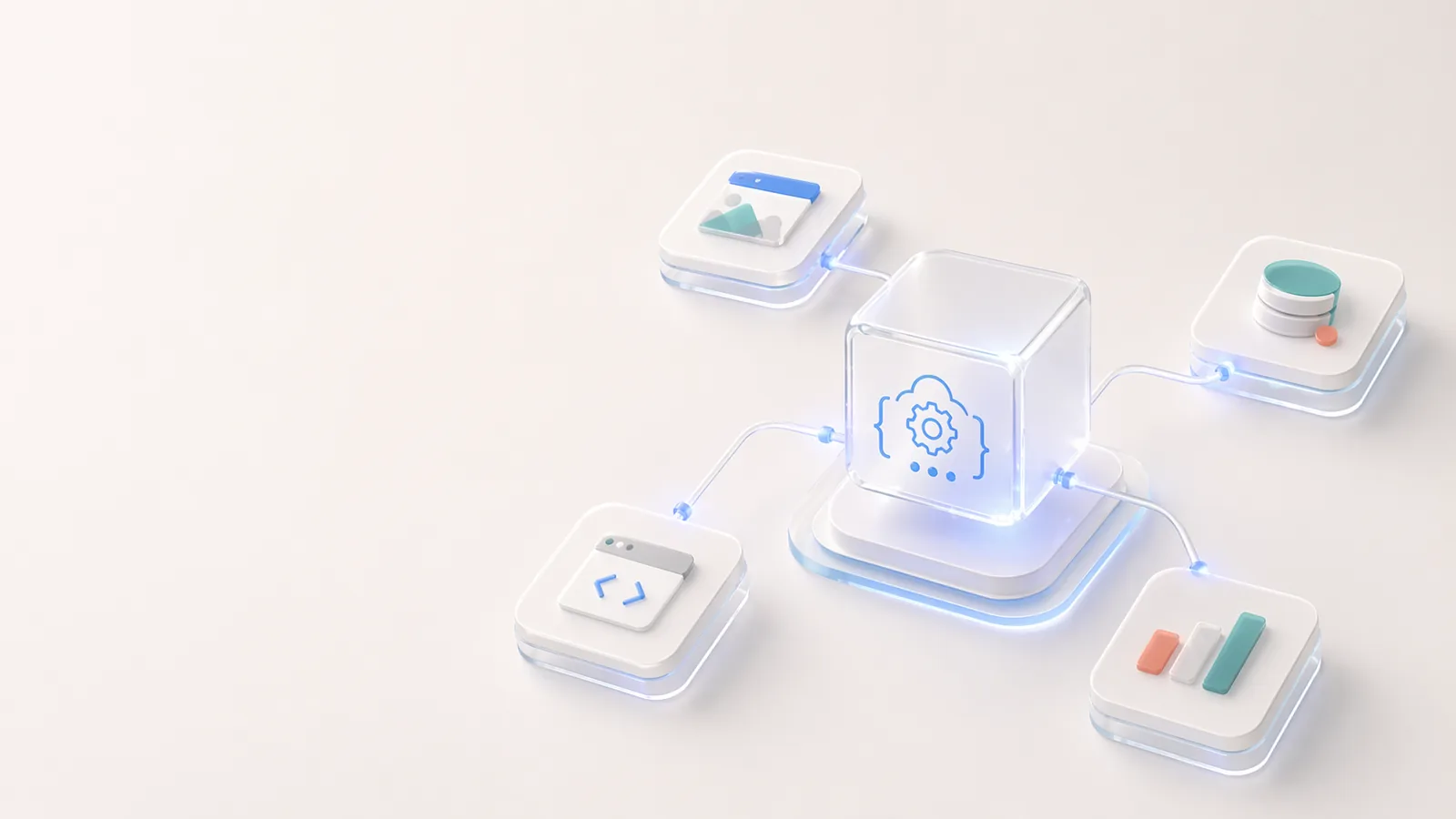
Open APIとCodiaの開発者エコシステム
Visual structure抽出、PDF-to-schema変換、アップロード、タスクワークフロー、編集可能なデザイン自動化のためにCodia上で構築する方法。
Codiaの創造性への約束
Codiaの約束は、デザイン、コンテンツ、開発のワークフローから繰り返しの再構築作業をAIで取り除き、創造的な仕事をより編集しやすく、再利用しやすく、扱いやすくすることです。
エンタープライズ向けCodia
エンタープライズチームがCodiaを使って行う、バッチ移行、API自動化、編集可能な変換、セキュリティレビュー、プライベート導入計画の進め方。
AIを活用したデザインに対するCodiaの考え方
CodiaのAIデザインは、平面的な画像生成ではありません。Vision AIで構造を理解し、編集可能性を保ちながら、静的なビジュアルを実際のデザインとコードのワークフローへ戻します。

About Codia AI: Product Suite, Design Philosophy, Trust, and Developer Platform
One page on everything Codia AI: what we build, what we believe about AI-powered design, how we work with enterprise teams, how we protect your data, and how developers can build on top of us.
Codia AI 入門ガイド
Codia AI を使ってデザインと開発のワークフローをゼロから加速する方法を学びましょう。