
AI画像テキストエディター
画像上の文字を自由に編集
画像をアップロードして新しい文字を入力するだけ。AIが元のフォントとスタイルのまま書き換えます。
画像がありませんか?こちらをお試しください:
実際の仕上がり
画像上で完全に編集できる文字
Codiaは画像の上にテキストボックスを重ねるのではなく、画像内にある文字そのものを書き換えます。新しい文言を入力すると、AIがその場で書き換え、画像のほかの部分はそのまま保たれます。
 編集前編集後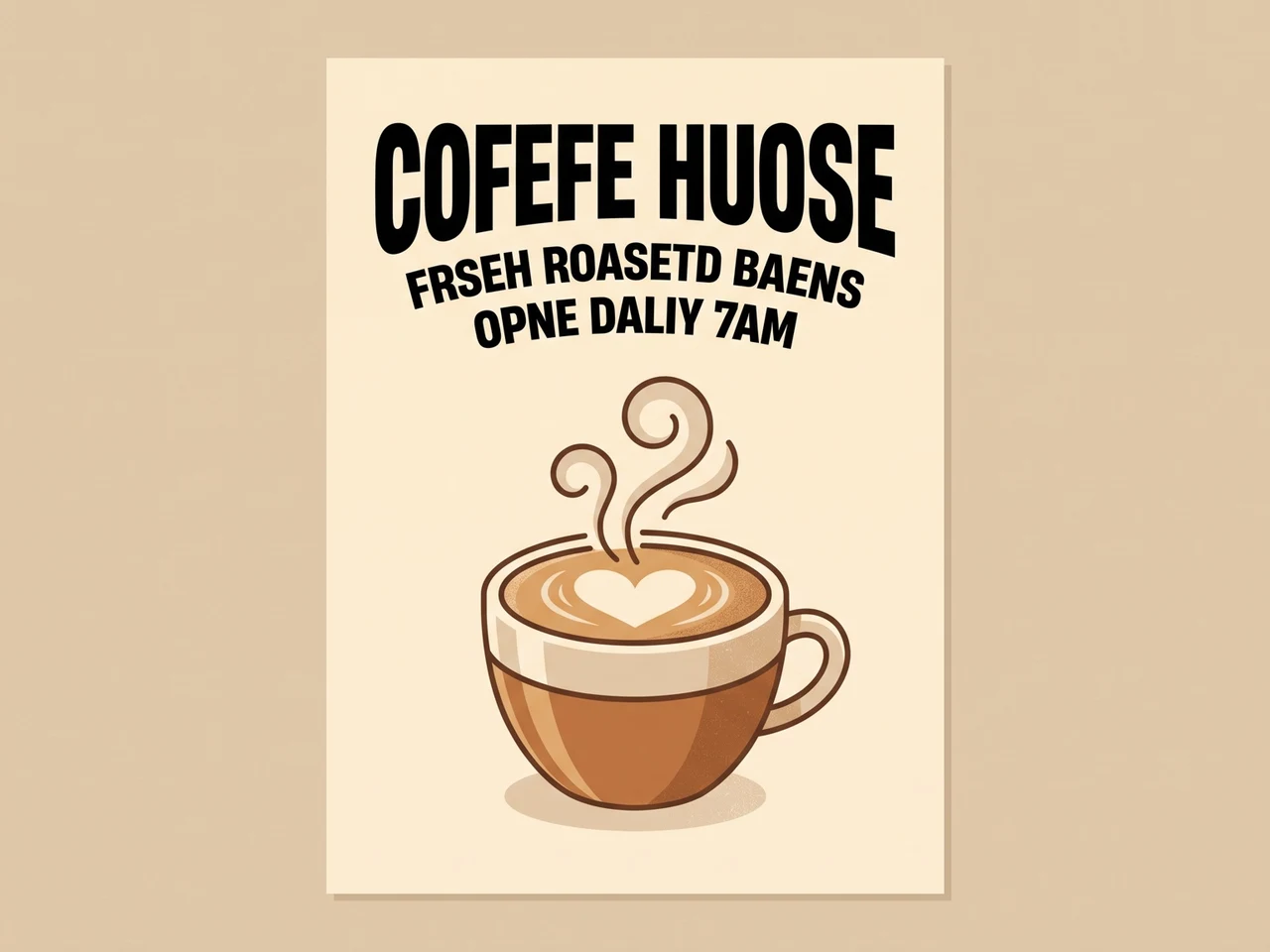
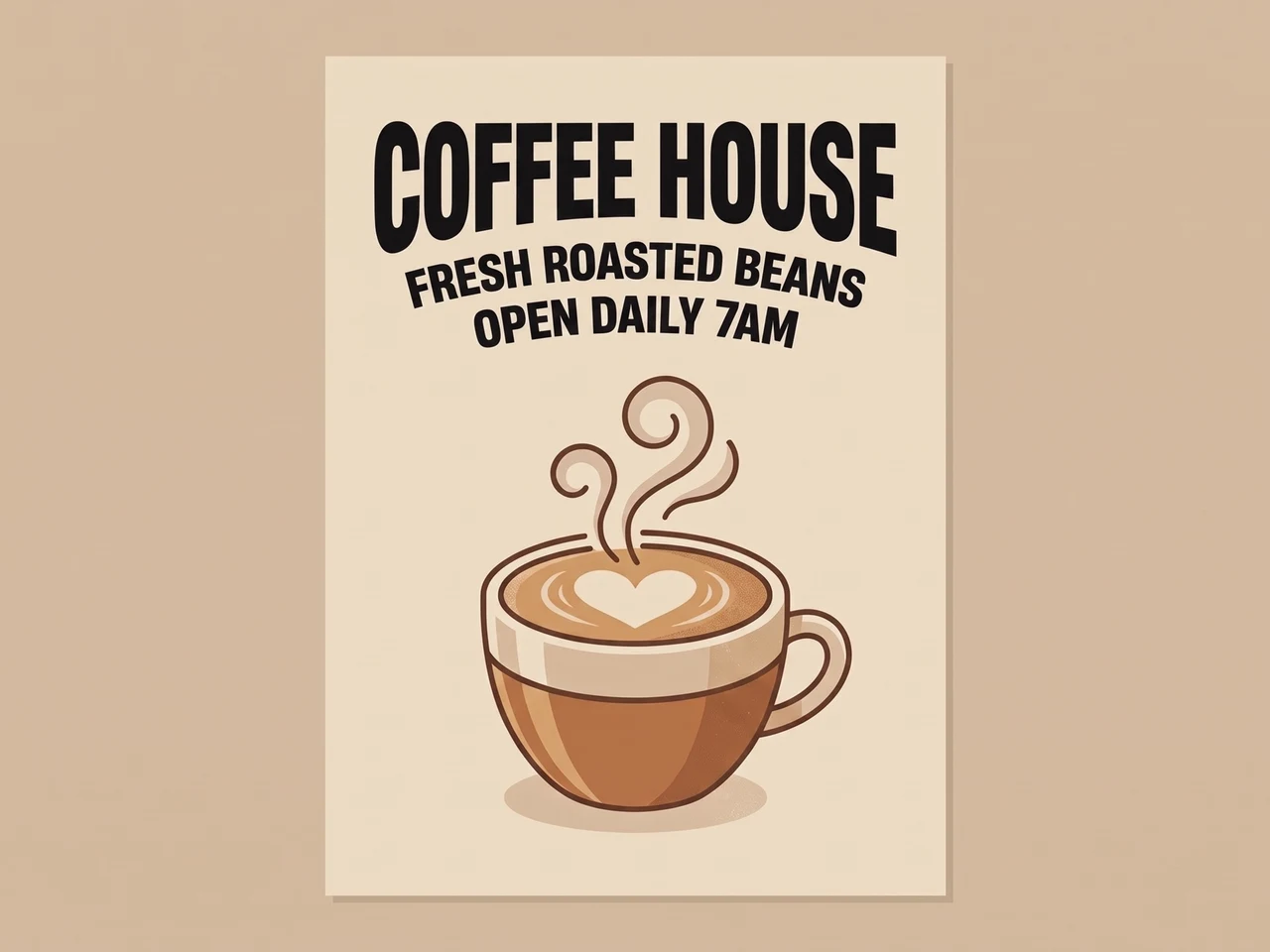
崩れたAI文字を修正
スペルの崩れたAI生成の文字を、同じ書体で正しく書き直しました。
 編集前編集後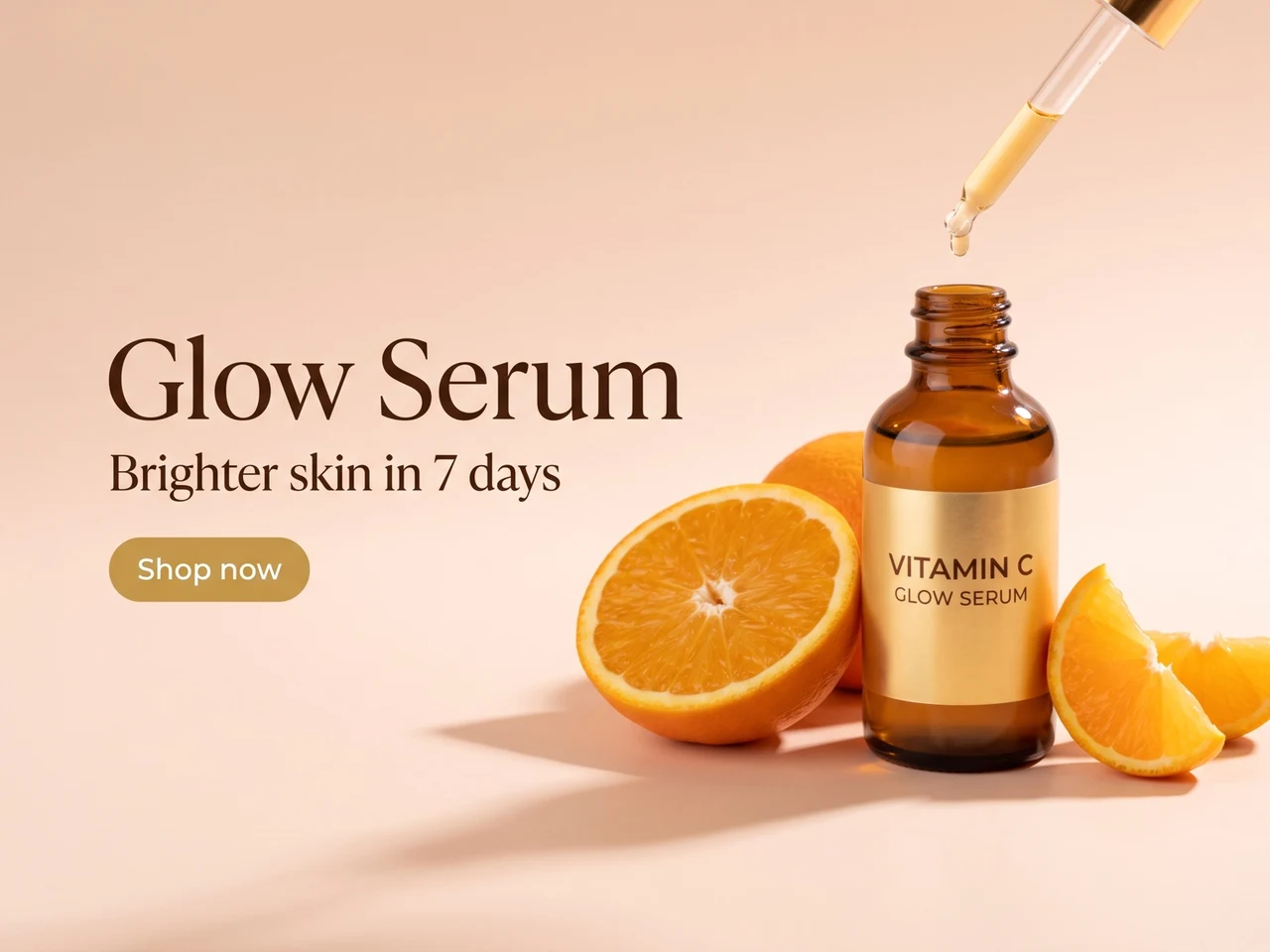
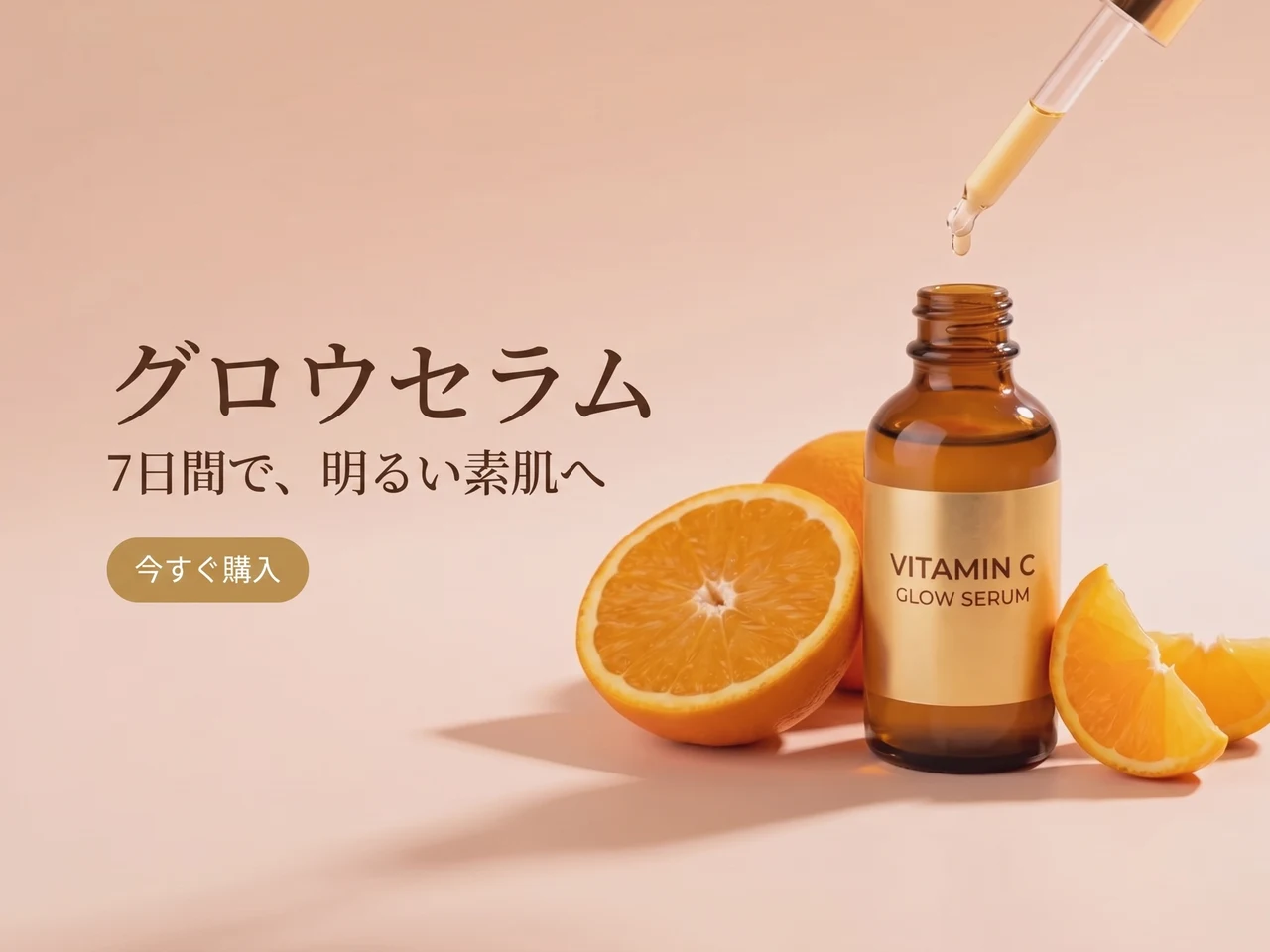
広告を翻訳
英語のコピーを日本語に。レイアウトとスタイルはそのままです。
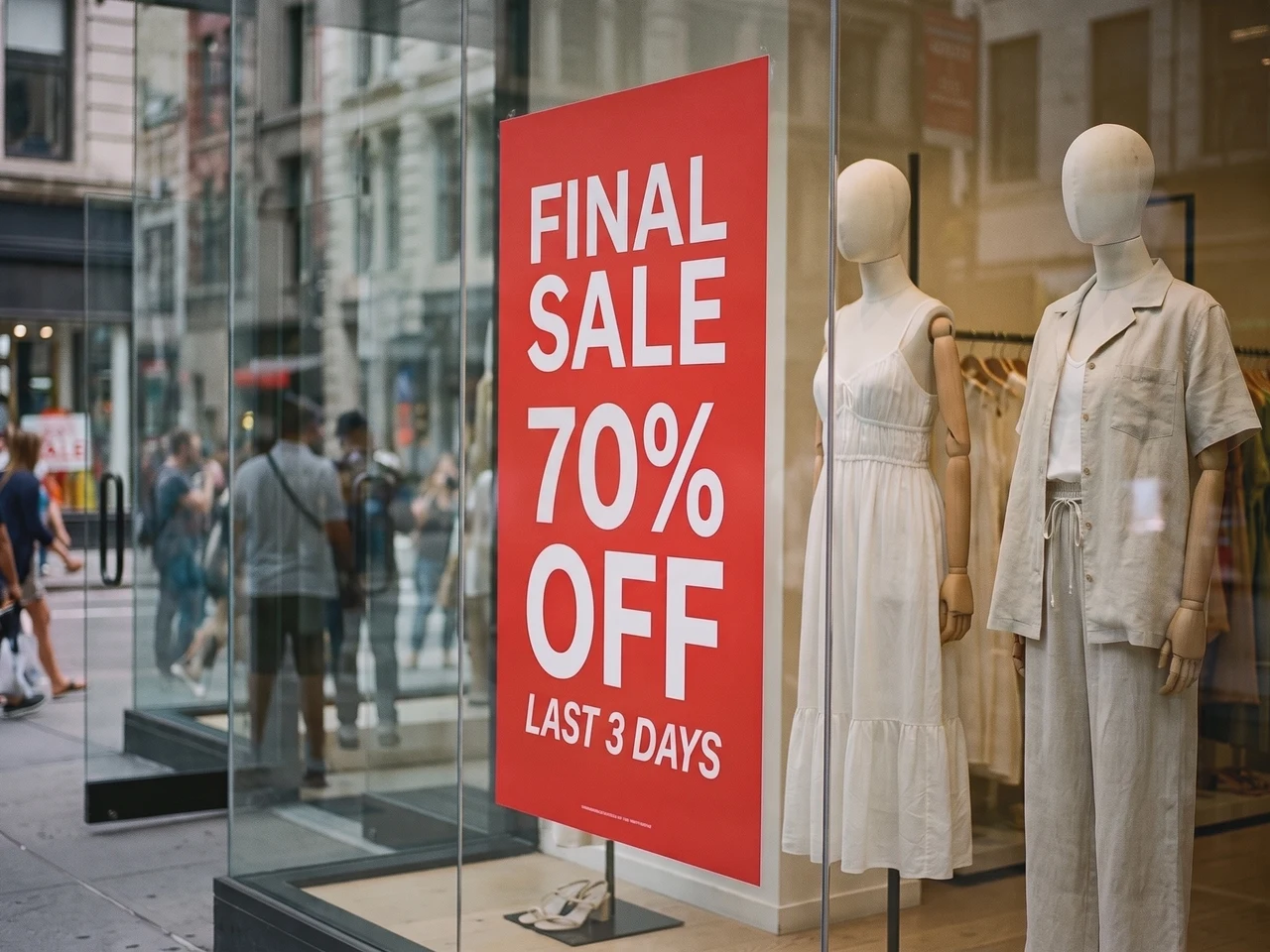 編集前編集後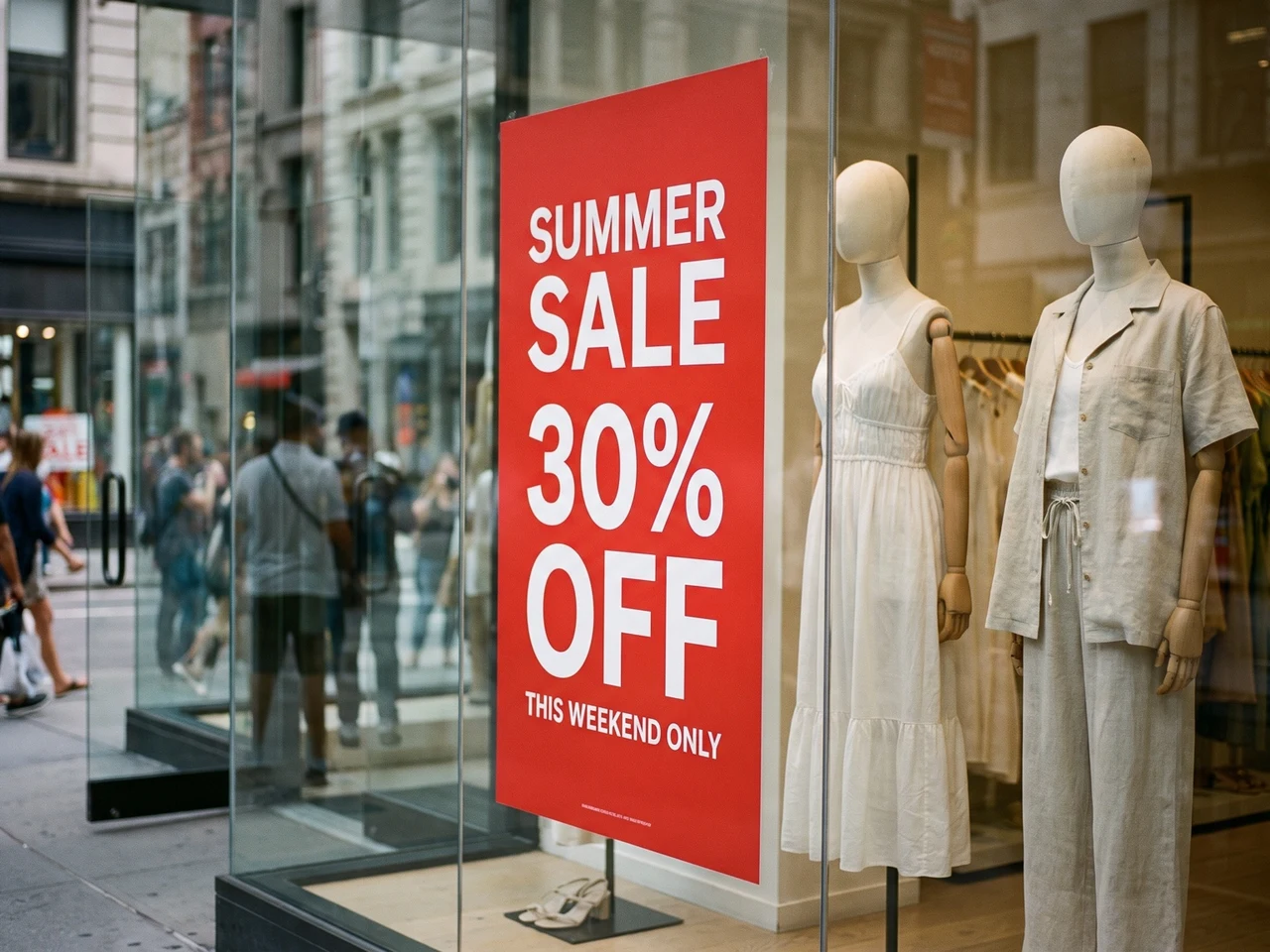
実際の写真も書き換え
ウィンドウのポスターを新しいセール告知に。光や映り込みもそのままです。
1:1のテキストスタイル再現
Codiaはフォントの太さ、サイズ、配置、色、間隔、階層などのタイポグラフィの詳細を保持するため、編集後の文字も元画像に一致します。
108の言語で文字を認識
グローバルな画像コンテンツを扱えます。CodiaはAI画像、スクリーンショット、ポスター、商品ビジュアル、マーケティング素材にわたる多言語の文字を認識します。
透過PNG・WebPに対応
ロゴやステッカーは透明な背景を保ったまま。編集したファイルをそのままデザインに戻せます。
もっと細かく調整したいなら、フルエディターで開く
レイヤー単位で編集したい場合は、同じ画像をCodiaの写真エディターで開いて、フォント・色・位置を変更し、ほかのツールでレタッチを続けられます。
文字の編集方法を選ぶ
元のフォントに合わせる・スクリーンショット・JPG の文字編集
新しい文字を重ねるのではなく、画像にすでにある文字を置き換えます。
元のフォントに合わせて画像の文字を編集
見出し、価格、ラベルを元の文字の雰囲気に合わせて変更します。新しい文章の長さを元に近づけ、結果を比較してください。装飾文字、小さい文字、複雑な背景では再調整が必要な場合があります。
スクリーンショットの文字を編集
UI ラベル、モックアップ、プレゼンのスクリーンショットを更新します。鮮明な画像をアップロードし、認識結果を確認して新しい文字を入力します。ダウンロード前に改行や周囲の文字を確認してください。
JPG・PNG 画像の文字を編集
元のデザインファイルがなくても、保存済みの写真や画像の文字を変更できます。画像を直接アップロードし、認識された文字を編集して新しい画像を生成します。比較用に元の画像を残してください。
PDF の文字を直して、ファイルをまるごとダウンロード
PDF をアップロードして、文字を直したいページを選びます。画像と同じように編集すると、そのページを差し替えた PDF 全体をダウンロードできます。
直すページを選ぶ
すべてのページがサムネイルで表示されます。一度に最大 10 ページまで選べます。
文字をその場で編集
フォント・色・レイアウトはそのまま。変わるのは文字だけです。
PDF をまるごとダウンロード
編集したページが差し替わり、ほかのページは元のまま、文字も選択できます。
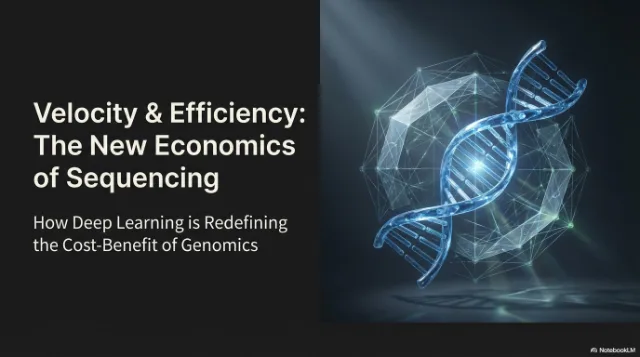
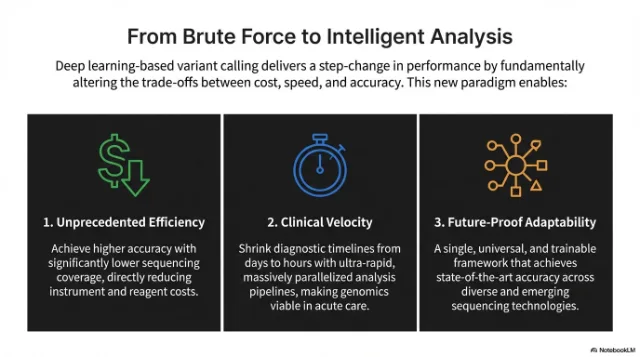 編集済み
編集済み
 編集済み
編集済み
使い方
画像に埋め込まれた文字を編集できるテキストに
問題のある画像をアップロード
スクリーンショット、UI、ポスター、商品画像、文字が崩れた生成画像を取り込めます。
認識された文字を編集
Codiaが画像内の文字を自動で検出します。各行の横に新しい文字を入力するか、空欄にして削除します。
生成してダウンロード
AIが元のフォントとスタイルのまま文字を書き換えます。元の画像と比較してから、完成した画像をダウンロードします。
活用シーン
実務のデザインに使える写真・画像の文字編集ツール
画像はそのまま使いたいけれど、文字を整えたい・翻訳したい・編集できるテキストにしたい。そんなときは画像テキストエディターを使えます。
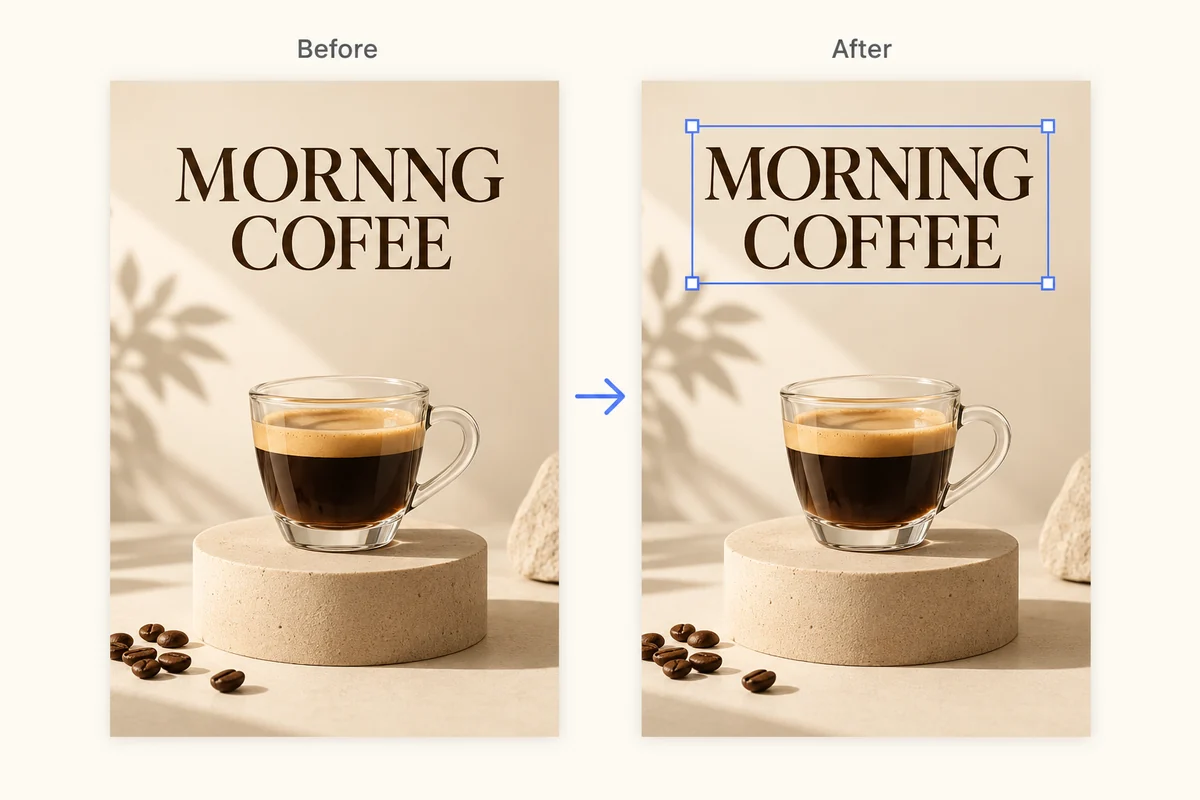
AI画像の崩れた文字を修正
生成画像の読めない文字、スペルミスのあるラベル、崩れたタイポグラフィを、画像全体を描き直さずに整えます。
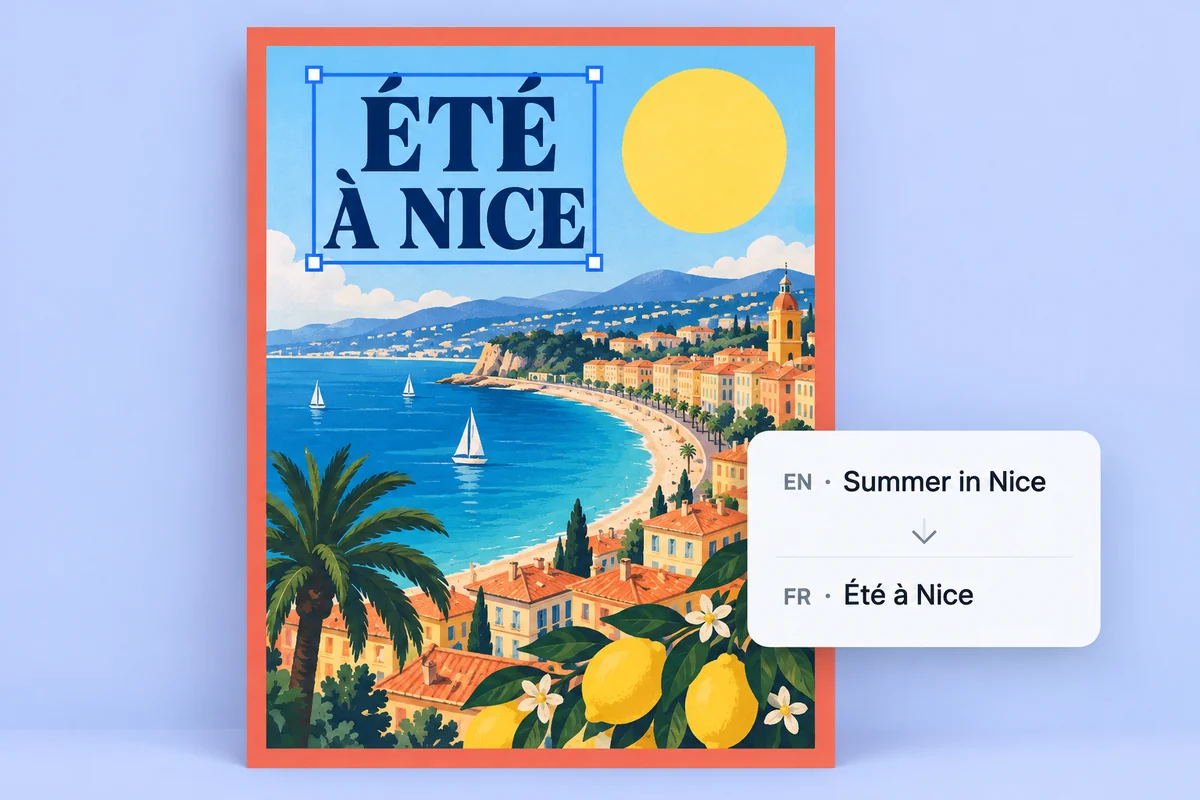
ポスターや商品画像をローカライズ
画像に埋め込まれた文字を編集可能なテキストレイヤーに変換し、キャンペーン素材の翻訳・修正・確認をスピードアップします。
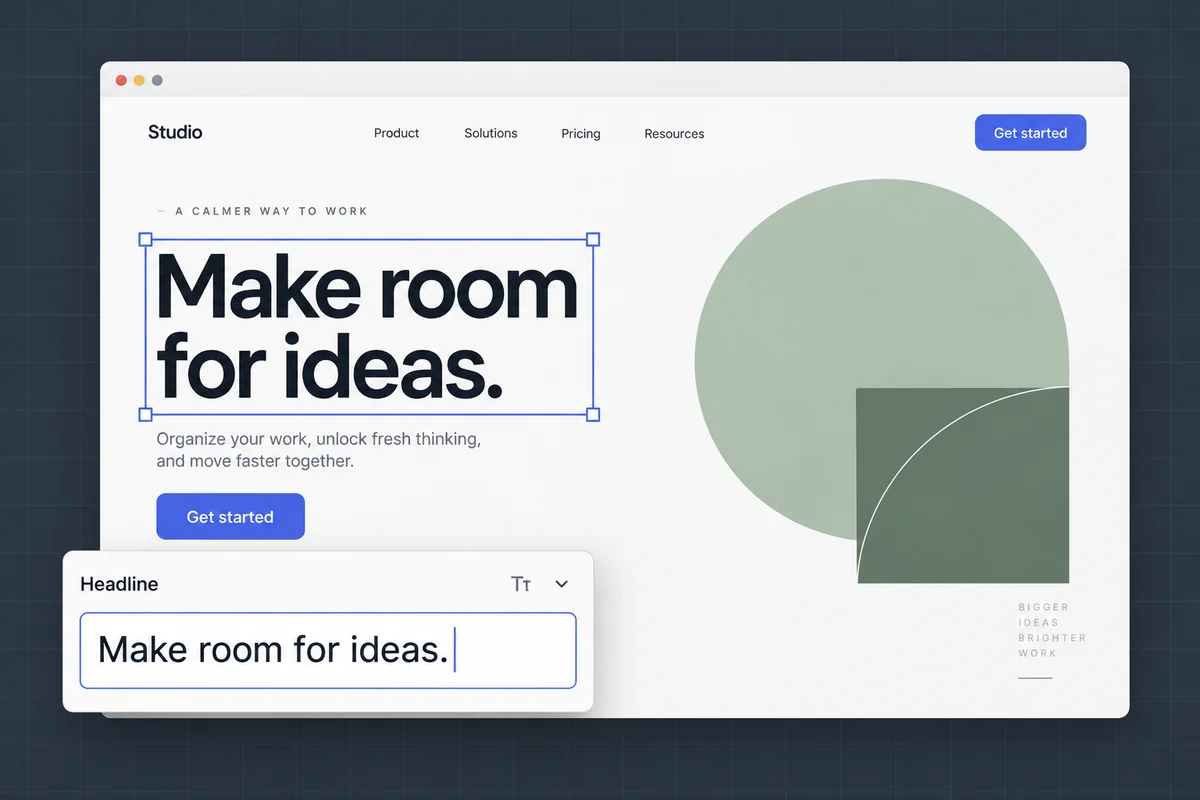
スクリーンショットやモックアップの文字を編集
UIラベル、モックアップの文言、プレゼン用スクリーンショットを、元のレイアウトと見た目を保ったまま更新できます。
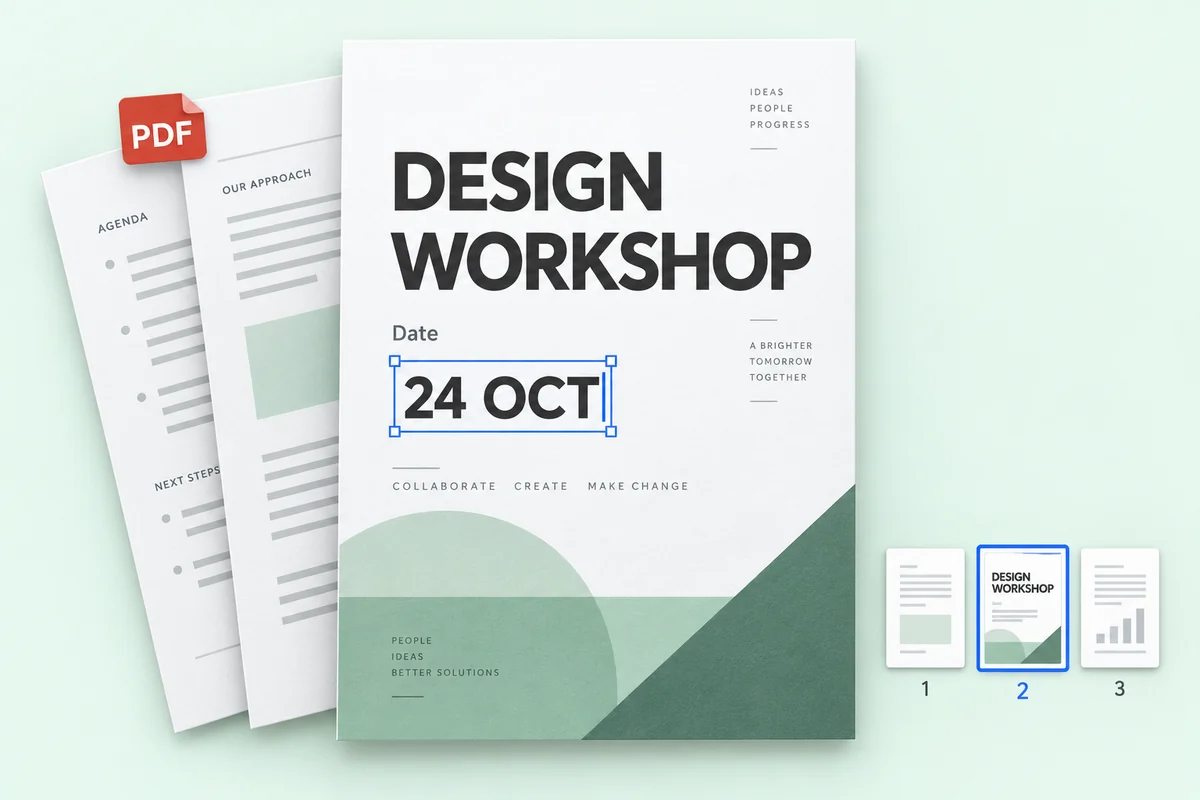
PDF ファイルの文字を修正
PDF の数ページにある価格・日付・名前を直して、ほかのページはそのままのファイル全体をダウンロードできます。
料金
無料で始めて、必要なときだけお支払い
1K編集は1クレジット、2Kは2クレジット、4Kは3クレジット。文字認識にクレジットは使いません。
無料で試す
文字認識は無料、登録不要。無料アカウントには、1K の編集 1 回分のクレジットが毎月 1 つ付与されます。
AI の学習には使いません
画像はご依頼の編集にだけ使います。モデルの学習に使うことはありません。
見られるのはあなただけ
アップロードした画像と編集結果は、あなたの履歴にだけ表示されます。公開ギャラリーに載ることはありません。
残すのも消すのも自由
履歴は 1 件ずつ削除することも、まとめて消すこともいつでもできます。
FAQ
画像テキストエディター FAQ
画像上の文字を直接編集できますか?
はい。画像をCodiaにアップロードすると、AIが画像内の文字を見つけます。新しい文字を入力すれば、元のフォント・色・レイアウトに合わせてその場で書き換えます。
文字認識は無料ですか?
はい。文字認識は無料で、Codia の無料アカウントには 1K の編集画像を生成できるクレジットが毎月付与されます。Lite とクレジットパックで 2K、Starter と Pro プランでは 4K 出力と一括編集も使えます。
Codiaはいくつの言語を認識しますか?
Codiaは108の言語で文字認識に対応しており、ローカライズされた広告、商品画像、スクリーンショット、グローバルなクリエイティブ作業に役立ちます。
どの画像形式を編集できますか?
写真、スクリーンショット、ポスター、商品ラベルなどの JPG、PNG、WebP 画像をアップロードできます。認識された文字を編集し、変更後の画像を生成してダウンロードします。
スクリーンショットの文字はどう編集しますか?
JPG、PNG、WebP のスクリーンショットをアップロードします。認識された文字を確認して新しい文字を入力し、生成した画像を比較してください。鮮明な画像ほど小さい UI 文字を認識しやすくなります。改行や周囲の要素も確認してください。
元のファイルがなくても JPG・PNG の文字を編集できますか?
はい。PSD などの元のデザインファイルは不要です。JPG や PNG を直接アップロードすると、Codia が画像内の文字を認識し、置き換えた新しい画像を生成できます。出力は画像ファイルで、元のデザイン文書を復元するものではありません。
料金はいくらですか?
文字認識は無料です。無料アカウントには、1K の編集 1 回分のクレジットが毎月 1 つ付与されます。Lite とクレジットパックで 2K、Starter と Pro では 4K 出力と一括編集も使えます。クレジットパックに有効期限はありません。
アカウントは必要ですか?
画像をアップロードして文字認識の結果を見るだけなら、アカウントは不要です。編集した画像を生成するときに無料で登録してください。クレジットの管理に使われます。
1回の編集で何クレジット使いますか?
変更する文字ブロックの数にかかわらず、1Kは1クレジット、2Kは2クレジット、4Kは3クレジットです。編集に失敗した場合、クレジットは消費されません。
透明な背景は保たれますか?
はい。ロゴやステッカーなどの透過PNG・WebP画像は、透明な背景を保ったままPNGファイルで返されます。
どんなファイルをアップロードできますか?
20 MB までの PNG・JPG・WebP 画像と、100 MB までの PDF に対応しています。非常に大きな画像は、長辺を 4096 ピクセルに縮小してから処理します。
PDF の文字も編集できますか?
できます。PDF をアップロードし、最大 10 ページを選んで文字を編集します。ダウンロードされるのは PDF 全体で、編集したページが差し替わり、ほかのページは元のままです。PDF の編集は一括編集の機能で、Starter と Pro プランで使えます。
画像の文字を書き換えてみませんか?
文字認識は無料で、登録も不要です。画像をアップロードして始めましょう。