
PNG Compressor Online
Compress PNG screenshots and graphics while retaining a transparent background.
- Free
- No sign-up
- On your device
How it works
Choose files from your device, drag them here, or paste an image.
Adjust the available settings and inspect your results before downloading.
Download the result or copy your colors. No account or payment is required.
When to use it
Screenshots and UI mockups
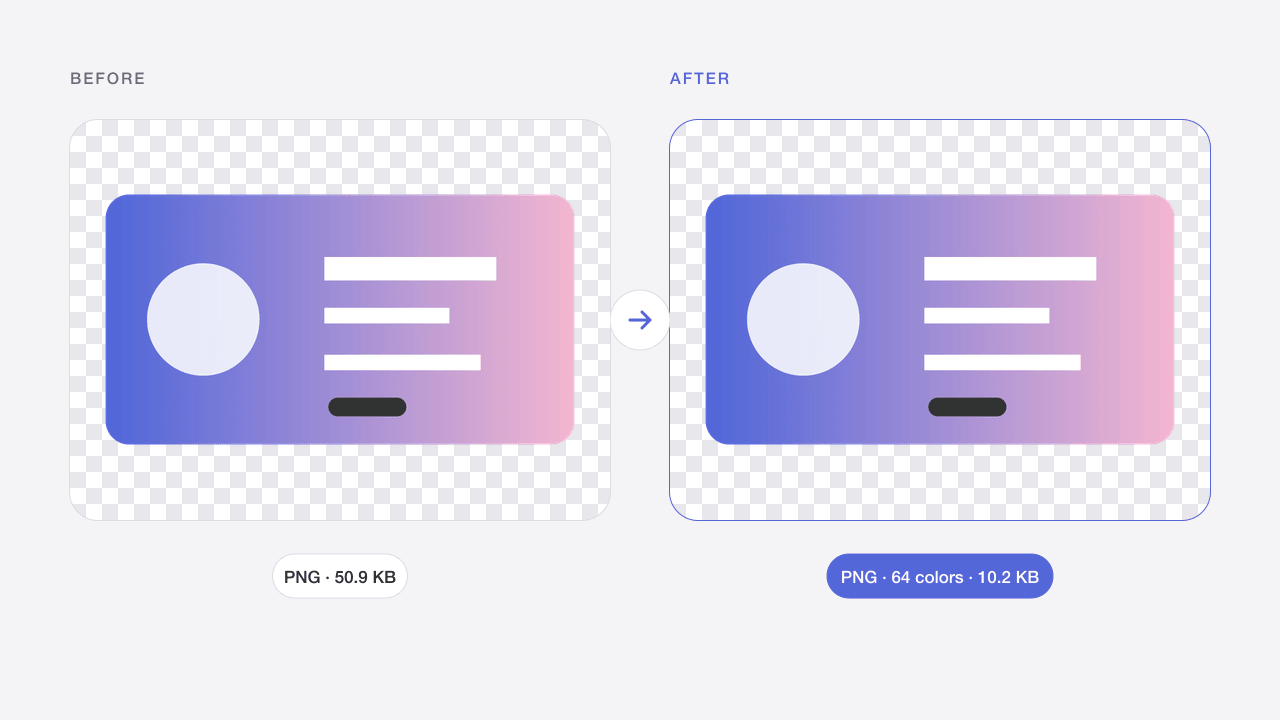
Palette compression can cut screenshots by 60–80% with no visible change to text and flat interface colors.
Logos and icons
Keep the transparent background intact for websites, slides and app store listings.
Design handoff
Send lighter exports to developers and clients without exporting again from your design tool.
What to expect
PNG compression works differently from JPG quality settings. Preserving colors re-encodes the image without intentionally reducing the palette; balanced and smaller modes use up to 256 and 64 colors. Gradients and soft transparent edges may change, so compare the original and result.
Limits apply to both input and output. Animated images are not supported. Files remain in memory only; reloads clear your work. Smaller batches help on mobile devices.
Frequently asked questions
Is PNG compression lossless?
Preserve colors is lossless: every pixel stays the same, so savings are modest. Balanced and Smaller file reduce the number of colors, which is lossy but usually invisible on screenshots, logos and illustrations.
Why is my PNG photo not much smaller?
Photos contain thousands of subtle colors, so a limited palette saves less and can cause banding. For photos, the Image Compressor with JPG or WebP output creates far smaller files.
Will the transparent background be kept?
Yes. Transparency, including soft anti-aliased edges, is preserved in every mode. Very subtle translucent gradients may show slight steps when colors are reduced.
What does the maximum colors setting do?
It caps how many distinct colors the PNG palette can use, from 2 to 256. Fewer colors mean smaller files; raise the number if you notice banding in gradients or shadows.
Are my images uploaded?
No. Image processing takes place in your browser. Files are not sent to Codia and are removed from this workspace when you refresh or leave. Website analytics, when permitted, never contain your images or file names.
Can I process multiple files?
Yes, up to 20 files per batch, within the displayed size limits. Each file is processed separately. Download successful results individually or as a ZIP; a failed file does not block the others.
Will quality and metadata stay the same?
Results depend on the operation and settings. Lossy compression changes pixels; JPG removes transparency. Exports target ordinary 8-bit web images and do not promise EXIF, HDR, original color profiles or 16-bit preservation. Always inspect the result.
Related image tools
Image Compressor Online
Reduce JPG, PNG and WebP file sizes while keeping the original format.
Open tool →JPG · PNG · WEBPCompress Image to 100KB
Make photos fit an upload limit, with automatic quality and size adjustment.
Open tool →WEBP → PNGWebP to PNG Converter
Convert static WebP files into PNG images with transparency preserved.
Open tool →PNG · WEBP → JPGPNG to JPG Converter
Turn PNG images into JPG photos and choose a background for transparent areas.
Open tool →JPG · PNG · WEBPImage Resizer Online
Resize images by pixels or percentage without stretching the aspect ratio.
Open tool →SVG → PNGSVG to PNG Converter
Export self-contained SVG artwork as PNG at 1×, 2×, 4× or a custom width.
Open tool →JPG · PNG · WEBPColor Picker from Image
Pick pixels from an image and copy HEX, RGB, HSL or CSS color variables.
Open tool →