
Color Picker from Image
Pick pixels from an image and copy HEX, RGB, HSL or CSS color variables.
- Free
- No sign-up
- On your device
How it works
Choose files from your device, drag them here, or paste an image.
Hover to preview and click to save. With a keyboard, use the arrow keys (Shift moves 10 pixels) and Enter.
Download the result or copy your colors. No account or payment is required.
When to use it
Brand colors
Find the exact HEX value from a logo or product photo to keep designs consistent.
Palettes from inspiration
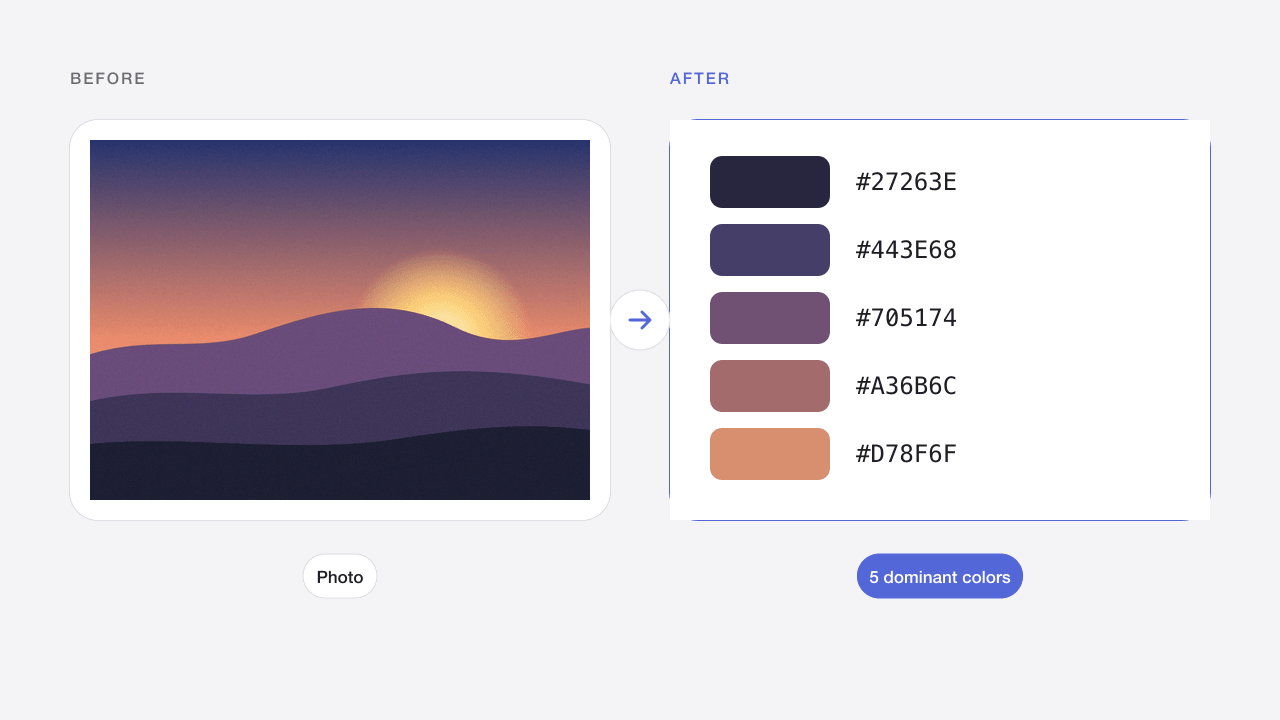
Extract the dominant colors of a photo or artwork as a starting point for a palette.
Design to code
Copy colors as CSS variables or a Tailwind config snippet straight into your project.
What to expect
Select a point on the image to inspect its web color, including transparency. The magnifier helps with small details. Save up to ten unique colors, copy individual values, or export CSS variables as a text file. Colors reflect the decoded browser image, not a calibrated print color measurement.
Limits apply to both input and output. Animated images are not supported. Files remain in memory only; reloads clear your work. Smaller batches help on mobile devices.
Frequently asked questions
How do I get the HEX code of a color in an image?
Upload the image, hover to preview any pixel in the magnifier and click to save it. HEX, RGB, HSL and OKLCH values appear beside the image; click a value to copy it.
How are the dominant colors found?
The tool samples a reduced copy of your image and groups similar colors with a median-cut algorithm, ordered by how much of the image they cover. Transparent pixels are ignored.
Can I pick a color from outside the image?
In Chrome, Edge and other browsers that support the EyeDropper API, use Pick from screen to sample any pixel on your display.
Why might a color differ slightly from my design file?
Images with wide-gamut color profiles such as Display P3 are converted to sRGB for the web. The values match what browsers display, which can differ from the original profile in print or design software.
Are my images uploaded?
No. Image processing takes place in your browser. Files are not sent to Codia and are removed from this workspace when you refresh or leave. Website analytics, when permitted, never contain your images or file names.
Can I process multiple files?
One JPG, PNG or WebP at a time. Up to 20 MiB and 12 MP.
Will quality and metadata stay the same?
Results depend on the operation and settings. Lossy compression changes pixels; JPG removes transparency. Exports target ordinary 8-bit web images and do not promise EXIF, HDR, original color profiles or 16-bit preservation. Always inspect the result.
Related image tools
Image Compressor Online
Reduce JPG, PNG and WebP file sizes while keeping the original format.
Open tool →PNGPNG Compressor Online
Compress PNG screenshots and graphics while retaining a transparent background.
Open tool →JPG · PNG · WEBPCompress Image to 100KB
Make photos fit an upload limit, with automatic quality and size adjustment.
Open tool →WEBP → PNGWebP to PNG Converter
Convert static WebP files into PNG images with transparency preserved.
Open tool →PNG · WEBP → JPGPNG to JPG Converter
Turn PNG images into JPG photos and choose a background for transparent areas.
Open tool →JPG · PNG · WEBPImage Resizer Online
Resize images by pixels or percentage without stretching the aspect ratio.
Open tool →SVG → PNGSVG to PNG Converter
Export self-contained SVG artwork as PNG at 1×, 2×, 4× or a custom width.
Open tool →