

Watermark Image Online
Stamp custom text or a logo across your photos with live preview.
- Free
- No sign-up
- On your device
How it works
Choose files from your device, drag them here, or paste an image.
Adjust the available settings and inspect your results before downloading.
Download the processed image right away. No account or payment is required.
What to expect
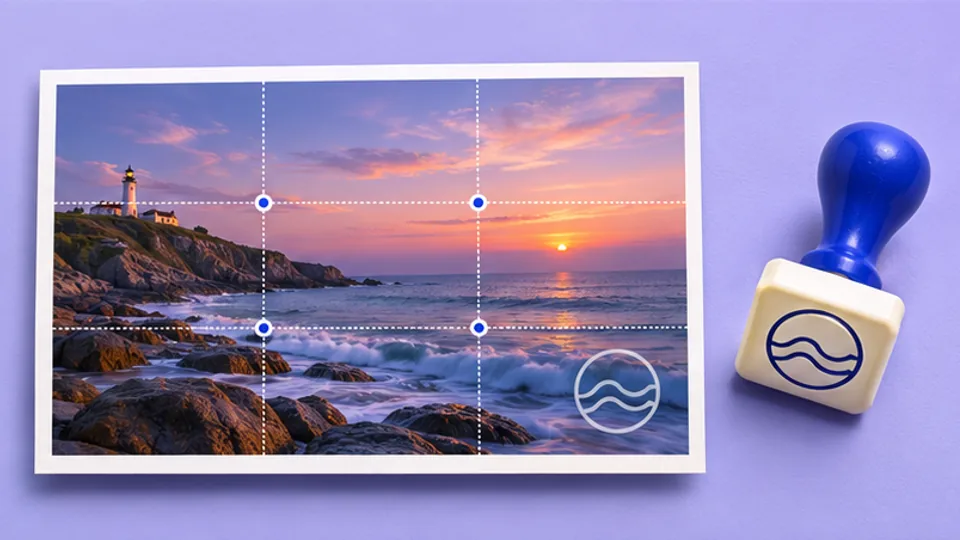
Add crisp text watermarks (with font, color, bold, italic and drop shadow controls) or upload a transparent PNG/SVG logo. Snap to any of 9 anchor positions or tile diagonally across the full image, adjust opacity, angle and margin with instant live preview, and export all photos locally.
Limits apply to both input and output. Animated images are not supported. Files remain in memory only; reloads clear your work. Smaller batches help on mobile devices.
When to use it
Protect client proofs and portfolios
Tile semi-transparent copyright text diagonally across preview shots before sending drafts to clients.
Brand e-commerce product photos
Upload your transparent PNG store logo and stamp it neatly in the bottom-right corner across 20 product shots in one click.
Mark ID scans for safe submission
Add a custom usage-only text watermark across ID or certificate scans completely offline without uploading sensitive documents.
Frequently asked questions
Does Watermark Image support transparent PNG logos?
Yes. Switch to Logo mode and upload a PNG, WebP or SVG logo with transparency, then adjust logo width, opacity, rotation and margin.
How do I create a full-image diagonal tiled watermark?
Enable Tile across image and set Rotation to around -30° with 25–40% opacity for a clean repeating protection layer.
Can I watermark multiple images at once?
Yes. Upload up to 20 images, switch thumbnails to inspect placement, and download all watermarked files in a single ZIP.
Is it safe to watermark ID cards or private documents here?
Yes. Watermarking runs 100% locally in your browser Canvas and neither your photos nor your logo are ever uploaded.
Are my images uploaded?
No. Image processing takes place in your browser. Files are not sent to Codia and are removed from this workspace when you refresh or leave. Website analytics, when permitted, never contain your images or file names.
Can I process multiple files?
Yes, up to 20 files per batch, within the displayed size limits. Each file is processed separately. Download successful results individually or as a ZIP; a failed file does not block the others.
Will quality and metadata stay the same?
Results depend on the operation and settings. Lossy compression changes pixels; JPG removes transparency. Exports target ordinary 8-bit web images and do not promise EXIF, HDR, original color profiles or 16-bit preservation. Always inspect the result.
Related image tools
EXIF Viewer & Remover
Inspect hidden camera and GPS metadata, then strip it losslessly.
Image Compressor Online
Reduce JPG, PNG and WebP file sizes while keeping the original format.
PNG Compressor Online
Compress PNG screenshots and graphics while retaining a transparent background.
Compress Image to 100KB
Make photos fit an upload limit, with automatic quality and size adjustment.
WebP to PNG Converter
Convert static WebP files into PNG images with transparency preserved.
PNG to JPG Converter
Turn PNG images into JPG photos and choose a background for transparent areas.

Image Resizer Online
Resize images by pixels or percentage without stretching the aspect ratio.
SVG to PNG Converter
Export self-contained SVG artwork as PNG at 1×, 2×, 4× or a custom width.