
Turn slide images into editable PowerPoint — by API
Use the Image to Editable PowerPoint API to rebuild screenshots, AI-generated slides, and image-only PDFs as decks with editable text, shapes, images, and layout.
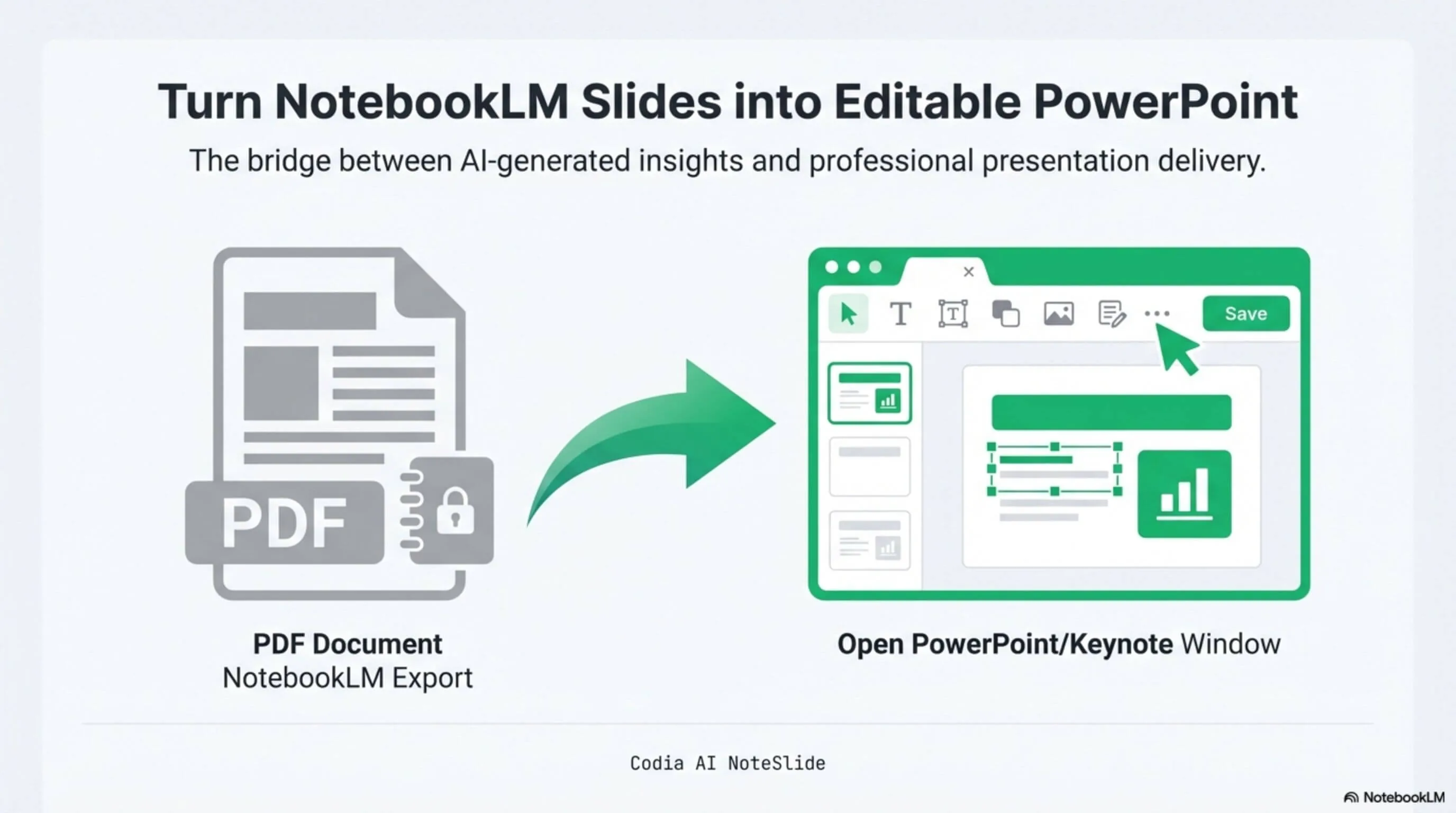
Not another image pasted onto a slide
Codia analyzes each visual page and reconstructs the presentation as native PowerPoint objects. Your users can select a headline, move a shape, replace an image, or continue editing the layout.
Flat source page
A screenshot-style page with every element locked together.
Rebuilt PowerPoint slide
The same composition, separated into editable presentation objects.
Select and editTwo ways in. One conversion task.
The API accepts image-only PDF input. Choose the preparation path that matches the content you already have.
Start with images
Combine JPG, PNG, screenshots, or AI-generated slide images into an image-only PDF, preserving one visual page per PDF page.
Start with an image-only PDF
Upload NotebookLM exports, scanned slide decks, or screenshot-based PDFs directly, then create a conversion task with the returned upload_id.
Input requirement
Direct JPG or PNG submission is not currently supported. Complex text-flow PDFs, vector-layout PDFs, and mixed-object PDFs are outside the supported input profile. Rasterize those pages first and package them as an image-only PDF.
What becomes editable
The result is designed for continued work in PowerPoint, not just passive viewing.
Text boxes
Select and rewrite detected copy without recreating the slide.
Shapes
Move, resize, recolor, and restyle reconstructed visual elements.
Images
Keep visual assets separate so they can be replaced or repositioned.
Slide layout
Preserve the page composition while making its parts independently editable.
From one-off exports to product-scale workflows
Add editable presentation conversion wherever visual slides enter your product or content pipeline.
NotebookLM exports
Turn image-based research briefings into editable decks for review and reuse.
AI-generated slides
Convert generated slide images into a PowerPoint starting point your users can refine.
Scanned slide archives
Bring screenshot-based or scanned presentations back into an editable workflow.
Batch migration
Queue customer files, track progress, and deliver PPTX results inside your product.
Upload. Convert. Deliver the deck.
Use one authenticated flow to upload the prepared PDF, create an asynchronous task, and retrieve the finished PPTX.
# 1. Upload the source
curl 'https://openapi.codia.ai/v2/open/uploads' \
  -H 'Authorization: Bearer {codia_api_key}' \
  -F 'file=@./slides.pdf'

# → { "data": { "upload_id": "upl_..." } }

# 2. Create the task
curl 'https://openapi.codia.ai/v2/open/tasks' \
  -H 'Authorization: Bearer {codia_api_key}' \
  -H 'Content-Type: application/json' \
  -H 'Idempotency-Key: deck-2026-001' \
  --data '{
    "operation": "pdf_to_ppt",
    "input": {
      "upload_id": "upl_...",
      "title": "NotebookLM source briefing"
    },
    "callback_url": "https://your-app.com/webhooks/codia"
  }'

# 3. Deliver the PPTX
curl 'https://openapi.codia.ai/v2/open/tasks/{task_id}' \
  -H 'Authorization: Bearer {codia_api_key}'

# → data.status: "succeeded"
# → data.result.ppt_url: "https://static.codia.ai/...pptx"Upload the source
Send the image-only PDF and store its upload_id.
Create the task
Submit pdf_to_ppt and track the returned task_id.
Deliver the PPTX
Poll or receive a webhook, then read result.ppt_url.
API automation or hands-on conversion
The conversion engine serves both product integrations and individual presentation work.
Presentation Conversion API
Build conversion into your application, process files in batches, and use webhooks for completion events.
Create an API keyCodia NoteSlide
Upload a document in the browser, inspect the reconstructed slides, and download a presentation manually.
Open NoteSlidePay by converted page
Presentation conversion uses the same Codia Open API balance as your other visual workflows.
Before you integrate
What files can the API convert?
The API currently accepts image-only PDFs. It works best with NotebookLM exports, scanned slide decks, and PDFs assembled from screenshots. Rasterize text-flow, vector-layout, or mixed-object PDFs before submitting them.
Can I upload JPG or PNG files directly?
Not yet. Place one image on each PDF page, combine the pages into an image-only PDF, upload it, and use the returned upload_id to create a pdf_to_ppt task.
How editable is the resulting PowerPoint?
The output is not a single flat image per slide. Detected text boxes, shapes, and images are rebuilt as separate PowerPoint objects. Results vary with source quality, so review typography and complex overlapping elements before delivery.
How do page selection and the 100-page limit work?
A task can convert up to 100 selected pages. Use zero-based page_no values to choose specific pages. For a longer PDF, create multiple tasks from the same upload and combine the resulting decks in your workflow.
How do I know when a conversion is complete?
Task creation returns a task_id. Poll GET /v2/open/tasks/{task_id}, or provide a callback_url and verify the signed webhook. When the task succeeds, download the deck from result.ppt_url.
How are credits charged if a task fails?
PDF-to-PowerPoint conversion costs 13 credits per selected page. Credits are reserved when the task is created and automatically refunded if the task ends in a failed state.
Are the API and NoteSlide the same product?
No. They are two separate products. The Presentation Conversion API is built for product integrations, batch processing, automation, and webhooks. NoteSlide is an interactive web product for manually uploading, reviewing, and converting presentations.
Turn visual slides into editable decks at scale.
Create an API key, submit an image-only PDF, and deliver a PowerPoint your users can keep editing.