
博客
来自 Codia 团队的洞察、教程和产品更新。
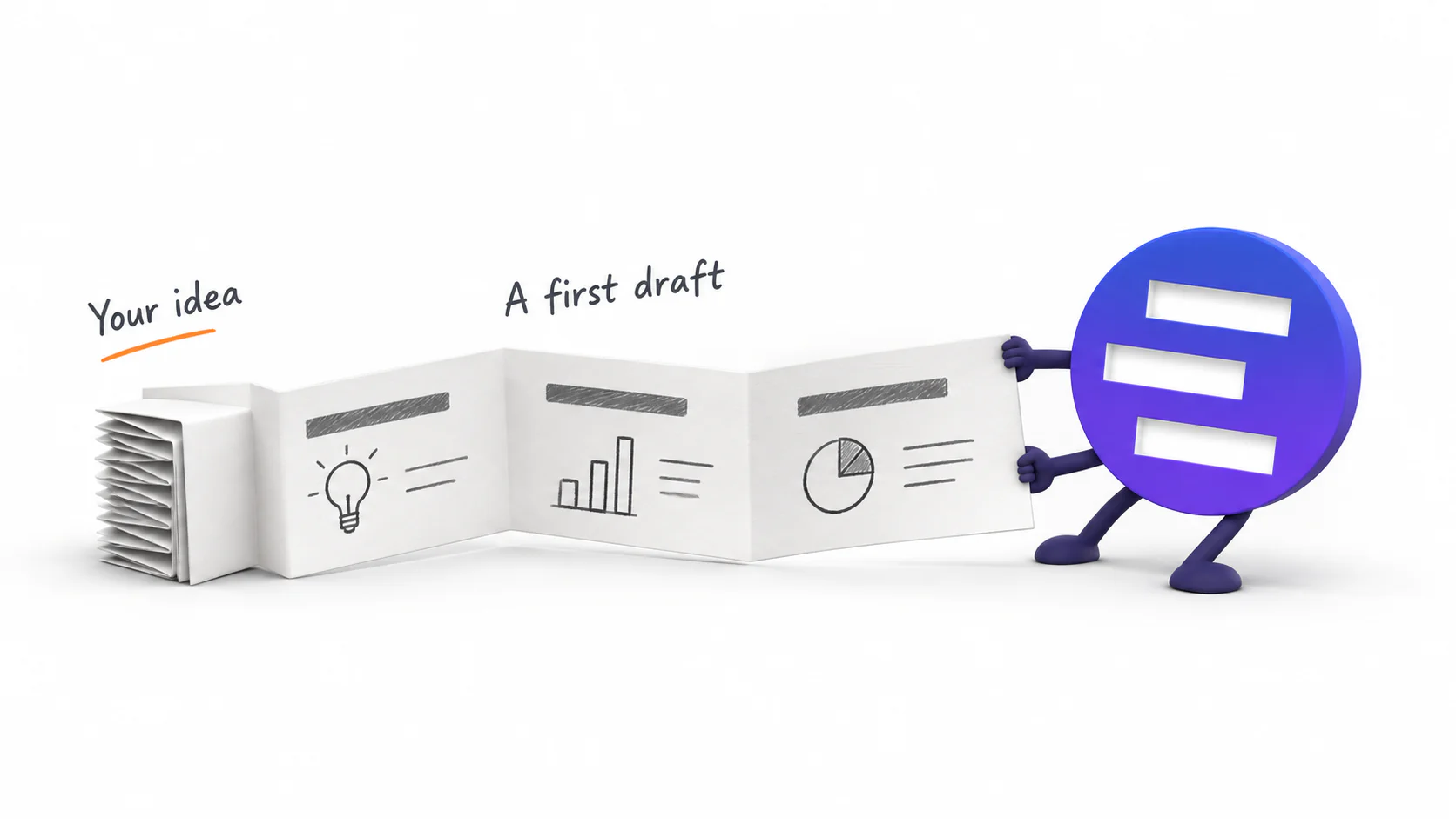
Introducing AI Presentation Generation in NoteSlide
Turn ideas, notes, and documents into AI-generated presentations with NoteSlide. Review the outline, preview the design, and download an editable PPTX.

AI 美化 PPT 前怎么准备文件?一份实用检查清单
AI 重设计 PowerPoint 前,先整理字体、图片、图表、敏感措辞、页面范围和品牌参考。来源越清楚,复核越快也越安全。

换 PPT 模板和 AI 美化有什么区别?哪种才能真正修好旧文件
模板负责主题规则,AI 美化负责逐页重新解释内容。比较两者能改变什么、保留什么、成本和风险分别在哪里。
AI 生成的 PPT 真的可编辑吗?用 5 项测试判断
文件名以 .pptx 结尾,不代表真正可编辑。用文字、对象、图片、图表和文件结构五项测试,判断 AI PPT 能不能继续修改和交接。

如何从 Word、PDF、网页和粘贴文本生成 PPT
Word、PDF、网页和粘贴笔记在生成 PPT 前需要不同的准备。了解哪种资料最适合你的任务,以及怎样得到更干净的可编辑 PPTX。
旧 PPT 怎么美化,但不重写原内容?完整流程与复核清单
在保留原有信息、事实和审批文案的前提下重设计旧 PPT:从备份、选页、统一视觉,到逐项比对和可编辑性检查。

AI 生成 PPT、AI 美化 PPT、PDF 转 PPT:三种工作流到底怎么选?
AI 演示工具可以从零生成 PPT、重设计旧 PPT,也可以把扁平 PDF 还原成可编辑 PowerPoint。上传文件前,先用这篇指南选对工作流。
为什么你的 PPT 一眼就显业余:6 个信号,以及每个怎么修
评审看你的 PPT 前三秒会注意到的六件事——视觉体系不统一、字号乱飘、对不齐、满屏文字没层级、配图打架、颜色没规矩——以及每一条最快的修法。
用 Nano Banana Pro 做一整套 PPT:完整工作流,以及最后卡住的那一步
一套真正能跑通的 Nano Banana Pro 出片流程:一页一张图、可复用的 prompt 骨架、十页保持同一套视觉语言,以及决定你之后还能不能改的那一步导出。
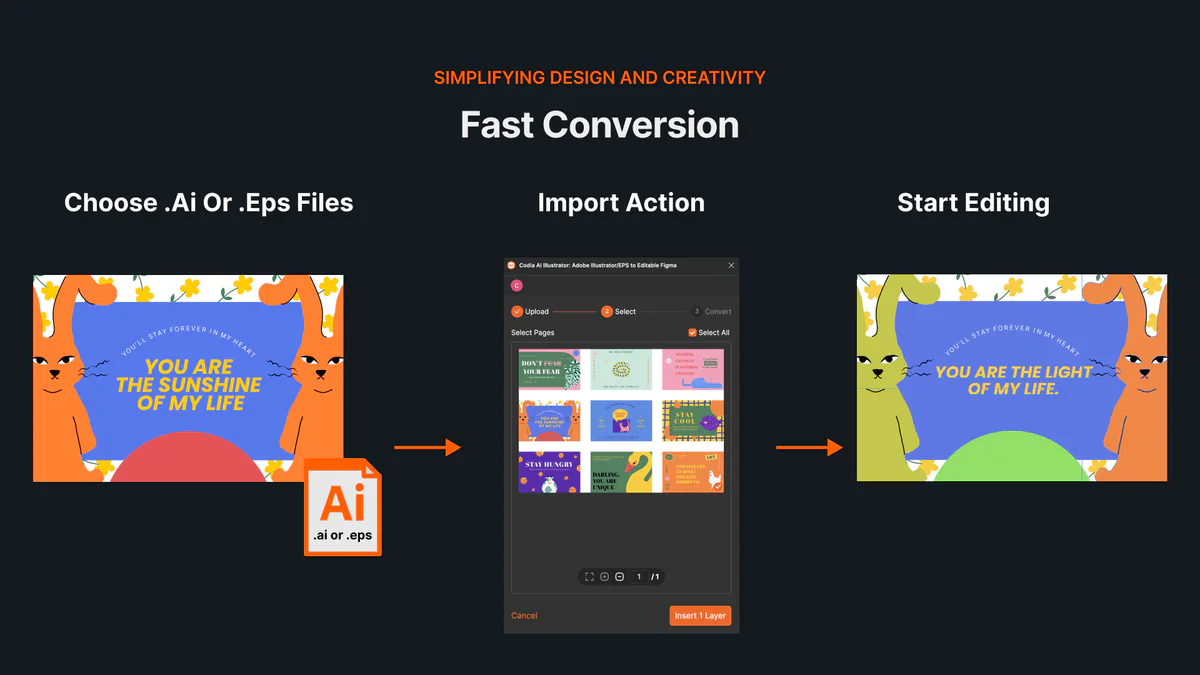
无需 Illustrator,如何在线打开和编辑 AI、EPS 文件
了解如何在线打开 AI 和 EPS 文件,将画板与可编辑矢量图层导入 Codia Studio,并避开常见兼容性问题。
NotebookLM 正式更名为 Gemini Notebook:发生了什么,对幻灯片导出意味着什么
Google 已将 NotebookLM 更名为 Gemini Notebook。本文说明名称之外有哪些变化、旧笔记本是否受影响,以及新名称下如何继续导出和编辑幻灯片。
保姆级教程 ,NotebookLM 终于支持 PPT 修改了!
NotebookLM 的 Slide Deck 已支持逐页修订和 PowerPoint 下载。本文用保姆级步骤讲清楚如何修改 NotebookLM 生成的 PPT、哪些内容适合在 NotebookLM 里改,以及什么时候应该交给 NoteSlide 继续做可编辑 PPTX。

NoteSlide 转换后如何检查结果?文字、图片、图表和数字复核清单
NoteSlide 将 PDF 转成可编辑 PPTX 后,建议检查文字、图片、图表、数字、引用和页面状态,再用于正式汇报或交付。
NoteSlide 转换前怎么准备文件?提高 PDF 到 PPTX 质量的检查清单
在使用 NoteSlide 将 PDF 转成可编辑 PPTX 前,先检查源文件质量、页面范围、截图清晰度和大文件拆分,可以减少后续返工。
老师如何把 PDF 讲义变成可编辑 PPT?NoteSlide 教师工作流
教师拿到 PDF 讲义、扫描课件或 NotebookLM 幻灯片后,可以用 NoteSlide 转成可编辑 PPTX,再补充说明页、调整文字和导出课堂材料。
研究者如何把论文 PDF 变成会议汇报 PPT?NoteSlide 工作流
研究者可以用 NoteSlide 将论文 PDF、研究摘要或扫描版资料转成可编辑 PPTX,再人工复核数据、图表和引用,用于会议或组会汇报。
市场团队如何把白皮书或产品资料变成演示文稿?NoteSlide 工作流
市场团队可以用 NoteSlide 把白皮书、产品资料或长 PDF 转成可编辑 PPTX,再改造成销售演示、活动材料或内部培训 deck。

顾问如何把咨询报告 PDF 变成客户汇报 Deck?NoteSlide 工作流
顾问可以用 NoteSlide 将咨询报告 PDF 转成可编辑 PPTX,再围绕客户汇报场景调整结构、压缩信息密度、复核关键数字并导出 deck。
NoteSlide 转换后可以编辑哪些内容?文字、图片、形状和布局说明
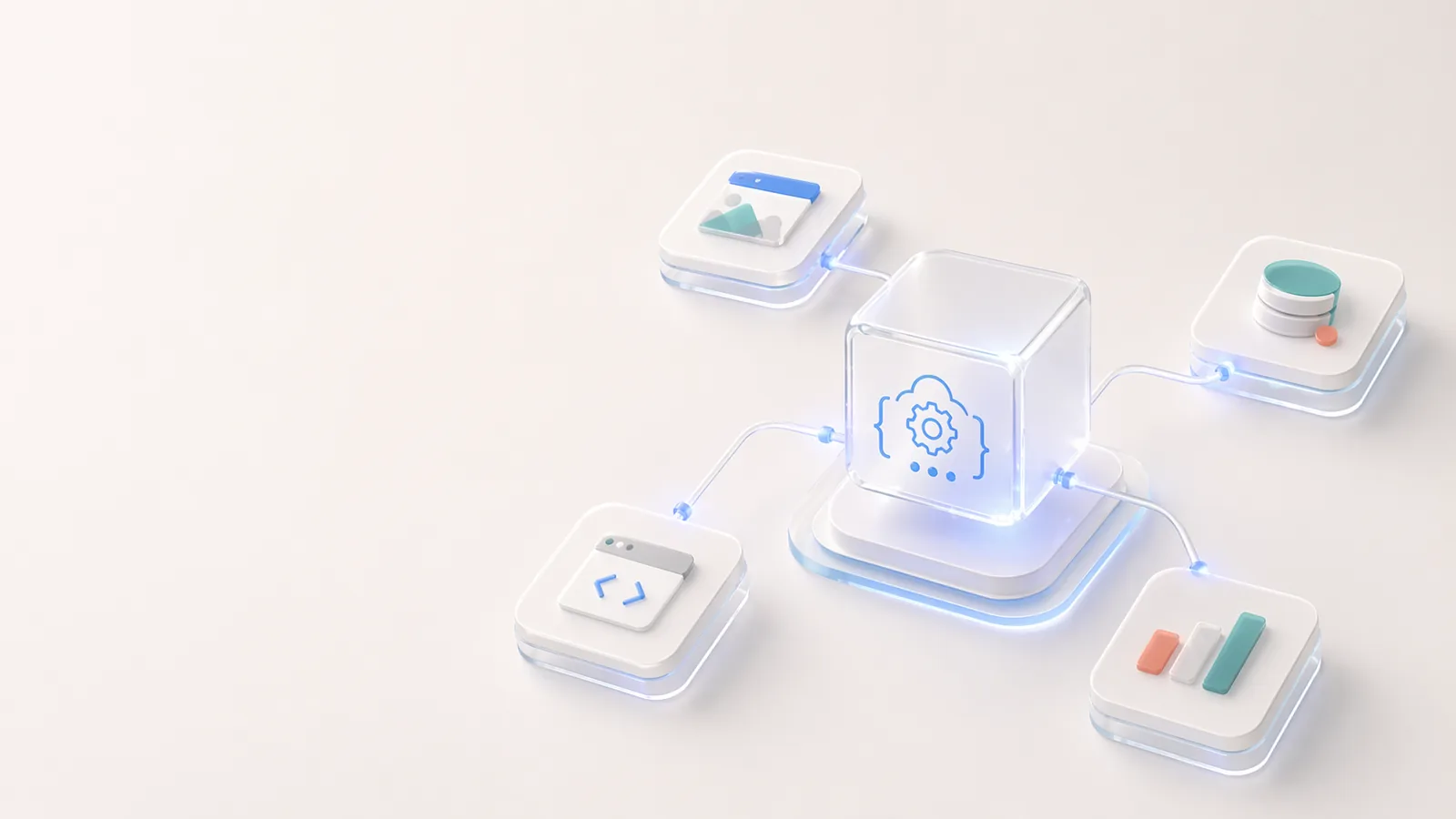
NoteSlide 转换后的 PPTX 不只是把 PDF 页面放进幻灯片。本文说明转换后哪些内容可以继续编辑,哪些复杂视觉可能保留为图片,以及如何检查结果。
NotebookLM 幻灯片怎么变成可编辑 PPTX?用 NoteSlide 完成转换
NotebookLM 通常导出 PDF,而不是可继续编辑的 PowerPoint。本文说明如何用 NoteSlide 把 NotebookLM PDF 转成可编辑 PPTX,并在编辑器中继续修改、审阅和导出。
如何编辑 NotebookLM 幻灯片:把 PDF 变成真正可编辑 PPTX
NotebookLM 导出的 PDF 不一定能直接编辑。本指南说明如何编辑 NotebookLM slides,修改文字、调整版式,并获得真正可编辑的 PowerPoint。
如何用 AI 去除图片水印
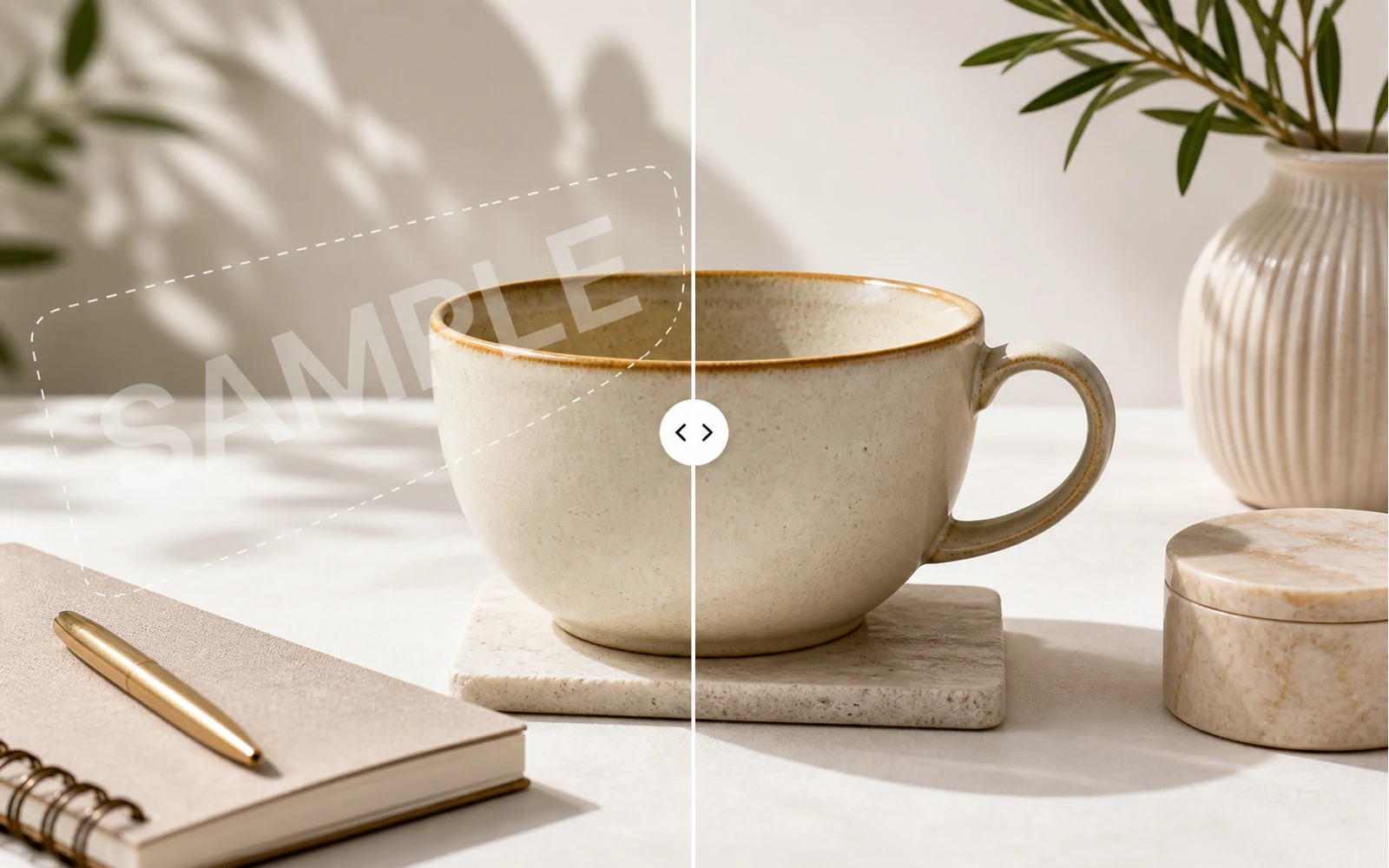
一篇实用指南:在你拥有图片或获得授权的前提下,用 AI 去除水印、草稿标记和样张覆盖,并在 Codia Studio 中继续编辑。
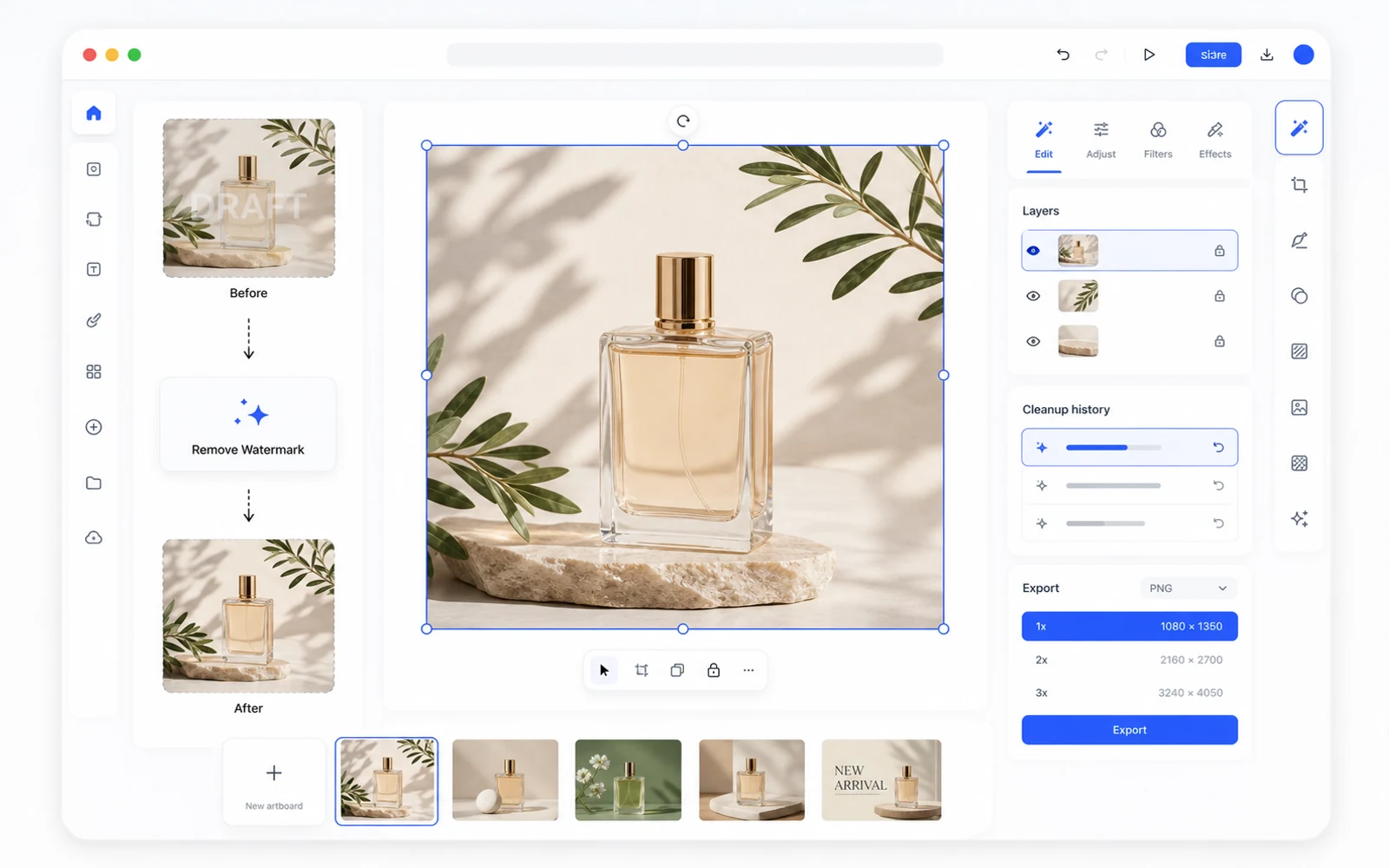
去水印之后继续编辑:在 Codia Studio 完成图片清理
为什么去水印不应该只是上传和下载,而应该成为完整设计工作流的一部分。
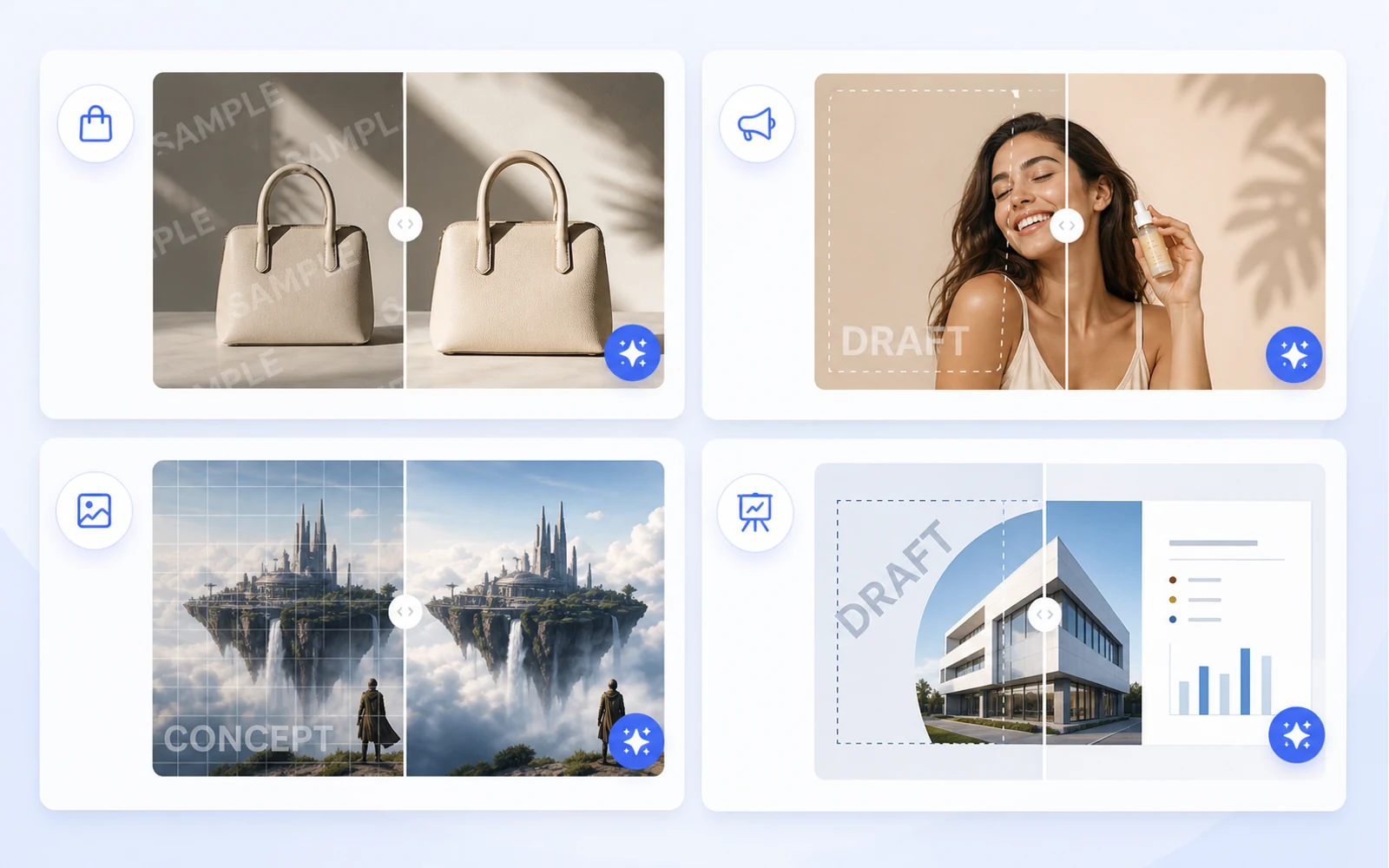
发布前清理商品图:去除草稿标记和样张覆盖
面向电商和营销团队的图片清理指南:在发布前去除已授权商品图中的草稿标记、样张覆盖、时间戳和视觉干扰。
把截图变成可编辑的 Figma:面向 UI 参考的实用流程
当你只有一张截图时,仍然可以做出有用的 Figma 起点。这个流程适合重设计、参考分析和旧界面恢复。
如何把 Canva 和图片素材复用为可编辑设计
市场素材往往来自 Canva 链接、导出的 PNG 或扁平图片。了解如何把它们变成可编辑设计文件,用于复用、本地化和生产。
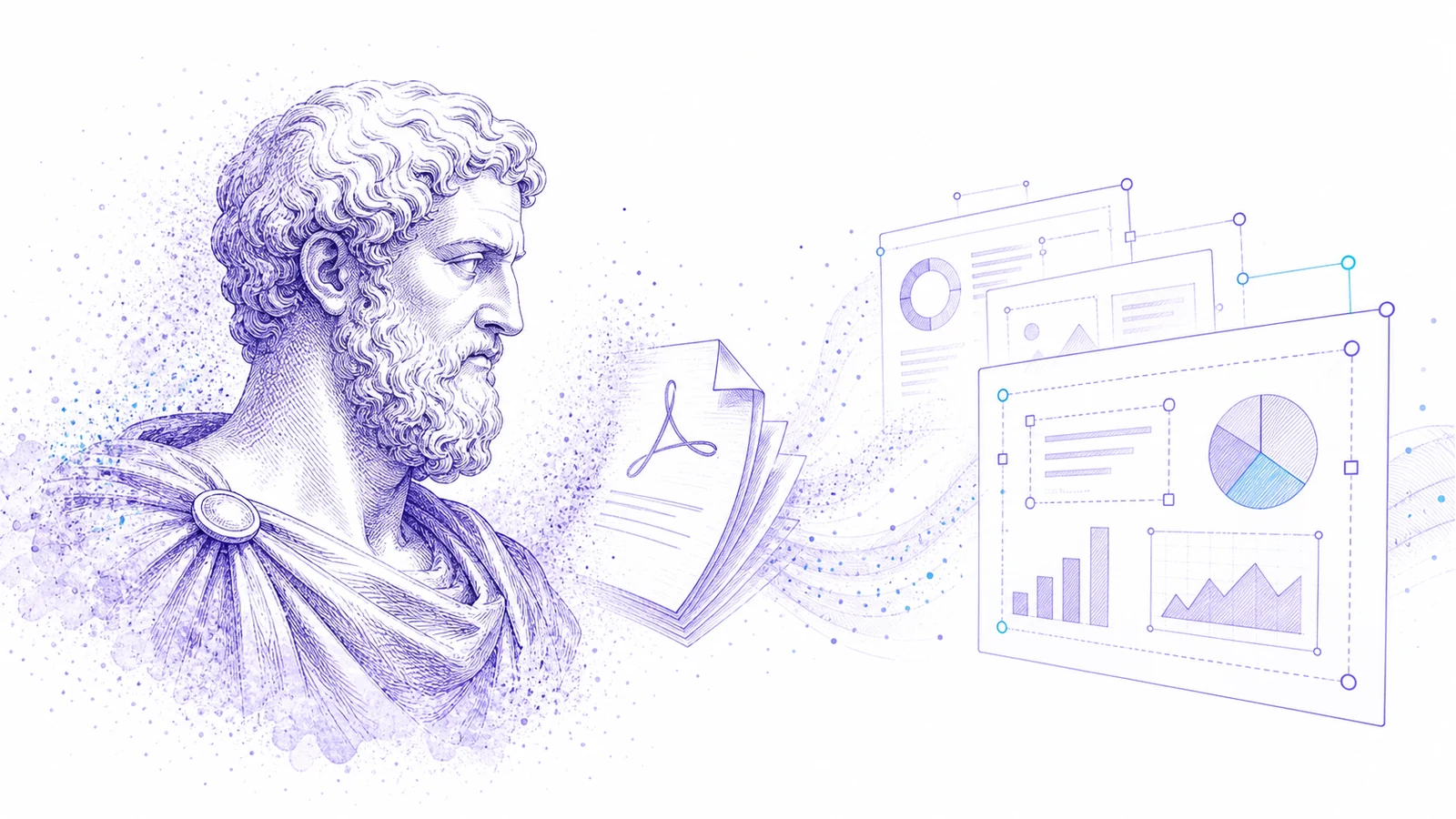
PDF 转 PowerPoint:如何得到真正可编辑的 PPT,而不是扁平幻灯片图片
大多数 PDF 转 PPT 转换器只是把每一页做成一张扁平图片。了解如何测试可编辑性,以及何时使用 Codia 的 PDF 转可编辑 PPT 工作流。
介绍 Codia PSD Editor Online:在浏览器中编辑 Photoshop 文件
Codia PSD Editor Online 现已上线,适合需要在没有完整 Photoshop 工作流的情况下打开、编辑并导出 PSD 的团队。
介绍 Codia Magic Layers:把扁平图片转换成可编辑图层
Codia Magic Layers 现已上线,可将扁平图片拆分为可编辑的对象、文字、背景、产品和视觉元素。
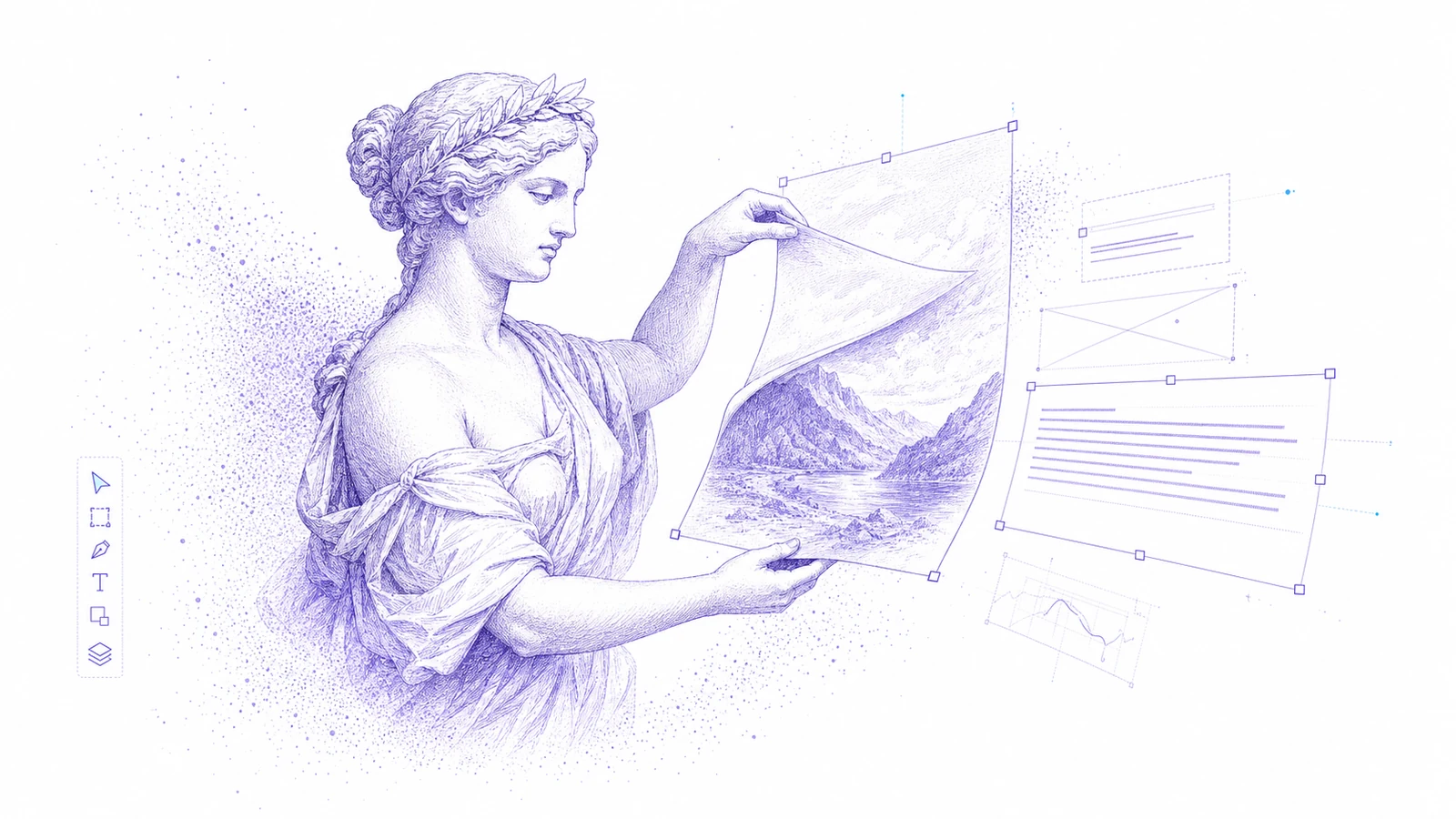
介绍 Codia AI Image Text Editor:修复并重写图片中的文字
Codia AI Image Text Editor 现已上线,可用于修复 AI 乱码文字、更新扁平图片中的文案,并把图片文字变成可编辑图层。
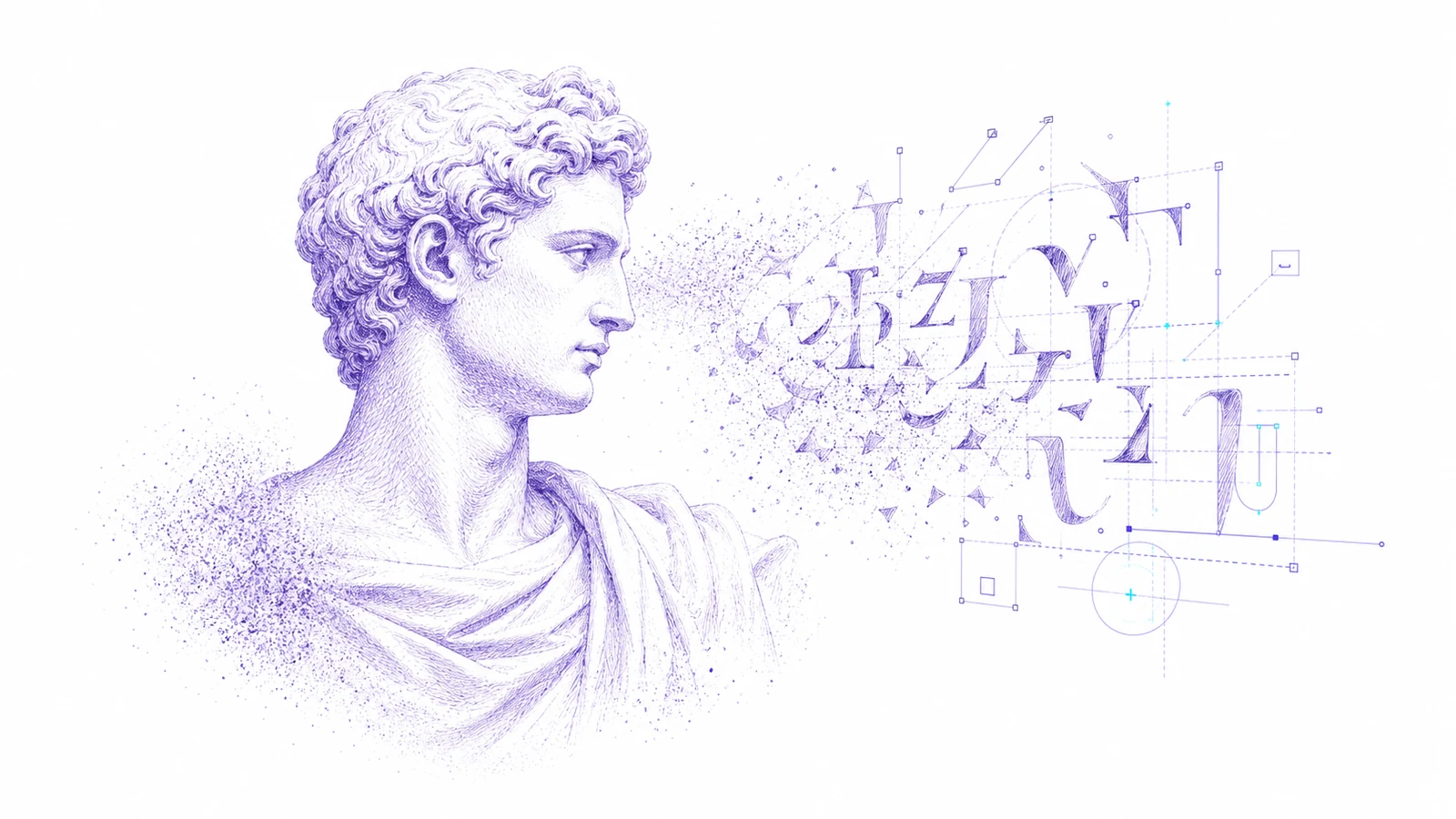
AI 生成图片里的文字乱码了:如何不重生成整张图就修好
AI 图片生成器常常能做出漂亮画面,却把文字做坏了。了解何时该重生成、何时该编辑,以及 Codia 如何把图片文字变成可编辑图层。
如何在不重做整个设计的情况下编辑图片中的文字
需要改扁平图片里的标题、价格、日期或标签?这里是把图片文字变成可编辑图层的实用流程。
无需安装 Photoshop,如何在线编辑 PSD
需要打开 PSD、做一点快速修改,再导出回去?了解在线 PSD 编辑器适合什么场景,以及 Codia 如何保持层级感知的工作流。
AI Prompting Lessons from Practical Product Work
AI Prompting Lessons from Practical Product Work explained through practical product workflow, design-to-code handoff, review steps, and how Codia helps teams move from visual input to usable output.
Flutter or React Native: Choosing a Cross-Platform Framework
Flutter or React Native: Choosing a Cross-Platform Framework explained through practical product workflow, design-to-code handoff, review steps, and how Codia helps teams move from visual input to usable output.
Top 15 Tools for macOS App Development
Top 15 Tools for macOS App Development explained through practical product workflow, design-to-code handoff, review steps, and how Codia helps teams move from visual input to usable output.
The Evolution of UI Development
The Evolution of UI Development explained through practical product workflow, design-to-code handoff, review steps, and how Codia helps teams move from visual input to usable output.
Image Processing for UI Element Segmentation
Image Processing for UI Element Segmentation explained through practical product workflow, design-to-code handoff, review steps, and how Codia helps teams move from visual input to usable output.
SwiftUI UI Layout Introduction
SwiftUI UI Layout Introduction explained through practical product workflow, design-to-code handoff, review steps, and how Codia helps teams move from visual input to usable output.
Start Here: A Practical Guide to Codia
Start Here: A Practical Guide to Codia explained through practical product workflow, design-to-code handoff, review steps, and how Codia helps teams move from visual input to usable output.
Set Up an iOS Development Environment
Set Up an iOS Development Environment explained through practical product workflow, design-to-code handoff, review steps, and how Codia helps teams move from visual input to usable output.
Set Up a Flutter Development Environment
Set Up a Flutter Development Environment explained through practical product workflow, design-to-code handoff, review steps, and how Codia helps teams move from visual input to usable output.
Set Up an Android Development Environment
Set Up an Android Development Environment explained through practical product workflow, design-to-code handoff, review steps, and how Codia helps teams move from visual input to usable output.
Codia 指南: Transform Wireframes into Polished Design Drafts with AI
这篇文章用当前 Codia 工作流重新整理 Transform Wireframes into Polished Design Drafts with AI,涵盖设计到代码交付、质量检查、团队协作和上线前审查。
React Native Tutorial: Build Your First Mobile App
React Native Tutorial: Build Your First Mobile App explained through practical product workflow, design-to-code handoff, review steps, and how Codia helps teams move from visual input to usable output.
PDF to HTML: Turn Static Documents into Web Layouts
PDF to HTML: Turn Static Documents into Web Layouts explained through practical product workflow, design-to-code handoff, review steps, and how Codia helps teams move from visual input to usable output.
Node.js API Development Best Practices
Node.js API Development Best Practices explained through practical product workflow, design-to-code handoff, review steps, and how Codia helps teams move from visual input to usable output.
Mastering macOS: 17 Common Development Challenges
Mastering macOS: 17 Common Development Challenges explained through practical product workflow, design-to-code handoff, review steps, and how Codia helps teams move from visual input to usable output.
Mastering Figma to Vue
Mastering Figma to Vue explained through practical product workflow, design-to-code handoff, review steps, and how Codia helps teams move from visual input to usable output.
JPEG to SVG: Convert Raster References into Editable Vector Assets
JPEG to SVG: Convert Raster References into Editable Vector Assets explained through practical product workflow, design-to-code handoff, review steps, and how Codia helps teams move from visual input to usable output.
Jetpack Compose Mastery Finale: 38 Key UI Issues
Jetpack Compose Mastery Finale: 38 Key UI Issues explained through practical product workflow, design-to-code handoff, review steps, and how Codia helps teams move from visual input to usable output.
Jetpack Compose Mastery Part 1: Build Your First Compose App
Jetpack Compose Mastery Part 1: Build Your First Compose App explained through practical product workflow, design-to-code handoff, review steps, and how Codia helps teams move from visual input to usable output.
An In-Depth Perspective on Flutter
An In-Depth Perspective on Flutter explained through practical product workflow, design-to-code handoff, review steps, and how Codia helps teams move from visual input to usable output.
如何将截图转换为可编辑的 Figma
通过实际的产品工作流、设计转代码交接、评审步骤,以及 Codia 如何帮助团队从视觉输入走向可用输出,来了解如何将截图转换为可编辑的 Figma。
The Future of Design to Code: Automating Figma to Vue.js
The Future of Design to Code: Automating Figma to Vue.js explained through practical product workflow, design-to-code handoff, review steps, and how Codia helps teams move from visual input to usable output.
Flutter Development from Zero to Production
Flutter Development from Zero to Production explained through practical product workflow, design-to-code handoff, review steps, and how Codia helps teams move from visual input to usable output.
Codia 指南: Figma to React: Convert Design Structure into Components
这篇文章用当前 Codia 工作流重新整理 Figma to React: Convert Design Structure into Components,涵盖设计到代码交付、质量检查、团队协作和上线前审查。
Codia 指南: Figma to Code: An Automated Journey from Design to Implementation
这篇文章用当前 Codia 工作流重新整理 Figma to Code: An Automated Journey from Design to Implementation,涵盖设计到代码交付、质量检查、团队协作和上线前审查。
Figma to Android: From Design Frames to Buildable UI
Figma to Android: From Design Frames to Buildable UI explained through practical product workflow, design-to-code handoff, review steps, and how Codia helps teams move from visual input to usable output.
Codia 指南: Starting a macOS Development Journey from Zero
这篇文章用当前 Codia 工作流重新整理 Starting a macOS Development Journey from Zero,涵盖设计到代码交付、质量检查、团队协作和上线前审查。
How Deep Learning Accelerates Application Development
How Deep Learning Accelerates Application Development explained through practical product workflow, design-to-code handoff, review steps, and how Codia helps teams move from visual input to usable output.
A Comprehensive Guide to Flutter Development for macOS
A Comprehensive Guide to Flutter Development for macOS explained through practical product workflow, design-to-code handoff, review steps, and how Codia helps teams move from visual input to usable output.
A Comprehensive Exploration of Flutter
A Comprehensive Exploration of Flutter explained through practical product workflow, design-to-code handoff, review steps, and how Codia helps teams move from visual input to usable output.
Codia 指南: Electron vs. Flutter: A Practical Comparison
这篇文章用当前 Codia 工作流重新整理 Electron vs. Flutter: A Practical Comparison,涵盖设计到代码交付、质量检查、团队协作和上线前审查。
Understanding the Compose UI Layout System
Understanding the Compose UI Layout System explained through practical product workflow, design-to-code handoff, review steps, and how Codia helps teams move from visual input to usable output.
Codia AI UI Generator Design Toolkit Guide
Codia AI UI Generator Design Toolkit Guide explained through practical product workflow, design-to-code handoff, review steps, and how Codia helps teams move from visual input to usable output.
Codia 指南: Codia AI Design OCR Technology
这篇文章用当前 Codia 工作流重新整理 Codia AI Design OCR Technology,涵盖设计到代码交付、质量检查、团队协作和上线前审查。
The Codia AI Design-to-Code Revolution
The Codia AI Design-to-Code Revolution explained through practical product workflow, design-to-code handoff, review steps, and how Codia helps teams move from visual input to usable output.
The Codia AI Design-to-Code Revolution, Part 2
The Codia AI Design-to-Code Revolution, Part 2 explained through practical product workflow, design-to-code handoff, review steps, and how Codia helps teams move from visual input to usable output.
Codia 指南: Android 14 Adaptation Guide: Upgrading targetSdkVersion to 34
这篇文章用当前 Codia 工作流重新整理 Android 14 Adaptation Guide: Upgrading targetSdkVersion to 34,涵盖设计到代码交付、质量检查、团队协作和上线前审查。
Advanced iOS Development: Practical SwiftUI Tips
Advanced iOS Development: Practical SwiftUI Tips explained through practical product workflow, design-to-code handoff, review steps, and how Codia helps teams move from visual input to usable output.
A Deep Dive into Apple Vision Pro and visionOS
A Deep Dive into Apple Vision Pro and visionOS explained through practical product workflow, design-to-code handoff, review steps, and how Codia helps teams move from visual input to usable output.
Codia 指南: Supercharge Your Mobile Dev Skills: 10 Essential Tools for Max Efficiency
这篇文章用当前 Codia 工作流重新整理 Supercharge Your Mobile Dev Skills: 10 Essential Tools for Max Efficiency,涵盖设计到代码交付、质量检查、团队协作和上线前审查。

Screenshot to Figma Design by AI: A New Chapter in Future Design
How AI screenshot-to-Figma workflows turn flat UI images into editable design structure, where they help, where they fail, and how teams use them responsibly.
Jetpack Compose Mastery Part 2: Advanced Tools and Resources for Mastering Compose UI
A practical guide to advanced Jetpack Compose tooling: previews, Material theming, state, performance, testing, accessibility, and design-to-code workflow.
Image to HTML: Convert UI Screenshots into Editable Web Pages
A practical guide to converting images and UI screenshots into HTML: structure recovery, OCR, layout review, accessibility, and production cleanup.
How to Reduce Android Studio's Maximum Memory Footprint
A practical guide to lowering Android Studio's memory footprint without making builds painfully slow: IDE heap, Gradle daemon, Kotlin daemon, emulator usage, plugins, indexing, and project structure.
Figma to Vue.js: Bridging Design and Development
How to turn Figma designs into Vue 3 components with a clean handoff workflow, reusable structure, scoped styling, and production review.
Figma to SwiftUI: Convert iOS Designs into Native Views
A practical workflow for converting Figma iOS screens into SwiftUI views with clean hierarchy, tokens, assets, state, previews, and production review.
Figma to React Native: Turn Mobile Designs into App Screens
A practical workflow for converting Figma mobile screens into React Native components that engineers can review, refactor, and ship.
Figma to HTML: Convert Designs into Semantic Web Pages
A practical Figma-to-HTML workflow for generating clean markup, responsive CSS, semantic structure, accessible controls, and production-ready handoff.
Exploration of Flutter Hot Update Technology
A practical look at Flutter hot update technology, what hot reload is not, what app stores allow, and safer alternatives for updating mobile apps quickly.
Complete Guide to Building a Vue.js CRUD Application
A practical Vue 3 CRUD application guide covering routes, components, forms, API calls, validation, loading states, errors, and production cleanup.
AI HTML Generator: Turn Prompts and Designs into Clean Web Markup
How to use an AI HTML generator effectively: prompts, Figma input, screenshot input, semantic review, responsive cleanup, and production handoff.
AI Code Generator: What It Can Build, Where It Fails, and How to Use It Well
A practical guide to AI code generators: prompt input, design input, code review, frontend scaffolds, limitations, and production workflow.
用 Codia Open API 把 NotebookLM-style PDF 转成可编辑 PPTX
用 Codia Open API 构建 NotebookLM-style PDF 到可编辑 PPTX 的服务端流水线:上传私有 PDF、预估 credits、创建 pdf_to_ppt task、接收 webhook,并下载生成的 PowerPoint 文件。
NotebookLM 原生 PPTX 导出为什么并不是真正可编辑(以及如何补上这一步)
NotebookLM 在 2026 年 2 月 18 日上线了原生 PPTX 导出,但拿到的文件并不是真正可编辑的。这篇讲清楚——PowerPoint 里到底哪些能改、哪些仍被锁住,以及 NoteSlide 怎么把这块缺口补上。
NotebookLM 的 20 张上限:如何在保留可编辑性的前提下做更长的幻灯
NotebookLM Slide Deck 单次最多产出 20 张幻灯——做高管摘要够,做季度复盘和培训就是死路。四种实用的突破方法,由快到深排序,全部保留完整 PowerPoint 可编辑性。
如何合法去除 NotebookLM 水印(完整指南)
一篇实用、合规的指南,讲清楚 NotebookLM 导出文件上的水印到底是什么、什么场景下可以合法去除、以及用 NoteSlide 把它干净去掉的最佳工作流。
2026 年 NotebookLM 转 PowerPoint 全步骤指南
2026 年把 NotebookLM 幻灯转成完全可编辑 PowerPoint 的完整指南——三条路径(原生导出、NoteSlide、混合)、分步骤说明、要避开的陷阱,加一份 10 项质量检查清单。
2026 年最佳 NotebookLM 转 PowerPoint 工具对比 (7 款)
把 NotebookLM 幻灯转 PowerPoint 的 7 款主流工具诚实并排对比——每款最适合什么、不适合什么、以及怎么选到匹配你工作的那一个。
Cursor + Figma MCP server 截图转 Figma 工作流:AI 编码智能体的接力管线
把 Codia 的截图转 Figma 与官方 Figma MCP server 在 Cursor / Claude Code / Windsurf 中配合——三步把一张参考截图变成干净代码。
图像转 Figma:把任意图像转成可编辑 Figma 图层
把 UI 图像——截图、Mockup、线框图、网页——转成可编辑的 Figma 图层:真实文字、形状、图片图层和分组图层结构,几分钟就能清理好。
Codia vs image.to.design:详细截图转 Figma 对比(2026)
Codia AI 与 image.to.design 把截图与图像转成可编辑 Figma 设计的诚实、按特性、按场景对比——各自最强项、关键差异、怎么选。
Website 转 Figma:把在线网页变成可编辑设计稿的完整指南
把任意在线网站——自家产品、竞品页、合作伙伴站、遗留 App——变成可编辑 Figma 文件。工作流、场景技巧、需要什么、与截图转 Figma / HTML 转 Figma 的区别。
截图转 Figma 做重设计:不用从零重画旧界面
一套适合重设计项目的截图转 Figma 流程:把旧产品页面、竞品参考图和客户截图变成可编辑设计起点。
截图转 Figma:2026 年把 UI 截图转成可编辑设计稿的完整指南
把一张 UI 截图(PNG、JPG 或 WebP)变成可编辑的 Figma Frame——完整工作流、分场景技巧、4 工具对比、免费 vs Pro、按钮变平图的修复,以及如何与 Cursor + Figma MCP 配套。
截图转代码:把 UI 图片生成 React、HTML 或 Tailwind
一套更稳定的截图转代码流程:先把 UI 截图恢复成可编辑设计结构,再生成前端代码。
PSD 转 Figma:把 Photoshop 文件转成可编辑设计稿的完整指南
PSD 转 Figma 全套:转换后到底能保留什么、单文件与五万文件两种规模怎么做、按图层细到每一项的保真预期、让迁移文件真正可用的 review 循环。
PSD 转 Figma 迁移清单:设计和品牌团队怎么做
一份面向设计和品牌团队的 PSD 转 Figma 迁移清单,覆盖盘点、转换、评审、设计系统映射和治理。
PDF 转演示文稿:NoteSlide 如何把任何文档变成可编辑幻灯
认识 NoteSlide,掌握把 PDF、报告、论文、笔记转成可编辑 PowerPoint 或 Keynote 的完整工作流——不必手工重做。
PDF 转 Figma:把静态 PDF 转成可编辑设计稿的完整指南
把任意 PDF——营销单页、多页报告、矢量或扫描件、单文件或几千份——变成可编辑 Figma 图层。工作流、保留情况、分场景建议、API 批量。
NotebookLM 转可编辑 PowerPoint:NoteSlide 完整指南
把 NotebookLM 幻灯片变成完全可编辑的 PowerPoint 所需的一切:素材准备、用 NoteSlide 做转换、review checklist、团队协作流程,以及常见问题,一篇讲完。
NotebookLM 可编辑 PowerPoint 常见问题
围绕 NotebookLM 幻灯改成可编辑 PowerPoint,大家最常问的几件事——什么叫"可编辑"、用什么文件、要复核哪些点、NoteSlide 能做与不能做。
HTML 转 Figma:把 HTML / CSS / 源码转成可编辑 Figma 设计
当你拥有的不是设计文件而是源码——把 HTML 与 CSS 转成可编辑 Figma。使用场景、工程协作流、与 Website 转 Figma 的对比、转换里能保留什么。
Figma 转 React:把设计稿转换成可维护组件
把 Figma 设计稿转换成 React 组件的实用流程:从代码生成到组件拆分、状态接入和工程 review。
Figma 转代码:React、Vue、HTML、Tailwind、Flutter、SwiftUI 的完整设计转代码工作流
如何让 Figma 文件产出干净代码——跨 React / Vue / HTML / Tailwind / Flutter / SwiftUI / Compose 的具体差异、工程要审什么、能交付给生产。

Canva 转 Figma:把营销设计带入产品设计流程
如何把 Canva 设计转换成 Figma 文件,用于品牌评审、产品交接、重设计和设计系统整理。
2026 年最佳 Figma 转代码工具怎么选
一篇面向前端团队和设计团队的 Figma 转代码工具选择指南,覆盖 React、HTML、Tailwind 和生产工作流。

图片转 SVG:如何把 PNG / JPG Logo 转成可编辑矢量图
把位图 Logo、图标和简单图形转换成可编辑 SVG 矢量文件的实用指南。
Visual Struct API:把 UI 截图转换成结构化 JSON
使用 Visual Struct API 把 UI 截图转换成结构化 JSON、SVG 或 Figma 兼容节点,用于自动化、搜索、QA 和设计转代码流水线。
Remove Background API:生成透明 PNG 抠图
使用 Codia Remove Background API,把商品图、人像和创意素材转换成干净的透明 PNG 抠图,用于电商和设计自动化流水线。
从扁平 PDF 到结构化 UI:深入 PDF-to-Visual-Struct 流水线
深入了解 Codia 的 PDF to Visual Struct API 如何在两秒内将静态文档转化为层级分明、可直接渲染的 UI Schema——以及你能在其之上构建什么。
Codia 的隐私、安全与数据所有权
Codia 如何处理私有上传、AI 训练、数据保留、子处理者,以及你在 Codia 中创建的文件与输出的所有权。
开放 API 与 Codia 开发生态
基于 Codia API 构建视觉结构提取、PDF 转 schema、上传与任务工作流,以及可编辑设计自动化。
Codia 的创造力承诺
Codia 的承诺是用 AI 移除设计、内容和开发工作流里的重复重建工作,让创意成果更可编辑、更可复用、更容易进入真实生产。
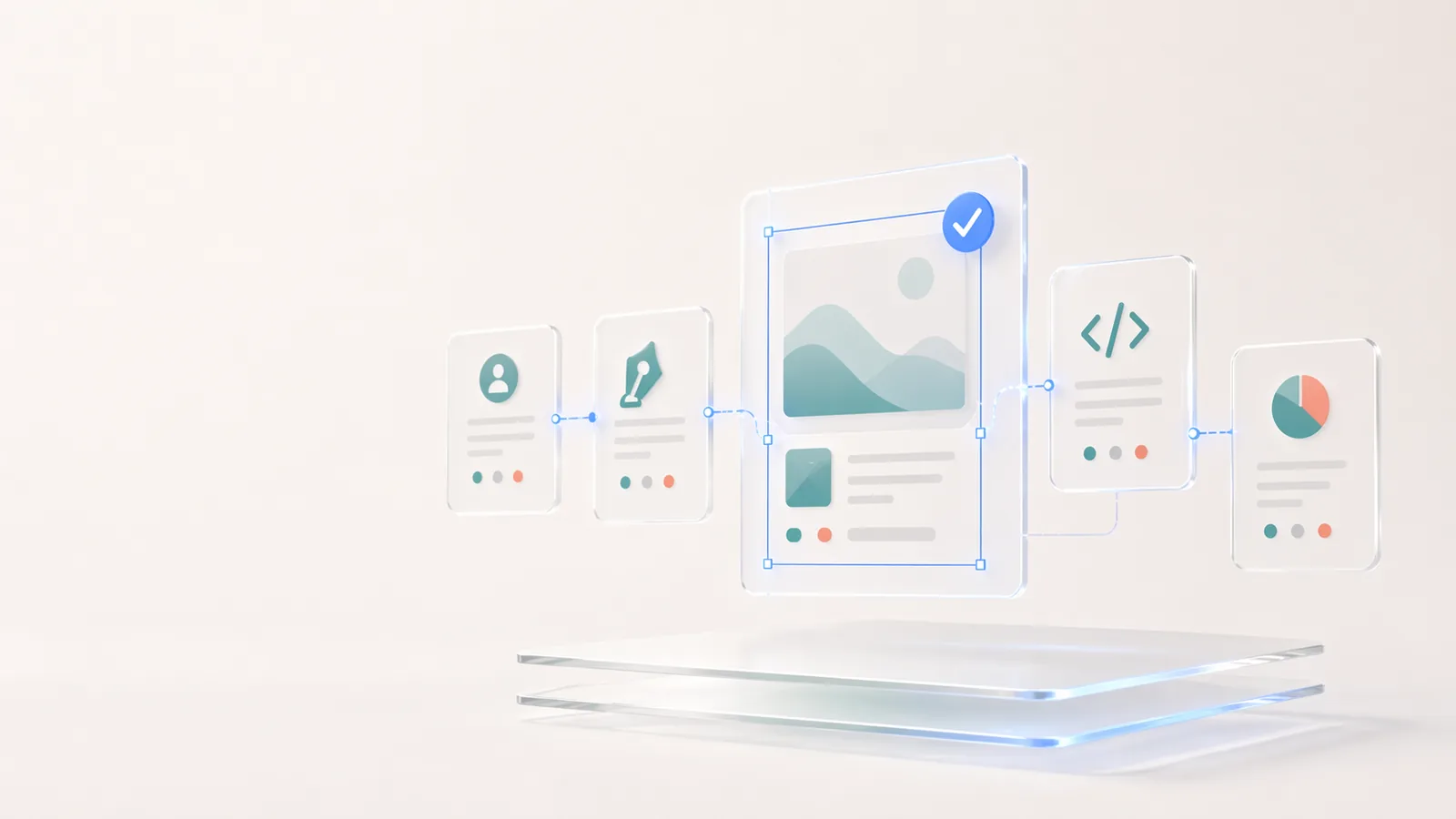
Codia 企业版:面向团队的可编辑视觉工作流
企业团队如何用 Codia 做批量迁移、API 自动化、可编辑转换、安全审查和私有部署规划。
我们的 AI 设计理念
Codia 的 AI 设计理念不是生成一张平图,而是用 Vision AI 理解结构、保留可编辑性,并把静态视觉带回真实的设计与代码工作流。
Screenshot to Design 还做不好的六件事
没有哪个 AI 产品是完美的。这里我们列出 Screenshot to Design 目前还做不好的六个场景,以及怎么绕过它们。

关于 Codia AI:产品矩阵、设计理念、信任与开发者平台
一篇了解 Codia AI 的全部:我们做什么、怎么看待 AI 驱动的设计、如何服务企业团队、怎么保护你的数据、以及开发者如何在我们之上构建产品。
Codia AI 入门指南
了解如何使用 Codia AI 从零开始加速你的设计与开发流程。