
AI Hairstyle Changer
See yourself with a new haircut before you book the salon. Upload a photo, pick a hairstyle and hair color, and AI Hairstyle restyles only your hair while keeping your face and the rest of the picture.
- 23 preset hairstyles
- 6 hair colors
- Use any reference photo
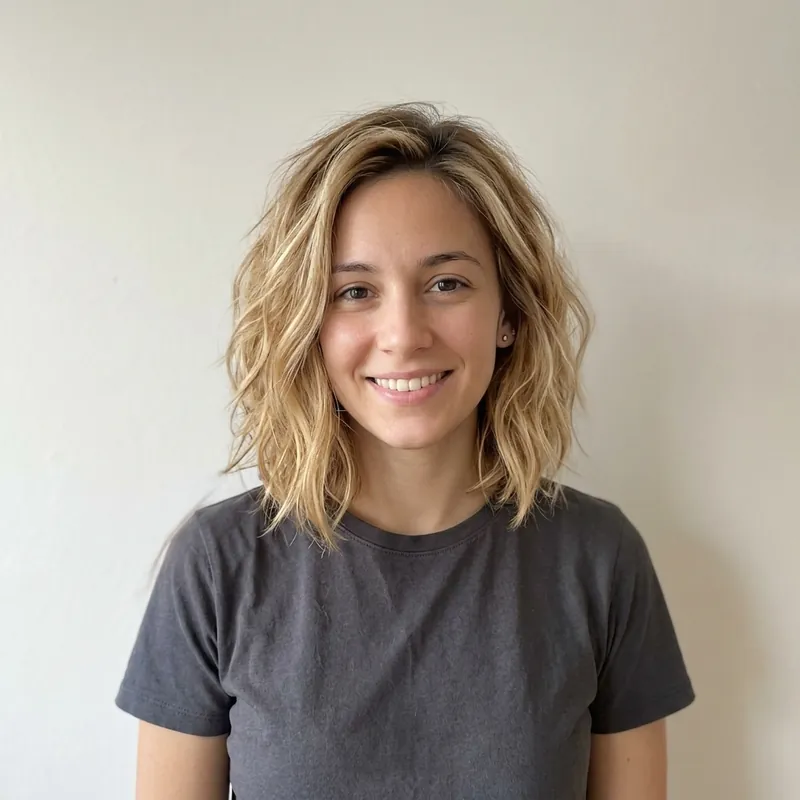 BeforeAfter
How it works
- 1
Upload a clear photo
Drop a front-facing photo with your hair and face visible into the box above. It opens in Codia Photo Editor with AI Hairstyle selected.
- 2
Choose a style and color
Pick one of the women's or men's preset hairstyles and a hair color, or switch to Custom to upload a reference picture or describe the look in your own words.
- 3
Compare and try more
Check the new look against the original, try another cut or color, and download the ones you want to show your stylist.
What people use it for
Before a big haircut
Preview a bob, a pixie cut or curtain bangs on your own face before you commit to the chair.
Trying a new hair color
See whether blonde, black, silver or a warm copper suits your skin tone without bleaching or dyeing.
Showing your stylist
Bring a picture of yourself with the cut you want instead of a stranger's photo from the internet.
Men's haircuts and fades
Compare a taper fade, a buzz cut, a slick back or a textured crop before your next barber visit.
Matching a celebrity look
Upload a reference photo of a hairstyle you like and see how the same style would look on you.
Just for fun
Try looks you would never dare in real life and share the results with friends.
01
Preset hairstyles for women and men
Choose from 11 women's styles, including Birkin bangs, a butterfly cut, a textured bob, mermaid layers and a pixie cut, and 12 men's styles, including a modern pompadour, slick back, undercut, buzz cut and taper fade. Each preset shows a sample so you know what to expect.
02
Change your hair color too
Combine any hairstyle with a new color: toasted blonde, ink black, rich brunette, silver, cherry mocha or amber glow. You can also keep your original color and change only the cut, or keep the cut and change only the color.
03
Use a reference photo or your own words
In Custom mode, upload a picture of a hairstyle you saw online or in a magazine, describe the cut and color you want, or do both. The AI applies the look to your photo instead of a model's.
04
Tips for realistic results
Use a well-lit, front-facing photo where your hairline and face are clearly visible and nothing covers your hair. Results are previews, not a guarantee of how a stylist will cut your hair, so treat them as a way to compare ideas. If a result looks off, run it again or try a different AI model in the panel.
Frequently asked questions
Quick answers about pricing, privacy and how the editor works. You can also try the free tools first and decide later.
How can I see what hairstyle suits me?
Upload a clear photo of yourself on this page, pick a few hairstyles and colors in AI Hairstyle, and compare the results side by side with your original photo.
Can I try on hairstyles with my own picture?
Yes. AI Hairstyle works on the photo you upload, so you see the new cut on your own face, not on a model.
Can I change only my hair color?
Yes. Keep the hairstyle set to Original and pick a new hair color, or describe the color you want in Custom mode.
Does it work for men's haircuts?
Yes. Switch the preset collection to men's hairstyles to try fades, buzz cuts, pompadours, undercuts and more.
Is the AI hairstyle changer free?
Uploading your photo and the editor's basic tools are free. Each hairstyle try runs on Codia AI and uses credits from your Codia account, so you will be asked to sign in before the first one.
Are my photos uploaded?
Not when you open them. Photos pass from this page to the editor inside your browser, and free tools process them on your device. A photo is uploaded only when you run an AI tool on it or save the project to your Codia account.
Do I need an account?
No account is needed to open photos and use the free tools. You will be asked to sign in when you run an AI tool or want to keep projects in your account.
Related tools
Ready to edit?
Open the editor on its own and add photos there, or drop them into the box at the top of this page.
Open AI Hairstyle