
图片文字编辑器
自由编辑图片上的文字
上传任意图片,输入新文字,AI 会用原来的字体和风格把它改写好。
没有图片,试试这些
真实效果
图片上的文字完全可编辑
Codia 改的是图片里原有的文字,而不是在上面叠一个文本框。输入新文案,AI 会在原位置改写,图片其余部分保持不变。
 原图效果
原图效果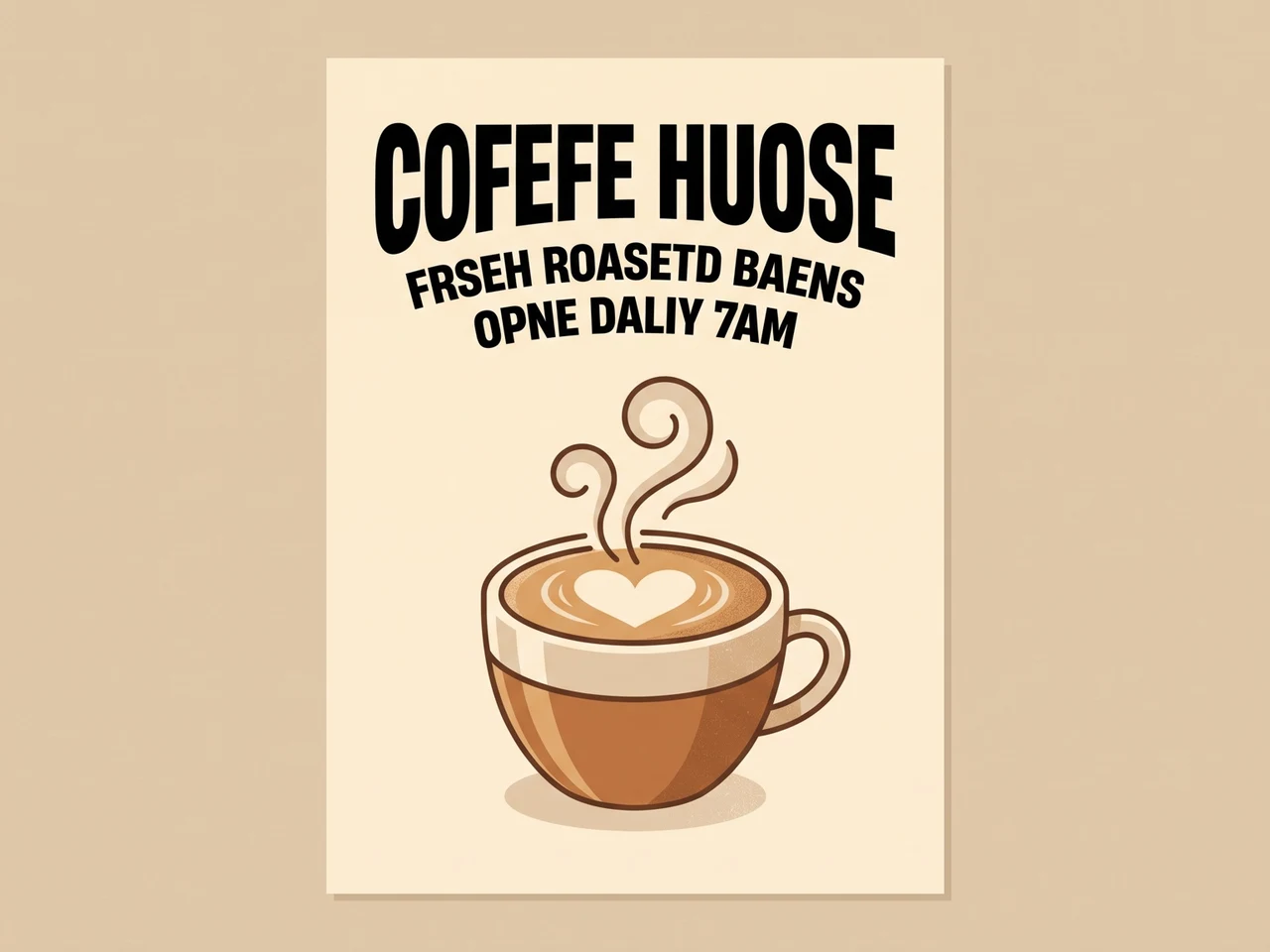
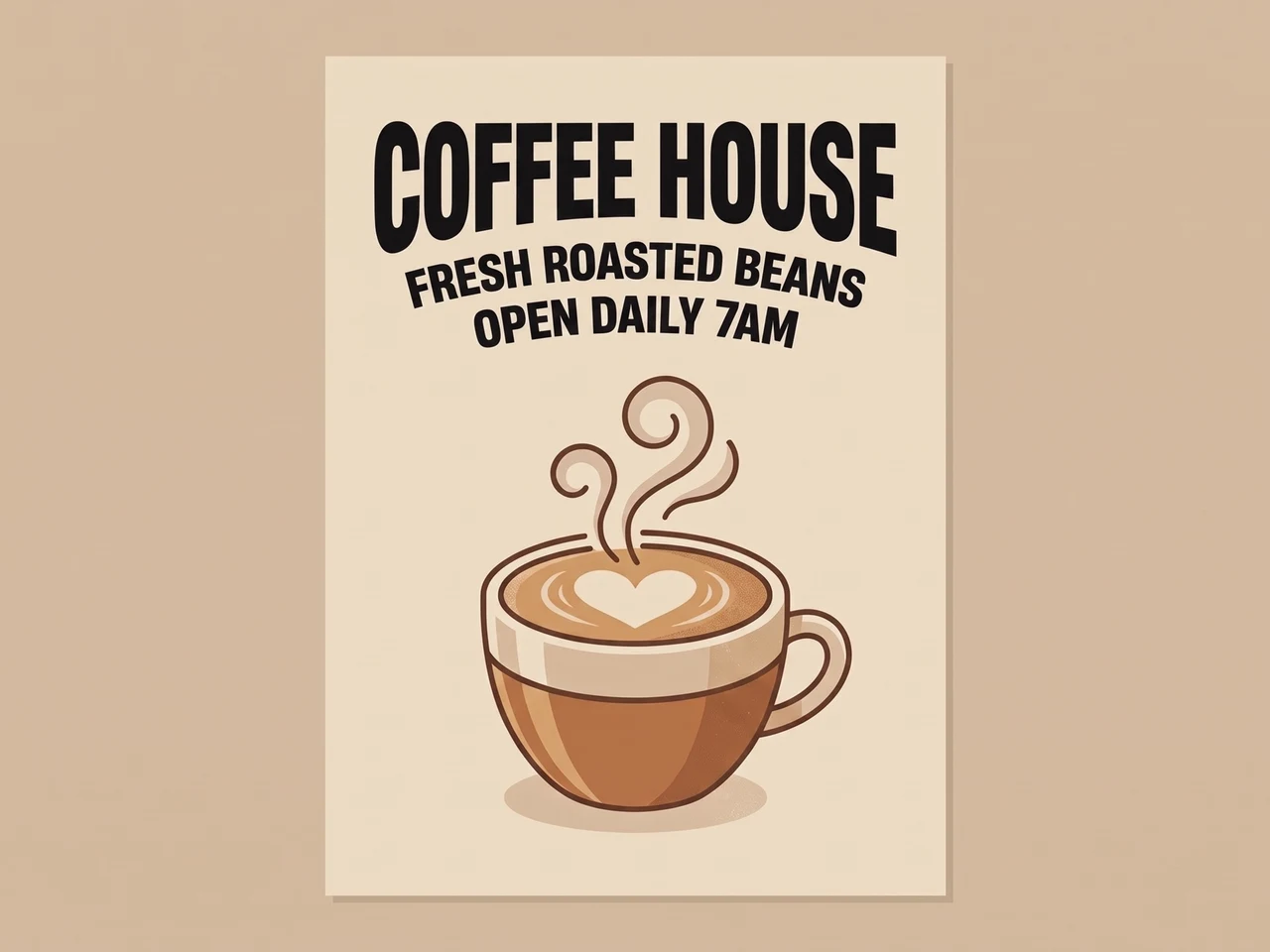
修复 AI 乱码文字
拼错的 AI 文字被正确改写,字体保持不变。
 原图效果
原图效果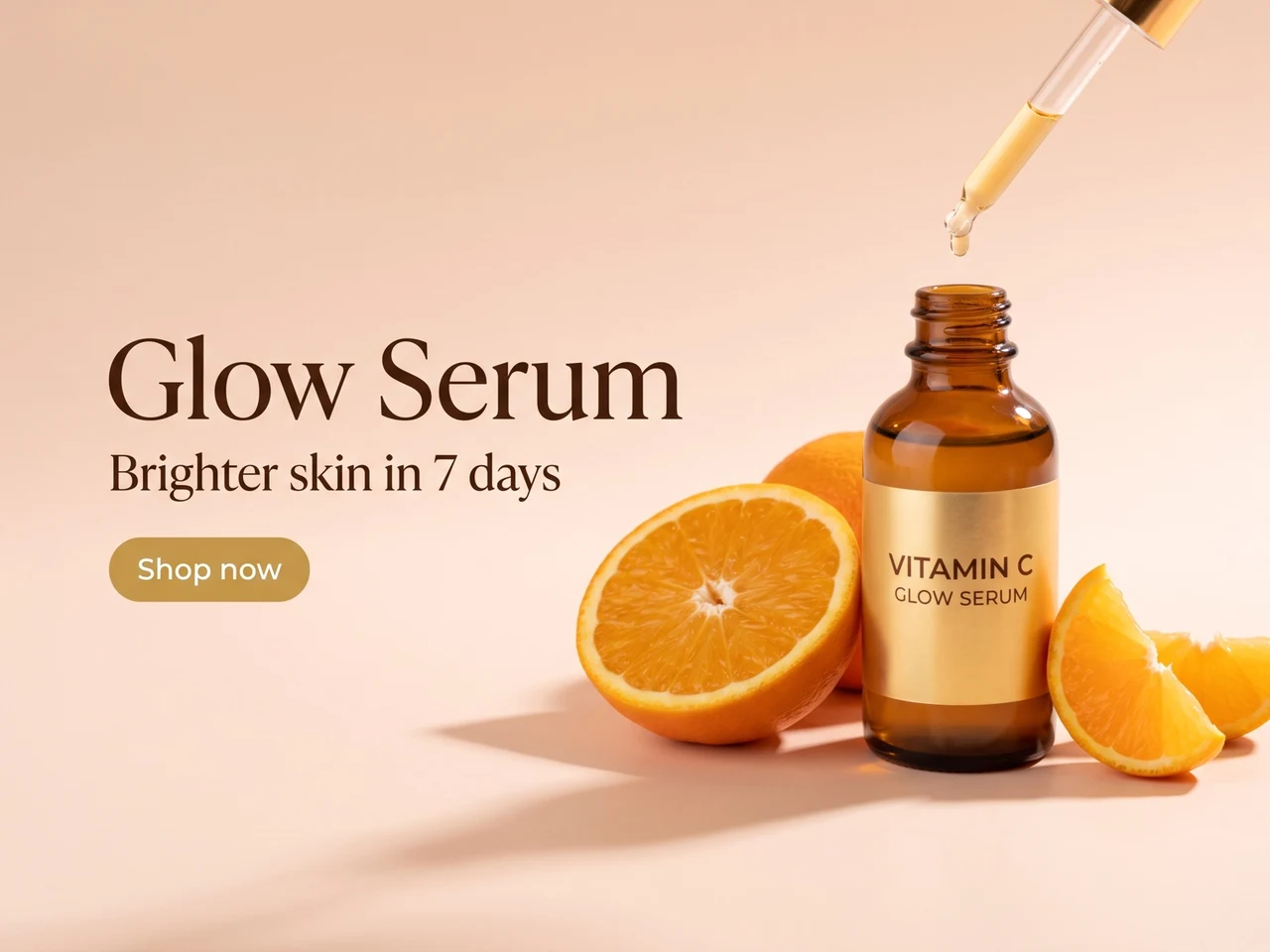
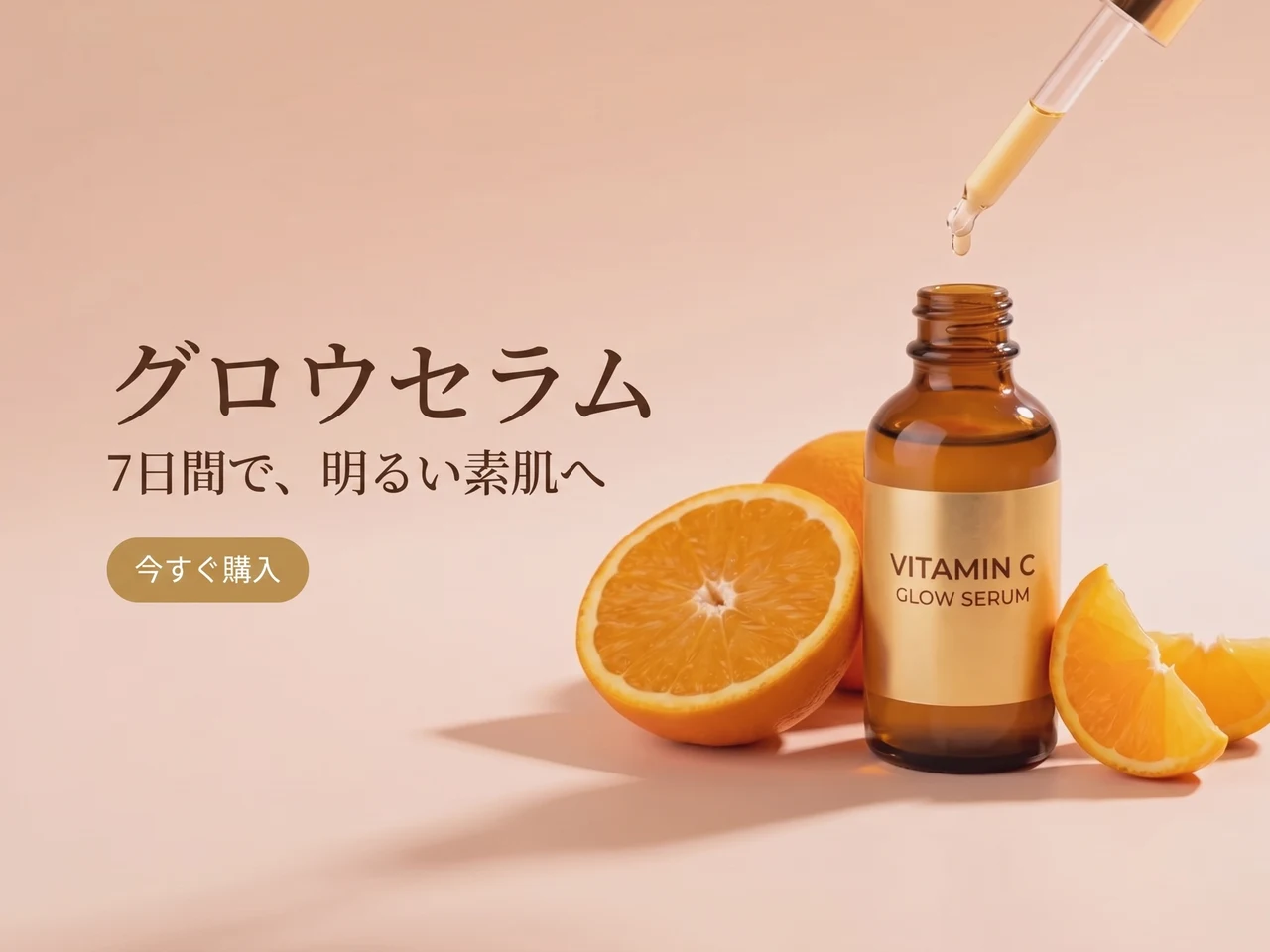
翻译广告
英文文案换成日文,版式和风格保持不变。
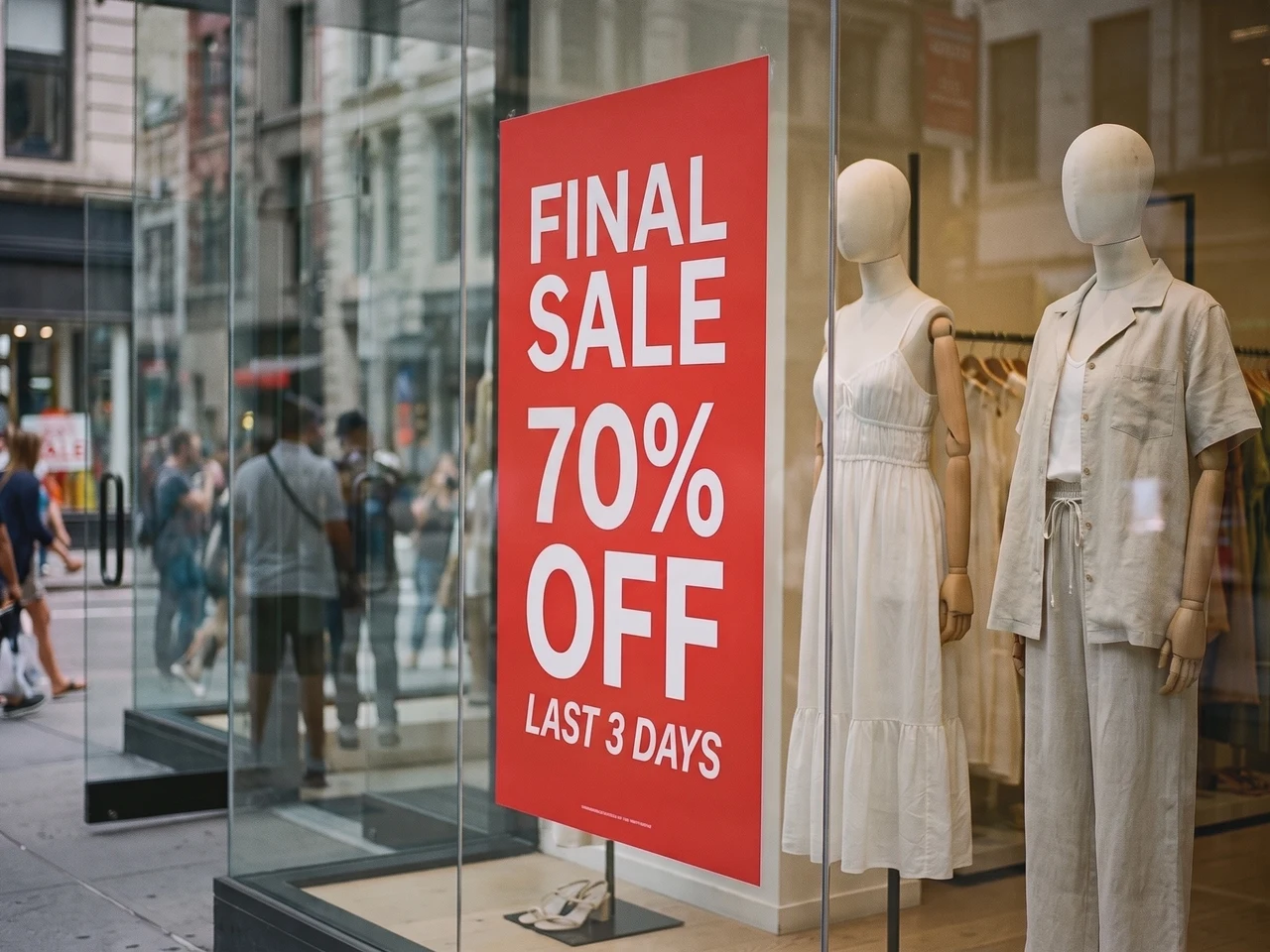 原图效果
原图效果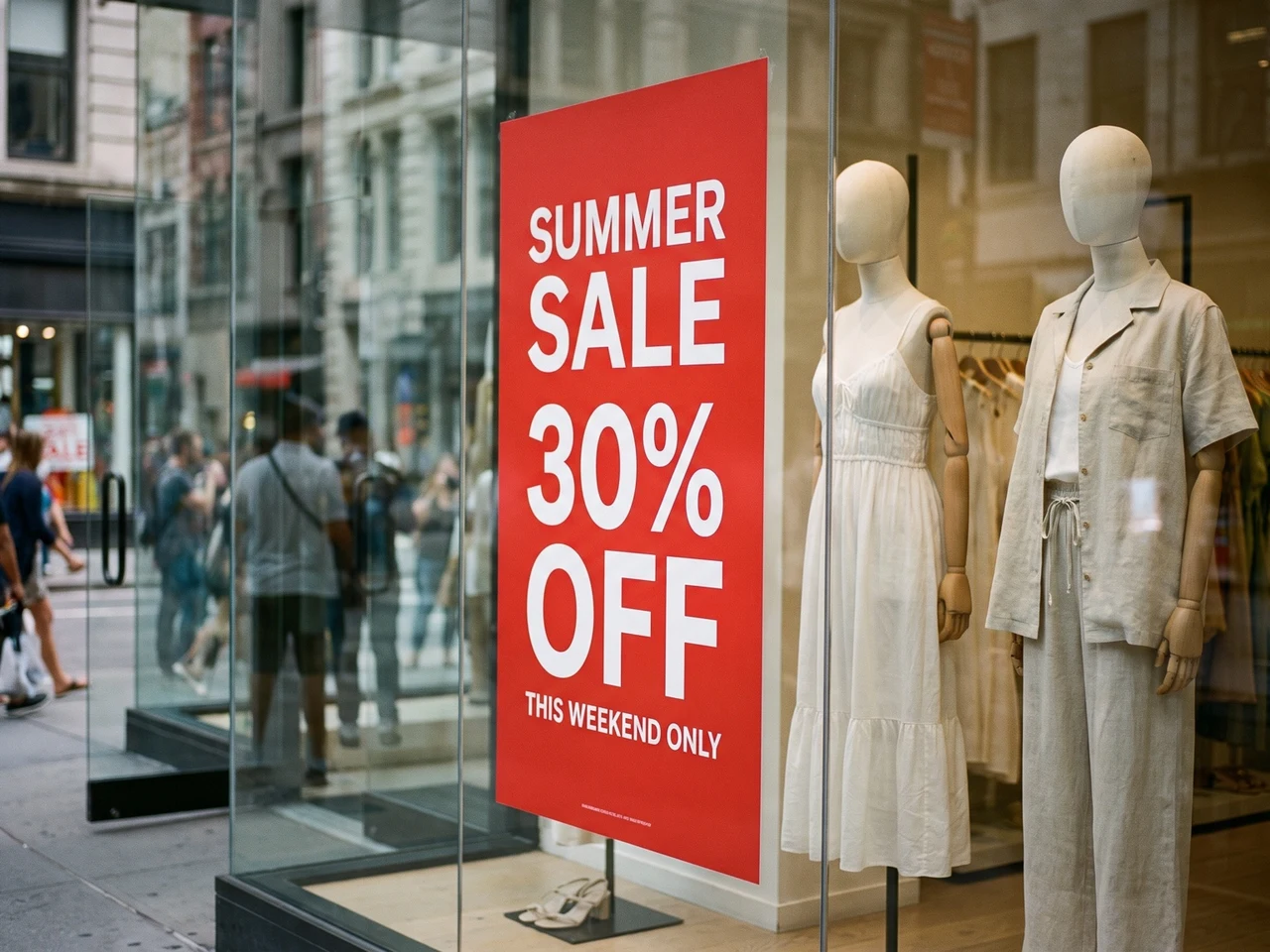
修改实拍照片
橱窗海报换上新的促销文案,光影和反光依旧自然。
文字样式 1:1 还原
尽量保留字体粗细、字号、对齐、颜色、字距和层级关系。修改文字后,整体视觉仍然贴近原图。
支持全球 108 种语言文字识别
适用于多语言图片内容,包括 AI 生成图、截图、海报、商品图和营销素材,方便做本地化和跨市场创意修改。
支持透明 PNG 和 WebP
Logo 和贴纸保留透明背景,编辑后的文件可以直接放回你的设计中。
想要更精细的控制?在完整编辑器中打开
需要逐图层编辑时,可在 Codia 照片编辑器中打开同一张图片,修改字体、颜色和位置,还能用其他工具继续修图。
选择改字场景
保留字体改字、截图改字与 JPG 改字
修改图片里原有的文字,而不是在上面叠加一段新文字。
用相近的原字体修改图片文字
替换标题、价格或标签,尽量匹配原来的字形。新文案长度尽量接近原文,并对照原图检查;花体字、小字和复杂背景可能需要再次调整。
修改截图里的文字
更新界面标签、样机文案或演示截图。上传清晰截图,校正识别结果,再输入新文字。下载前检查换行和周围文字。
修改 JPG 或 PNG 图片文字
没有原始设计文件,也能修改已保存照片或图片中的文字。直接上传图片,编辑识别结果,再生成新图片。保留原文件以便对照。
修改 PDF 里的文字,下载完整文件
上传 PDF,选出需要改字的页面,像改图片一样修改,最后下载替换好这些页的完整 PDF。
挑出要改的页
每一页都有缩略图,一次最多选 10 页。
原地改字
字体、颜色和版式都保持原样,只有文字变了。
下载完整 PDF
改过的页会替换进去,其余页面保持原样,文字仍然可以选中。
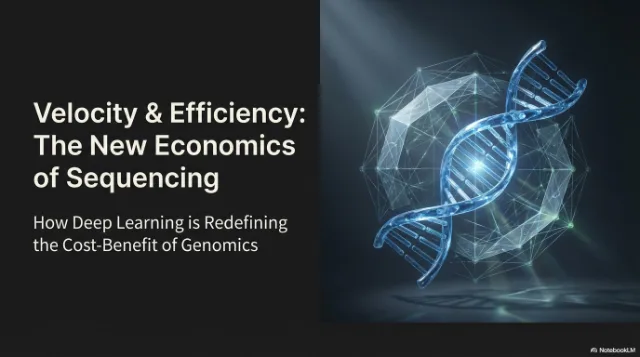
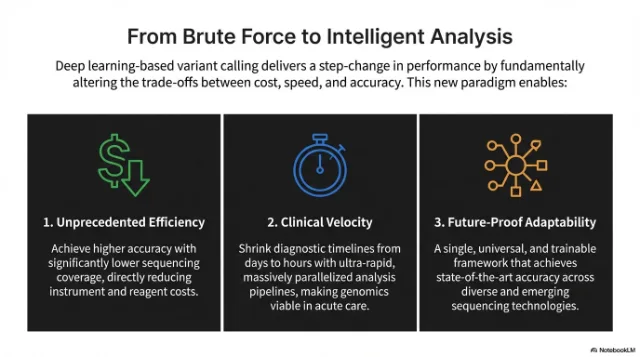 已修改
已修改
 已修改
已修改
使用方法
把图片里的文字变成可编辑文本
上传图片
从 AI 生成图、截图、海报、商品图或社媒素材开始。
编辑识别出的文字
Codia 会自动识别图片中的文字。在每行旁输入新文字,或清空该行以删除文字。
生成并下载
AI 按原字体和样式重写文字。与原图对比后,下载完成的图片。
使用场景
面向真实设计工作的照片与图片文字编辑器
图片本身可用,只是文字需要修改、翻译或变成可编辑字体时,就用图片文字编辑器。
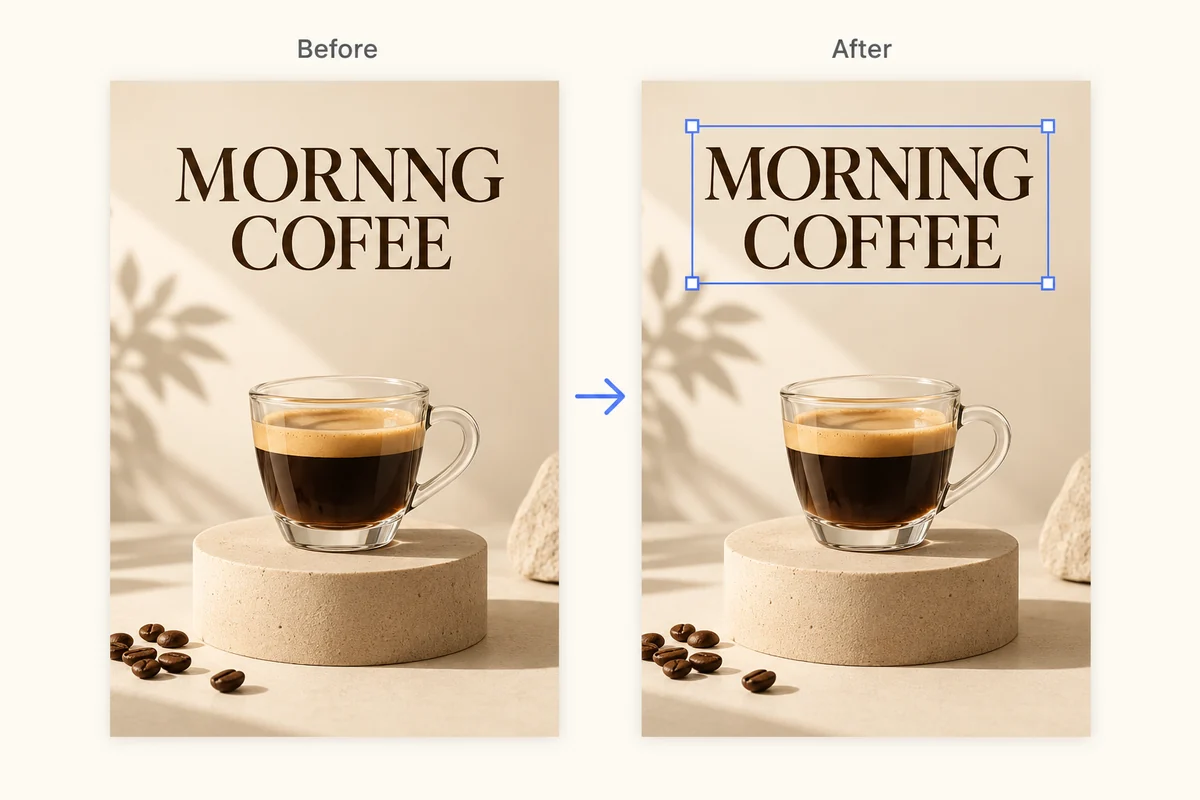
修复 AI 图片乱码文字
清理生成图中无法辨认的文字、拼写错误的标签和崩坏的字体,无需重绘整张图。
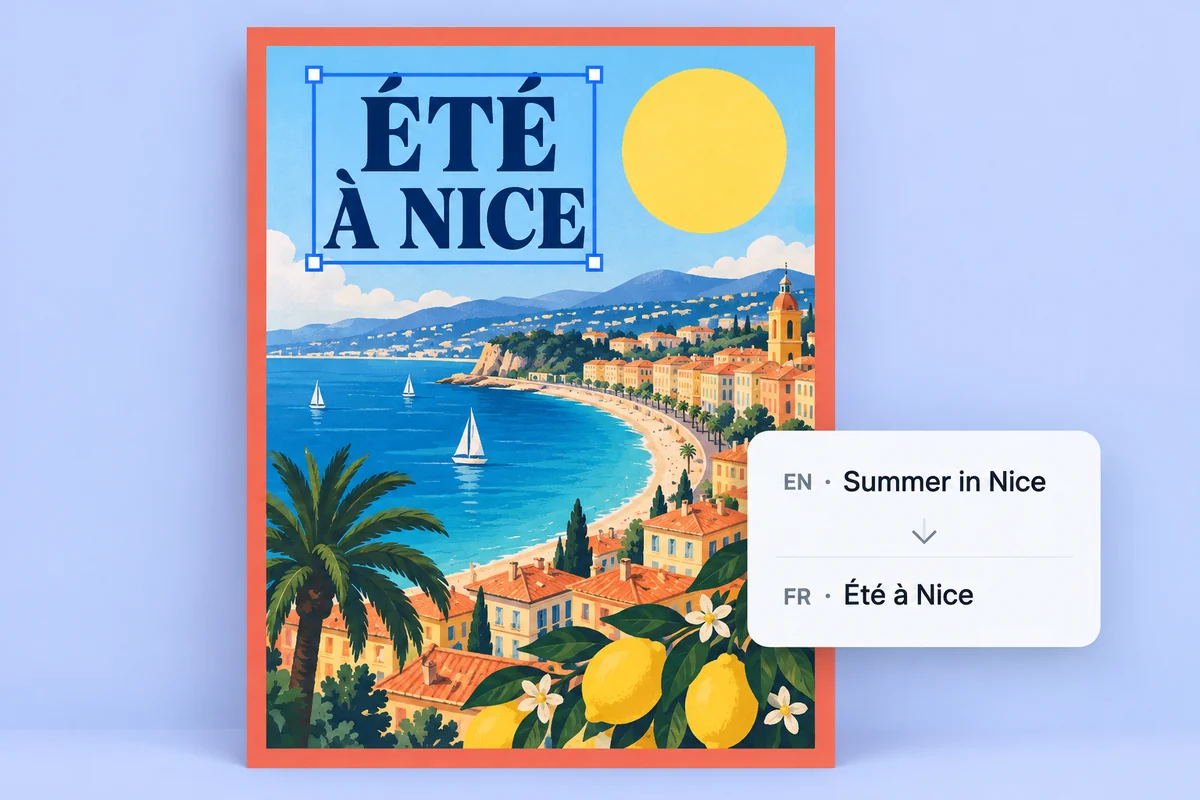
本地化海报和商品图
将图片中的文字转成可编辑文字图层,更快完成活动素材的翻译、修改和审核。
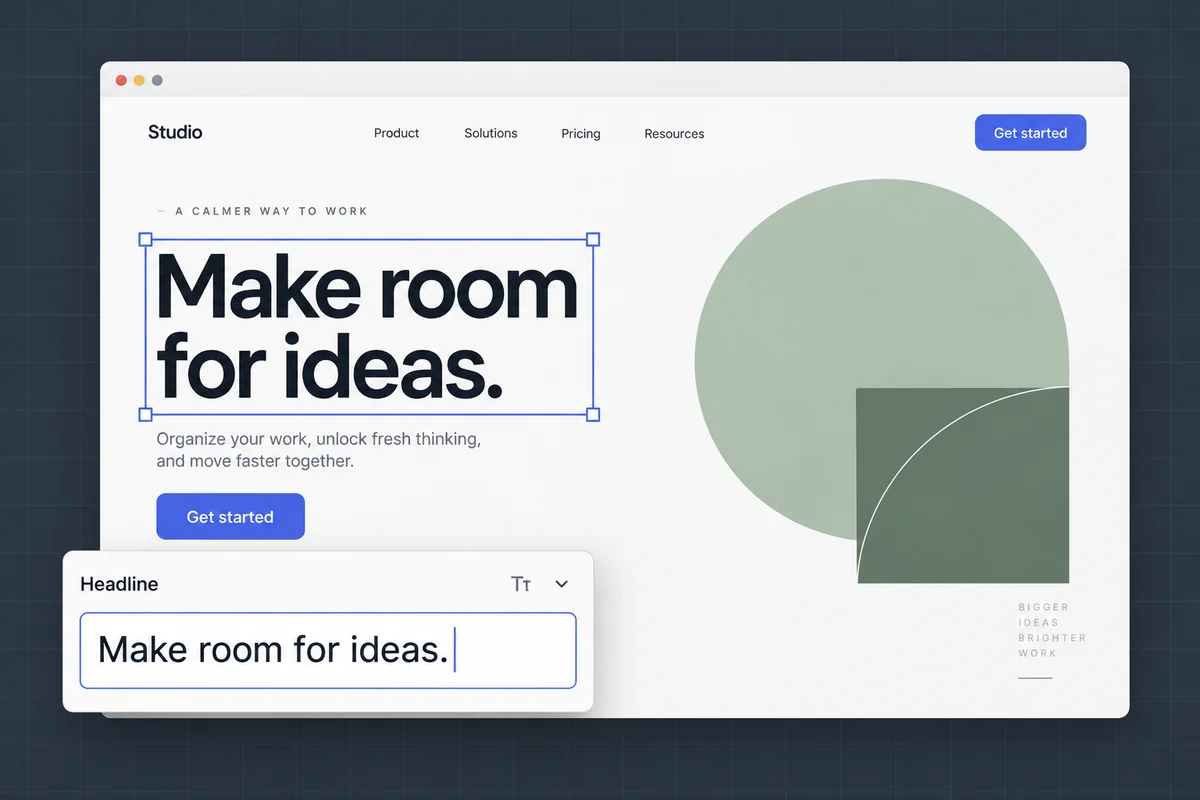
编辑截图和样机图中的文字
更新界面标签、样机文案和演示截图,同时保留原有布局和视觉效果。
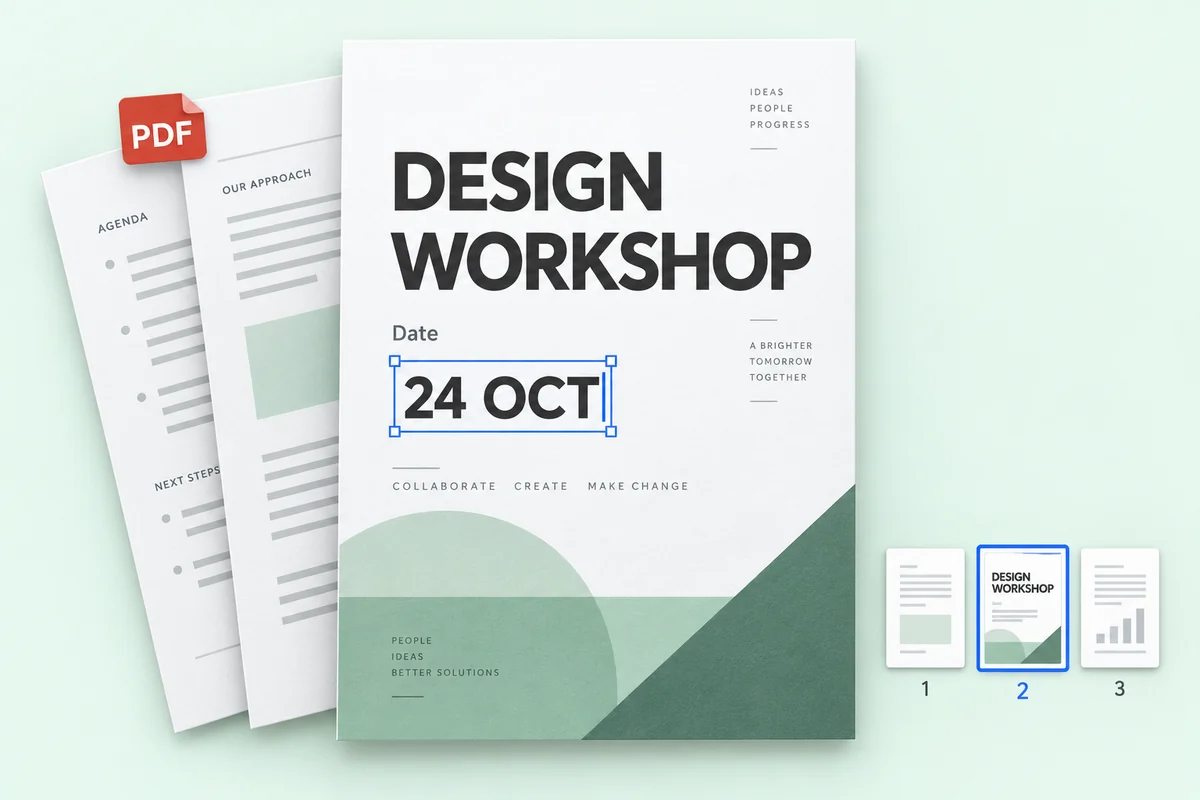
修改 PDF 文件里的文字
改掉 PDF 里几页的价格、日期或名字,再下载完整文件,其余页面保持原样。
价格
免费开始,需要更多时再付费
1K 编辑消耗 1 积分,2K 消耗 2 积分,4K 消耗 3 积分。文字识别不消耗积分。
免费试用
免费文字识别,无需注册。免费账号每月有 1 个积分,可生成 1 张 1K 图片。
不用于训练 AI
图片只用来完成你要求的修改,我们不会拿它训练模型。
只有你能看到
上传的图片和生成结果只出现在你自己的历史记录里,不会出现在任何公开页面。
留与删,都由你
历史记录可以逐条删除,也可以一键清空,随时都行。
FAQ
常见问题
可以直接编辑图片上的文字吗?
可以。把图片上传到 Codia,AI 会找出图片里原有的文字;输入新文字后,它会按原来的字体、颜色和版式在原位置改写。
文字识别免费吗?
是的。文字识别免费,每个 Codia 免费账号每月都有积分,可生成 1K 分辨率的图片。Lite 和积分包可出 2K;Starter 和 Pro 套餐支持 4K 输出和批量编辑。
支持多少种语言?
Codia 支持全球 108 种语言文字识别,适合本地化广告、商品图、截图和多语言营销素材。
可以编辑哪些图片格式?
可以上传 JPG、PNG 和 WebP 图片,包括照片、截图、海报和商品标签。编辑识别出的文字后,生成并下载修改后的图片。
如何修改截图里的文字?
上传 JPG、PNG 或 WebP 格式的截图,检查识别结果并输入替换文字,再生成并对比新图片。清晰截图有助于识别界面小字,下载前请检查换行和周围元素。
没有原始设计文件,可以修改 JPG 或 PNG 里的文字吗?
可以直接上传 JPG 或 PNG,无需 PSD 等原始设计文件。Codia 识别图中文字后,你可以替换文字并生成新图片。结果是图片文件,并非恢复出的源设计文档。
费用是多少?
文字识别免费。每个免费账号每月有 1 个积分,可生成 1 张 1K 图片。Lite 和积分包可出 2K;Starter 和 Pro 支持 4K 输出和批量编辑。积分包永不过期。
需要注册账号吗?
上传图片并查看文字识别结果无需账号。准备生成编辑后的图片时,再免费注册即可,方便记录你的积分。
每次编辑消耗多少积分?
无论修改多少处文字,1K 编辑消耗 1 积分,2K 消耗 2 积分,4K 消耗 3 积分。编辑失败不扣积分。
能保留透明背景吗?
可以。Logo、贴纸等透明 PNG 和 WebP 图片会以 PNG 格式返回,并保留透明背景。
可以上传哪些文件?
支持 20 MB 以内的 PNG、JPG、WebP 图片,以及 100 MB 以内的 PDF。超大图片会先把长边缩小到 4096 像素再处理。
可以修改 PDF 里的文字吗?
可以。上传 PDF,最多选 10 页修改文字。下载的是完整 PDF:改过的页会替换进去,其余页面完全保持原样。PDF 编辑属于批量编辑功能,Starter 和 Pro 套餐可用。
准备好修改图片里的文字了吗?
文字识别免费,无需注册。上传图片即可开始。