
部落格
來自 Codia 團隊的觀點分享、教學文章與產品動態。
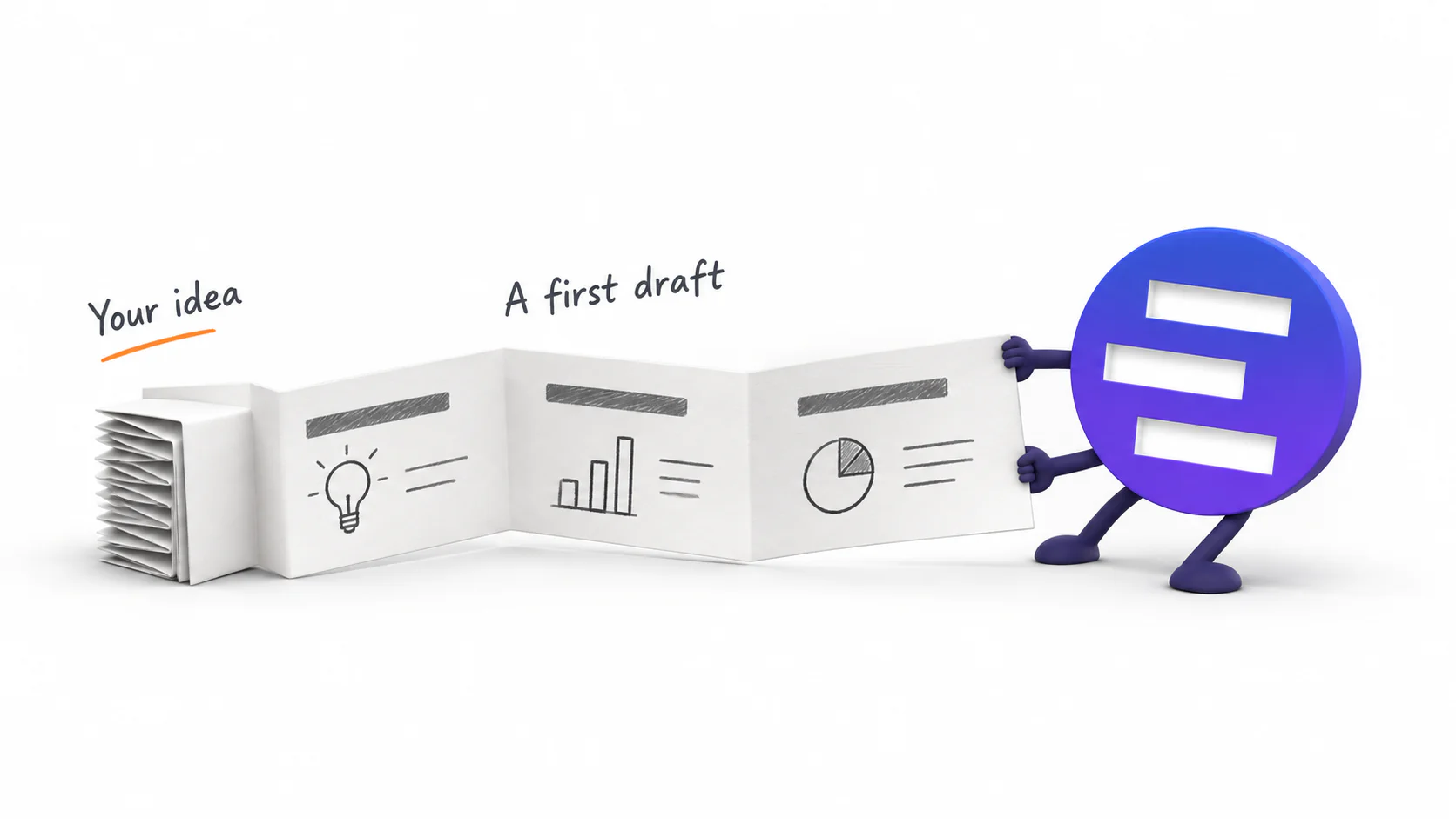
Introducing AI Presentation Generation in NoteSlide
Turn ideas, notes, and documents into AI-generated presentations with NoteSlide. Review the outline, preview the design, and download an editable PPTX.

把 PowerPoint 交給 AI 重新設計前,要準備什麼?
AI 重新設計簡報前,先整理字型、圖片、圖表、敏感文字、投影片範圍與品牌參考。來源越清楚,最後審查越快也越安全。

PowerPoint 範本和 AI 簡報優化有什麼不同?
範本負責品牌與版型規則,AI 則能逐頁重新安排內容。比較兩者能解決的問題、限制與風險,以及什麼時候應該搭配使用。
AI 做的 PowerPoint 真的能編輯嗎?用 5 項測試確認
副檔名是 .pptx,不代表每個元素都能編輯。用文字、物件、圖片、圖表與檔案行為五項測試,確認 AI 簡報能否修改與交接。

如何從 Word、PDF、網頁或貼上文字製作 PowerPoint 簡報
Word、PDF、網頁與會議筆記,在交給 AI 前需要不同整理方式。了解各種來源的準備重點,做出結構清楚且可編輯的 PPTX。
如何翻新舊 PowerPoint,又不重寫已核准的內容?
保留原意、數字與已核准文字,只重新整理舊簡報的版面。從備份、選頁、指定圖片,到前後比對與可編輯性檢查。

AI 產生簡報、優化設計、轉成可編輯 PPT:三種工作流怎麼選?
從零產生簡報、重新設計舊檔,或把 PDF 還原成可編輯 PowerPoint,是三種不同任務。先看手上的素材與要保留的部分,再選正確功能。
為什麼你的簡報一眼就顯業餘:6 個訊號,以及每個怎麼修
審閱者看你的簡報前三秒會注意到的六件事——視覺體系不統一、字級亂飄、對不齊、滿版文字沒層級、配圖打架、顏色沒規則——以及每一條最快的修法。
用 Nano Banana Pro 做一整份簡報:完整工作流,以及最後卡住的那一步
一套真正跑得通的 Nano Banana Pro 出圖流程:一頁一張圖、可重複使用的 prompt 骨架、十頁維持同一套視覺語言,以及決定你之後改不改得動的那一步匯出。
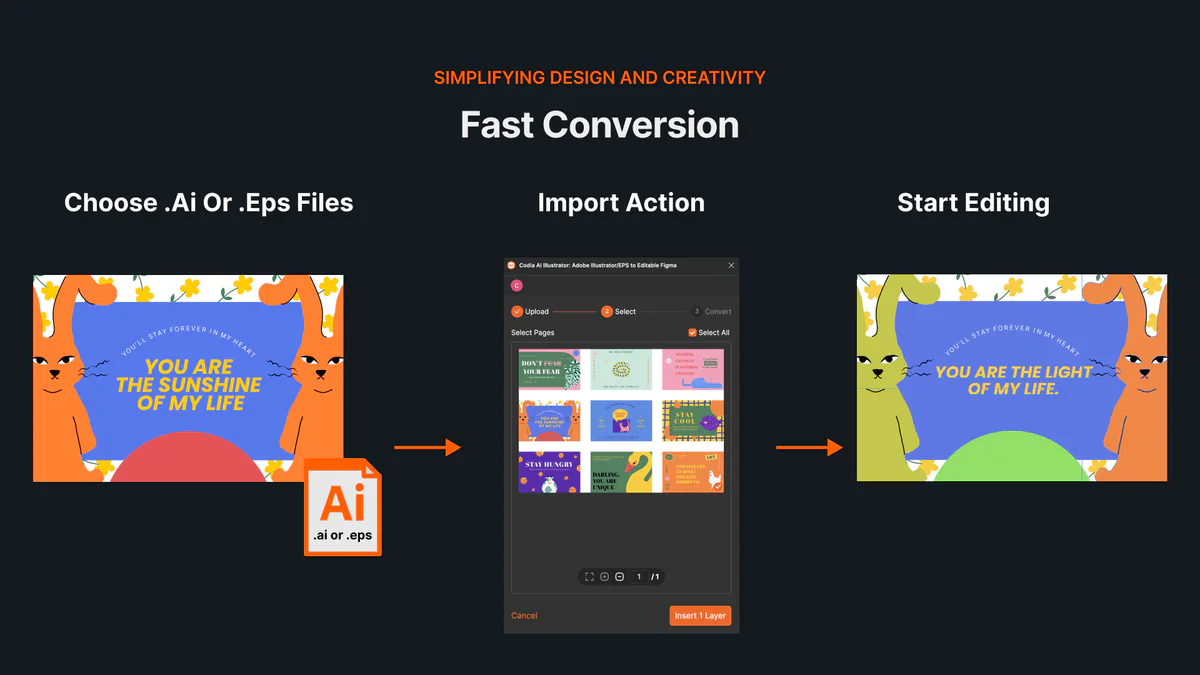
不用 Illustrator,如何在線上開啟並編輯 AI、EPS 檔案
了解如何在線上開啟 AI 與 EPS 檔案,把畫板及可編輯向量圖層匯入 Codia Studio,並避開常見相容性問題。
NotebookLM 正式更名為 Gemini Notebook:改了什麼?簡報匯出會受影響嗎?
Google 將 NotebookLM 更名為 Gemini Notebook。一次看懂新舊名稱的關係、同步與程式執行新功能,以及簡報匯出工作流程是否需要調整。
How to Review NoteSlide Output: A Text, Image, Chart, and Number Checklist
After NoteSlide converts a PDF into editable PPTX, review text, images, charts, numbers, citations, and slide status before using the deck formally.
How to Prepare Files for NoteSlide: A PDF to PPTX Quality Checklist
Before converting a PDF into editable PPTX with NoteSlide, check source quality, page scope, image clarity, and file size to reduce rework.

How Teachers Can Turn PDF Handouts into Editable Slides with NoteSlide
Teachers can use NoteSlide to turn PDF handouts, scanned slides, or NotebookLM decks into editable PPTX files for classroom review and presentation.
How Researchers Can Turn a Paper PDF into a Conference Presentation with NoteSlide
Researchers can use NoteSlide to convert paper PDFs, research summaries, or scanned materials into editable PPTX files, then review figures, citations, and claims before presenting.
How Marketing Teams Can Turn Whitepapers into Sales Decks with NoteSlide
Marketing teams can use NoteSlide to turn whitepapers, product PDFs, and long-form documents into editable PPTX decks for sales, events, and training.
How Consultants Can Turn Report PDFs into Client Decks with NoteSlide
Consultants can use NoteSlide to turn report PDFs into editable PPTX decks, then refine structure, reduce density, review claims, and prepare client-ready presentations.
What Can You Edit After NoteSlide Conversion? Text, Images, Layout, and More
NoteSlide conversion is not just about placing PDF pages into slides. This guide explains what users can edit after conversion and when complex visuals may remain image-based.

How to Turn NotebookLM Slides into an Editable PPTX with NoteSlide
NotebookLM often gives you a PDF slide deck, not a PowerPoint file you can keep editing. This guide explains how NoteSlide converts NotebookLM PDFs into editable PPTX decks.
如何編輯 NotebookLM 幻燈片:把 PDF 變成真正可編輯 PPTX
NotebookLM 匯出的 PDF 不一定能直接編輯。本指南說明如何編輯 NotebookLM slides,修改文字、調整版面,並取得真正可編輯的 PowerPoint。
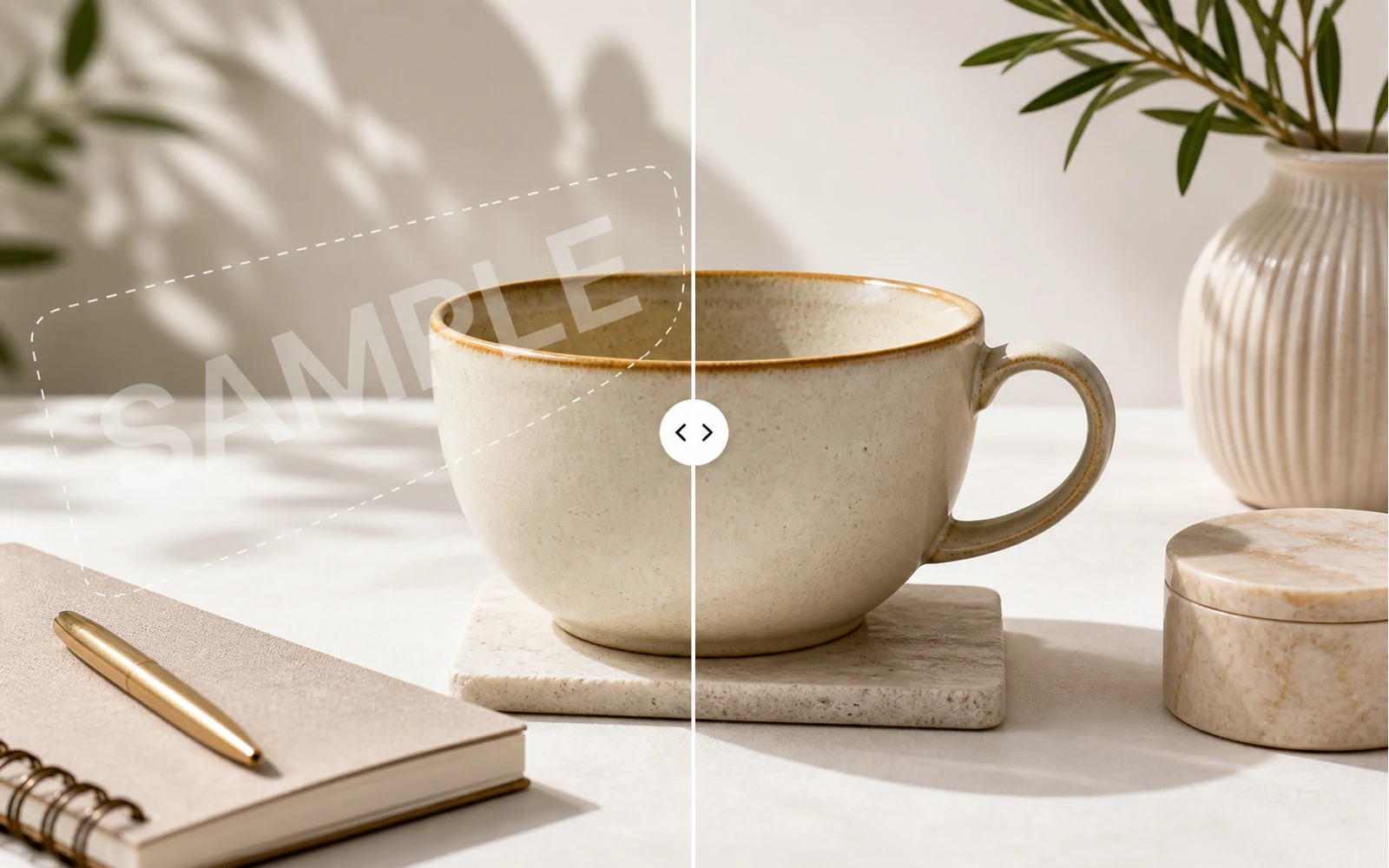
How to Remove a Watermark from an Image with AI
A practical guide for removing watermarks, draft labels, and sample overlays from images you own or are authorized to edit, then continuing the cleanup in Codia Studio.
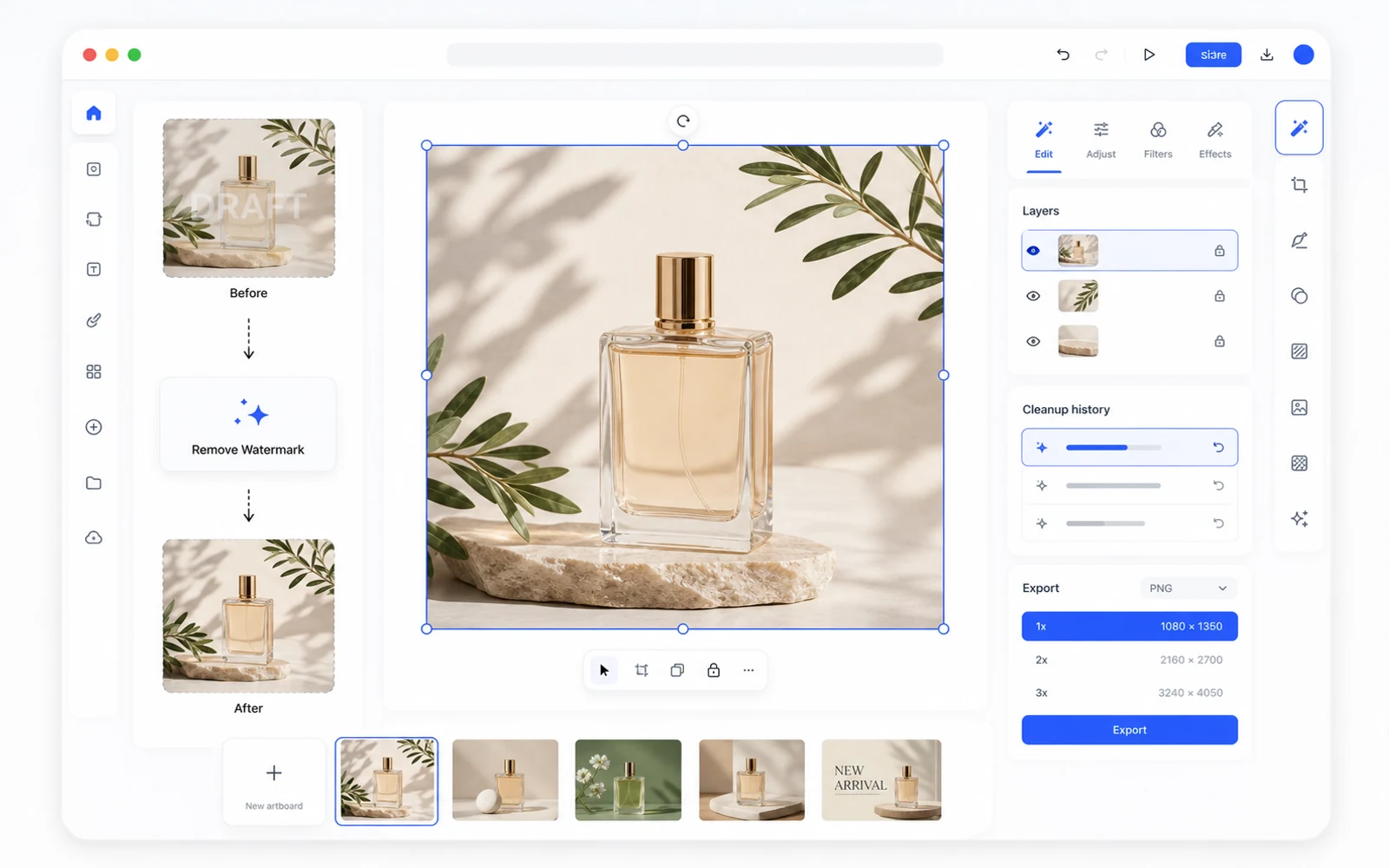
Remove a Watermark, Then Keep Editing in Codia Studio
Why watermark removal works better when it is part of a broader design workflow, not a one-off upload-download task.
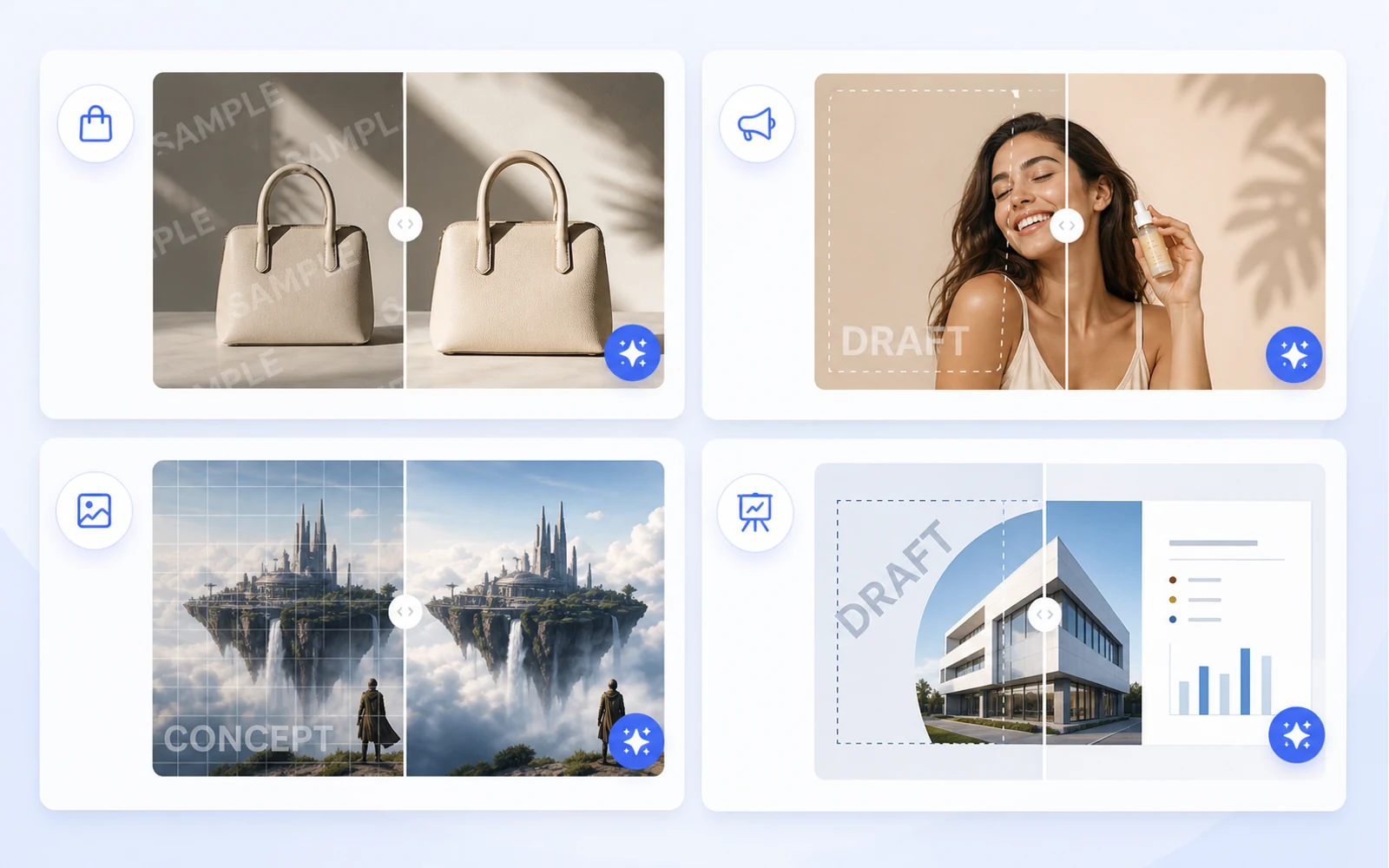
Clean Product Images Before Publishing: Remove Draft Marks and Sample Overlays
How ecommerce teams and marketers can clean authorized product images by removing draft marks, sample overlays, timestamps, and visual clutter before publishing.
把螢幕截圖轉成可編輯 Figma:UI 參考的實用流程
當你手上只有螢幕截圖時,仍然可以做出有用的 Figma 起點。這個流程適合重設計、參考比對與舊版 UI 回復。
如何將 Canva 和圖片素材重用為可編輯設計
行銷素材常常以 Canva 連結、輸出的 PNG 或扁平圖片形式到手。了解如何把它們轉成可編輯的設計檔,方便重用、在地化與製作。
PDF 轉 PowerPoint:如何取得真正可編輯的 PPT,而不是扁平的投影片圖片
多數 PDF 轉 PPT 工具只會把每一頁做成扁平圖片。了解如何檢查可編輯性,以及何時該使用 Codia 的 PDF 轉可編輯 PPT 工作流程。
介紹 Codia PSD Editor Online:直接在瀏覽器中編輯 Photoshop 檔案
Codia PSD Editor Online 現已可用,適合需要在不使用完整 Photoshop 流程的情況下開啟、編輯與匯出 PSD 檔案的團隊。
介紹 Codia Magic Layers:把扁平圖片轉成可編輯圖層
Codia Magic Layers 現已可用,能把扁平圖片分離成可編輯的物件、文字、背景、產品與視覺元素。
介紹 Codia AI Image Text Editor:修正並重寫圖片中的文字
Codia AI Image Text Editor 現已可用,用來修正亂碼 AI 文字、更新扁平圖片中的文案,並把圖片文字轉成可編輯圖層。
AI 圖像文字亂碼時:如何在不重新生成整張圖的情況下修正錯字
AI 圖像生成器常常能做出漂亮視覺,卻把文字弄壞。了解何時該重生、何時該修改,以及 Codia 如何把圖片文字變成可編輯圖層。
如何在不重做整個設計的情況下修改圖片中的文字
需要改掉扁平圖片中的標題、價格、日期或標籤嗎?這裡有一個實際可行的流程,能把圖片文字轉成可編輯圖層。
如何在不安裝 Photoshop 的情況下線上編輯 PSD
需要打開 PSD、快速修改一下,再重新匯出嗎?了解線上 PSD 編輯器何時夠用,以及 Codia 如何讓流程保持圖層可辨識。
AI Prompting Lessons from Practical Product Work
AI Prompting Lessons from Practical Product Work explained through practical product workflow, design-to-code handoff, review steps, and how Codia helps teams move from visual input to usable output.
Flutter or React Native: Choosing a Cross-Platform Framework
Flutter or React Native: Choosing a Cross-Platform Framework explained through practical product workflow, design-to-code handoff, review steps, and how Codia helps teams move from visual input to usable output.
Top 15 Tools for macOS App Development
Top 15 Tools for macOS App Development explained through practical product workflow, design-to-code handoff, review steps, and how Codia helps teams move from visual input to usable output.
The Evolution of UI Development
The Evolution of UI Development explained through practical product workflow, design-to-code handoff, review steps, and how Codia helps teams move from visual input to usable output.
Image Processing for UI Element Segmentation
Image Processing for UI Element Segmentation explained through practical product workflow, design-to-code handoff, review steps, and how Codia helps teams move from visual input to usable output.
SwiftUI UI Layout Introduction
SwiftUI UI Layout Introduction explained through practical product workflow, design-to-code handoff, review steps, and how Codia helps teams move from visual input to usable output.
Start Here: A Practical Guide to Codia
Start Here: A Practical Guide to Codia explained through practical product workflow, design-to-code handoff, review steps, and how Codia helps teams move from visual input to usable output.
Set Up an iOS Development Environment
Set Up an iOS Development Environment explained through practical product workflow, design-to-code handoff, review steps, and how Codia helps teams move from visual input to usable output.
Set Up a Flutter Development Environment
Set Up a Flutter Development Environment explained through practical product workflow, design-to-code handoff, review steps, and how Codia helps teams move from visual input to usable output.
Set Up an Android Development Environment
Set Up an Android Development Environment explained through practical product workflow, design-to-code handoff, review steps, and how Codia helps teams move from visual input to usable output.
Transform Wireframes into Polished Design Drafts with AI
Transform Wireframes into Polished Design Drafts with AI explained through practical product workflow, design-to-code handoff, review steps, and how Codia helps teams move from visual input to usable output.
React Native Tutorial: Build Your First Mobile App
React Native Tutorial: Build Your First Mobile App explained through practical product workflow, design-to-code handoff, review steps, and how Codia helps teams move from visual input to usable output.
PDF to HTML: Turn Static Documents into Web Layouts
PDF to HTML: Turn Static Documents into Web Layouts explained through practical product workflow, design-to-code handoff, review steps, and how Codia helps teams move from visual input to usable output.
Node.js API Development Best Practices
Node.js API Development Best Practices explained through practical product workflow, design-to-code handoff, review steps, and how Codia helps teams move from visual input to usable output.
Mastering macOS: 17 Common Development Challenges
Mastering macOS: 17 Common Development Challenges explained through practical product workflow, design-to-code handoff, review steps, and how Codia helps teams move from visual input to usable output.
Mastering Figma to Vue
Mastering Figma to Vue explained through practical product workflow, design-to-code handoff, review steps, and how Codia helps teams move from visual input to usable output.
JPEG to SVG: Convert Raster References into Editable Vector Assets
JPEG to SVG: Convert Raster References into Editable Vector Assets explained through practical product workflow, design-to-code handoff, review steps, and how Codia helps teams move from visual input to usable output.
Jetpack Compose Mastery Finale: 38 Key UI Issues
Jetpack Compose Mastery Finale: 38 Key UI Issues explained through practical product workflow, design-to-code handoff, review steps, and how Codia helps teams move from visual input to usable output.
Jetpack Compose Mastery Part 1: Build Your First Compose App
Jetpack Compose Mastery Part 1: Build Your First Compose App explained through practical product workflow, design-to-code handoff, review steps, and how Codia helps teams move from visual input to usable output.
An In-Depth Perspective on Flutter
An In-Depth Perspective on Flutter explained through practical product workflow, design-to-code handoff, review steps, and how Codia helps teams move from visual input to usable output.
如何使用截圖轉可編輯 Figma
透過實際的產品工作流程、設計轉程式碼交付、審核步驟,以及 Codia 如何幫助團隊把視覺輸入轉成可用輸出,說明如何使用截圖轉可編輯 Figma。
The Future of Design to Code: Automating Figma to Vue.js
The Future of Design to Code: Automating Figma to Vue.js explained through practical product workflow, design-to-code handoff, review steps, and how Codia helps teams move from visual input to usable output.
Flutter Development from Zero to Production
Flutter Development from Zero to Production explained through practical product workflow, design-to-code handoff, review steps, and how Codia helps teams move from visual input to usable output.
Figma to React: Convert Design Structure into Components
Figma to React: Convert Design Structure into Components explained through practical product workflow, design-to-code handoff, review steps, and how Codia helps teams move from visual input to usable output.
Figma to Code: An Automated Journey from Design to Implementation
Figma to Code: An Automated Journey from Design to Implementation explained through practical product workflow, design-to-code handoff, review steps, and how Codia helps teams move from visual input to usable output.
Figma to Android: From Design Frames to Buildable UI
Figma to Android: From Design Frames to Buildable UI explained through practical product workflow, design-to-code handoff, review steps, and how Codia helps teams move from visual input to usable output.
Starting a macOS Development Journey from Zero
Starting a macOS Development Journey from Zero explained through practical product workflow, design-to-code handoff, review steps, and how Codia helps teams move from visual input to usable output.
How Deep Learning Accelerates Application Development
How Deep Learning Accelerates Application Development explained through practical product workflow, design-to-code handoff, review steps, and how Codia helps teams move from visual input to usable output.
A Comprehensive Guide to Flutter Development for macOS
A Comprehensive Guide to Flutter Development for macOS explained through practical product workflow, design-to-code handoff, review steps, and how Codia helps teams move from visual input to usable output.
A Comprehensive Exploration of Flutter
A Comprehensive Exploration of Flutter explained through practical product workflow, design-to-code handoff, review steps, and how Codia helps teams move from visual input to usable output.
Electron vs. Flutter: A Practical Comparison
Electron vs. Flutter: A Practical Comparison explained through practical product workflow, design-to-code handoff, review steps, and how Codia helps teams move from visual input to usable output.
Understanding the Compose UI Layout System
Understanding the Compose UI Layout System explained through practical product workflow, design-to-code handoff, review steps, and how Codia helps teams move from visual input to usable output.
Codia AI UI Generator Design Toolkit Guide
Codia AI UI Generator Design Toolkit Guide explained through practical product workflow, design-to-code handoff, review steps, and how Codia helps teams move from visual input to usable output.
Codia AI Design OCR Technology
Codia AI Design OCR Technology explained through practical product workflow, design-to-code handoff, review steps, and how Codia helps teams move from visual input to usable output.
The Codia AI Design-to-Code Revolution
The Codia AI Design-to-Code Revolution explained through practical product workflow, design-to-code handoff, review steps, and how Codia helps teams move from visual input to usable output.
The Codia AI Design-to-Code Revolution, Part 2
The Codia AI Design-to-Code Revolution, Part 2 explained through practical product workflow, design-to-code handoff, review steps, and how Codia helps teams move from visual input to usable output.
Android 14 Adaptation Guide: Upgrading targetSdkVersion to 34
Android 14 Adaptation Guide: Upgrading targetSdkVersion to 34 explained through practical product workflow, design-to-code handoff, review steps, and how Codia helps teams move from visual input to usable output.
Advanced iOS Development: Practical SwiftUI Tips
Advanced iOS Development: Practical SwiftUI Tips explained through practical product workflow, design-to-code handoff, review steps, and how Codia helps teams move from visual input to usable output.
A Deep Dive into Apple Vision Pro and visionOS
A Deep Dive into Apple Vision Pro and visionOS explained through practical product workflow, design-to-code handoff, review steps, and how Codia helps teams move from visual input to usable output.
Supercharge Your Mobile Dev Skills: 10 Essential Tools for Max Efficiency
A practical mobile development toolkit for shipping faster across Android, iOS, Flutter, and React Native: IDEs, design-to-code, backend, testing, monitoring, API, CI, and release automation.
Screenshot to Figma Design by AI: A New Chapter in Future Design
How AI screenshot-to-Figma workflows turn flat UI images into editable design structure, where they help, where they fail, and how teams use them responsibly.
Jetpack Compose Mastery Part 2: Advanced Tools and Resources for Mastering Compose UI
A practical guide to advanced Jetpack Compose tooling: previews, Material theming, state, performance, testing, accessibility, and design-to-code workflow.
Image to HTML: Convert UI Screenshots into Editable Web Pages
A practical guide to converting images and UI screenshots into HTML: structure recovery, OCR, layout review, accessibility, and production cleanup.
How to Reduce Android Studio's Maximum Memory Footprint
A practical guide to lowering Android Studio's memory footprint without making builds painfully slow: IDE heap, Gradle daemon, Kotlin daemon, emulator usage, plugins, indexing, and project structure.
Figma to Vue.js: Bridging Design and Development
How to turn Figma designs into Vue 3 components with a clean handoff workflow, reusable structure, scoped styling, and production review.
Figma to SwiftUI: Convert iOS Designs into Native Views
A practical workflow for converting Figma iOS screens into SwiftUI views with clean hierarchy, tokens, assets, state, previews, and production review.
Figma to React Native: Turn Mobile Designs into App Screens
A practical workflow for converting Figma mobile screens into React Native components that engineers can review, refactor, and ship.
Figma to HTML: Convert Designs into Semantic Web Pages
A practical Figma-to-HTML workflow for generating clean markup, responsive CSS, semantic structure, accessible controls, and production-ready handoff.
Exploration of Flutter Hot Update Technology
A practical look at Flutter hot update technology, what hot reload is not, what app stores allow, and safer alternatives for updating mobile apps quickly.
Complete Guide to Building a Vue.js CRUD Application
A practical Vue 3 CRUD application guide covering routes, components, forms, API calls, validation, loading states, errors, and production cleanup.
AI HTML Generator: Turn Prompts and Designs into Clean Web Markup
How to use an AI HTML generator effectively: prompts, Figma input, screenshot input, semantic review, responsive cleanup, and production handoff.
AI Code Generator: What It Can Build, Where It Fails, and How to Use It Well
A practical guide to AI code generators: prompt input, design input, code review, frontend scaffolds, limitations, and production workflow.
NotebookLM-style PDF to Editable PPTX with Codia Open API
Build a server-side NotebookLM-style PDF to editable PPTX pipeline with Codia Open API: upload a private PDF, estimate credits, create a pdf_to_ppt task, receive a webhook, and download the generated PowerPoint file.
NotebookLM 原生 PPTX 匯出為什麼並不是真正可編輯(以及如何補上這一步)
NotebookLM 在 2026 年 2 月 18 日上線了原生 PPTX 匯出,但拿到的檔案並不是真正可編輯的。這篇講清楚——PowerPoint 裡到底哪些能改、哪些仍被鎖住,以及 NoteSlide 怎麼把這塊缺口補上。
NotebookLM 的 20 張上限:如何在保留可編輯性的前提下做更長的投影片
NotebookLM Slide Deck 單次最多產出 20 張投影片——做高管摘要夠,做季度複盤和培訓就是死路。四種實用的突破方法,由快到深排序,全部保留完整 PowerPoint 可編輯性。
如何合法去除 NotebookLM 浮水印(完整指南)
一篇實用、合規的指南,講清楚 NotebookLM 匯出檔案上的浮水印到底是什麼、什麼場景下可以合法去除、以及用 NoteSlide 把它乾淨去掉的最佳工作流。
2026 年 NotebookLM 轉 PowerPoint 全步驟指南
2026 年把 NotebookLM 投影片轉成完全可編輯 PowerPoint 的完整指南——三條路徑(原生匯出、NoteSlide、混合)、分步驟說明、要避開的陷阱,加一份 10 項品質檢查清單。
2026 年最佳 NotebookLM 轉 PowerPoint 工具對比 (7 款)
把 NotebookLM 投影片轉 PowerPoint 的 7 款主流工具誠實並排對比——每款最適合什麼、不適合什麼、以及怎麼選到匹配你工作的那一個。
用 Cursor 與 Figma MCP Server 做截圖轉 Figma:AI 程式碼代理工作流程
如何把 Codia 的截圖轉 Figma 轉換,與 Cursor、Claude Code 或 Windsurf 的官方 Figma MCP server 串在一起,在三個步驟內把平面參考截圖變成乾淨程式碼。
Image to Figma:把任何圖片轉成可編輯的 Figma 圖層
把任何圖片——UI 截圖、線框圖、草圖、插圖、螢幕照片——轉成完整可編輯的 Figma 檔案,並保留 Auto Layout、真文字圖層與可重用元件。
Codia vs image.to.design:2026 年螢幕截圖轉 Figma 詳細比較
誠實比較 Codia AI 與 image.to.design 在將螢幕截圖與圖片轉成可編輯 Figma 設計時的功能差異,說明各自最擅長的情境、分歧點,以及你該怎麼選。
Screenshot to Canva: Turn Any UI or Design Screenshot into an Editable Canva File
Bring any UI screenshot, app screen, or inspiration image into Canva as editable layers — text, shapes, and components — using Codia AI Vision and a clean PPTX or PNG bridge.

網站轉 Figma:將即時網頁轉成可編輯設計稿的完整指南
把任何即時網站 - 不管是自家產品、競品頁面、合作夥伴網站,還是舊版應用程式 - 轉成可編輯的 Figma 檔。這篇內容會整理工作流程、適用情境、要擷取哪些內容,以及它和截圖、HTML 轉換的差異。
用截圖轉 Figma 做重新設計:不必從零開始重建既有 UI
一套實用的重新設計流程,將舊版產品畫面、競品參考與客戶截圖轉成可編輯的 Figma 起點。
Screenshot to Figma(以及 Image to Figma):將 UI 圖片轉成可編輯設計的 2026 完整指南
從任何 UI 截圖或圖片,在幾秒內轉成可編輯的 Figma 檔案——包含流程、情境技巧、四款工具比較、免費與付費方案、如何修正『按鈕變成平面圖片』的問題,以及它如何搭配 Cursor + Figma MCP 一起使用。
截圖轉程式碼:把 UI 圖片變成 React、HTML 或 Tailwind
了解把 UI 截圖轉成可編輯設計結構,再轉成前端程式碼的實際工作流程。
PSD to Figma Migration Checklist for Design and Brand Teams
A practical checklist for planning, converting, reviewing, and governing PSD-to-Figma migrations across team design archives.
PDF 轉簡報:NoteSlide 如何將任何文件變成可編輯的投影片
認識 NoteSlide,並了解把 PDF、報告、論文與筆記轉成可編輯的 PowerPoint 與 Keynote 簡報的完整流程 - 不用手動重做。
PDF 轉 Figma:將靜態 PDF 轉成可編輯設計檔案的完整指南
把任何 PDF - 無論是行銷單頁、長篇報告、向量檔或掃描檔、單一檔案或成千上萬份 - 轉成可編輯的 Figma 圖層。包含流程、可保留的內容、不同情境的技巧,以及 API 批次選項。
NotebookLM 轉可編輯 PowerPoint:NoteSlide 完整指南
完整說明如何把 NotebookLM 投影片變成完全可編輯的 PowerPoint 簡報 - 準備、用 NoteSlide 轉換、檢查清單、團隊工作流,以及常見問題都整理在這裡。
NotebookLM 可編輯 PowerPoint 常見問題
大家最常問的 NotebookLM 投影片轉可編輯 PowerPoint 問題 - 什麼叫做「可編輯」、支援哪些格式、要檢查什麼,以及 NoteSlide 會做和不會做的事。
HTML 轉 Figma:把 HTML、CSS 與原始碼轉成可編輯的 Figma 設計
當你手上有的是原始碼而不是設計稿時,如何把 HTML 和 CSS 轉成可編輯的 Figma 檔案。包含適用場景、開發流程、與 Website-to-Figma 的比較,以及哪些內容能保留下來。
Figma 轉 React:把設計轉成可維護的元件
實用指南:如何把 Figma 設計轉成工程師能夠審查、重構並上線的 React 元件。
Figma 轉程式碼:React、Vue、HTML、Tailwind、Flutter 等設計到程式碼完整流程
如何準備 Figma 檔案以便產生乾淨程式碼、在各種框架下該期待什麼(React、Vue、HTML、Tailwind、Flutter、SwiftUI、Compose)、以及工程團隊該如何檢查輸出。

Canva 轉 Figma:把行銷設計帶進產品設計流程
了解團隊如何把 Canva 設計轉成 Figma 檔,方便做品牌審核、產品交付、重新設計,以及與設計系統對齊。

2026 最佳 Figma 轉程式碼工具:如何選擇正確流程
實用指南:如何為 React、HTML、Tailwind 與正式前端工作流程選擇合適的 Figma 轉程式碼工具。
圖片轉 SVG:將 PNG 和 JPG 標誌轉成可編輯向量
給設計師的指南:如何把點陣圖標誌、圖示與簡單圖形轉成乾淨、可編輯的 SVG 檔案。
從截圖到結構:用 Visual Struct API 開發
Visual Struct API 如何在幾秒內把任意 UI 截圖轉換為強型別 JSON 樹——以及圖像變成可查詢資料後你能建構的系統。
一次請求,乾淨去背:Remove BG API 的設計思路
一次 POST、一個圖片 URL、一張透明 PNG。揭開 Codia Remove BG API 的底層:我們最佳化了什麼、放棄了什麼,以及如何把它接進真實的影像流水線。

告別 PSD 檔案庫:規模化 PSD → Figma 遷移實戰指南
把十年 Photoshop 檔案遷進 Figma,不是一個週末能搞定的事。本文總結團隊如何在數千個檔案規模上規劃、執行並治理 PSD → Figma 遷移,以及自動化改變了什麼。

從扁平 PDF 到結構化 UI:深入 PDF-to-Visual-Struct 流水線
深入了解 Codia 的 PDF to Visual Struct API 如何在兩秒內將靜態文件轉化為層級分明、可直接渲染的 UI Schema——以及你能在其之上建構什麼。

Codia 的隱私、安全與資料所有權
Codia 如何處理私有上傳、AI 訓練、保留、子處理者,以及你在 Codia 中建立的檔案與輸出所有權。
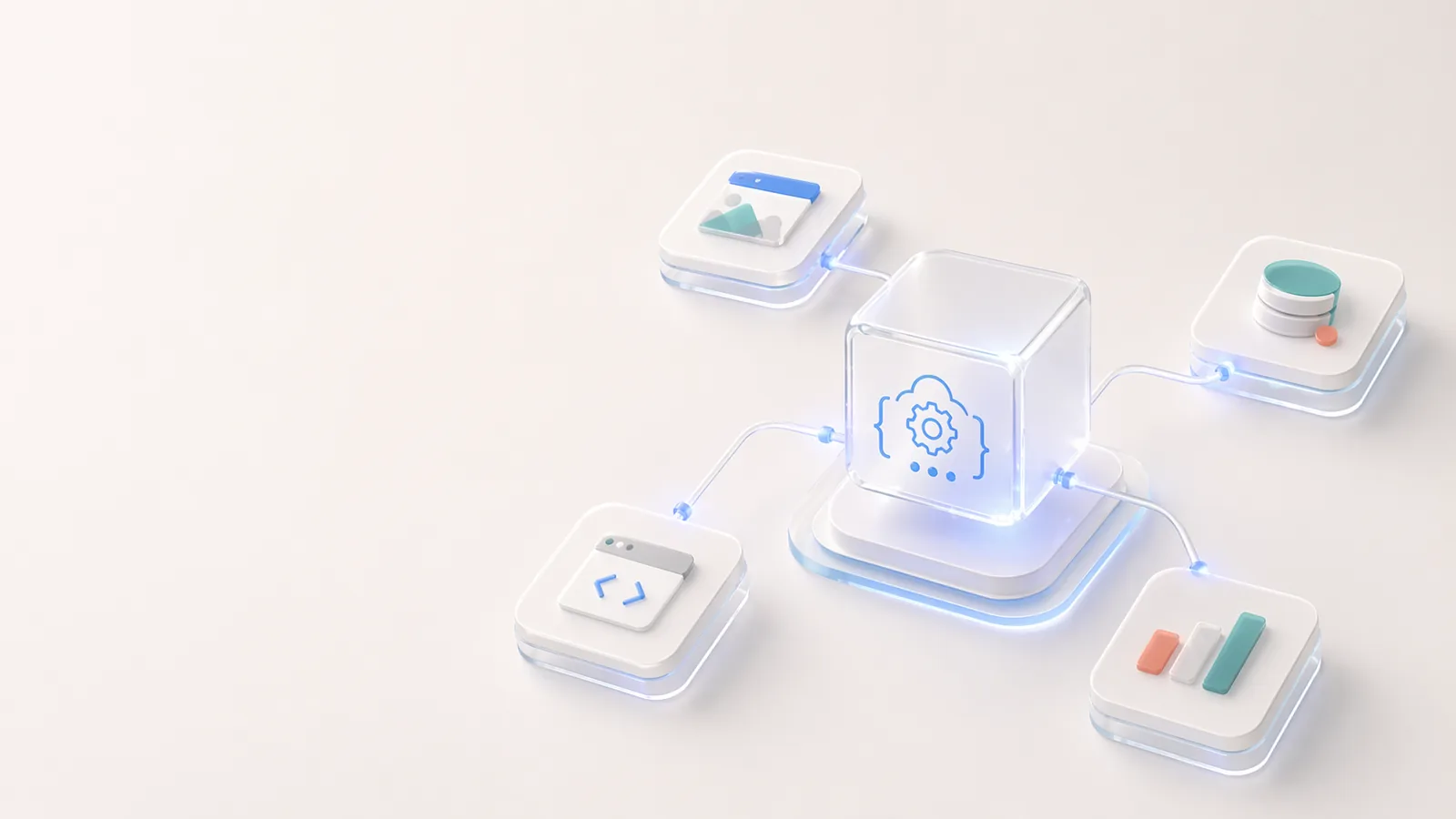
Open API 與 Codia 開發者生態系
在 Codia 上建立視覺結構擷取、PDF-to-schema 轉換、上傳與任務工作流程,以及可編輯設計自動化。
Codia 對創造力的承諾
Codia 的承諾,是用 AI 移除設計、內容與開發工作流程中的重複重建工作,讓創意成果更可編輯、更可重用,也更容易進入真實生產。
Codia 企業版
企業團隊如何用 Codia 做批次遷移、API 自動化、可編輯轉換、安全審查與私有部署規劃。
Codia 的 AI 設計理念
Codia 的 AI 設計不是產生一張平面圖片,而是用 Vision AI 理解結構、保留可編輯性,並把靜態視覺帶回真正的設計與程式碼工作流程。

About Codia AI: Product Suite, Design Philosophy, Trust, and Developer Platform
One page on everything Codia AI: what we build, what we believe about AI-powered design, how we work with enterprise teams, how we protect your data, and how developers can build on top of us.
Codia AI 入門指南
從零開始學會如何使用 Codia AI,加速你的設計與開發工作流程。