
블로그
Codia 팀의 인사이트, 튜토리얼, 제품 업데이트.
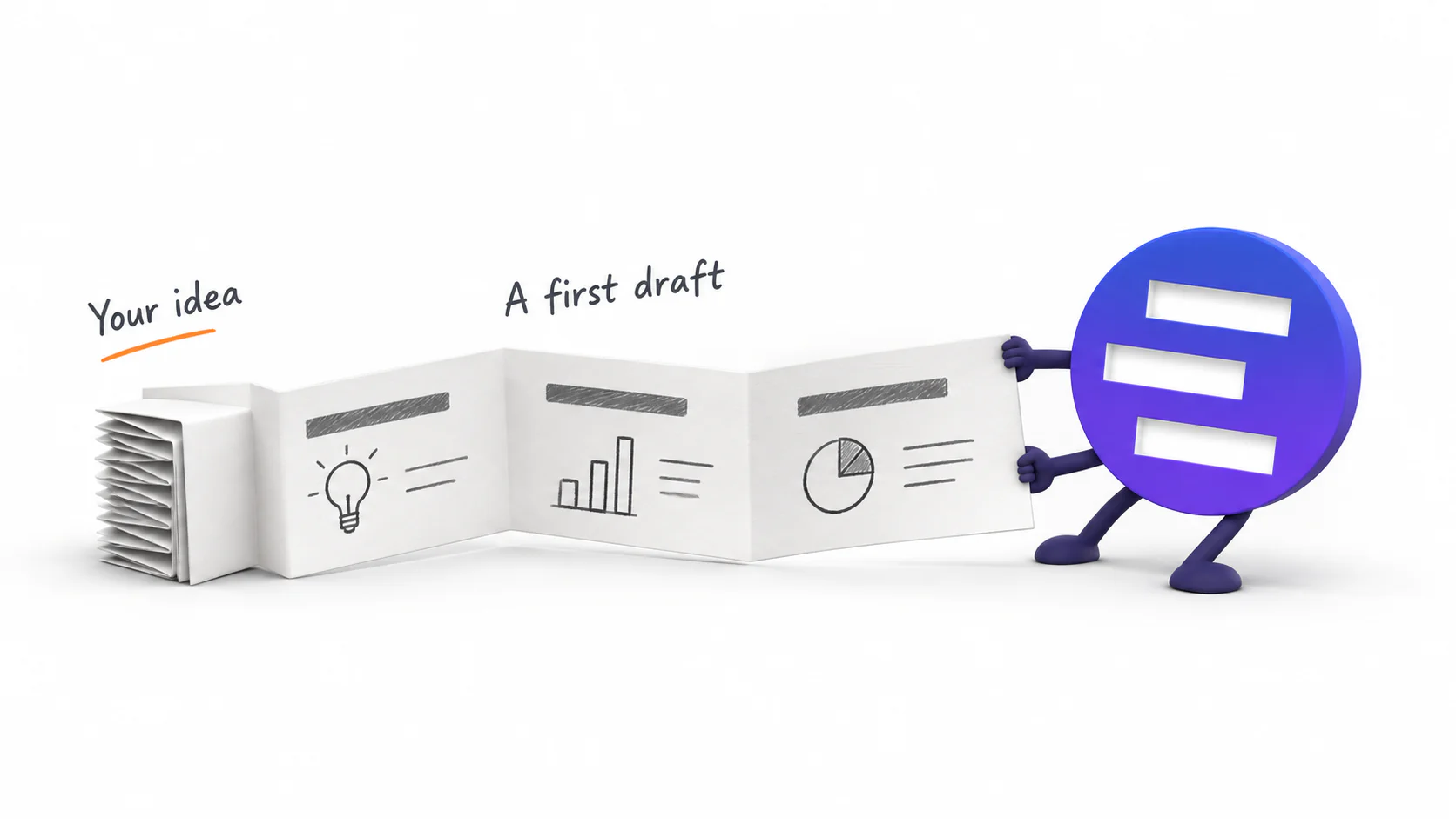
Introducing AI Presentation Generation in NoteSlide
Turn ideas, notes, and documents into AI-generated presentations with NoteSlide. Review the outline, preview the design, and download an editable PPTX.

AI로 PPT 디자인을 개선하기 전 준비 체크리스트
AI 리디자인 전에 원본, 확정 문구, 수치, 이미지, 차트, 글꼴, 대상 페이지와 합격 기준을 정리하는 실무 체크리스트입니다.

PPT 템플릿과 AI 디자인 개선, 무엇이 다를까?
템플릿은 브랜드 규칙을 정하고, AI는 각 장의 내용을 읽어 다시 배치합니다. 두 방식이 해결하는 문제와 함께 사용해야 할 상황을 비교합니다.
AI가 만든 PPT, 정말 편집 가능할까? 5가지 테스트
파일 확장자가 .pptx여도 한 장짜리 이미지일 수 있습니다. 텍스트, 개체, 이미지, 차트, 파일 동작을 직접 확인해 실무에서 수정 가능한지 판단하세요.

Word·PDF·웹페이지·텍스트로 PPT 만드는 법
Word 문서, PDF, 웹페이지, 붙여넣은 메모는 AI에 넣기 전에 준비하는 방식이 다릅니다. 자료별 정리법, 프롬프트, 목차 검수 방법을 안내합니다.
기존 PPT 내용은 그대로 두고 디자인만 개선하는 법
승인된 문구와 수치를 지키면서 오래된 PPT의 레이아웃, 글꼴, 색상, 이미지 사용을 정리하는 실무 절차와 최종 검수 항목을 안내합니다.

PPT 생성·디자인 개선·변환, 어떤 기능을 써야 할까?
새 발표자료를 만드는 일, 기존 PPT의 디자인을 다듬는 일, PDF나 이미지 슬라이드를 편집 가능하게 만드는 일은 서로 다릅니다. 시작 자료와 유지할 항목을 기준으로 선택해 보세요.
당신의 PPT가 아마추어처럼 보이는 6가지 이유와 각각의 해결법
검토하는 사람이 첫 3초에 알아채는 여섯 가지 — 제각각인 체계, 흔들리는 글자 크기, 어긋난 정렬, 글자만 가득한 장, 겉도는 이미지, 규칙 없는 색 — 그리고 각각을 가장 빨리 고치는 방법.
Nano Banana Pro로 발표자료 한 벌 만들기: 실전 워크플로와 마지막 한 단계
Nano Banana Pro로 실제 발표자료를 완성하는 절차. 슬라이드 한 장에 이미지 하나, 재사용 가능한 프롬프트 뼈대, 열 장까지 유지되는 시각 언어, 그리고 나중에 편집할 수 있는지를 결정하는 내보내기 설정까지.
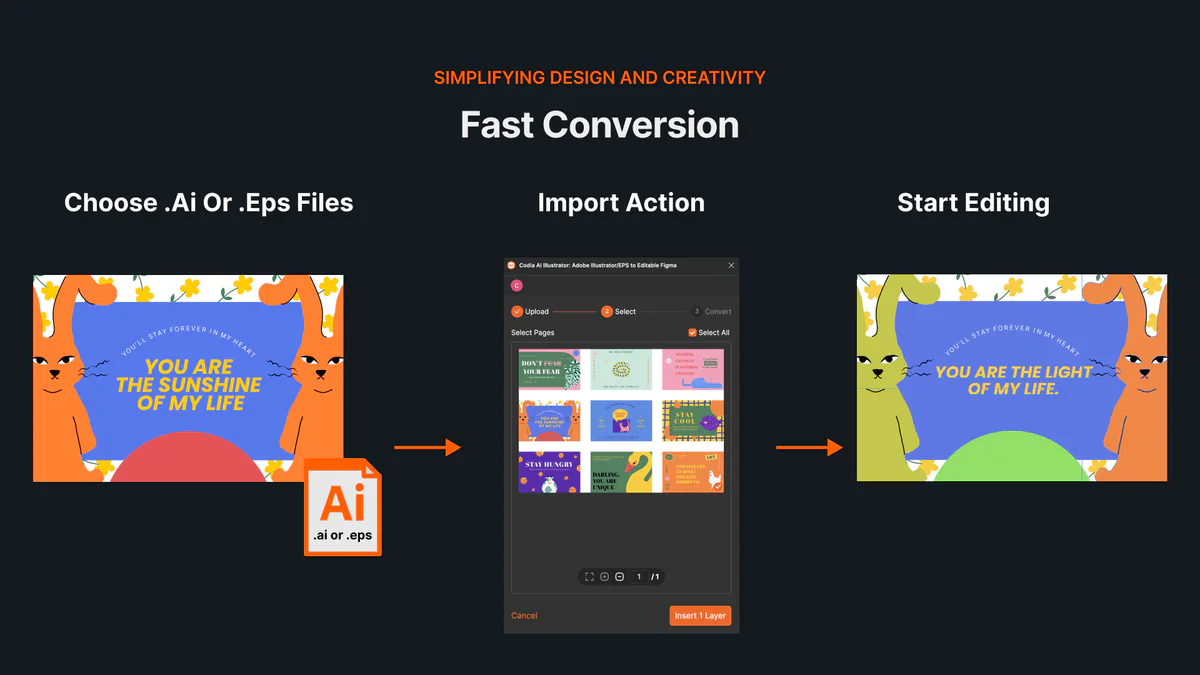
Illustrator 없이 AI·EPS 파일을 온라인에서 열고 편집하는 방법
AI와 EPS 파일을 온라인에서 열고 아트보드와 편집 가능한 벡터 레이어를 Codia Studio로 가져오는 방법을 알아보세요.
NotebookLM, Gemini Notebook으로 이름 변경: 달라진 점과 슬라이드 내보내기 영향
Google이 NotebookLM의 이름을 Gemini Notebook으로 바꿨습니다. 기존 노트북과 링크는 어떻게 되는지, 새 기능은 무엇인지, 슬라이드 내보내기 과정이 달라지는지 정리했습니다.
NotebookLM 슬라이드 텍스트 수정 방법: 글자 수정이 안 될 때 해결 워크플로우
NotebookLM 슬라이드에서 글자가 이미지처럼 잡히거나 한국어 줄바꿈이 깨질 때, 편집 가능한 텍스트 상자로 바꾸고 PowerPoint에서 안정적으로 수정하는 방법을 안내합니다.
NotebookLM 슬라이드 수정 방법: PPTX 다운로드 후 진짜 편집 가능한 PPT로 만드는 법
NotebookLM에서 PPTX를 내려받은 뒤 텍스트, 레이아웃, 브랜드 스타일을 실제로 수정 가능한 PowerPoint로 만드는 전체 워크플로를 정리했습니다.
NotebookLM 슬라이드 추가·삭제는 가능할까? 안 될 때 대체 방법
NotebookLM 안에서 슬라이드 추가·삭제가 제한될 때, PDF와 NoteSlide를 이용해 PowerPoint에서 구조를 자유롭게 편집하는 대체 워크플로를 설명합니다.
NotebookLM PPTX는 정말 편집 가능할까? PowerPoint에서 열었을 때 확인할 점
NotebookLM PPTX 다운로드 후 PowerPoint에서 실제로 수정 가능한지 확인하는 7가지 테스트와, 편집성이 부족할 때 NoteSlide로 해결하는 방법을 설명합니다.
NotebookLM PDF를 편집 가능한 PowerPoint로 변환하는 방법
NotebookLM에서 PDF로 내보낸 슬라이드를 NoteSlide로 업로드해 텍스트, 도형, 이미지가 살아 있는 편집 가능한 PowerPoint 파일로 만드는 단계별 가이드입니다.
How to Review NoteSlide Output: A Text, Image, Chart, and Number Checklist
After NoteSlide converts a PDF into editable PPTX, review text, images, charts, numbers, citations, and slide status before using the deck formally.
How to Prepare Files for NoteSlide: A PDF to PPTX Quality Checklist
Before converting a PDF into editable PPTX with NoteSlide, check source quality, page scope, image clarity, and file size to reduce rework.

How Teachers Can Turn PDF Handouts into Editable Slides with NoteSlide
Teachers can use NoteSlide to turn PDF handouts, scanned slides, or NotebookLM decks into editable PPTX files for classroom review and presentation.
How Researchers Can Turn a Paper PDF into a Conference Presentation with NoteSlide
Researchers can use NoteSlide to convert paper PDFs, research summaries, or scanned materials into editable PPTX files, then review figures, citations, and claims before presenting.
How Marketing Teams Can Turn Whitepapers into Sales Decks with NoteSlide
Marketing teams can use NoteSlide to turn whitepapers, product PDFs, and long-form documents into editable PPTX decks for sales, events, and training.
How Consultants Can Turn Report PDFs into Client Decks with NoteSlide
Consultants can use NoteSlide to turn report PDFs into editable PPTX decks, then refine structure, reduce density, review claims, and prepare client-ready presentations.
What Can You Edit After NoteSlide Conversion? Text, Images, Layout, and More
NoteSlide conversion is not just about placing PDF pages into slides. This guide explains what users can edit after conversion and when complex visuals may remain image-based.

How to Turn NotebookLM Slides into an Editable PPTX with NoteSlide
NotebookLM often gives you a PDF slide deck, not a PowerPoint file you can keep editing. This guide explains how NoteSlide converts NotebookLM PDFs into editable PPTX decks.
NotebookLM 슬라이드 편집: 진짜 편집 가능한 PPTX로 만드는 방법
NotebookLM PDF 내보내기는 그대로 편집하기 어려울 수 있습니다. NotebookLM slides를 편집하고 텍스트와 레이아웃을 조정 가능한 PowerPoint로 만드는 방법을 설명합니다.
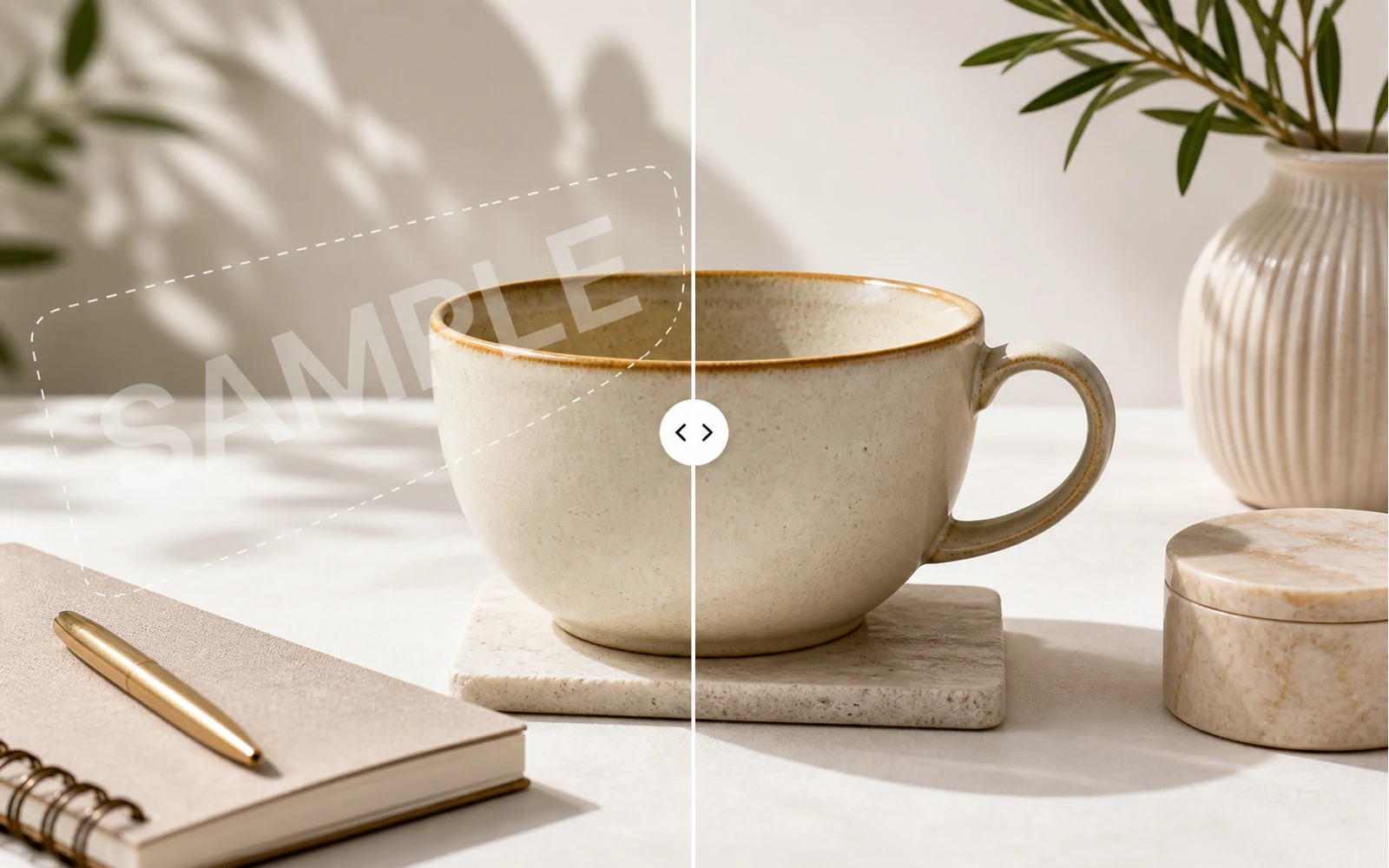
How to Remove a Watermark from an Image with AI
A practical guide for removing watermarks, draft labels, and sample overlays from images you own or are authorized to edit, then continuing the cleanup in Codia Studio.
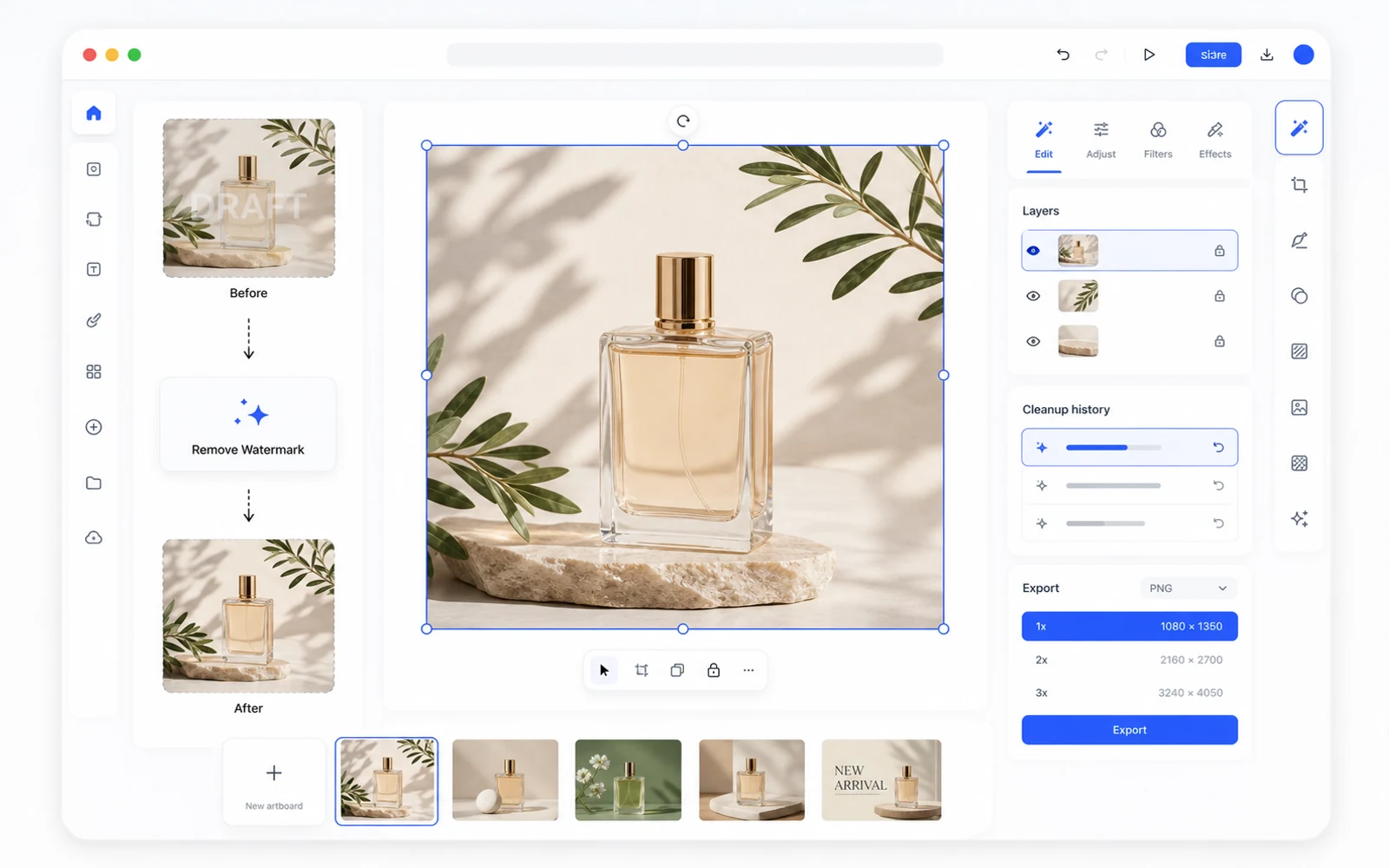
Remove a Watermark, Then Keep Editing in Codia Studio
Why watermark removal works better when it is part of a broader design workflow, not a one-off upload-download task.
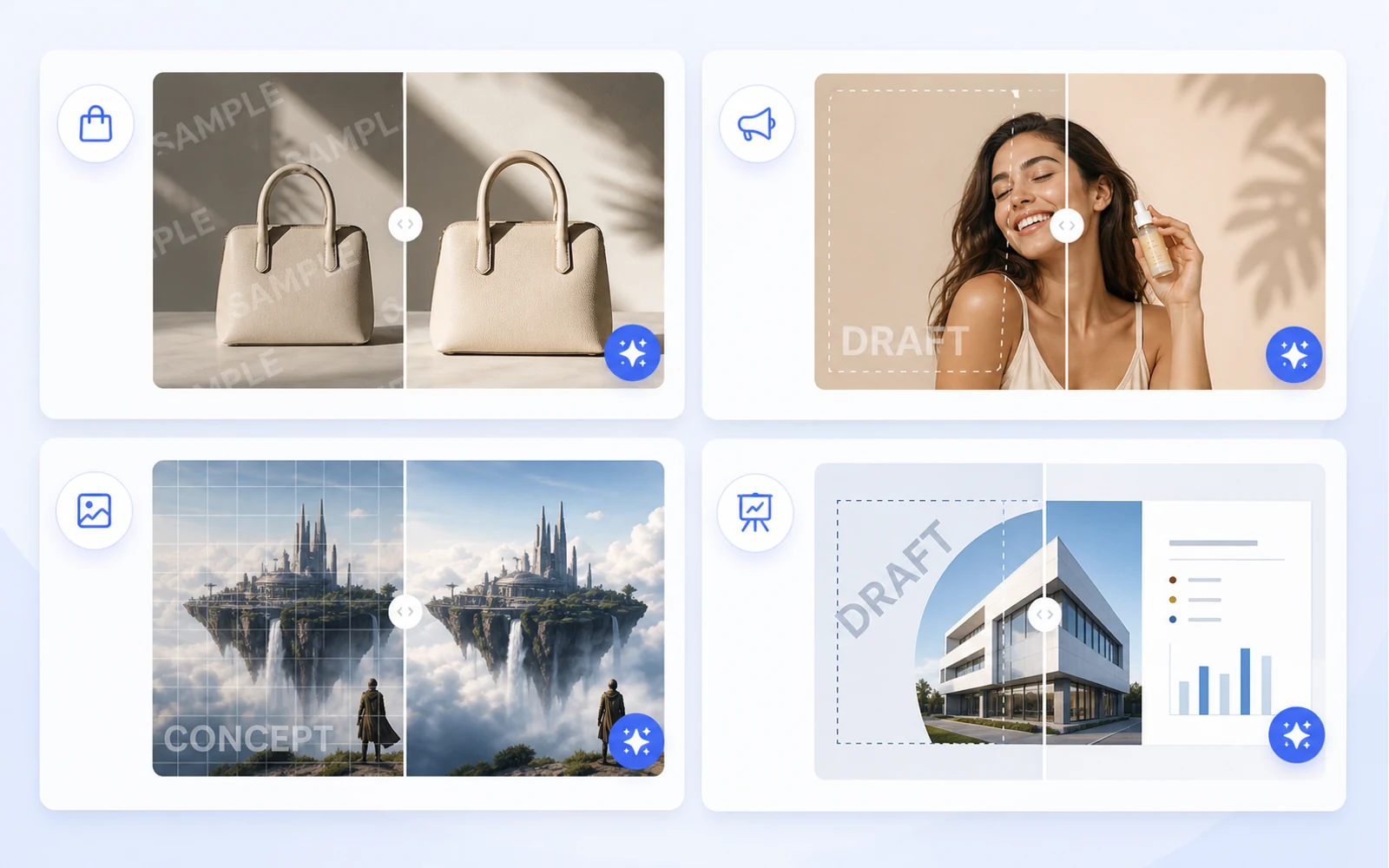
Clean Product Images Before Publishing: Remove Draft Marks and Sample Overlays
How ecommerce teams and marketers can clean authorized product images by removing draft marks, sample overlays, timestamps, and visual clutter before publishing.
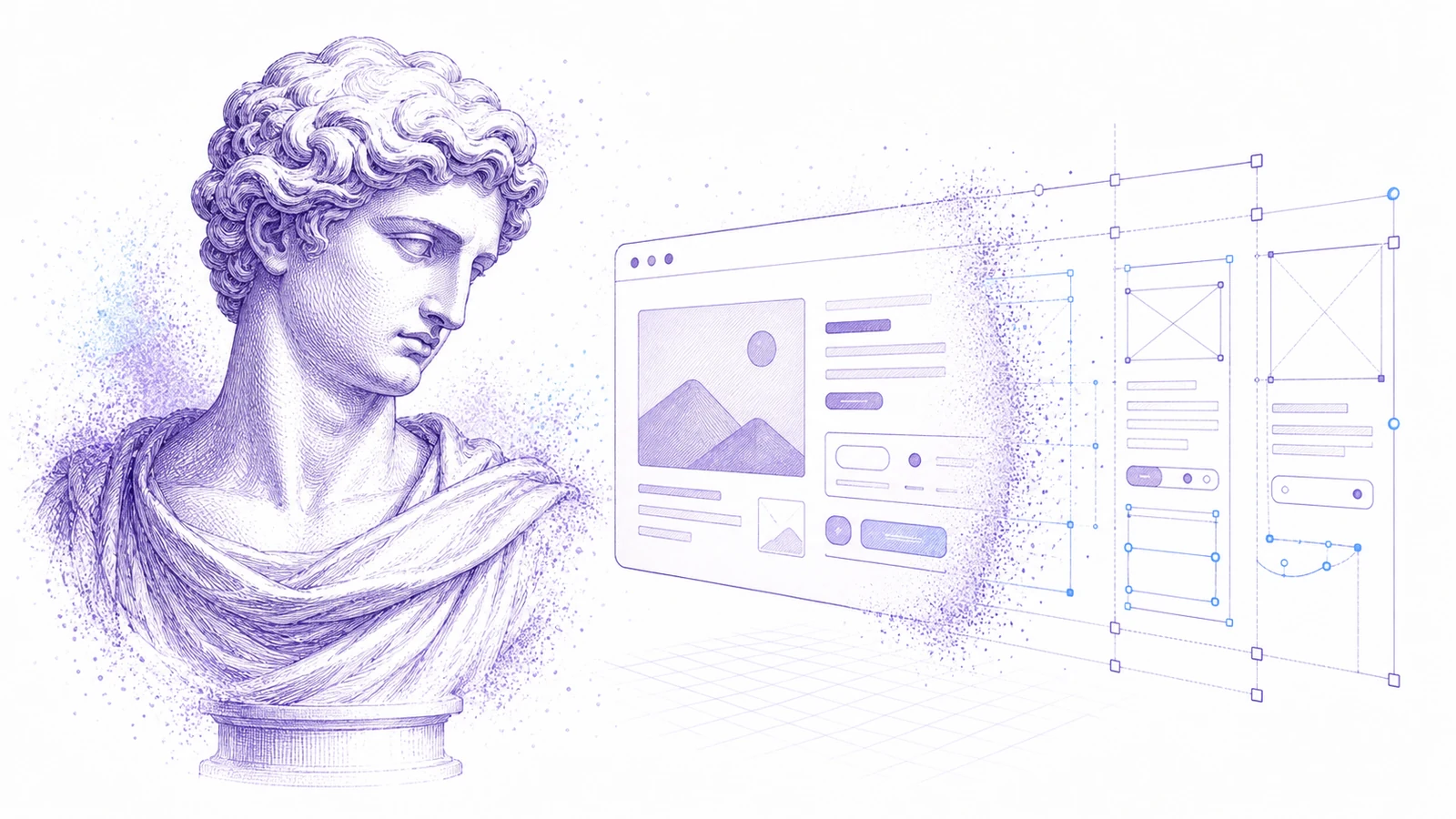
스크린샷을 편집 가능한 Figma로 바꾸기: UI 레퍼런스를 위한 실용 워크플로
원본이 스크린샷뿐이라도 쓸모 있는 Figma 시작점을 만들 수 있습니다. 리디자인, 레퍼런스, 레거시 UI 복구에 이 워크플로를 사용하세요.
Canva와 이미지 에셋을 편집 가능한 디자인으로 재사용하는 방법
마케팅 에셋은 Canva 링크, 내보낸 PNG, 평면 이미지 형태로 자주 도착합니다. 이를 재사용, 지역화, 제작에 맞는 편집 가능한 디자인 파일로 바꾸는 방법을 알아보세요.
PDF를 PowerPoint로: 평면 이미지가 아닌 진짜 편집 가능한 PPT를 만드는 법
대부분의 PDF-to-PPT 변환기는 각 페이지를 평면 이미지로 넣습니다. 편집 가능성을 테스트하는 방법과 Codia의 PDF to Editable PPT 워크플로를 언제 써야 하는지 알아보세요.
Codia PSD Editor Online 소개: 브라우저에서 Photoshop 파일 편집하기
Codia PSD Editor Online이 이제 제공됩니다. 전체 Photoshop 워크플로 없이 PSD 파일을 열고, 편집하고, 다시 내보내야 하는 팀을 위한 도구입니다.
Codia Magic Layers 소개: 평면 이미지를 편집 가능한 레이어로 바꾸기
Codia Magic Layers가 이제 제공됩니다. 평면 이미지를 편집 가능한 객체, 텍스트, 배경, 제품, 시각 요소로 분리할 수 있습니다.

Codia AI Image Text Editor 소개: 이미지 속 텍스트를 수정하고 다시 쓰기
Codia AI Image Text Editor가 이제 제공됩니다. 깨진 AI 텍스트를 수정하고, 평면 이미지의 문구를 바꾸고, 이미지 속 텍스트를 편집 가능한 레이어로 바꿀 수 있습니다.
AI 이미지 텍스트가 깨졌을 때: 이미지를 다시 생성하지 않고 잘못된 단어를 고치는 법
AI 이미지 생성기는 아름다운 결과물과 함께 깨진 텍스트를 자주 만듭니다. 언제 다시 생성해야 하고, 언제 편집해야 하는지, 그리고 Codia가 이미지 텍스트를 어떻게 편집 가능한 레이어로 바꾸는지 알아보세요.
디자인을 다시 만들지 않고 이미지 속 텍스트를 수정하는 방법
평면 이미지 안의 헤드라인, 가격, 날짜, 라벨을 바꿔야 하나요? 이미지 속 텍스트를 편집 가능한 레이어로 바꾸는 실용적인 워크플로를 소개합니다.
Photoshop 없이 온라인에서 PSD를 편집하는 방법
PSD를 열어 간단히 수정한 뒤 다시 내보내야 하나요? 온라인 PSD 편집기가 언제 충분한지, 그리고 Codia가 레이어 인식 워크플로를 어떻게 유지하는지 알아보세요.
AI Prompting Lessons from Practical Product Work
AI Prompting Lessons from Practical Product Work explained through practical product workflow, design-to-code handoff, review steps, and how Codia helps teams move from visual input to usable output.
Flutter or React Native: Choosing a Cross-Platform Framework
Flutter or React Native: Choosing a Cross-Platform Framework explained through practical product workflow, design-to-code handoff, review steps, and how Codia helps teams move from visual input to usable output.
Top 15 Tools for macOS App Development
Top 15 Tools for macOS App Development explained through practical product workflow, design-to-code handoff, review steps, and how Codia helps teams move from visual input to usable output.
The Evolution of UI Development
The Evolution of UI Development explained through practical product workflow, design-to-code handoff, review steps, and how Codia helps teams move from visual input to usable output.
Image Processing for UI Element Segmentation
Image Processing for UI Element Segmentation explained through practical product workflow, design-to-code handoff, review steps, and how Codia helps teams move from visual input to usable output.
SwiftUI UI Layout Introduction
SwiftUI UI Layout Introduction explained through practical product workflow, design-to-code handoff, review steps, and how Codia helps teams move from visual input to usable output.
Start Here: A Practical Guide to Codia
Start Here: A Practical Guide to Codia explained through practical product workflow, design-to-code handoff, review steps, and how Codia helps teams move from visual input to usable output.
Set Up an iOS Development Environment
Set Up an iOS Development Environment explained through practical product workflow, design-to-code handoff, review steps, and how Codia helps teams move from visual input to usable output.
Codia 가이드: Set Up a Flutter Development Environment
Set Up a Flutter Development Environment를 현재 Codia 워크플로에 맞춰 설명합니다. 디자인-코드 핸드오프, 품질 검토, 팀 협업 기준을 다룹니다.
Set Up an Android Development Environment
Set Up an Android Development Environment explained through practical product workflow, design-to-code handoff, review steps, and how Codia helps teams move from visual input to usable output.
Codia 가이드: Transform Wireframes into Polished Design Drafts with AI
Transform Wireframes into Polished Design Drafts with AI를 현재 Codia 워크플로에 맞춰 설명합니다. 디자인-코드 핸드오프, 품질 검토, 팀 협업 기준을 다룹니다.
Codia 가이드: React Native Tutorial: Build Your First Mobile App
React Native Tutorial: Build Your First Mobile App를 현재 Codia 워크플로에 맞춰 설명합니다. 디자인-코드 핸드오프, 품질 검토, 팀 협업 기준을 다룹니다.
PDF to HTML: Turn Static Documents into Web Layouts
PDF to HTML: Turn Static Documents into Web Layouts explained through practical product workflow, design-to-code handoff, review steps, and how Codia helps teams move from visual input to usable output.
Node.js API Development Best Practices
Node.js API Development Best Practices explained through practical product workflow, design-to-code handoff, review steps, and how Codia helps teams move from visual input to usable output.
Mastering macOS: 17 Common Development Challenges
Mastering macOS: 17 Common Development Challenges explained through practical product workflow, design-to-code handoff, review steps, and how Codia helps teams move from visual input to usable output.
Mastering Figma to Vue
Mastering Figma to Vue explained through practical product workflow, design-to-code handoff, review steps, and how Codia helps teams move from visual input to usable output.
JPEG to SVG: Convert Raster References into Editable Vector Assets
JPEG to SVG: Convert Raster References into Editable Vector Assets explained through practical product workflow, design-to-code handoff, review steps, and how Codia helps teams move from visual input to usable output.
Jetpack Compose Mastery Finale: 38 Key UI Issues
Jetpack Compose Mastery Finale: 38 Key UI Issues explained through practical product workflow, design-to-code handoff, review steps, and how Codia helps teams move from visual input to usable output.
Codia 가이드: Jetpack Compose Mastery Part 1: Build Your First Compose App
Jetpack Compose Mastery Part 1: Build Your First Compose App를 현재 Codia 워크플로에 맞춰 설명합니다. 디자인-코드 핸드오프, 품질 검토, 팀 협업 기준을 다룹니다.
An In-Depth Perspective on Flutter
An In-Depth Perspective on Flutter explained through practical product workflow, design-to-code handoff, review steps, and how Codia helps teams move from visual input to usable output.
스크린샷을 편집 가능한 Figma로 사용하는 방법
스크린샷을 편집 가능한 Figma로 사용하는 방법을 실제 제품 워크플로, 디자인-to-코드 핸드오프, 리뷰 단계, 그리고 Codia가 시각 입력을 실사용 가능한 결과물로 바꾸는 데 어떻게 도움이 되는지 중심으로 설명합니다.
The Future of Design to Code: Automating Figma to Vue.js
The Future of Design to Code: Automating Figma to Vue.js explained through practical product workflow, design-to-code handoff, review steps, and how Codia helps teams move from visual input to usable output.
Flutter Development from Zero to Production
Flutter Development from Zero to Production explained through practical product workflow, design-to-code handoff, review steps, and how Codia helps teams move from visual input to usable output.
Codia 가이드: Figma to React: Convert Design Structure into Components
Figma to React: Convert Design Structure into Components를 현재 Codia 워크플로에 맞춰 설명합니다. 디자인-코드 핸드오프, 품질 검토, 팀 협업 기준을 다룹니다.
Codia 가이드: Figma to Code: An Automated Journey from Design to Implementation
Figma to Code: An Automated Journey from Design to Implementation를 현재 Codia 워크플로에 맞춰 설명합니다. 디자인-코드 핸드오프, 품질 검토, 팀 협업 기준을 다룹니다.
Figma to Android: From Design Frames to Buildable UI
Figma to Android: From Design Frames to Buildable UI explained through practical product workflow, design-to-code handoff, review steps, and how Codia helps teams move from visual input to usable output.
Codia 가이드: Starting a macOS Development Journey from Zero
Starting a macOS Development Journey from Zero를 현재 Codia 워크플로에 맞춰 설명합니다. 디자인-코드 핸드오프, 품질 검토, 팀 협업 기준을 다룹니다.
How Deep Learning Accelerates Application Development
How Deep Learning Accelerates Application Development explained through practical product workflow, design-to-code handoff, review steps, and how Codia helps teams move from visual input to usable output.
A Comprehensive Guide to Flutter Development for macOS
A Comprehensive Guide to Flutter Development for macOS explained through practical product workflow, design-to-code handoff, review steps, and how Codia helps teams move from visual input to usable output.
A Comprehensive Exploration of Flutter
A Comprehensive Exploration of Flutter explained through practical product workflow, design-to-code handoff, review steps, and how Codia helps teams move from visual input to usable output.
Electron vs. Flutter: A Practical Comparison
Electron vs. Flutter: A Practical Comparison explained through practical product workflow, design-to-code handoff, review steps, and how Codia helps teams move from visual input to usable output.
Understanding the Compose UI Layout System
Understanding the Compose UI Layout System explained through practical product workflow, design-to-code handoff, review steps, and how Codia helps teams move from visual input to usable output.
Codia AI UI Generator Design Toolkit Guide
Codia AI UI Generator Design Toolkit Guide explained through practical product workflow, design-to-code handoff, review steps, and how Codia helps teams move from visual input to usable output.
Codia AI Design OCR Technology
Codia AI Design OCR Technology explained through practical product workflow, design-to-code handoff, review steps, and how Codia helps teams move from visual input to usable output.
The Codia AI Design-to-Code Revolution
The Codia AI Design-to-Code Revolution explained through practical product workflow, design-to-code handoff, review steps, and how Codia helps teams move from visual input to usable output.
Codia 가이드: The Codia AI Design-to-Code Revolution, Part 2
The Codia AI Design-to-Code Revolution, Part 2를 현재 Codia 워크플로에 맞춰 설명합니다. 디자인-코드 핸드오프, 품질 검토, 팀 협업 기준을 다룹니다.
Codia 가이드: Android 14 Adaptation Guide: Upgrading targetSdkVersion to 34
Android 14 Adaptation Guide: Upgrading targetSdkVersion to 34를 현재 Codia 워크플로에 맞춰 설명합니다. 디자인-코드 핸드오프, 품질 검토, 팀 협업 기준을 다룹니다.
Advanced iOS Development: Practical SwiftUI Tips
Advanced iOS Development: Practical SwiftUI Tips explained through practical product workflow, design-to-code handoff, review steps, and how Codia helps teams move from visual input to usable output.
A Deep Dive into Apple Vision Pro and visionOS
A Deep Dive into Apple Vision Pro and visionOS explained through practical product workflow, design-to-code handoff, review steps, and how Codia helps teams move from visual input to usable output.
Supercharge Your Mobile Dev Skills: 10 Essential Tools for Max Efficiency
A practical mobile development toolkit for shipping faster across Android, iOS, Flutter, and React Native: IDEs, design-to-code, backend, testing, monitoring, API, CI, and release automation.
Screenshot to Figma Design by AI: A New Chapter in Future Design
How AI screenshot-to-Figma workflows turn flat UI images into editable design structure, where they help, where they fail, and how teams use them responsibly.
Codia 가이드: Jetpack Compose Mastery Part 2: Advanced Tools and Resources for Mastering Compose UI
Jetpack Compose Mastery Part 2: Advanced Tools and Resources for Mastering Compose UI를 현재 Codia 워크플로에 맞춰 설명합니다. 디자인-코드 핸드오프, 품질 검토, 팀 협업 기준을 다룹니다.
Image to HTML: Convert UI Screenshots into Editable Web Pages
A practical guide to converting images and UI screenshots into HTML: structure recovery, OCR, layout review, accessibility, and production cleanup.
Codia 가이드: How to Reduce Android Studio's Maximum Memory Footprint
How to Reduce Android Studio's Maximum Memory Footprint를 현재 Codia 워크플로에 맞춰 설명합니다. 디자인-코드 핸드오프, 품질 검토, 팀 협업 기준을 다룹니다.
Figma to Vue.js: Bridging Design and Development
How to turn Figma designs into Vue 3 components with a clean handoff workflow, reusable structure, scoped styling, and production review.
Figma to SwiftUI: Convert iOS Designs into Native Views
A practical workflow for converting Figma iOS screens into SwiftUI views with clean hierarchy, tokens, assets, state, previews, and production review.
Codia 가이드: Figma to React Native: Turn Mobile Designs into App Screens
Figma to React Native: Turn Mobile Designs into App Screens를 현재 Codia 워크플로에 맞춰 설명합니다. 디자인-코드 핸드오프, 품질 검토, 팀 협업 기준을 다룹니다.
Figma to HTML: Convert Designs into Semantic Web Pages
A practical Figma-to-HTML workflow for generating clean markup, responsive CSS, semantic structure, accessible controls, and production-ready handoff.
Exploration of Flutter Hot Update Technology
A practical look at Flutter hot update technology, what hot reload is not, what app stores allow, and safer alternatives for updating mobile apps quickly.
Complete Guide to Building a Vue.js CRUD Application
A practical Vue 3 CRUD application guide covering routes, components, forms, API calls, validation, loading states, errors, and production cleanup.
Codia 가이드: AI HTML Generator: Turn Prompts and Designs into Clean Web Markup
AI HTML Generator: Turn Prompts and Designs into Clean Web Markup를 현재 Codia 워크플로에 맞춰 설명합니다. 디자인-코드 핸드오프, 품질 검토, 팀 협업 기준을 다룹니다.
AI Code Generator: What It Can Build, Where It Fails, and How to Use It Well
A practical guide to AI code generators: prompt input, design input, code review, frontend scaffolds, limitations, and production workflow.
Codia Open API로 NotebookLM-style PDF를 편집 가능한 PPTX로 변환하기
Codia Open API로 NotebookLM-style PDF를 편집 가능한 PPTX로 바꾸는 서버 사이드 파이프라인을 구축합니다. PDF 업로드, credits 예상, pdf_to_ppt task 생성, webhook 수신, PowerPoint 다운로드까지 설명합니다.
NotebookLM의 기본 PPTX 내보내기가 진정한 편집 파일이 아닌 이유 (그리고 해결 방법)
NotebookLM의 기본 PPTX 내보내기는 2026년 2월 18일 출시되었습니다. 하지만 실제로 받게 되는 파일은 진정한 편집 파일이 아닙니다. PowerPoint에서 실제로 열리는 것, 잠겨 있는 것, 그리고 NoteSlide가 그 간극을 어떻게 채우는지 설명합니다.
NotebookLM 20장 슬라이드 제한: 편집 가능성을 유지하면서 더 긴 덱 만들기
NotebookLM Slide Deck은 20장으로 제한됩니다 — 임원 요약에는 충분하지만 분기 검토나 교육 모듈에는 치명적입니다. 편집 가능성을 완전히 유지하는 4가지 실용적인 해결 방법을 빠른 것부터 철저한 순서로 소개합니다.
NotebookLM 워터마크를 합법적으로 제거하는 방법 (완전 가이드)
내보낸 슬라이드에서 NotebookLM 워터마크를 제거하는 실용적이고 합법적인 가이드 — 워터마크의 실체, 제거가 허용되는 경우, 그리고 NoteSlide를 이용한 가장 깔끔한 워크플로우를 안내합니다.
2026년 NotebookLM 슬라이드를 PowerPoint로 변환하는 방법 (단계별)
2026년 NotebookLM 슬라이드를 완전히 편집 가능한 PowerPoint 덱으로 변환하는 완전한 가이드 — 세 가지 경로(기본 내보내기, NoteSlide, 하이브리드), 단계별 지침, 피해야 할 함정, 10가지 품질 체크리스트.
2026년 최고의 NotebookLM to PowerPoint 도구 7가지 비교
NotebookLM 슬라이드를 PowerPoint로 변환하는 데 실제로 사용되는 7가지 도구를 솔직하게 비교합니다. 각 도구의 강점과 약점, 그리고 내 업무에 맞는 도구를 선택하는 방법을 안내합니다.
Cursor와 Figma MCP 서버로 스크린샷을 Figma로: AI 코딩 에이전트 워크플로
Codia의 스크린샷-to-Figma 변환과 Cursor, Claude Code, Windsurf의 공식 Figma MCP 서버를 결합해 평면 레퍼런스 이미지를 세 단계로 깔끔한 코드로 바꾸는 방법을 소개합니다.
이미지에서 Figma로: 어떤 이미지든 편집 가능한 Figma 레이어로 변환하기
스크린샷, 목업, 와이어프레임, 웹 페이지 같은 UI 이미지를 실제 텍스트, 도형, 이미지 레이어, 그룹화된 레이어 계층이 있는 편집 가능한 Figma 레이어로 바꾸고 몇 분 만에 정리해 보세요.
Codia vs image.to.design: 2026년 상세 스크린샷-투-Figma 비교
스크린샷과 이미지를 편집 가능한 Figma 디자인으로 바꾸는 Codia AI와 image.to.design을 기능별로 정직하게 비교합니다. 각 도구가 어디에 강한지, 무엇이 다른지, 어떻게 선택하면 되는지 정리했습니다.

웹사이트를 Figma로: 실시간 웹 페이지를 편집 가능한 디자인으로 바꾸는 완전 가이드
내 제품, 경쟁사 페이지, 파트너 사이트, 레거시 앱처럼 어떤 실시간 웹사이트든 편집 가능한 Figma 파일로 바꾸는 방법을 소개합니다. 워크플로, 사용 시나리오, 캡처할 항목, 그리고 스크린샷 기반·HTML 기반 변환과의 차이까지 정리했습니다.
리디자인을 위한 스크린샷 to Figma: 처음부터 다시 만들지 않고 기존 UI 재구성하기
오래된 제품 화면, 경쟁사 참고 화면, 클라이언트 스크린샷을 편집 가능한 Figma 출발점으로 바꾸는 실용적인 리디자인 워크플로를 소개합니다.
스크린샷을 Figma로: 편집 가능한 UI 디자인을 만드는 2026 완전 가이드
UI 스크린샷(PNG, JPG, WebP)을 편집 가능한 Figma 프레임으로 바꾸는 방법. 워크플로, 상황별 팁, 4개 도구 비교, 무료와 프로 차이, '버튼이 평면 이미지로 바뀌는' 문제 해결법, 그리고 Cursor + Figma MCP와 함께 쓰는 방법까지 정리했습니다.
스크린샷을 코드로: UI 이미지를 React, HTML, Tailwind로 바꾸기
UI 스크린샷을 편집 가능한 디자인 구조로 바꾸고, 그 다음 프런트엔드 코드로 전환하는 실용적인 워크플로를 소개합니다.
PSD to Figma Migration Checklist for Design and Brand Teams
A practical checklist for planning, converting, reviewing, and governing PSD-to-Figma migrations across team design archives.
PDF to Presentation: NoteSlide가 어떤 문서든 편집 가능한 슬라이드 덱으로 바꾸는 방법
PDF, 리포트, 논문, 노트를 수작업 재작성 없이 편집 가능한 PowerPoint와 Keynote 덱으로 바꾸는 전체 워크플로를 NoteSlide와 함께 살펴봅니다.
PDF to Figma: 정적 PDF를 편집 가능한 디자인 파일로 바꾸는 완전 가이드
마케팅 원페이지, 다중 페이지 리포트, 벡터 PDF든 스캔 PDF든, 단일 파일이든 수천 장이든 어떤 PDF라도 편집 가능한 Figma 레이어로 바꾸는 방법을 소개합니다. 워크플로, 보존되는 요소, 시나리오별 팁, API 배치 옵션까지 다룹니다.
NotebookLM에서 편집 가능한 PowerPoint로: NoteSlide 완전 가이드
NotebookLM 슬라이드를 완전히 편집 가능한 PowerPoint 덱으로 바꾸는 데 필요한 모든 것. 준비 단계, NoteSlide 변환, 검토 체크리스트, 팀 워크플로, 자주 묻는 질문까지 한곳에 정리했습니다.
NotebookLM 편집 가능한 PowerPoint FAQ
NotebookLM 슬라이드를 편집 가능한 PowerPoint로 바꿀 때 사람들이 실제로 묻는 질문들. '편집 가능'의 의미, 지원 형식, 확인할 사항, NoteSlide가 하는 일과 하지 않는 일을 정리했습니다.
HTML을 Figma로: HTML, CSS, 소스 코드를 편집 가능한 Figma 디자인으로 변환하기
디자인 파일이 아니라 소스 코드를 가지고 있을 때 HTML과 CSS를 편집 가능한 Figma 파일로 변환하는 방법. 사용 사례, 개발자 중심 워크플로, Website-to-Figma와의 비교, 그리고 무엇이 변환 후에도 유지되는지까지 다룹니다.
Figma를 React로: 디자인을 유지보수 가능한 컴포넌트로 변환하기
Figma 디자인을 엔지니어가 검토하고, 리팩터링하고, 배포할 수 있는 React 컴포넌트로 바꾸는 실용적인 가이드입니다.
Figma를 코드로: React, Vue, HTML, Tailwind, Flutter 등으로 이어지는 완전한 디자인-투-코드 워크플로
Figma 파일을 깔끔하게 코드로 생성하는 준비 방법, 프레임워크별로 기대할 수 있는 결과(React, Vue, HTML, Tailwind, Flutter, SwiftUI, Compose), 그리고 엔지니어링이 바로 배포할 수 있게 결과를 검토하는 방법을 설명합니다.

Canva를 Figma로: 마케팅 디자인을 제품 디자인 워크플로로 옮기기
Canva에서 만든 디자인을 브랜드 검토, 제품 전달, 리디자인, 디자인 시스템 정렬을 위해 Figma 파일로 바꾸는 방법을 소개합니다.

2026년 최고의 Figma to Code 도구: 올바른 워크플로를 고르는 법
React, HTML, Tailwind, 그리고 실제 프런트엔드 워크플로에 맞는 Figma-to-code 도구를 고르는 실용적인 가이드입니다.
Image to SVG: PNG 및 JPG 로고를 편집 가능한 벡터로 변환하기
비트맵 로고, 아이콘, 단순한 그래픽을 깔끔하고 편집 가능한 SVG 파일로 바꾸는 디자이너용 가이드입니다.
스크린샷에서 구조로: Visual Struct API로 구축하기
Visual Struct API가 UI 스크린샷을 몇 초 만에 강력한 타입의 JSON 트리로 변환하는 방법 — 그리고 이미지가 쿼리 가능한 데이터가 되면 구축할 수 있는 시스템들을 살펴봅니다.
한 번의 호출로 깔끔한 컷아웃: Remove BG API 설계
단일 POST, 이미지 URL 입력, 투명 PNG 출력. Codia의 Remove BG API 내부 — 무엇을 최적화했고, 무엇을 포기했으며, 실제 이미징 파이프라인에 어떻게 연결하는지 알아봅니다.

PSD 아카이브 은퇴시키기: 대규모 PSD → Figma 마이그레이션 실전 가이드
10년간 쌓인 Photoshop 파일을 Figma로 마이그레이션하는 것은 주말 작업이 아닙니다. 팀이 수천 개의 파일에 걸쳐 PSD-to-Figma 마이그레이션을 계획, 실행, 관리하는 방법 — 그리고 자동화가 가져오는 변화를 알아봅니다.

플랫 PDF에서 구조화된 UI로: PDF-to-Visual-Struct 파이프라인의 내부
Codia의 PDF to Visual Struct API가 정적 문서를 계층적이고 렌더링 가능한 UI Schema로 2초 이내에 변환하는 방법 — 그리고 그 위에 무엇을 구축할 수 있는지 자세히 살펴봅니다.

Codia의 개인정보, 보안, 데이터 소유권
Codia가 private upload, AI training, retention, subprocessors, 그리고 Codia로 만들 파일과 출력의 소유권을 어떻게 다루는지 설명합니다.
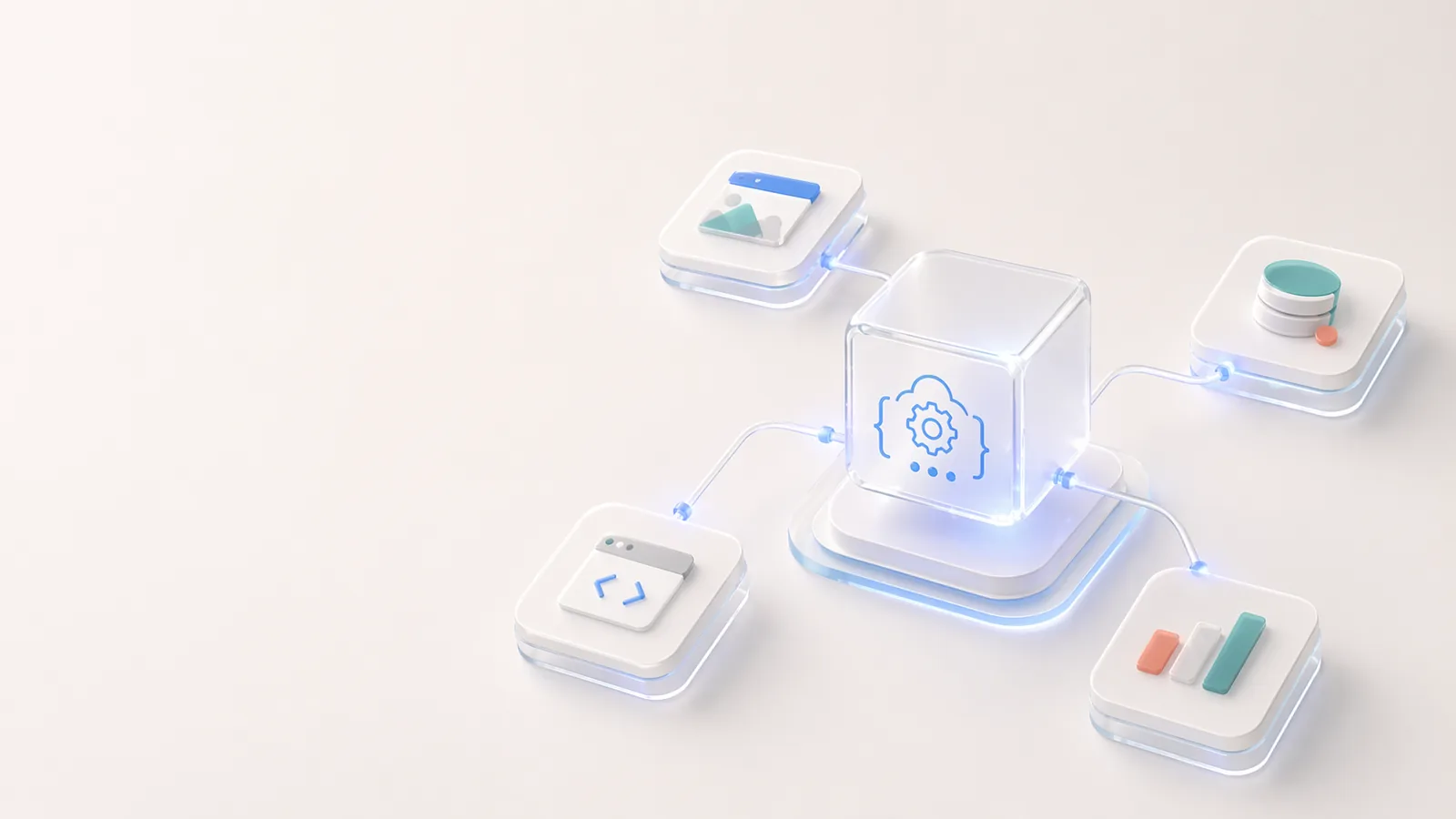
Open API와 Codia 개발자 생태계
시각 구조 추출, PDF-to-schema 변환, 업로드, 태스크 워크플로, 편집 가능한 디자인 자동화를 위해 Codia 위에 구축하는 방법.
Codia의 창의성에 대한 약속
Codia의 약속은 AI로 디자인, 콘텐츠, 개발 워크플로의 반복적인 재구성 작업을 없애서, 창의적 작업을 더 편집 가능하고 재사용 가능하며 다루기 쉽게 만드는 것입니다.
엔터프라이즈를 위한 Codia
엔터프라이즈 팀이 Codia를 사용해 배치 마이그레이션, API 자동화, 편집 가능한 변환, 보안 검토, 프라이빗 배포 계획을 수행하는 방법.
AI 기반 디자인에 대한 Codia의 철학
Codia의 AI 디자인 접근은 평면적인 이미지 생성이 아닙니다. Vision AI로 구조를 이해하고, 편집 가능성을 유지하며, 정적인 시각물을 실제 디자인과 코드 워크플로로 되돌립니다.

About Codia AI: Product Suite, Design Philosophy, Trust, and Developer Platform
One page on everything Codia AI: what we build, what we believe about AI-powered design, how we work with enterprise teams, how we protect your data, and how developers can build on top of us.
Codia AI 시작 가이드
Codia AI를 사용하여 디자인 및 개발 워크플로우를 처음부터 가속화하는 방법을 알아보세요.