
AI Headshot Generator
Skip the photo studio. Upload one clear selfie, choose 3 to 10 styles, and AI Headshot creates a professional headshot of the same person in each style, ready for LinkedIn, your résumé or the team page.
- One photo is enough
- About 60 styles
- Team headshots
 BeforeAfter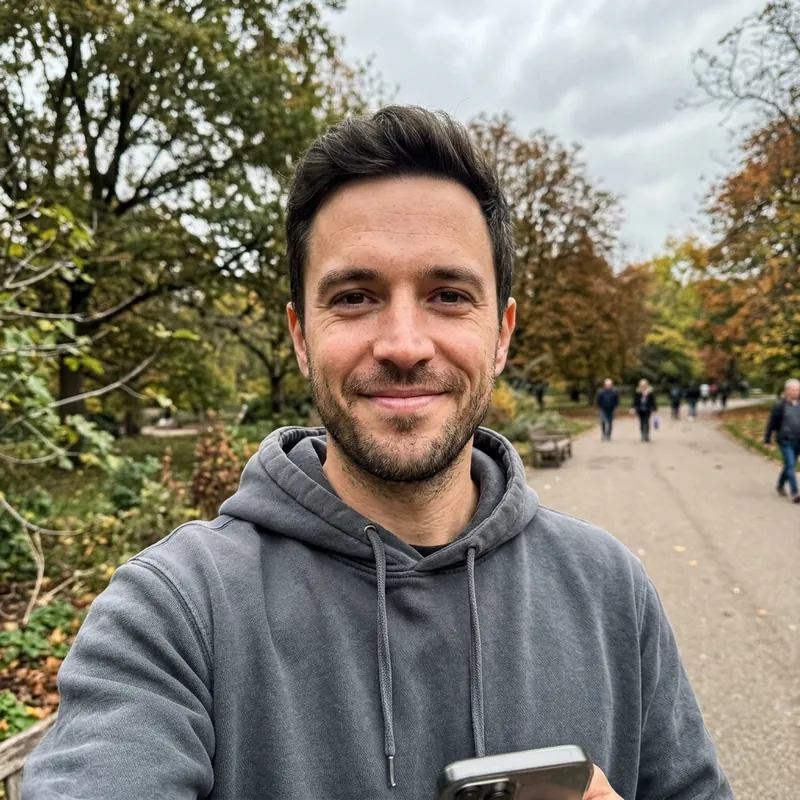
How it works
- 1
Upload one clear photo
Drop a front-facing photo of just you, with your face clearly visible, into the box above. It opens in Codia Photo Editor with AI Headshot selected.
- 2
Pick 3 to 10 styles
Choose a style collection, then select backgrounds and outfits from the Studio, Outdoor, Indoor and Creative categories.
- 3
Generate and download
AI Headshot creates one headshot per style and adds each to your project, so you can compare them, touch them up and download your favorites.
What people use it for
LinkedIn profile photos
Replace a cropped holiday snap with a sharp, professional headshot in a suit or business casual outfit.
Résumés and job applications
Add a clean, neutral headshot to your CV for markets where a photo is expected.
Team and company pages
Give every team member a matching headshot without booking a photographer for the whole office.
Real estate and sales
Create a friendly, trustworthy portrait for listings, business cards and email signatures.
Doctors and consultants
Try styles such as a doctor's coat, a blazer or an office backdrop for clinic and practice websites.
Speaker bios and press kits
Get a set of portraits in different settings for conference programs, podcasts and articles.
01
About 60 styles in four categories
Studio styles cover classic professional looks, office backdrops, ID photos, real estate, blazers and black-and-white portraits. Outdoor styles place you in a street, park, cityscape or on a beach, while Indoor and Creative styles range from a café or corporate meeting to a red carpet, yearbook or neon portrait. Pick 3 to 10 per run and get one headshot for each.
02
One photo, the same person in every style
AI Headshot is built to keep your facial identity while it changes the outfit, lighting and background. It needs only one source photo, so there is no need to upload a dozen selfies or wait for a model to be trained.
03
Headshots for a whole team
Team mode walks you through creating each member's headshots in the same project. Choose the styles for one person, upload their photo, generate, and repeat for the next, so the whole set stays together and consistent.
04
Which photo works best
Use one front-facing photo of a single person with good, even light and a clean background. Avoid sunglasses or hands covering the face, side angles, group photos, small faces and blurry or very dark shots; the better the source, the more the results look like you.
Frequently asked questions
Quick answers about pricing, privacy and how the editor works. You can also try the free tools first and decide later.
How do I make a professional headshot from a selfie?
Upload a clear, front-facing selfie on this page, choose 3 to 10 headshot styles in AI Headshot, and generate. You get one professional headshot per style, based on your own face.
How many photos do I need to upload?
Just one. A single clear, front-facing photo of you is enough to generate every style you select.
Can I use AI headshots on LinkedIn?
Yes, many people use them as profile photos. Pick a style that looks like you on a good day and check that the result is a faithful likeness before you post it.
Can I create headshots for my team?
Yes. Switch to Team mode to create each member's headshots one after another in the same project, using the styles you choose for each person.
Is the AI headshot generator free?
Uploading your photo and the editor's basic tools are free. Each headshot style runs on Codia AI and uses credits from your Codia account; the panel shows the estimated cost before you generate, and you will be asked to sign in first.
Are my photos uploaded?
Not when you open them. Photos pass from this page to the editor inside your browser, and free tools process them on your device. A photo is uploaded only when you run an AI tool on it or save the project to your Codia account.
Do I need an account?
No account is needed to open photos and use the free tools. You will be asked to sign in when you run an AI tool or want to keep projects in your account.
Related tools
Ready to edit?
Open the editor on its own and add photos there, or drop them into the box at the top of this page.
Open AI Headshot