
AI 이미지 텍스트 편집기
이미지 위 텍스트를 자유롭게 편집
이미지를 업로드하고 새 문구만 입력하세요. AI가 원래 글꼴과 스타일 그대로 다시 써 줍니다.
이미지가 없나요? 다음 예시를 사용해 보세요:
실제 결과
이미지 위 텍스트를 완전히 편집 가능
Codia는 이미지 위에 텍스트 상자를 얹는 것이 아니라 이미지 안에 있는 글자 자체를 바꿉니다. 새 문구를 입력하면 AI가 그 자리에서 다시 쓰고, 나머지 이미지는 그대로 유지됩니다.
 편집 전편집 후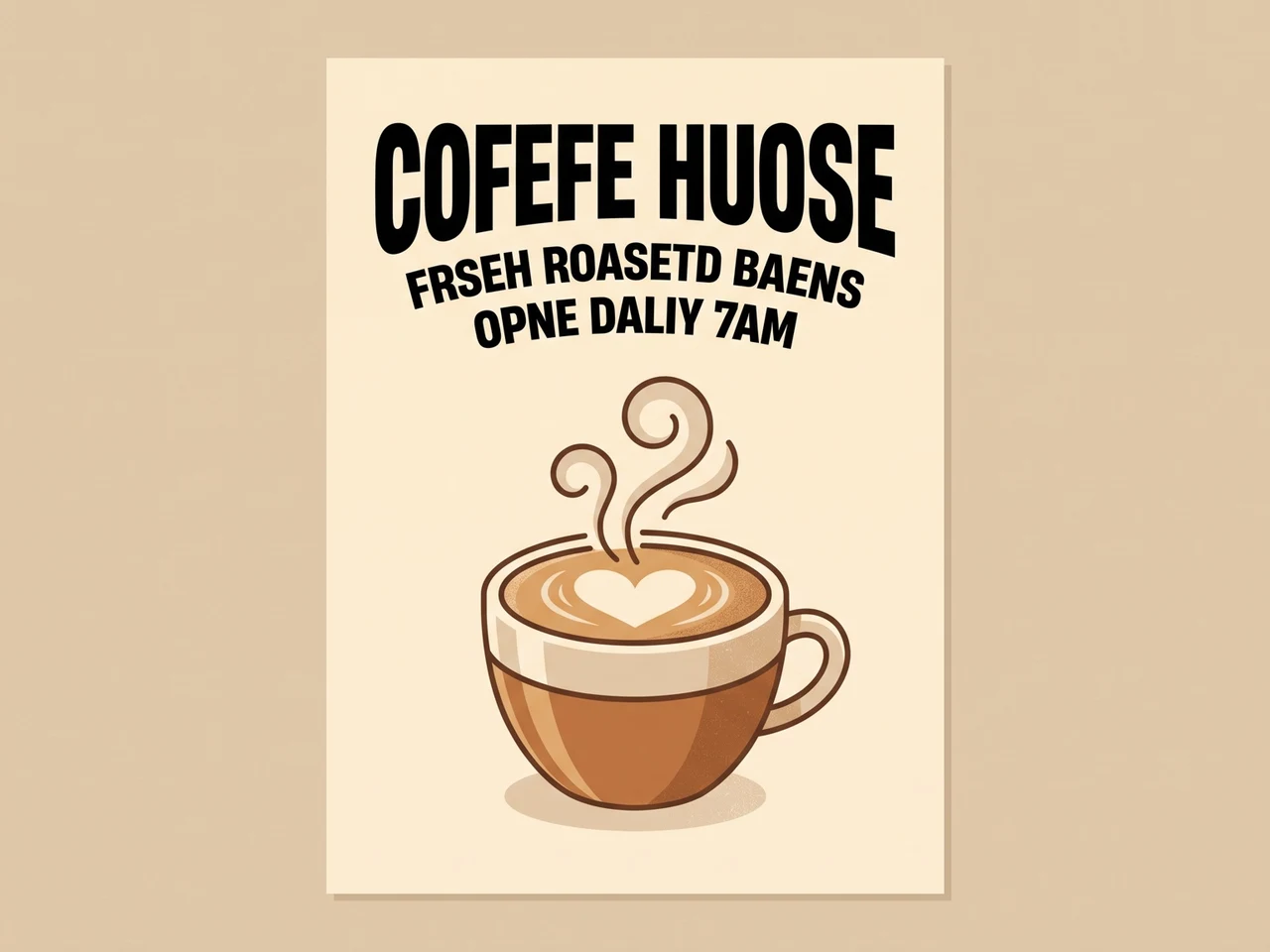
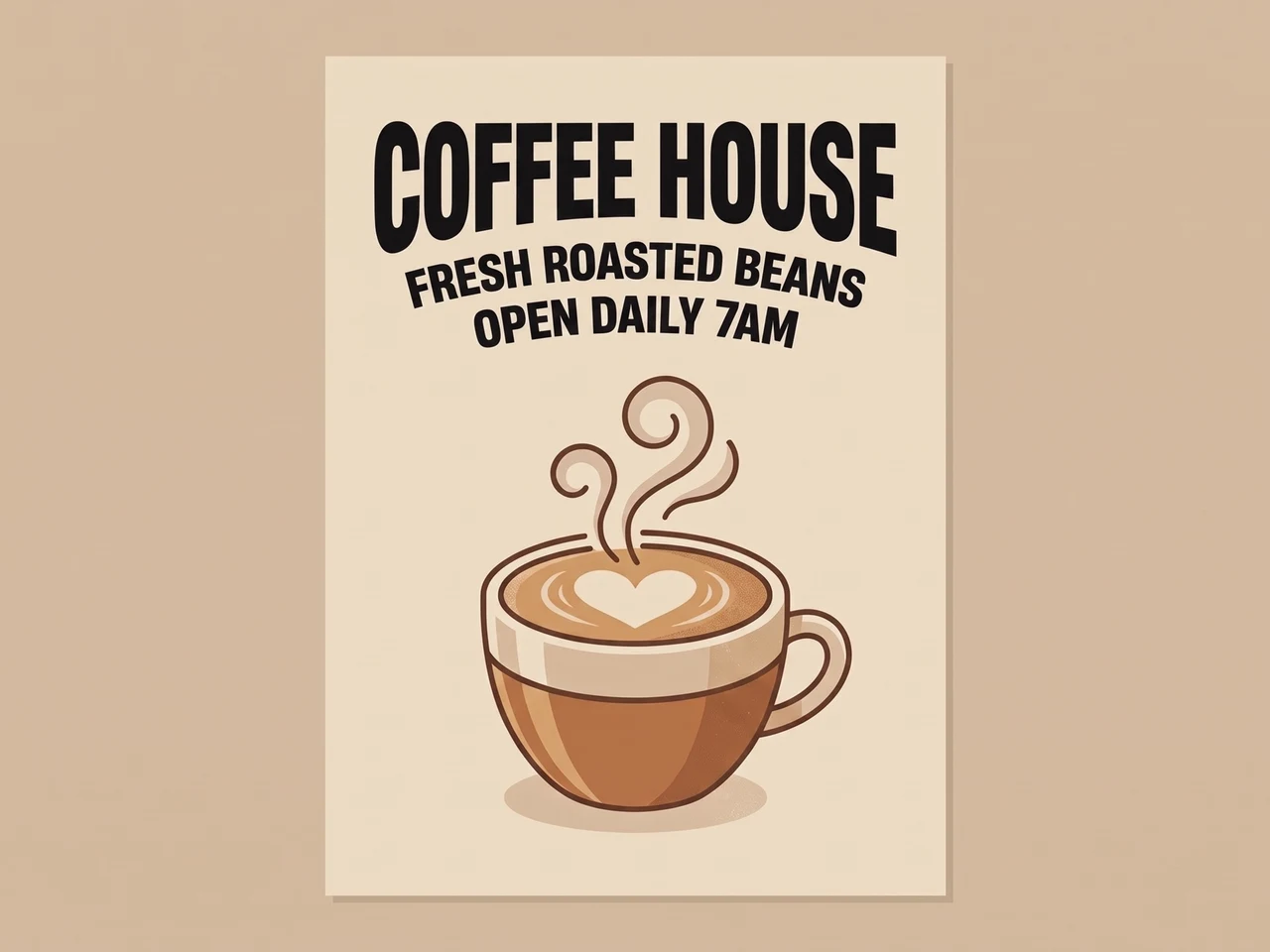
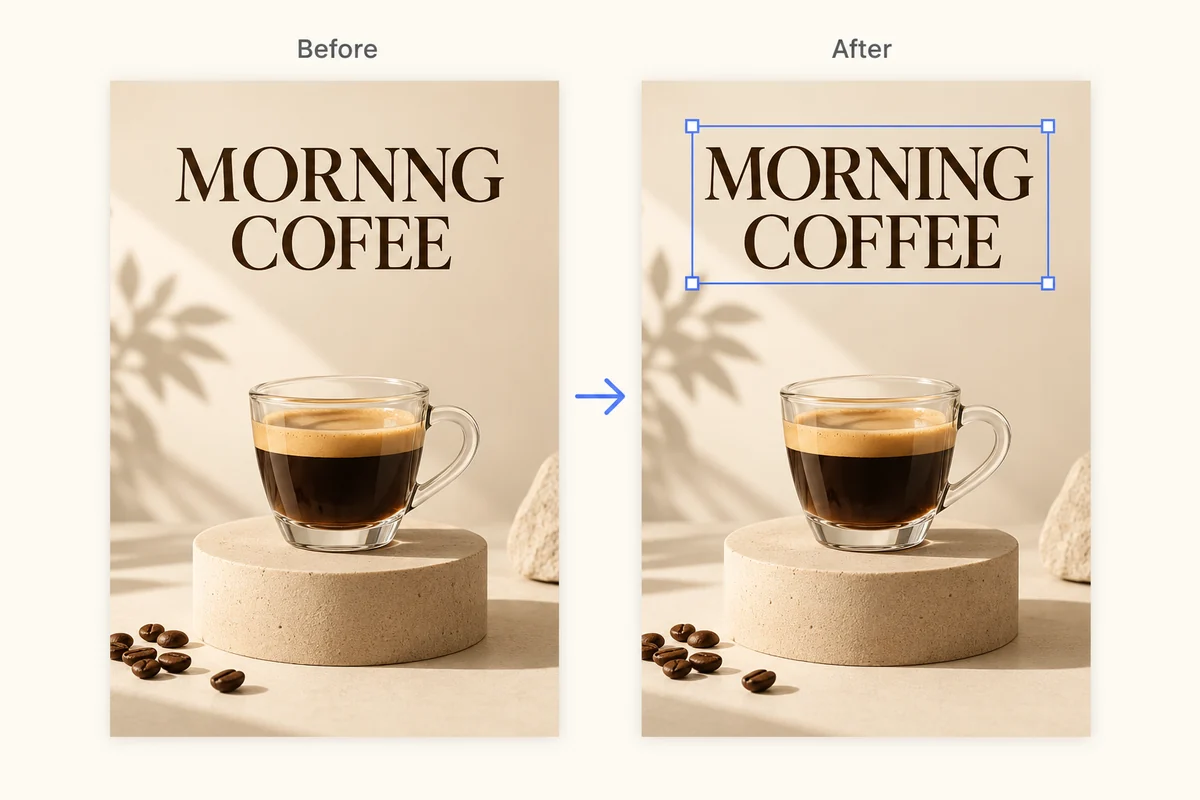
깨진 AI 텍스트 수정
철자가 틀린 AI 글자를 같은 서체로 바르게 고쳤습니다.
 편집 전편집 후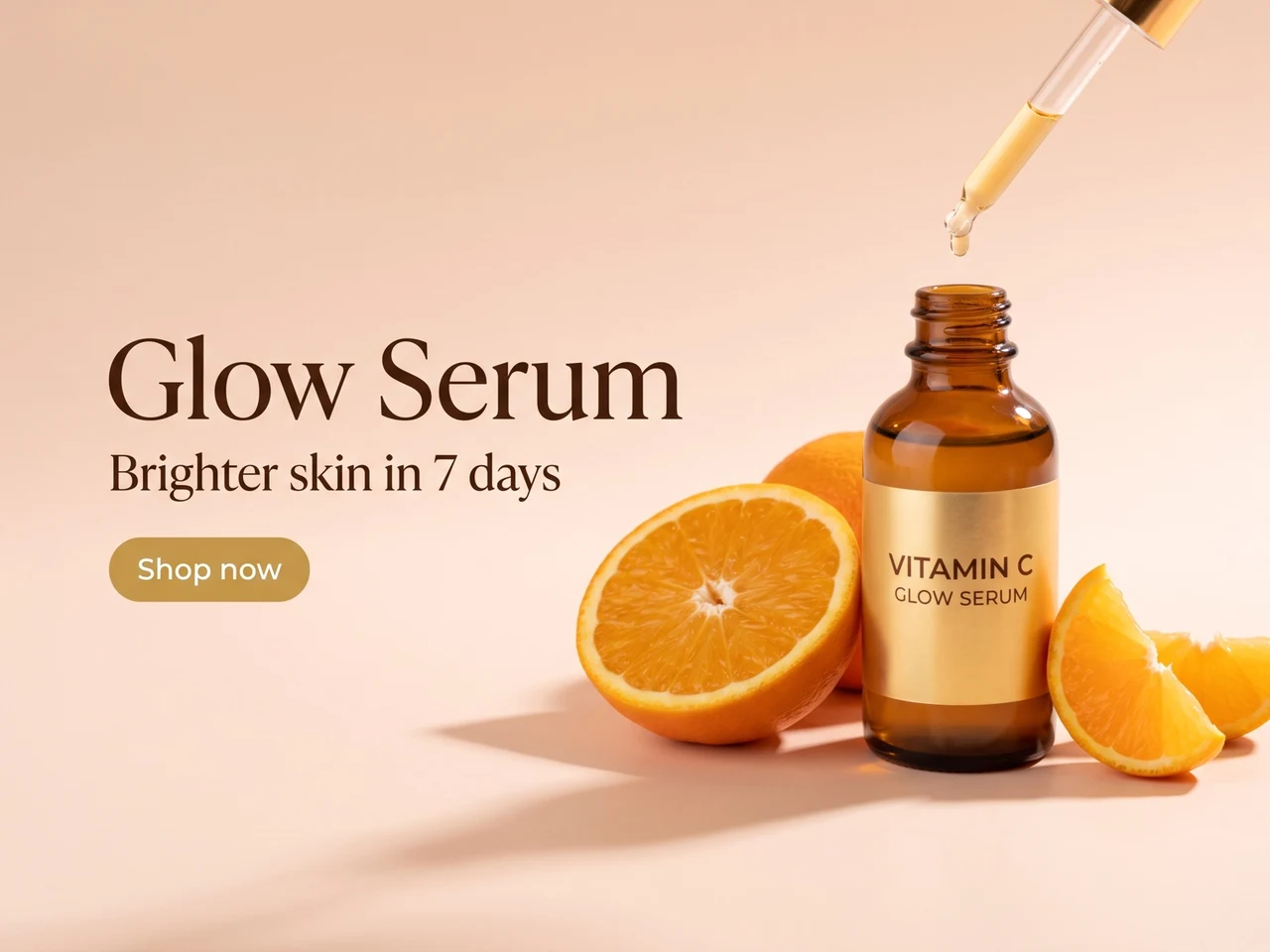
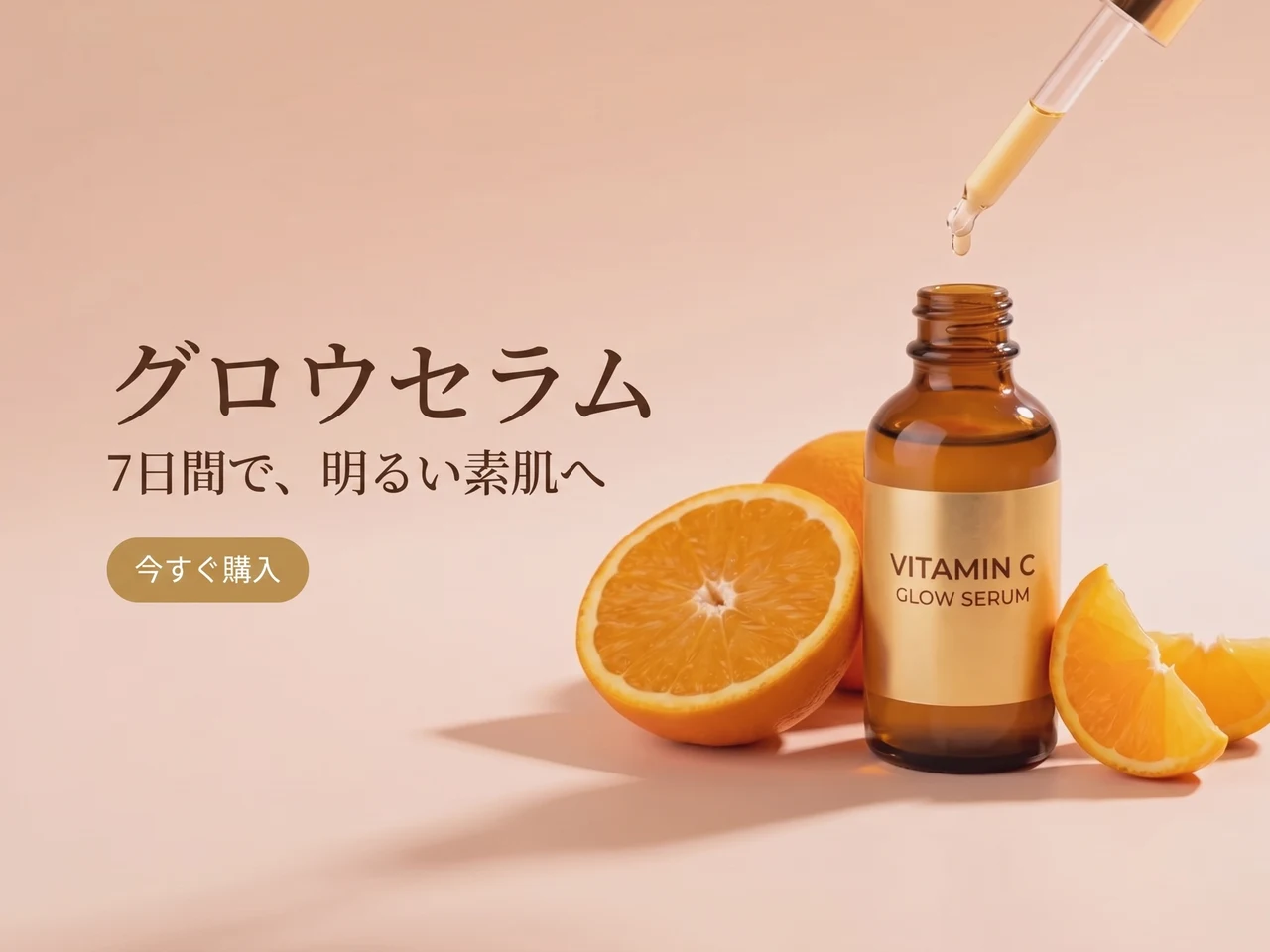
광고 번역
영어 문구를 일본어로 바꾸고 레이아웃과 스타일은 그대로 유지했습니다.
 편집 전편집 후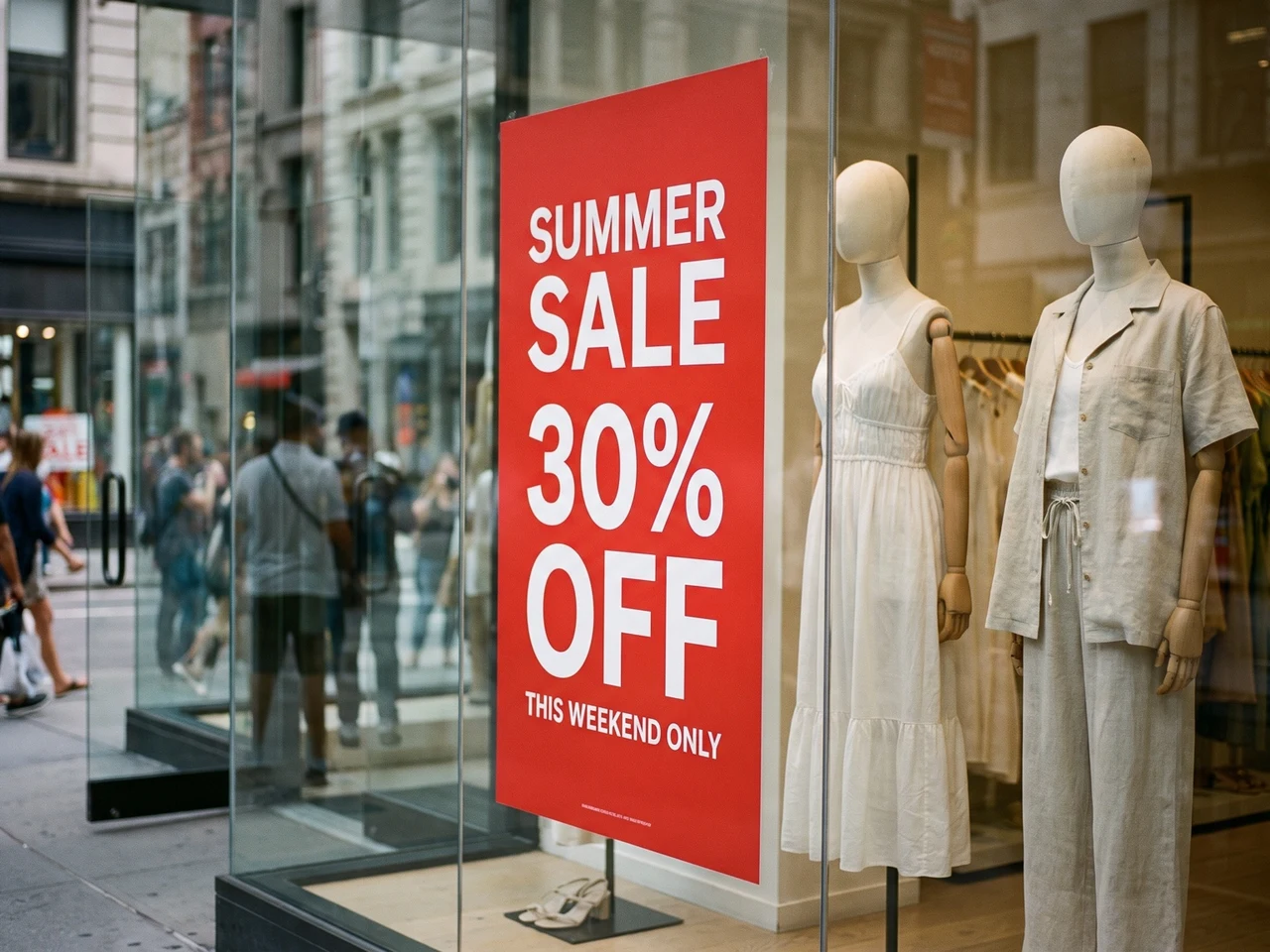
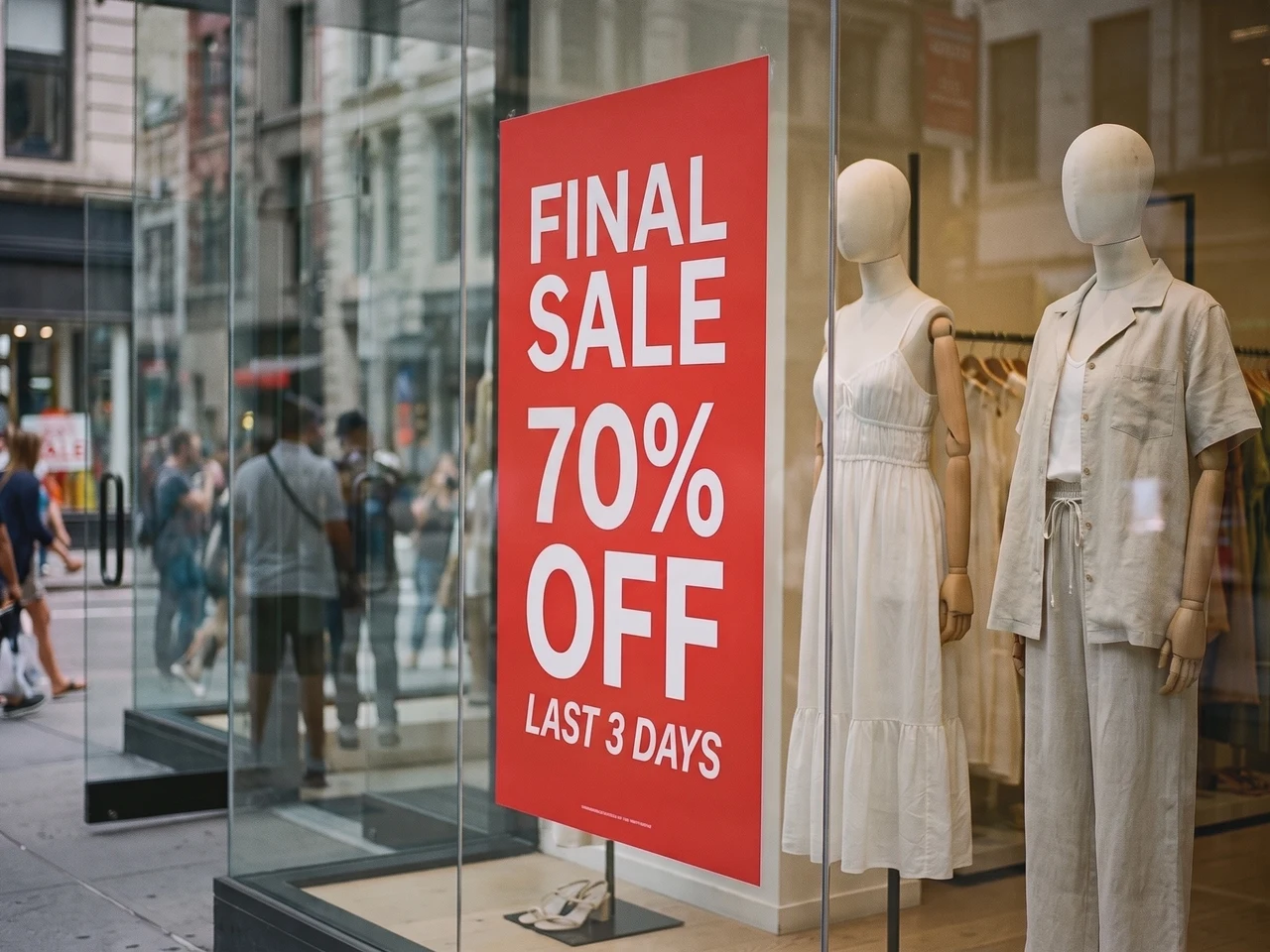
실제 사진 속 문구 변경
창문 포스터에 새 세일 문구를 넣고 조명과 반사는 그대로 살렸습니다.
1:1 텍스트 스타일 재구성
Codia는 글꼴 두께, 크기, 정렬, 색상, 간격, 계층 같은 타이포그래피 디테일을 보존하므로 편집한 텍스트도 원본 이미지와 일치합니다.
108개 언어의 텍스트 인식
글로벌 이미지 콘텐츠를 다루세요. Codia는 AI 이미지, 스크린샷, 포스터, 제품 비주얼, 마케팅 에셋 전반에서 다국어 텍스트를 인식합니다.
투명 PNG·WebP 지원
로고와 스티커의 투명 배경이 그대로 유지되어, 편집한 파일을 바로 디자인에 다시 넣을 수 있습니다.
더 세밀하게 다듬고 싶다면 전체 편집기에서 여세요
레이어 단위로 편집하려면 같은 이미지를 Codia 사진 편집기에서 열어 글꼴, 색상, 위치를 바꾸고 다른 도구로 계속 보정하세요.
원하는 텍스트 수정 선택
원래 글꼴에 맞추기, 스크린샷 및 JPG 텍스트 수정
새 글자를 위에 덧붙이는 대신 이미지 안에 있는 기존 글자를 바꿉니다.
원래 글꼴에 맞춰 이미지 글자 수정
제목, 가격, 라벨을 기존 글자 스타일에 맞춰 바꿉니다. 새 문구의 길이를 원문과 비슷하게 유지하고 결과를 비교하세요. 장식 글꼴, 작은 글자, 복잡한 배경은 추가 수정이 필요할 수 있습니다.
스크린샷 글자 수정
UI 라벨, 목업 문구, 프레젠테이션 스크린샷을 업데이트합니다. 선명한 스크린샷을 업로드하고 인식된 글자를 확인한 뒤 새 문구를 입력하세요. 다운로드 전 줄바꿈과 주변 글자를 확인하세요.
JPG 또는 PNG 이미지 글자 수정
원본 디자인 파일 없이도 저장한 사진이나 이미지의 글자를 바꿀 수 있습니다. 이미지를 바로 업로드하고 인식된 텍스트를 수정한 후 새 이미지를 생성하세요. 비교할 수 있도록 원본은 보관하세요.
PDF 속 텍스트를 고치고 전체 파일로 다운로드
PDF를 업로드하고 글자를 바꿀 페이지를 고르세요. 이미지처럼 편집하면 해당 페이지가 교체된 전체 PDF를 다운로드할 수 있어요.
고칠 페이지 선택
모든 페이지가 썸네일로 보여요. 한 번에 최대 10페이지까지 고를 수 있어요.
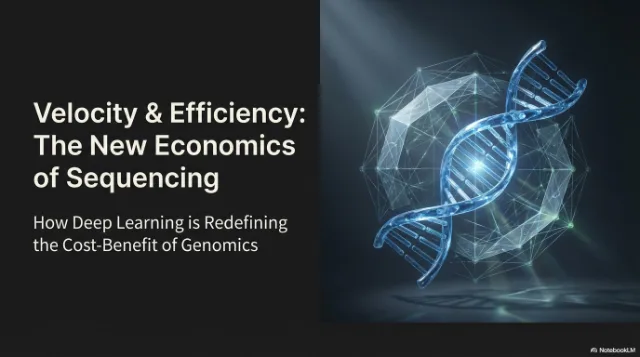
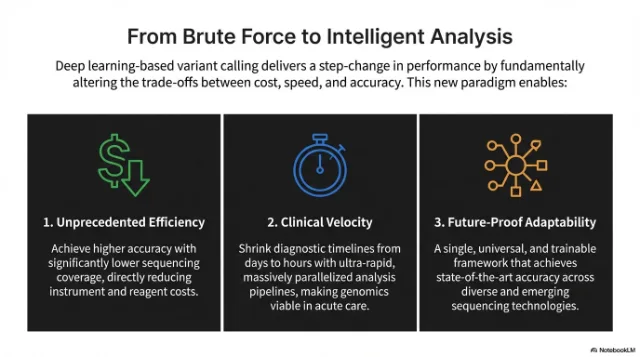
그 자리에서 텍스트 편집
글꼴, 색상, 레이아웃은 그대로이고 글자만 바뀌어요.
전체 PDF 다운로드
편집한 페이지가 교체되고 나머지 페이지는 원래대로, 텍스트도 선택할 수 있어요.
 편집됨
편집됨
 편집됨
편집됨
사용 방법
이미지 속 글자를 편집 가능한 텍스트로
문제가 있는 이미지 업로드
스크린샷, 앱 화면, 포스터, 제품 그래픽, 깨진 텍스트가 있는 생성 이미지를 가져오세요.
인식된 텍스트 편집
Codia가 이미지 속 텍스트를 자동으로 찾아냅니다. 각 줄 옆에 새 문구를 입력하거나, 칸을 비워 해당 텍스트를 지우세요.
생성하고 다운로드
AI가 원래 글꼴과 스타일 그대로 텍스트를 다시 씁니다. 원본과 비교한 뒤 완성된 이미지를 다운로드하세요.
활용 사례
실제 디자인 작업을 위한 사진·이미지 텍스트 편집기
이미지는 그대로 쓰고 싶은데 문구를 다듬거나 번역하거나 편집 가능한 타이포그래피가 필요할 때 이미지 텍스트 편집기를 사용하세요.
AI 이미지의 깨진 텍스트 수정
생성 이미지의 읽을 수 없는 글자, 오타가 난 라벨, 깨진 타이포그래피를 이미지 전체를 다시 그리지 않고 정리하세요.
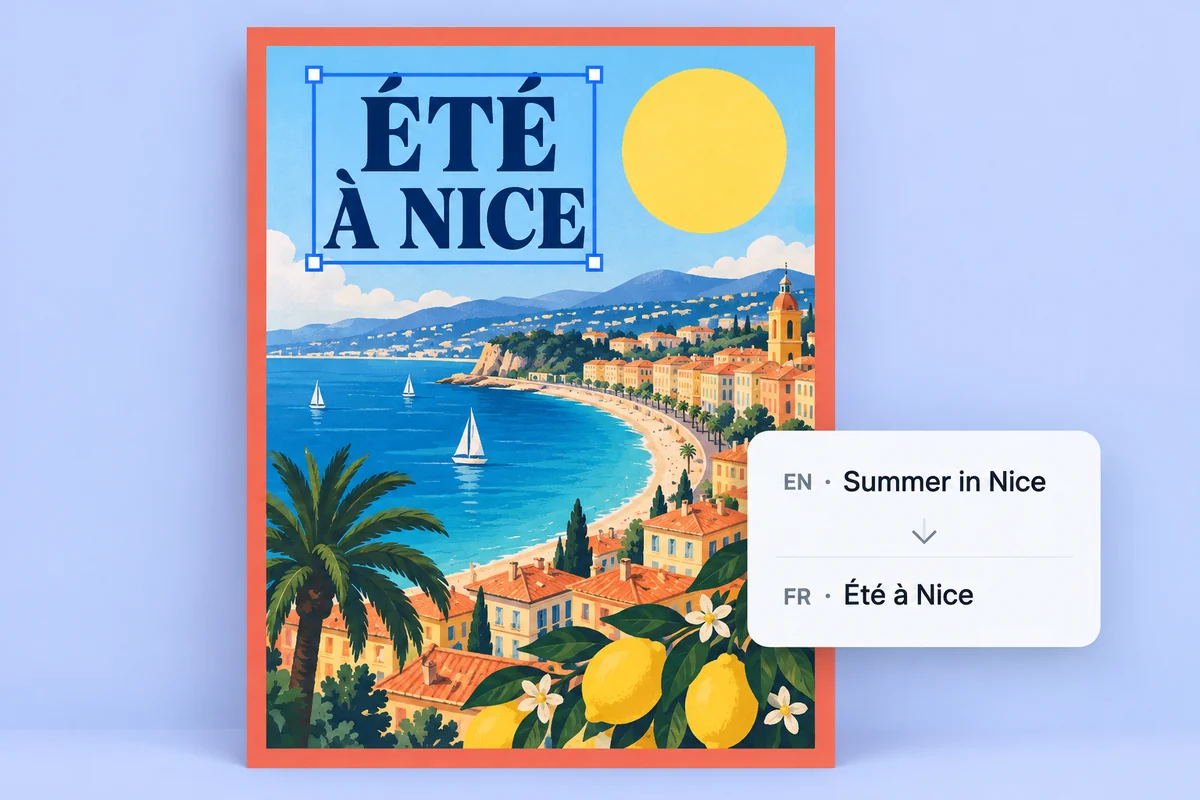
포스터와 제품 그래픽 현지화
이미지에 박힌 문구를 편집 가능한 텍스트 레이어로 바꿔 캠페인 이미지를 더 빠르게 번역하고 수정하고 검토하세요.
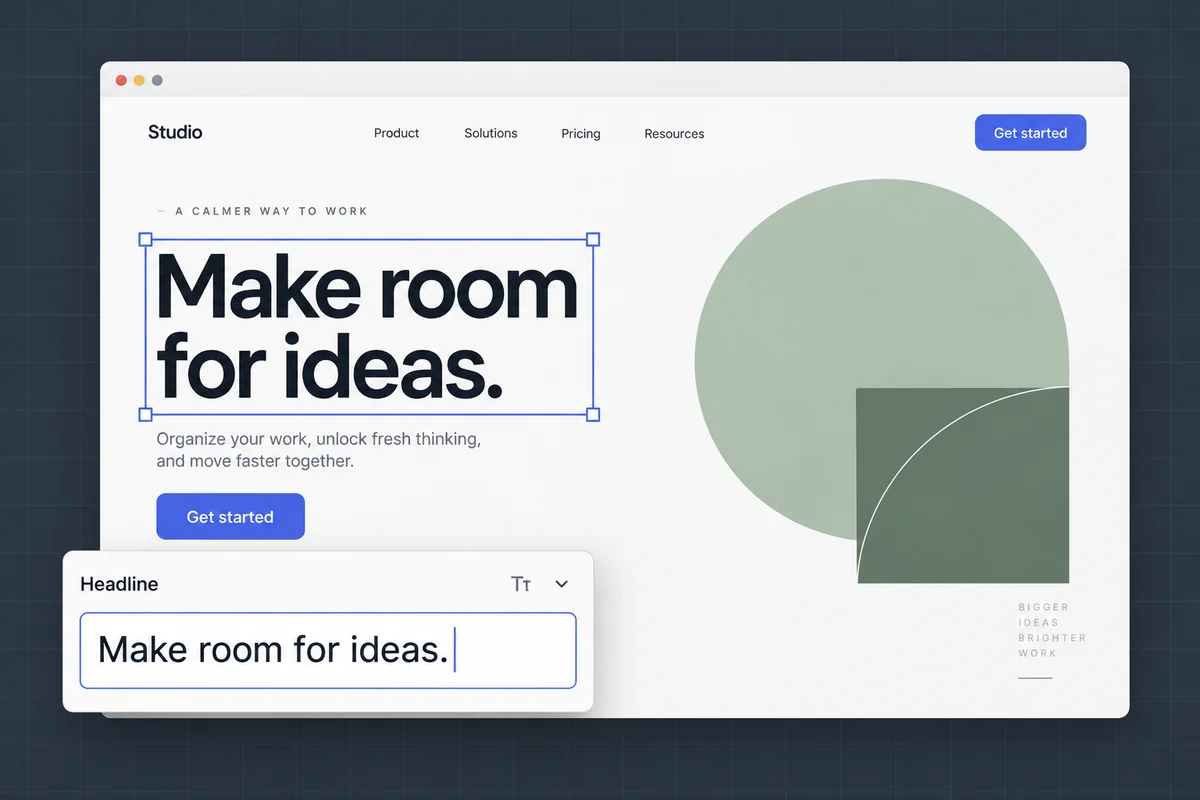
스크린샷과 목업 텍스트 편집
원래 레이아웃과 시각적 맥락은 그대로 두고 UI 라벨, 목업 문구, 프레젠테이션 스크린샷을 업데이트하세요.
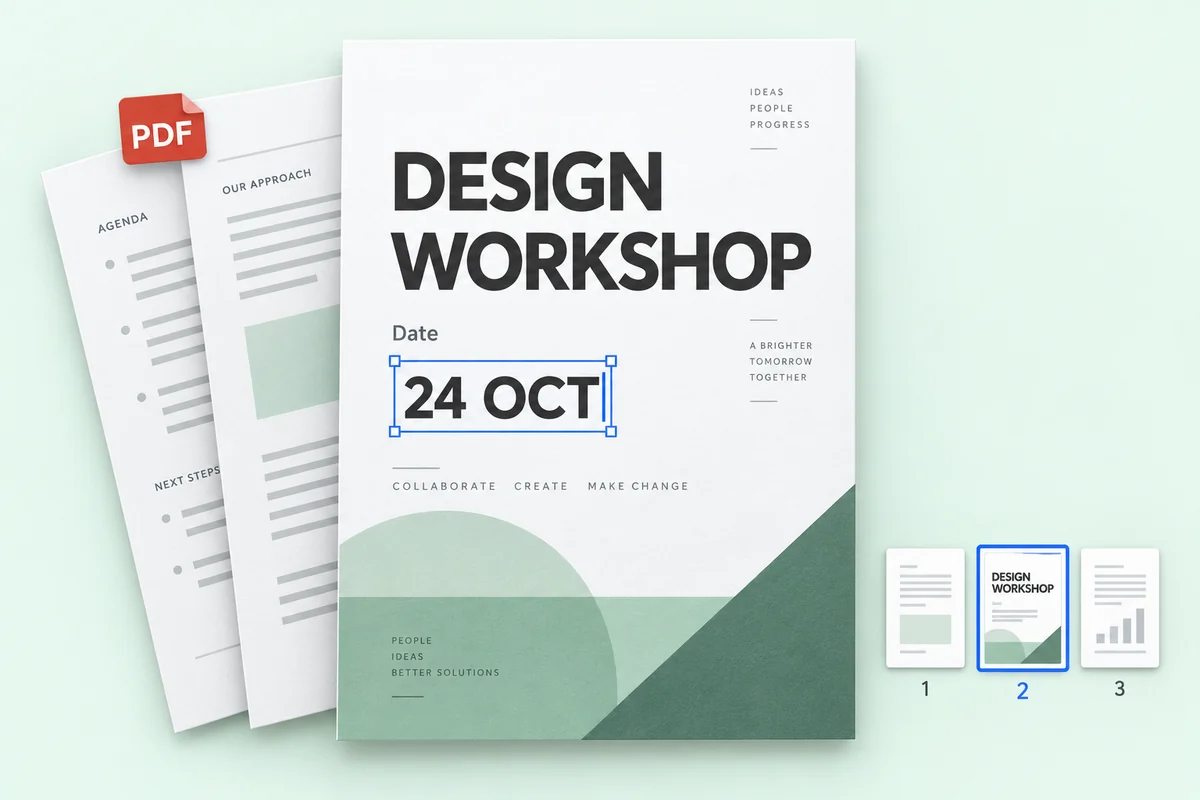
PDF 파일 속 텍스트 수정
PDF 몇 페이지의 가격, 날짜, 이름을 고치고 나머지 페이지는 그대로인 전체 파일을 다운로드하세요.
요금
무료로 시작하고, 필요할 때만 결제하세요
1K 편집에는 크레딧 1개, 2K는 2개, 4K는 3개가 사용됩니다. 텍스트 인식에는 크레딧이 들지 않습니다.
무료로 체험하기
무료 텍스트 인식, 가입 불필요. 무료 계정은 1K 편집 1회용 크레딧 1개를 매달 받습니다.
AI 학습에 쓰지 않아요
이미지는 요청한 편집에만 사용되며, 모델 학습에는 절대 쓰지 않습니다.
나만 볼 수 있어요
업로드한 이미지와 결과물은 내 기록에만 표시되며, 공개 갤러리에 올라가지 않습니다.
남기든 지우든 내 마음대로
기록은 언제든 하나씩 삭제하거나 한 번에 모두 지울 수 있습니다.
FAQ
이미지 텍스트 에디터 FAQ
이미지 위 텍스트를 직접 편집할 수 있나요?
네. 이미지를 Codia에 업로드하면 AI가 이미지 속 텍스트를 찾아냅니다. 새 문구를 입력하면 원래 글꼴, 색상, 레이아웃에 맞춰 그 자리에서 다시 써 줍니다.
텍스트 인식은 무료인가요?
네. 텍스트 인식은 무료이며, 모든 Codia 무료 계정에 1K 해상도로 편집 이미지를 생성할 수 있는 크레딧이 매달 제공됩니다. Lite와 크레딧 팩은 2K, Starter와 Pro 플랜은 4K 출력과 일괄 편집을 제공합니다.
Codia는 몇 개 언어를 인식하나요?
Codia는 108개 언어의 텍스트 인식을 지원하므로 현지화된 광고, 제품 이미지, 스크린샷, 글로벌 크리에이티브 작업에 유용합니다.
어떤 이미지 형식을 수정할 수 있나요?
사진, 스크린샷, 포스터, 제품 라벨 등의 JPG, PNG, WebP 이미지를 업로드할 수 있습니다. 인식된 텍스트를 수정한 뒤 새 이미지를 생성하고 다운로드하세요.
스크린샷의 글자를 어떻게 수정하나요?
스크린샷을 JPG, PNG 또는 WebP로 업로드하세요. 인식된 텍스트를 검토하고 새 문구를 입력한 뒤 이미지를 생성하여 비교합니다. 선명한 스크린샷은 작은 UI 글자 인식에 도움이 됩니다. 다운로드 전에 줄바꿈과 주변 요소를 확인하세요.
원본 디자인 파일 없이 JPG나 PNG의 글자를 수정할 수 있나요?
네. PSD 같은 원본 디자인 파일 없이 JPG나 PNG를 바로 업로드할 수 있습니다. Codia가 이미지 속 글자를 인식하면 문구를 바꾸고 새 이미지를 생성할 수 있습니다. 결과는 이미지 파일이며 원본 디자인 문서를 복원하는 것은 아닙니다.
비용은 얼마인가요?
텍스트 인식은 무료입니다. 모든 무료 계정은 1K 편집 1회용 크레딧 1개를 매달 받습니다. Lite와 크레딧 팩은 2K, Starter와 Pro는 4K 출력과 일괄 편집을 제공합니다. 크레딧 팩은 만료되지 않습니다.
계정이 필요한가요?
이미지를 업로드하고 텍스트 인식 결과를 확인하는 데는 계정이 필요 없습니다. 편집된 이미지를 생성할 때 무료로 가입하면 크레딧이 계정에 기록됩니다.
편집 한 번에 크레딧이 얼마나 드나요?
바꾸는 텍스트 블록 수와 관계없이 1K는 크레딧 1개, 2K는 2개, 4K는 3개가 사용됩니다. 편집에 실패하면 크레딧은 차감되지 않습니다.
투명 배경이 유지되나요?
네. 로고나 스티커 같은 투명 PNG·WebP 이미지는 투명 배경을 유지한 PNG 파일로 제공됩니다.
어떤 파일을 업로드할 수 있나요?
20MB 이하의 PNG, JPG, WebP 이미지와 100MB 이하의 PDF를 지원해요. 아주 큰 이미지는 긴 변을 4096픽셀로 줄인 뒤 처리해요.
PDF 속 텍스트도 편집할 수 있나요?
네. PDF를 업로드하고 최대 10페이지를 골라 텍스트를 편집하세요. 다운로드되는 것은 전체 PDF로, 편집한 페이지가 교체되고 나머지 페이지는 그대로 유지돼요. PDF 편집은 일괄 편집 기능으로 Starter와 Pro 요금제에서 쓸 수 있어요.
이미지 속 텍스트를 바꿔 볼까요?
텍스트 인식은 무료이며 가입이 필요 없습니다. 이미지를 업로드해 시작하세요.