
Codia-Blog
Tipps, Tutorials und Neuigkeiten rund um Codia – direkt vom Team.
Introducing AI Presentation Generation in NoteSlide
Turn ideas, notes, and documents into AI-generated presentations with NoteSlide. Review the outline, preview the design, and download an editable PPTX.

How to Prepare a PowerPoint for AI Beautification: A Practical Checklist
Prepare fonts, images, charts, sensitive wording, page scope, and brand references before AI redesigns a PowerPoint. A cleaner source means a faster, safer review.

PowerPoint Template vs. AI Beautifier: Which One Actually Fixes a Bad Deck?
A template controls theme rules; an AI beautifier can reinterpret each slide. Compare what each approach changes, preserves, costs, and risks before redesigning a presentation.
Is an AI-Generated PowerPoint Really Editable? Five Tests to Find Out
A file ending in .pptx is not necessarily editable. Use five practical tests for text, objects, images, charts, and slide structure before choosing or handing off an AI presentation tool.

How to Create a PowerPoint from Word, PDF, a Webpage, or Pasted Text
Word documents, PDFs, webpages, and pasted notes need different preparation before AI turns them into slides. Learn which source works best and how to get a cleaner editable PPTX.
How to Beautify an Old PowerPoint Without Rewriting the Content
Redesign a dated PowerPoint while preserving its message, facts, and approved wording. This workflow covers preparation, slide selection, visual redesign, and final review.

Generate, Beautify, or Convert a PowerPoint? How to Choose the Right AI Workflow
AI presentation tools can create a new deck, redesign an old one, or rebuild a flat PDF as editable PowerPoint. Use this guide to choose the right workflow before you upload anything.
Warum Ihre PowerPoint unprofessionell wirkt: 6 Anzeichen und die Lösung
Sechs Dinge, die in den ersten drei Sekunden auffallen — uneinheitliche Systeme, driftende Schriftgrößen, gebrochene Ausrichtung, Textwüsten, konkurrierende Bilder und regellose Farben — und der schnellste Weg, jedes davon zu beheben.
Mit Nano Banana Pro eine ganze Präsentation bauen — und der letzte Schritt
Ein Workflow, der wirklich funktioniert: ein Bild pro Folie, ein wiederverwendbares Prompt-Gerüst, über zehn Folien konsistentes Design — und die Export-Entscheidung, die darüber bestimmt, ob Sie das Ergebnis je bearbeiten können.
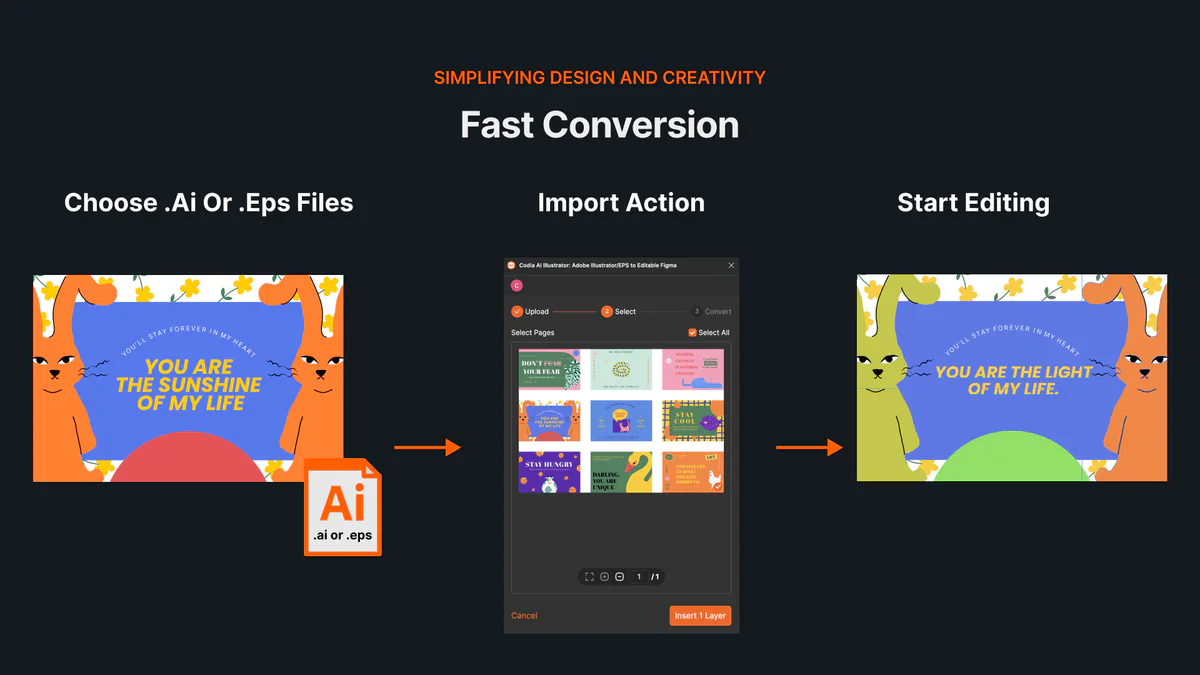
AI- und EPS-Dateien ohne Illustrator online öffnen und bearbeiten
So öffnest du AI- und EPS-Dateien online, importierst Zeichenflächen und editierbare Vektorebenen in Codia Studio und vermeidest Kompatibilitätsprobleme.
Aus NotebookLM wird Gemini Notebook: Was sich ändert – und was das für Folienexporte bedeutet
Google benennt NotebookLM in Gemini Notebook um. Wir erklären, was hinter dem neuen Namen steckt, was mit bestehenden Notebooks passiert und ob sich der Export nach PowerPoint ändert.
How to Review NoteSlide Output: A Text, Image, Chart, and Number Checklist
After NoteSlide converts a PDF into editable PPTX, review text, images, charts, numbers, citations, and slide status before using the deck formally.
How to Prepare Files for NoteSlide: A PDF to PPTX Quality Checklist
Before converting a PDF into editable PPTX with NoteSlide, check source quality, page scope, image clarity, and file size to reduce rework.

How Teachers Can Turn PDF Handouts into Editable Slides with NoteSlide
Teachers can use NoteSlide to turn PDF handouts, scanned slides, or NotebookLM decks into editable PPTX files for classroom review and presentation.
How Researchers Can Turn a Paper PDF into a Conference Presentation with NoteSlide
Researchers can use NoteSlide to convert paper PDFs, research summaries, or scanned materials into editable PPTX files, then review figures, citations, and claims before presenting.
How Marketing Teams Can Turn Whitepapers into Sales Decks with NoteSlide
Marketing teams can use NoteSlide to turn whitepapers, product PDFs, and long-form documents into editable PPTX decks for sales, events, and training.
How Consultants Can Turn Report PDFs into Client Decks with NoteSlide
Consultants can use NoteSlide to turn report PDFs into editable PPTX decks, then refine structure, reduce density, review claims, and prepare client-ready presentations.
What Can You Edit After NoteSlide Conversion? Text, Images, Layout, and More
NoteSlide conversion is not just about placing PDF pages into slides. This guide explains what users can edit after conversion and when complex visuals may remain image-based.

How to Turn NotebookLM Slides into an Editable PPTX with NoteSlide
NotebookLM often gives you a PDF slide deck, not a PowerPoint file you can keep editing. This guide explains how NoteSlide converts NotebookLM PDFs into editable PPTX decks.
NotebookLM-Folien bearbeiten: So werden Slides wirklich editierbar
NotebookLM-Folien lassen sich nach dem PDF-Export nicht wie normale Slides bearbeiten. Dieser Leitfaden zeigt, wie Sie NotebookLM slides bearbeiten, Text ändern, Layouts anpassen und ein wirklich editierbares PowerPoint erhalten.
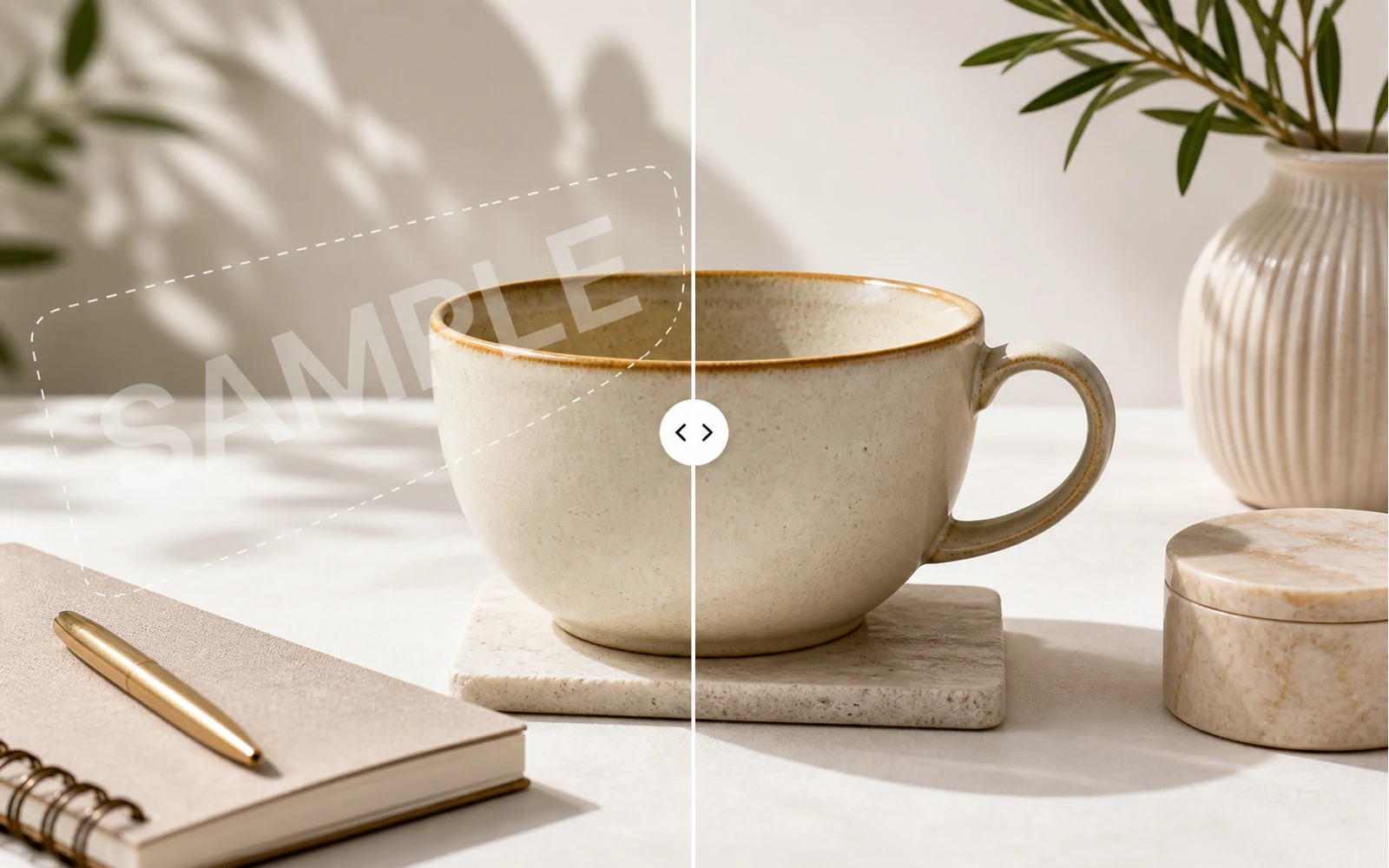
How to Remove a Watermark from an Image with AI
A practical guide for removing watermarks, draft labels, and sample overlays from images you own or are authorized to edit, then continuing the cleanup in Codia Studio.
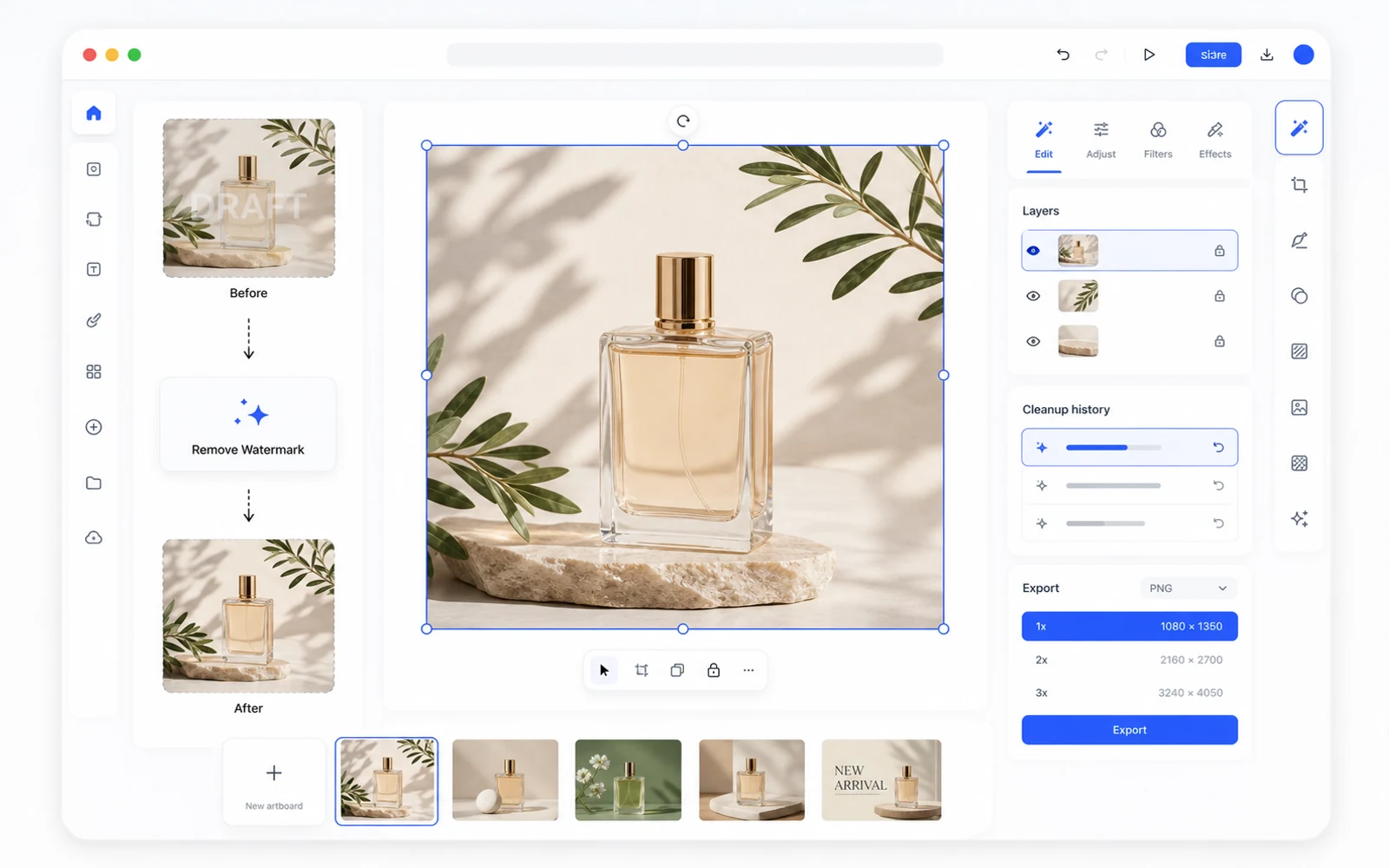
Remove a Watermark, Then Keep Editing in Codia Studio
Why watermark removal works better when it is part of a broader design workflow, not a one-off upload-download task.
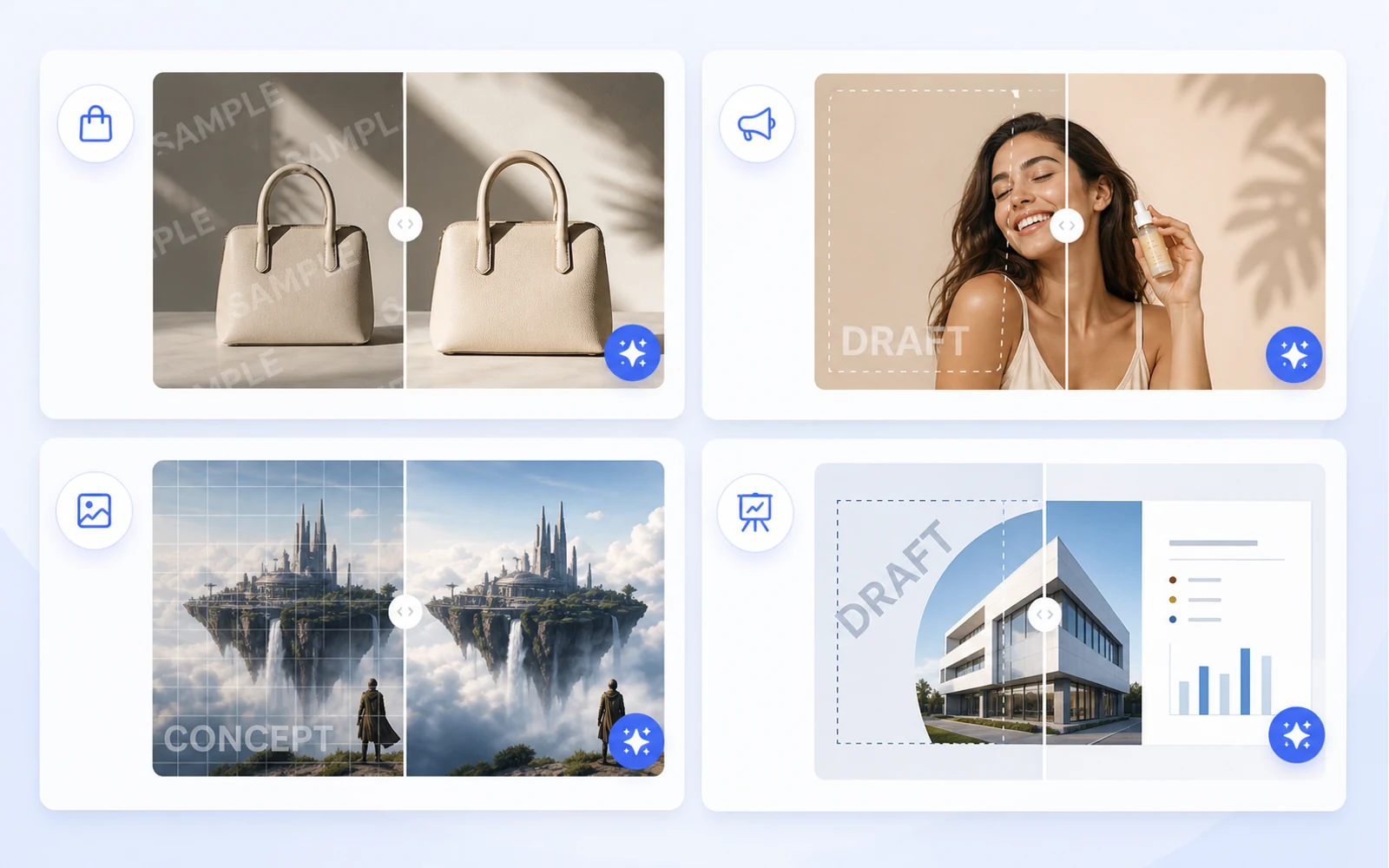
Clean Product Images Before Publishing: Remove Draft Marks and Sample Overlays
How ecommerce teams and marketers can clean authorized product images by removing draft marks, sample overlays, timestamps, and visual clutter before publishing.
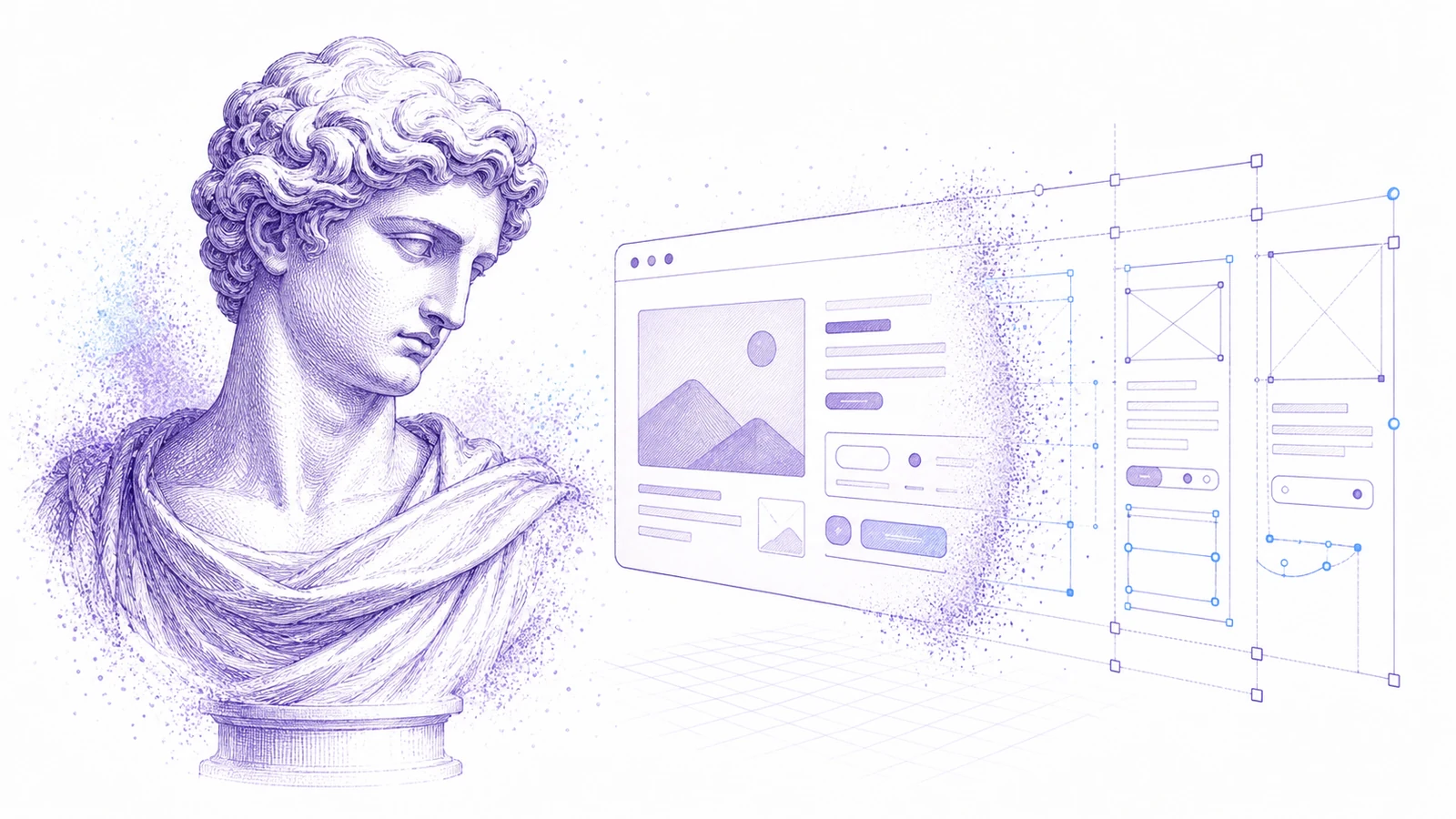
Ein Screenshot zu editierbarem Figma: Ein praktischer Workflow für UI-Referenzen
Wenn nur ein Screenshot als Quelle vorhanden ist, können Sie trotzdem einen nützlichen Figma-Startpunkt erstellen. Nutzen Sie diesen Workflow für Redesigns, Referenzen und die Wiederherstellung alter UIs.

Wie man Canva- und Bild-Assets als bearbeitbare Designs wiederverwendet
Marketing-Assets kommen oft als Canva-Links, exportierte PNGs oder flache Bilder an. Hier erfahren Sie, wie Sie sie für Wiederverwendung, Lokalisierung und Produktion in bearbeitbare Designdateien verwandeln.

PDF zu PowerPoint: So erhalten Sie ein wirklich bearbeitbares PPT statt flacher Slide-Bilder
Die meisten PDF-zu-PPT-Konverter legen jede Seite als flaches Bild ab. Hier erfahren Sie, wie Sie Bearbeitbarkeit testen und wann Sie den PDF-to-Editable-PPT-Workflow von Codia nutzen sollten.
Codia PSD Editor Online vorgestellt: Photoshop-Dateien im Browser bearbeiten
Codia PSD Editor Online ist jetzt für Teams verfügbar, die PSD-Dateien öffnen, bearbeiten und exportieren müssen, ohne einen vollständigen Photoshop-Workflow zu benötigen.
Codia Magic Layers vorgestellt: Flache Bilder in bearbeitbare Ebenen verwandeln
Codia Magic Layers ist jetzt verfügbar, um flache Bilder in bearbeitbare Objekte, Text, Hintergründe, Produkte und visuelle Elemente aufzuteilen.

Codia AI Image Text Editor vorgestellt: Text in Bildern korrigieren und neu schreiben
Codia AI Image Text Editor ist jetzt verfügbar, um kaputten KI-Text zu korrigieren, Texte in flachen Bildern zu aktualisieren und Bildtext in bearbeitbare Ebenen zu verwandeln.
KI-Bildtext ist unlesbar: So beheben Sie kaputte Wörter, ohne das ganze Bild neu zu generieren
KI-Bildgeneratoren erzeugen oft schöne Bilder mit fehlerhaften Wörtern. Hier erfahren Sie, wann Sie neu generieren, wann Sie bearbeiten und wie Codia Bildtext in bearbeitbare Ebenen verwandelt.
Wie man Text in einem Bild bearbeitet, ohne das ganze Design neu zu erstellen
Sie müssen eine Überschrift, einen Preis, ein Datum oder eine Beschriftung in einem flachen Bild ändern? Hier ist der praktische Workflow, um Bildtext in bearbeitbare Ebenen zu verwandeln.
Wie man eine PSD online bearbeitet, ohne Photoshop zu installieren
Muss eine PSD geöffnet, kurz bearbeitet und wieder exportiert werden? Hier erfahren Sie, wann ein Online-PSD-Editor ausreicht und wie Codia einen ebenenbewussten Workflow ermöglicht.
AI Prompting Lessons from Practical Product Work
AI Prompting Lessons from Practical Product Work explained through practical product workflow, design-to-code handoff, review steps, and how Codia helps teams move from visual input to usable output.
Flutter or React Native: Choosing a Cross-Platform Framework
Flutter or React Native: Choosing a Cross-Platform Framework explained through practical product workflow, design-to-code handoff, review steps, and how Codia helps teams move from visual input to usable output.
Top 15 Tools for macOS App Development
Top 15 Tools for macOS App Development explained through practical product workflow, design-to-code handoff, review steps, and how Codia helps teams move from visual input to usable output.
The Evolution of UI Development
The Evolution of UI Development explained through practical product workflow, design-to-code handoff, review steps, and how Codia helps teams move from visual input to usable output.
Image Processing for UI Element Segmentation
Image Processing for UI Element Segmentation explained through practical product workflow, design-to-code handoff, review steps, and how Codia helps teams move from visual input to usable output.
SwiftUI UI Layout Introduction
SwiftUI UI Layout Introduction explained through practical product workflow, design-to-code handoff, review steps, and how Codia helps teams move from visual input to usable output.
Start Here: A Practical Guide to Codia
Start Here: A Practical Guide to Codia explained through practical product workflow, design-to-code handoff, review steps, and how Codia helps teams move from visual input to usable output.
Set Up an iOS Development Environment
Set Up an iOS Development Environment explained through practical product workflow, design-to-code handoff, review steps, and how Codia helps teams move from visual input to usable output.
Codia-Leitfaden: Set Up a Flutter Development Environment
Ein praktischer Codia-Leitfaden zu Set Up a Flutter Development Environment: Design-to-Code-Workflow, Qualitätsprüfung und Zusammenarbeit im Team.
Set Up an Android Development Environment
Set Up an Android Development Environment explained through practical product workflow, design-to-code handoff, review steps, and how Codia helps teams move from visual input to usable output.
Codia-Leitfaden: Transform Wireframes into Polished Design Drafts with AI
Ein praktischer Codia-Leitfaden zu Transform Wireframes into Polished Design Drafts with AI: Design-to-Code-Workflow, Qualitätsprüfung und Zusammenarbeit im Team.
React Native Tutorial: Build Your First Mobile App
React Native Tutorial: Build Your First Mobile App explained through practical product workflow, design-to-code handoff, review steps, and how Codia helps teams move from visual input to usable output.
PDF to HTML: Turn Static Documents into Web Layouts
PDF to HTML: Turn Static Documents into Web Layouts explained through practical product workflow, design-to-code handoff, review steps, and how Codia helps teams move from visual input to usable output.
Node.js API Development Best Practices
Node.js API Development Best Practices explained through practical product workflow, design-to-code handoff, review steps, and how Codia helps teams move from visual input to usable output.
Mastering macOS: 17 Common Development Challenges
Mastering macOS: 17 Common Development Challenges explained through practical product workflow, design-to-code handoff, review steps, and how Codia helps teams move from visual input to usable output.
Mastering Figma to Vue
Mastering Figma to Vue explained through practical product workflow, design-to-code handoff, review steps, and how Codia helps teams move from visual input to usable output.
JPEG to SVG: Convert Raster References into Editable Vector Assets
JPEG to SVG: Convert Raster References into Editable Vector Assets explained through practical product workflow, design-to-code handoff, review steps, and how Codia helps teams move from visual input to usable output.
Codia-Leitfaden: Jetpack Compose Mastery Finale: 38 Key UI Issues
Ein praktischer Codia-Leitfaden zu Jetpack Compose Mastery Finale: 38 Key UI Issues: Design-to-Code-Workflow, Qualitätsprüfung und Zusammenarbeit im Team.
Jetpack Compose Mastery Part 1: Build Your First Compose App
Jetpack Compose Mastery Part 1: Build Your First Compose App explained through practical product workflow, design-to-code handoff, review steps, and how Codia helps teams move from visual input to usable output.
An In-Depth Perspective on Flutter
An In-Depth Perspective on Flutter explained through practical product workflow, design-to-code handoff, review steps, and how Codia helps teams move from visual input to usable output.
Wie man Screenshot zu editierbarem Figma verwendet
Wie man Screenshot zu editierbarem Figma anhand eines praktischen Produkt-Workflows, Design-to-Code-Handoffs, Review-Schritten und der Frage, wie Codia Teams dabei hilft, von visueller Eingabe zu nutzbarer Ausgabe zu kommen.
The Future of Design to Code: Automating Figma to Vue.js
The Future of Design to Code: Automating Figma to Vue.js explained through practical product workflow, design-to-code handoff, review steps, and how Codia helps teams move from visual input to usable output.
Flutter Development from Zero to Production
Flutter Development from Zero to Production explained through practical product workflow, design-to-code handoff, review steps, and how Codia helps teams move from visual input to usable output.
Figma to React: Convert Design Structure into Components
Figma to React: Convert Design Structure into Components explained through practical product workflow, design-to-code handoff, review steps, and how Codia helps teams move from visual input to usable output.
Figma to Code: An Automated Journey from Design to Implementation
Figma to Code: An Automated Journey from Design to Implementation explained through practical product workflow, design-to-code handoff, review steps, and how Codia helps teams move from visual input to usable output.
Codia-Leitfaden: Figma to Android: From Design Frames to Buildable UI
Ein praktischer Codia-Leitfaden zu Figma to Android: From Design Frames to Buildable UI: Design-to-Code-Workflow, Qualitätsprüfung und Zusammenarbeit im Team.
Starting a macOS Development Journey from Zero
Starting a macOS Development Journey from Zero explained through practical product workflow, design-to-code handoff, review steps, and how Codia helps teams move from visual input to usable output.
How Deep Learning Accelerates Application Development
How Deep Learning Accelerates Application Development explained through practical product workflow, design-to-code handoff, review steps, and how Codia helps teams move from visual input to usable output.
Codia-Leitfaden: A Comprehensive Guide to Flutter Development for macOS
Ein praktischer Codia-Leitfaden zu A Comprehensive Guide to Flutter Development for macOS: Design-to-Code-Workflow, Qualitätsprüfung und Zusammenarbeit im Team.
Codia-Leitfaden: A Comprehensive Exploration of Flutter
Ein praktischer Codia-Leitfaden zu A Comprehensive Exploration of Flutter: Design-to-Code-Workflow, Qualitätsprüfung und Zusammenarbeit im Team.
Electron vs. Flutter: A Practical Comparison
Electron vs. Flutter: A Practical Comparison explained through practical product workflow, design-to-code handoff, review steps, and how Codia helps teams move from visual input to usable output.
Understanding the Compose UI Layout System
Understanding the Compose UI Layout System explained through practical product workflow, design-to-code handoff, review steps, and how Codia helps teams move from visual input to usable output.
Codia AI UI Generator Design Toolkit Guide
Codia AI UI Generator Design Toolkit Guide explained through practical product workflow, design-to-code handoff, review steps, and how Codia helps teams move from visual input to usable output.
Codia AI Design OCR Technology
Codia AI Design OCR Technology explained through practical product workflow, design-to-code handoff, review steps, and how Codia helps teams move from visual input to usable output.
Codia-Leitfaden: The Codia AI Design-to-Code Revolution
Ein praktischer Codia-Leitfaden zu The Codia AI Design-to-Code Revolution: Design-to-Code-Workflow, Qualitätsprüfung und Zusammenarbeit im Team.
Codia-Leitfaden: The Codia AI Design-to-Code Revolution, Part 2
Ein praktischer Codia-Leitfaden zu The Codia AI Design-to-Code Revolution, Part 2: Design-to-Code-Workflow, Qualitätsprüfung und Zusammenarbeit im Team.
Android 14 Adaptation Guide: Upgrading targetSdkVersion to 34
Android 14 Adaptation Guide: Upgrading targetSdkVersion to 34 explained through practical product workflow, design-to-code handoff, review steps, and how Codia helps teams move from visual input to usable output.
Advanced iOS Development: Practical SwiftUI Tips
Advanced iOS Development: Practical SwiftUI Tips explained through practical product workflow, design-to-code handoff, review steps, and how Codia helps teams move from visual input to usable output.
A Deep Dive into Apple Vision Pro and visionOS
A Deep Dive into Apple Vision Pro and visionOS explained through practical product workflow, design-to-code handoff, review steps, and how Codia helps teams move from visual input to usable output.
Supercharge Your Mobile Dev Skills: 10 Essential Tools for Max Efficiency
A practical mobile development toolkit for shipping faster across Android, iOS, Flutter, and React Native: IDEs, design-to-code, backend, testing, monitoring, API, CI, and release automation.
Screenshot to Figma Design by AI: A New Chapter in Future Design
How AI screenshot-to-Figma workflows turn flat UI images into editable design structure, where they help, where they fail, and how teams use them responsibly.
Jetpack Compose Mastery Part 2: Advanced Tools and Resources for Mastering Compose UI
A practical guide to advanced Jetpack Compose tooling: previews, Material theming, state, performance, testing, accessibility, and design-to-code workflow.
Image to HTML: Convert UI Screenshots into Editable Web Pages
A practical guide to converting images and UI screenshots into HTML: structure recovery, OCR, layout review, accessibility, and production cleanup.
How to Reduce Android Studio's Maximum Memory Footprint
A practical guide to lowering Android Studio's memory footprint without making builds painfully slow: IDE heap, Gradle daemon, Kotlin daemon, emulator usage, plugins, indexing, and project structure.
Codia-Leitfaden: Figma to Vue.js: Bridging Design and Development
Ein praktischer Codia-Leitfaden zu Figma to Vue.js: Bridging Design and Development: Design-to-Code-Workflow, Qualitätsprüfung und Zusammenarbeit im Team.
Figma to SwiftUI: Convert iOS Designs into Native Views
A practical workflow for converting Figma iOS screens into SwiftUI views with clean hierarchy, tokens, assets, state, previews, and production review.
Figma to React Native: Turn Mobile Designs into App Screens
A practical workflow for converting Figma mobile screens into React Native components that engineers can review, refactor, and ship.
Figma to HTML: Convert Designs into Semantic Web Pages
A practical Figma-to-HTML workflow for generating clean markup, responsive CSS, semantic structure, accessible controls, and production-ready handoff.
Exploration of Flutter Hot Update Technology
A practical look at Flutter hot update technology, what hot reload is not, what app stores allow, and safer alternatives for updating mobile apps quickly.
Complete Guide to Building a Vue.js CRUD Application
A practical Vue 3 CRUD application guide covering routes, components, forms, API calls, validation, loading states, errors, and production cleanup.
AI HTML Generator: Turn Prompts and Designs into Clean Web Markup
How to use an AI HTML generator effectively: prompts, Figma input, screenshot input, semantic review, responsive cleanup, and production handoff.
AI Code Generator: What It Can Build, Where It Fails, and How to Use It Well
A practical guide to AI code generators: prompt input, design input, code review, frontend scaffolds, limitations, and production workflow.
NotebookLM-style PDF to Editable PPTX with Codia Open API
Build a server-side NotebookLM-style PDF to editable PPTX pipeline with Codia Open API: upload a private PDF, estimate credits, create a pdf_to_ppt task, receive a webhook, and download the generated PowerPoint file.
Why NotebookLM's Native PPTX Export Isn't Truly Editable (and How to Fix It)
NotebookLM's native PPTX export launched on February 18, 2026 — but the file you get back isn't truly editable. Here's what actually opens in PowerPoint, what stays locked, and how NoteSlide closes the gap.

NotebookLM's 20-Slide Limit: How to Build Longer Decks Without Losing Editability
NotebookLM caps Slide Deck output at 20 slides — fine for executive summaries, fatal for quarterly reviews and training. Four practical workarounds, ranked from quickest to most thorough, all preserving full PowerPoint editability.
How to Remove the NotebookLM Watermark Legally (Complete Guide)
A practical, ethical guide to removing the NotebookLM watermark from your exported slides — what the watermark actually is, when it's okay to remove it, and the cleanest workflow using NoteSlide.
Wie man NotebookLM-Folien 2026 in PowerPoint umwandelt (Schritt für Schritt)
Der komplette 2026-Leitfaden, um NotebookLM-Folien in ein vollständig editierbares PowerPoint-Deck zu verwandeln — drei Wege (nativer Export, NoteSlide, Hybrid), Schritt-für-Schritt-Anweisungen, Stolperfallen und eine 10-Punkte-Qualitätscheckliste.
Die 7 besten NotebookLM-zu-PowerPoint-Tools im Vergleich (2026)
Ein ehrlicher Vergleich der sieben Tools, die Menschen tatsächlich verwenden, um NotebookLM-Folien in PowerPoint zu verwandeln — was jedes Tool gut kann, was nicht, und wie Sie das passende auswählen.
Screenshot zu Figma mit Cursor und dem Figma MCP Server: Der Workflow für KI-Coding-Agents
Wie sich Codia's Screenshot-zu-Figma-Konvertierung mit dem offiziellen Figma MCP Server in Cursor, Claude Code oder Windsurf kombinieren lässt — und so in drei Schritten aus einem flachen Screenshot eine saubere Code-Basis wird.
Bild zu Figma: Jedes Bild in editierbare Figma-Ebenen umwandeln
Verwandeln Sie UI-Bilder - Screenshots, Mockups, Wireframes, Webseiten - in editierbare Figma-Ebenen mit echtem Text, Formen, Bildebenen und einer gruppierten Ebenenhierarchie, die Sie in wenigen Minuten bereinigen.
Codia vs image.to.design: Detaillierter Screenshot-zu-Figma-Vergleich (2026)
Ein ehrlicher, funktionsgenauer Vergleich von Codia AI und image.to.design für die Konvertierung von Screenshots und Bildern in editierbare Figma-Designs — was beide gut können, worin sie sich unterscheiden und wie man sich entscheidet.

Website zu Figma: Der vollständige Leitfaden für die Umwandlung von Live-Webseiten in editierbare Designs
Verwandeln Sie jede Live-Website - Ihr eigenes Produkt, eine Wettbewerbsseite, eine Partnerseite oder eine Legacy-App - in eine editierbare Figma-Datei. Workflow, Szenarien, was Sie erfassen sollten und wie sich das im Vergleich zu screenshot- und HTML-basierten Umwandlungen verhält.
Screenshot zu Figma für Redesigns: Bestehende UI neu aufbauen, ohne von vorne zu beginnen
Ein praktischer Redesign-Workflow, um alte Produktscreens, Wettbewerbsreferenzen und Kundenscreenshots in editierbare Figma-Ausgangspunkte zu verwandeln.
Screenshot zu Figma: Der komplette Leitfaden 2026 für editierbare UI-Designs
Vom UI-Screenshot (PNG, JPG oder WebP) zum editierbaren Figma-Frame - Workflow, Tipps je Szenario, ein 4-Tool-Vergleich, Free vs Pro, die Lösung für 'Buttons als flache Bilder' und die Kombination mit Cursor + Figma MCP.
Screenshot zu Code: UI-Bilder in React, HTML oder Tailwind umwandeln
Lernen Sie den praktischen Workflow, wie Sie UI-Screenshots erst in editierbare Designstruktur und dann in Frontend-Code überführen.

PSD to Figma: The Complete Guide to Converting Photoshop Files into Editable Designs
Everything you need for PSD-to-Figma — what actually survives the conversion, how to plan it for one file or fifty thousand, layer-by-layer fidelity expectations, and the review loop that makes migrated files usable.
PSD to Figma Migration Checklist for Design and Brand Teams
A practical checklist for planning, converting, reviewing, and governing PSD-to-Figma migrations across team design archives.
PDF zu Präsentation: Wie NoteSlide jedes Dokument in ein editierbares Slide-Deck verwandelt
Lernen Sie NoteSlide kennen und den kompletten Workflow, um PDFs, Berichte, Papers und Notizen in editierbare PowerPoint- und Keynote-Decks zu verwandeln — ohne alles per Hand neu aufzubauen.
PDF zu Figma: Der vollständige Leitfaden zum Konvertieren statischer PDFs in editierbare Designdateien
Beliebige PDFs — Marketing-One-Pager, mehrseitige Berichte, vektorisiert oder gescannt, eine Datei oder tausende — in editierbare Figma-Layer umwandeln. Workflow, was erhalten bleibt, Tipps je Szenario und API-Optionen für den Batch.
NotebookLM zu editierbarem PowerPoint: Der vollständige NoteSlide-Leitfaden
Alles, was Sie brauchen, um NotebookLM-Folien in ein vollständig editierbares PowerPoint-Deck zu verwandeln — Vorbereitung, Konvertierung mit NoteSlide, Review-Checkliste, Team-Workflow und FAQs an einem Ort.
NotebookLM editierbares PowerPoint FAQ
Die Fragen, die wirklich gestellt werden, wenn es darum geht, NotebookLM-Folien in editierbares PowerPoint zu verwandeln — was „editierbar“ bedeutet, welche Formate funktionieren, worauf man achten sollte und was NoteSlide tut und nicht tut.
HTML zu Figma: HTML, CSS und Quellcode in editierbare Figma-Designs umwandeln
Wenn Sie den Quellcode statt des Designs haben, können Sie HTML und CSS in editierbare Figma-Dateien umwandeln. Anwendungsfälle, Entwicklungs-Workflows, Vergleich mit Website-to-Figma und was bei der Umwandlung erhalten bleibt.
Figma zu React: Designs in wartbare Komponenten umwandeln
Ein praktischer Leitfaden, wie man Figma-Designs in React-Komponenten umwandelt, die Entwickler prüfen, refaktorieren und ausliefern können.
Figma zu Code: Der vollständige Design-to-Code-Workflow für React, Vue, HTML, Tailwind, Flutter und mehr
Wie Sie Figma-Dateien für saubere Codegenerierung vorbereiten, was Sie in Frameworks wie React, Vue, HTML, Tailwind, Flutter, SwiftUI und Compose erwarten können und wie Sie das Ergebnis prüfen, damit Engineering es ausliefern kann.

Canva zu Figma: Marketing-Designs in produktnahe Workflows überführen
Erfahren Sie, wie Teams Canva-Designs in Figma-Dateien umwandeln, um Markenprüfung, Produktübergabe, Redesign und Designsystem-Abgleich zu unterstützen.

Die besten Figma-to-Code-Tools 2026: So wählen Sie den richtigen Workflow
Ein praktischer Leitfaden, wie Sie ein Figma-to-Code-Tool für React, HTML, Tailwind und produktionsnahe Frontend-Workflows auswählen.
Bild zu SVG: PNG- und JPG-Logos in editierbare Vektoren umwandeln
Ein Leitfaden für Designer zum Konvertieren von Bitmap-Logos, Icons und einfachen Grafiken in saubere, editierbare SVG-Dateien.
Visual Struct API: Convert UI Screenshots into Structured JSON
Use the Visual Struct API to convert UI screenshots into structured JSON, SVG, or Figma-compatible nodes for automation, search, QA, and design-to-code pipelines.
Remove Background API: Generate Clean Transparent PNG Cutouts
Use Codia's Remove Background API to turn product photos, portraits, and creative assets into clean transparent PNG cutouts for e-commerce and design pipelines.

From Flat PDF to Structured UI: Inside the PDF-to-Visual-Struct Pipeline
A deep look at how Codia's PDF to Visual Struct API turns static documents into a hierarchical, render-ready UI schema in under two seconds — and what you can build on top of it.

Datenschutz, Sicherheit und Datenbesitz bei Codia
Wie Codia private Uploads, KI-Training, Aufbewahrung, Subprozessoren und den Besitz der Dateien und Ausgaben handhabt, die Sie mit Codia erstellen.
Open API und Codias Entwickler-Ökosystem
Bauen Sie auf Codia mit APIs für visuelle Strukturextraktion, PDF-zu-Schema-Konvertierung, Uploads, Aufgaben-Workflows und bearbeitbare Design-Automatisierung auf.
Codias Bekenntnis zur Kreativität
Codias Ziel ist es, kreative Arbeit bearbeitbarer, wiederverwendbarer und zugänglicher zu machen, indem KI die repetitive Rekonstruktionsarbeit aus Design-, Content- und Entwicklungsabläufen entfernt.
Codia für Enterprise-Teams
Wie Enterprise-Teams Codia für Batch-Migration, API-Automatisierung, bearbeitbare Konvertierung, Sicherheitsprüfung und Planung privater Bereitstellungen nutzen.
Unser Ansatz für KI-gestütztes Design
Der Ansatz von Codia für KI-Design ist keine flache Bilderzeugung. Wir nutzen visuelle KI, um Strukturen zu verstehen, Bearbeitbarkeit zu erhalten und statische Visuals zurück in echte Design- und Code-Workflows zu bringen.

About Codia AI: Product Suite, Design Philosophy, Trust, and Developer Platform
One page on everything Codia AI: what we build, what we believe about AI-powered design, how we work with enterprise teams, how we protect your data, and how developers can build on top of us.
Erste Schritte mit Codia AI
Erfahren Sie, wie Sie Codia AI nutzen, um Ihren Design- und Entwicklungs-Workflow von Grund auf zu beschleunigen.