
บล็อก
เรื่องราวเชิงลึก บทเรียน และอัปเดตผลิตภัณฑ์จากทีม Codia

ทำไม NotebookLM สร้างสไลด์ไม่ได้? สาเหตุและวิธีแก้ทีละข้อ
กดสร้างสไลด์ใน NotebookLM แล้วไม่ขึ้น หรือสร้างได้แต่แก้ไขไม่ได้? รวมสาเหตุที่พบบ่อยพร้อมวิธีแก้ทีละข้อ และวิธีทำให้สไลด์จาก NotebookLM แก้ไขได้ใน PowerPoint
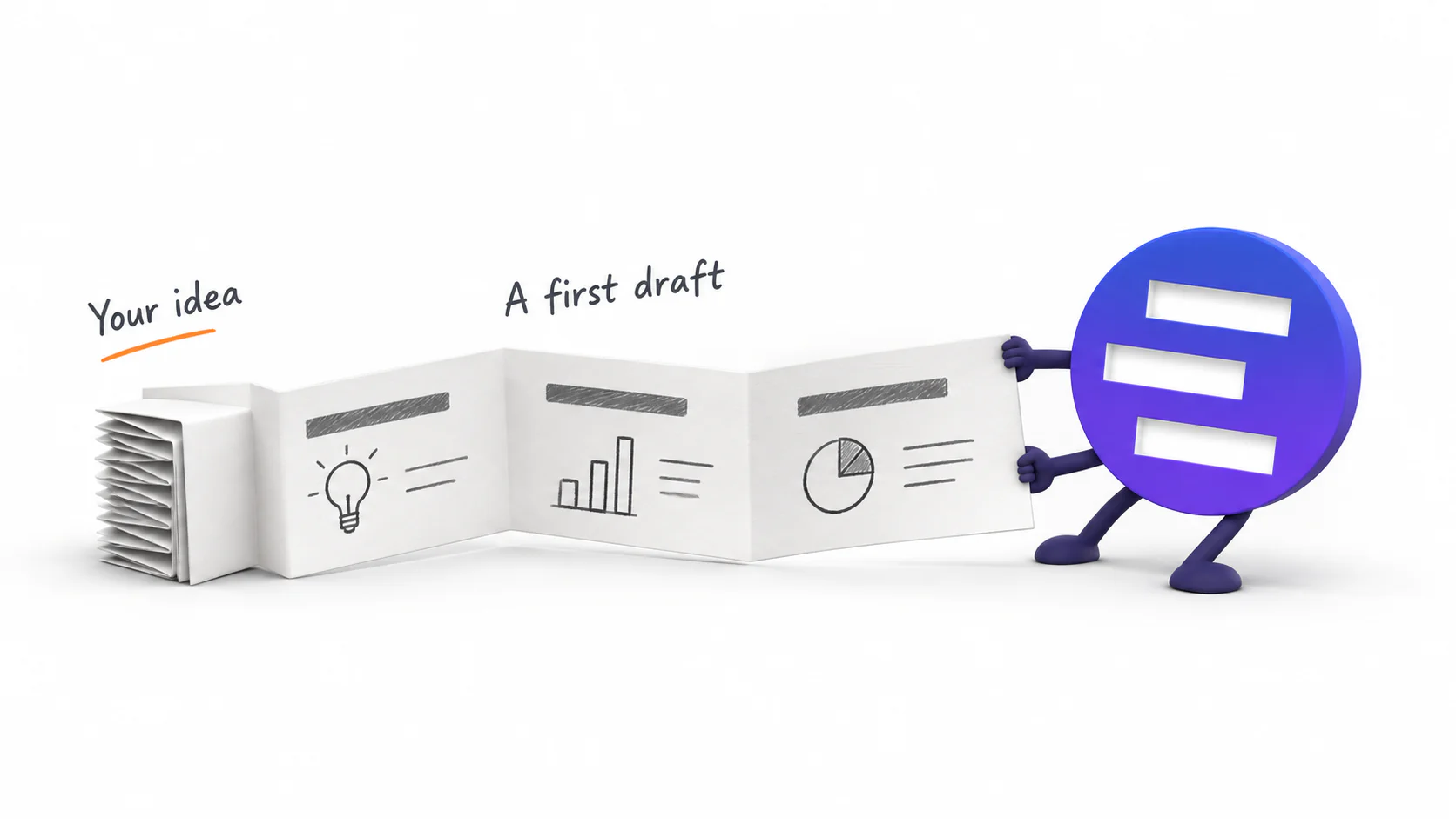
Introducing AI Presentation Generation in NoteSlide
Turn ideas, notes, and documents into AI-generated presentations with NoteSlide. Review the outline, preview the design, and download an editable PPTX.

เช็กลิสต์เตรียมไฟล์ก่อนใช้ AI แต่ง PPT
ก่อนให้ AI ออกแบบ PowerPoint ใหม่ ควรจัดต้นฉบับ ข้อความสำคัญ ตัวเลข รูป กราฟ ฟอนต์ หน้าที่เลือก และเกณฑ์ผ่านอย่างไร เช็กได้จากรายการนี้

เทมเพลต PowerPoint กับ AI แต่งสไลด์ ต่างกันอย่างไร
เทมเพลตกำหนดกฎแบรนด์ ส่วน AI อ่านเนื้อหาแล้วจัดแต่ละหน้าใหม่ เปรียบเทียบว่าวิธีไหนแก้ปัญหาอะไร และเมื่อไรควรใช้สองอย่างร่วมกัน
PPT จาก AI แก้ไขได้จริงไหม ลองเช็กด้วย 5 วิธีนี้
ไฟล์นามสกุล .pptx อาจเป็นแค่ภาพเต็มหน้าก็ได้ ลองแก้ข้อความ ย้ายวัตถุ เปลี่ยนภาพ ตรวจกราฟ และเปิดใช้งานจริงก่อนเลือกเครื่องมือหรือส่งไฟล์ให้ทีม

สร้าง PowerPoint จาก Word, PDF, เว็บ และข้อความอย่างไรให้ได้งานดี
Word, PDF, เว็บเพจ และโน้ตที่วางลงไปต้องเตรียมต่างกันก่อนให้ AI ทำสไลด์ เรียนรู้วิธีจัดต้นทาง เขียน brief และตรวจ outline ให้ได้ PPTX ที่พร้อมแก้ต่อ
แต่ง PPT เก่าให้ดูดีขึ้น โดยไม่เขียนเนื้อหาใหม่
วิธีปรับดีไซน์ PowerPoint เก่าโดยยังรักษาข้อความ ตัวเลข และสาระที่ผ่านการอนุมัติ ตั้งแต่เก็บต้นฉบับ เลือกหน้าและรูป ไปจนถึงตรวจไฟล์ PPTX ก่อนส่ง
สร้างใหม่ แต่งใหม่ หรือแปลงเป็น PPT ที่แก้ไขได้ เลือกแบบไหนดี
การสร้างสไลด์จากศูนย์ การปรับดีไซน์ไฟล์เดิม และการเปลี่ยน PDF หรือภาพให้แก้ไขได้เป็นคนละงานกัน คู่มือนี้ช่วยเลือกจากไฟล์ที่มีและสิ่งที่ต้องการเก็บไว้
ทำไม PPT ของคุณดูไม่มืออาชีพ: 6 สัญญาณ และวิธีแก้ทีละข้อ
หกอย่างที่คนดูจับได้ใน 3 วินาทีแรก—ระบบภาพไม่เหมือนกันสักหน้า ขนาดตัวอักษรเหวี่ยง จัดไม่ตรงแนว หน้าที่มีแต่ตัวหนังสือ ภาพตีกันเอง และสีที่ไม่มีกฎ—พร้อมวิธีแก้ที่เร็วที่สุดของแต่ละข้อ
ทำ PPT ทั้งชุดด้วย Nano Banana Pro — และขั้นตอนสุดท้ายที่มักติด
ขั้นตอนที่ใช้ได้จริงกับ Nano Banana Pro: หนึ่งสไลด์ต่อหนึ่งภาพ โครงพรอมป์ที่ใช้ซ้ำได้ ภาษาภาพที่คุมได้ตลอดสิบหน้า และการตั้งค่าส่งออกที่ตัดสินว่าคุณจะยังแก้ไฟล์ได้หรือไม่
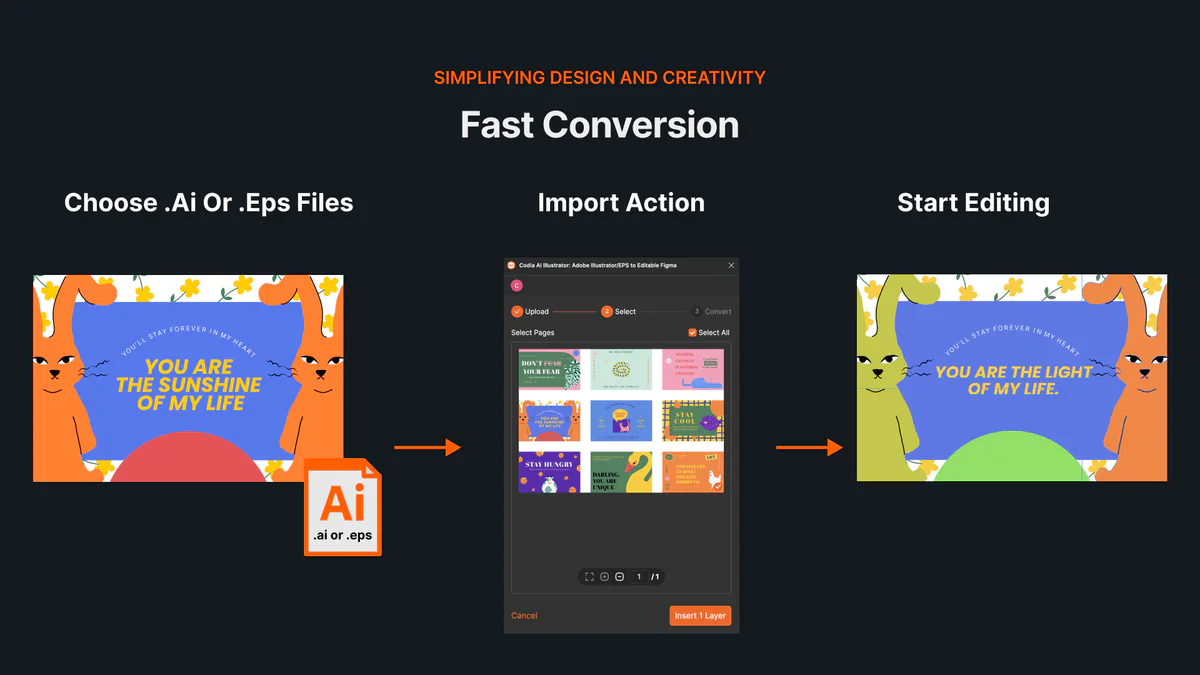
วิธีเปิดและแก้ไขไฟล์ AI หรือ EPS ออนไลน์โดยไม่ใช้ Illustrator
เรียนรู้วิธีเปิดไฟล์ AI และ EPS ออนไลน์ นำเข้าอาร์ตบอร์ดและเลเยอร์เวกเตอร์ที่แก้ไขได้สู่ Codia Studio พร้อมตรวจสอบปัญหาความเข้ากันได้
NotebookLM เปลี่ยนชื่อเป็น Gemini Notebook: มีอะไรเปลี่ยนไป และกระทบการส่งออกสไลด์อย่างไร
Google เปลี่ยนชื่อ NotebookLM เป็น Gemini Notebook ในเดือนกรกฎาคม 2026 สรุปให้ชัดว่าอะไรเปลี่ยน อะไรเหมือนเดิม และต้องปรับขั้นตอนส่งออกสไลด์หรือไม่
How to Review NoteSlide Output: A Text, Image, Chart, and Number Checklist
After NoteSlide converts a PDF into editable PPTX, review text, images, charts, numbers, citations, and slide status before using the deck formally.
How to Prepare Files for NoteSlide: A PDF to PPTX Quality Checklist
Before converting a PDF into editable PPTX with NoteSlide, check source quality, page scope, image clarity, and file size to reduce rework.

How Teachers Can Turn PDF Handouts into Editable Slides with NoteSlide
Teachers can use NoteSlide to turn PDF handouts, scanned slides, or NotebookLM decks into editable PPTX files for classroom review and presentation.
How Researchers Can Turn a Paper PDF into a Conference Presentation with NoteSlide
Researchers can use NoteSlide to convert paper PDFs, research summaries, or scanned materials into editable PPTX files, then review figures, citations, and claims before presenting.
How Marketing Teams Can Turn Whitepapers into Sales Decks with NoteSlide
Marketing teams can use NoteSlide to turn whitepapers, product PDFs, and long-form documents into editable PPTX decks for sales, events, and training.
How Consultants Can Turn Report PDFs into Client Decks with NoteSlide
Consultants can use NoteSlide to turn report PDFs into editable PPTX decks, then refine structure, reduce density, review claims, and prepare client-ready presentations.
What Can You Edit After NoteSlide Conversion? Text, Images, Layout, and More
NoteSlide conversion is not just about placing PDF pages into slides. This guide explains what users can edit after conversion and when complex visuals may remain image-based.

How to Turn NotebookLM Slides into an Editable PPTX with NoteSlide
NotebookLM often gives you a PDF slide deck, not a PowerPoint file you can keep editing. This guide explains how NoteSlide converts NotebookLM PDFs into editable PPTX decks.
วิธีแก้ไขสไลด์ NotebookLM ให้เป็น PPTX ที่แก้ไขได้จริง
ไฟล์ PDF จาก NotebookLM อาจแก้ไขต่อไม่ได้เหมือน PowerPoint คู่มือนี้อธิบายวิธี edit NotebookLM slides แก้ข้อความ ปรับเลย์เอาต์ และได้ไฟล์ PPTX ที่แก้ไขได้จริง
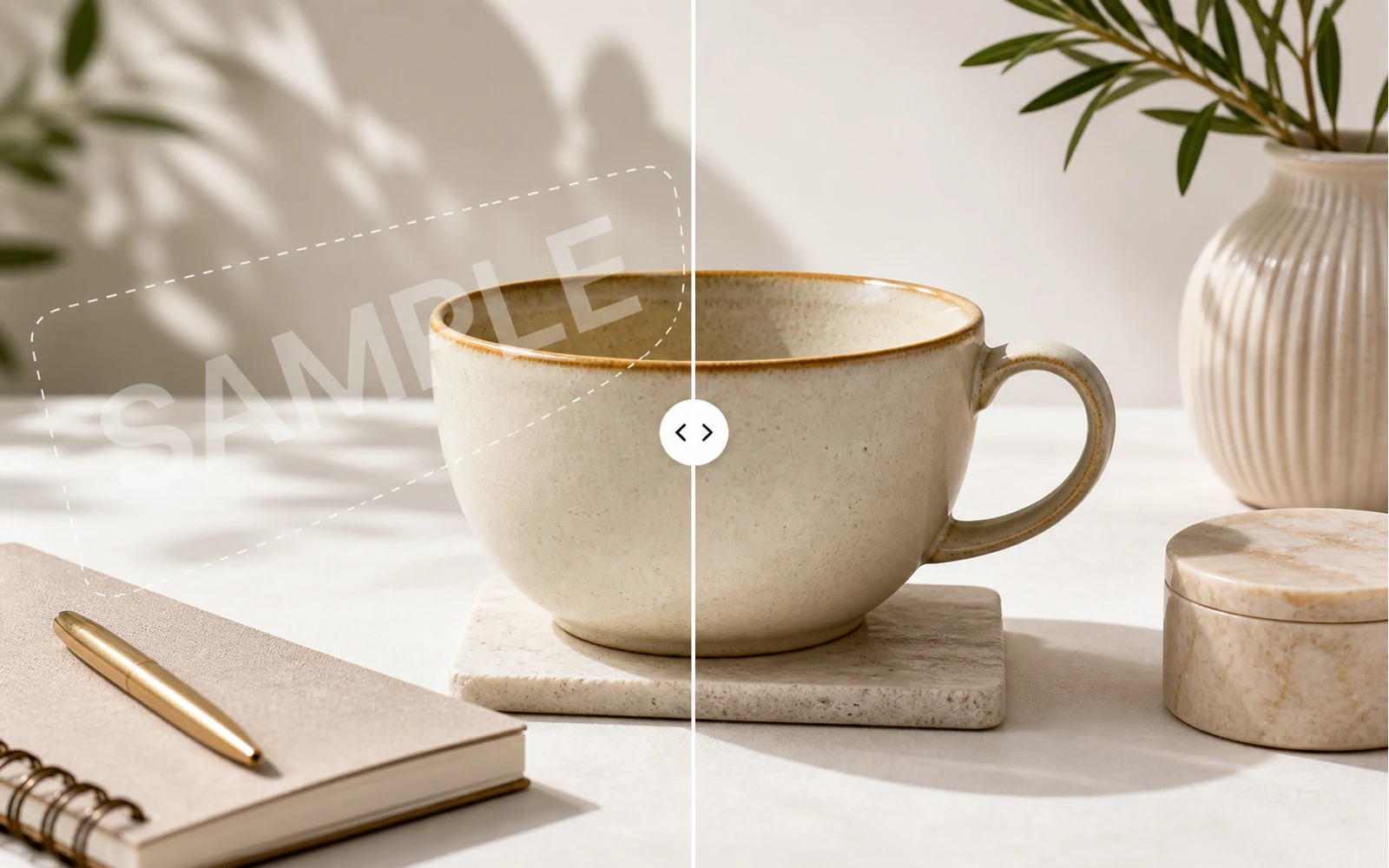
How to Remove a Watermark from an Image with AI
A practical guide for removing watermarks, draft labels, and sample overlays from images you own or are authorized to edit, then continuing the cleanup in Codia Studio.
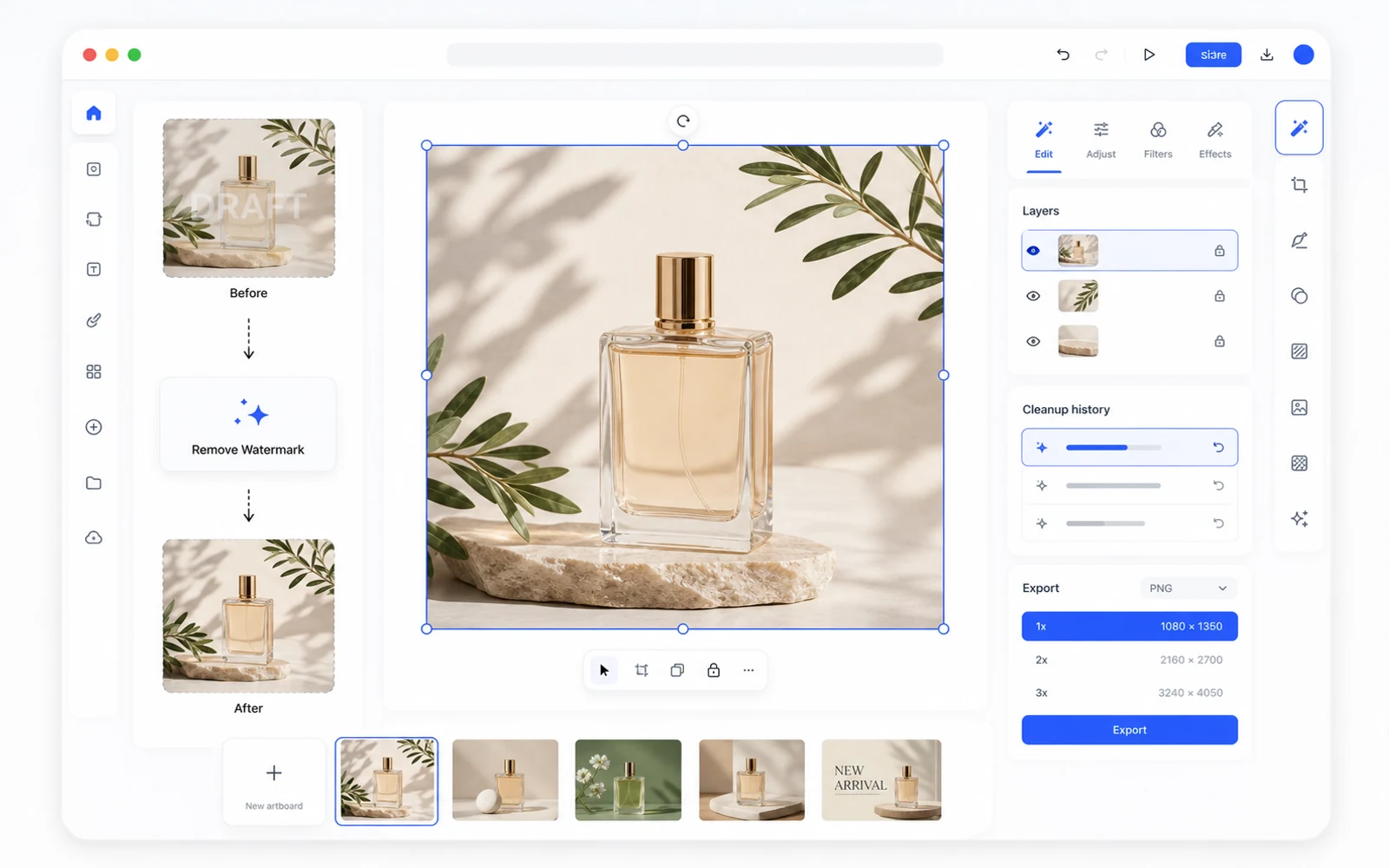
Remove a Watermark, Then Keep Editing in Codia Studio
Why watermark removal works better when it is part of a broader design workflow, not a one-off upload-download task.
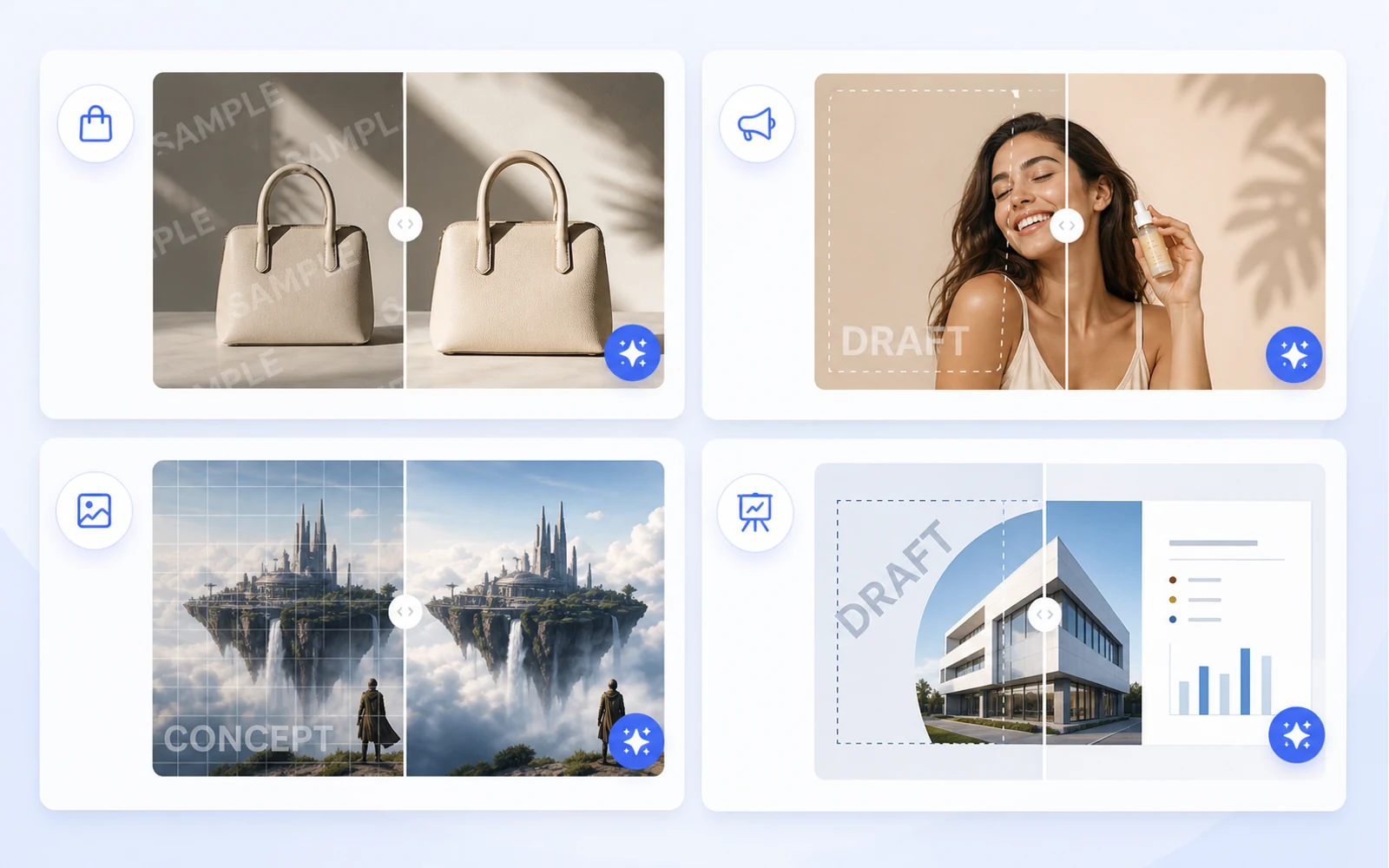
Clean Product Images Before Publishing: Remove Draft Marks and Sample Overlays
How ecommerce teams and marketers can clean authorized product images by removing draft marks, sample overlays, timestamps, and visual clutter before publishing.
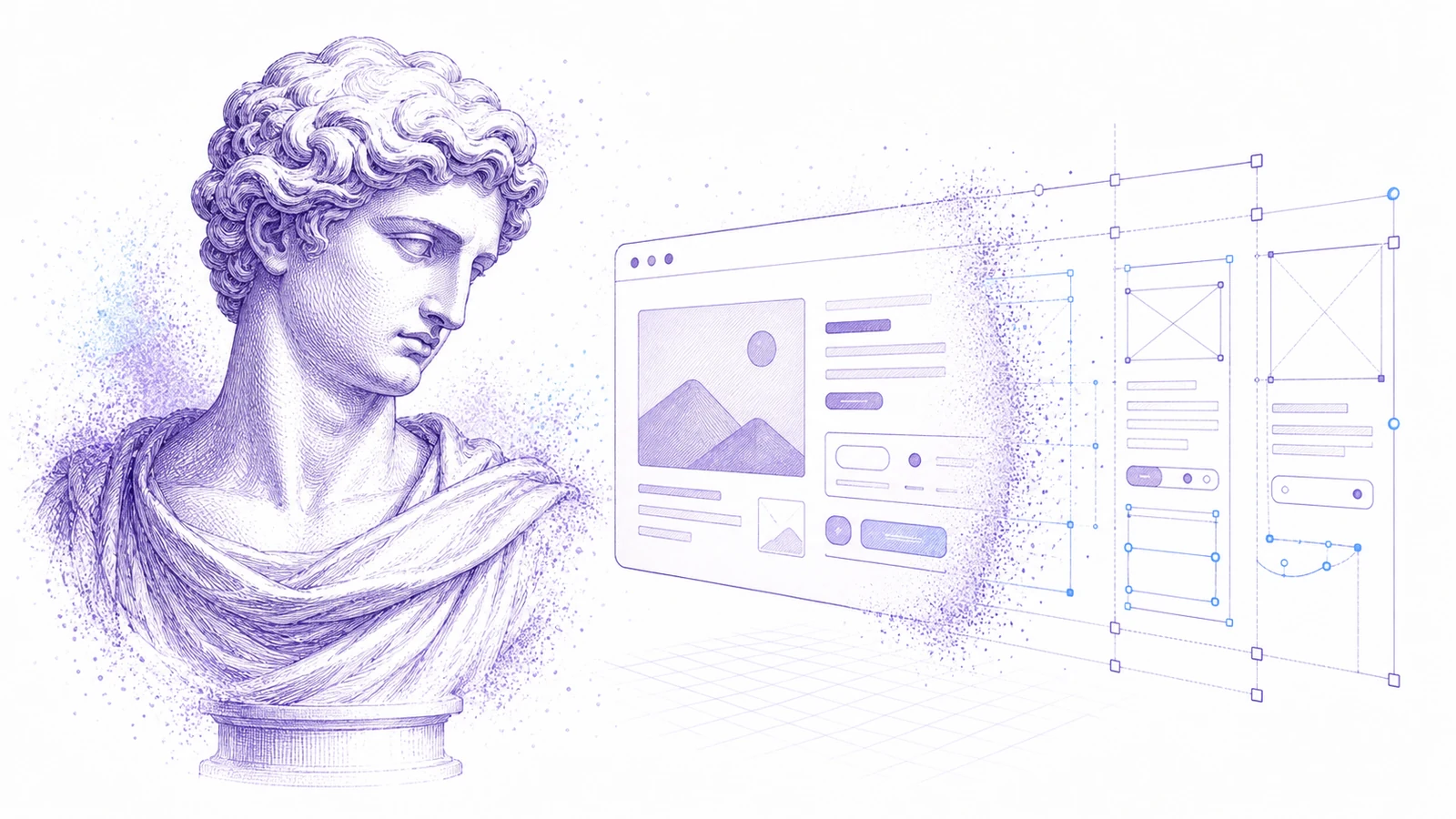
เปลี่ยนสกรีนช็อตให้เป็น Figma ที่แก้ไขได้: เวิร์กโฟลว์ใช้งานจริงสำหรับอ้างอิง UI
เมื่อมีแค่สกรีนช็อต คุณก็ยังสร้างจุดเริ่มต้นใน Figma ที่ใช้งานได้จริงได้ ใช้เวิร์กโฟลว์นี้สำหรับการรีดีไซน์ การอ้างอิง และการกู้คืน UI เก่า
วิธีนำ Canva และ assets ภาพกลับมาใช้เป็นงานออกแบบที่แก้ไขได้
แอสเซ็ตการตลาดมักมาถึงในรูป Canva links ไฟล์ PNG ที่ส่งออก หรือภาพแบนๆ เรียนรู้วิธีแปลงสิ่งเหล่านี้ให้เป็นไฟล์ออกแบบที่แก้ไขได้สำหรับนำกลับมาใช้ แปลภาษา และผลิตงานต่อ
PDF เป็น PowerPoint: ทำอย่างไรให้ได้ PPT ที่แก้ไขได้จริง ไม่ใช่ภาพสไลด์แบนๆ
ตัวแปลง PDF เป็น PPT ส่วนใหญ่มักแปะแต่ละหน้าเป็นภาพแบนๆ เรียนรู้วิธีทดสอบว่าแก้ไขได้จริงไหม และเมื่อไรควรใช้เวิร์กโฟลว์ PDF to Editable PPT ของ Codia
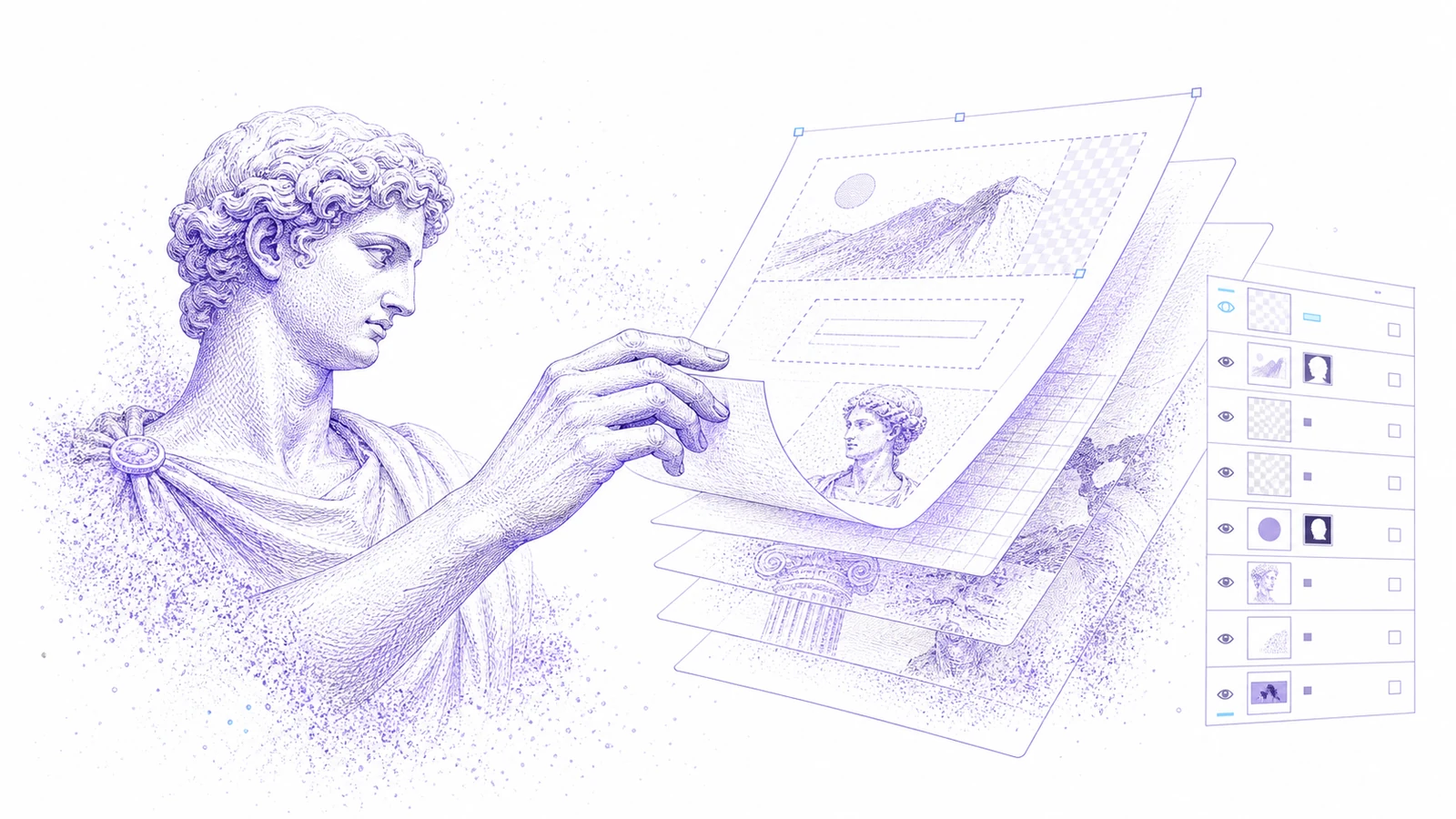
แนะนำ Codia PSD Editor Online: แก้ไฟล์ Photoshop ในเบราว์เซอร์
ตอนนี้ Codia PSD Editor Online พร้อมใช้งานแล้วสำหรับทีมที่ต้องเปิด แก้ไข และส่งออกไฟล์ PSD โดยไม่ต้องใช้เวิร์กโฟลว์ Photoshop แบบเต็มรูปแบบ
แนะนำ Codia Magic Layers: เปลี่ยนภาพแบนให้เป็นเลเยอร์ที่แก้ไขได้
ตอนนี้ Codia Magic Layers พร้อมใช้งานแล้วสำหรับแยกภาพแบนให้กลายเป็นวัตถุ ข้อความ พื้นหลัง สินค้า และองค์ประกอบภาพที่แก้ไขได้
แนะนำ Codia AI Image Text Editor: แก้และเขียนข้อความในรูปภาพใหม่
ตอนนี้ Codia AI Image Text Editor พร้อมใช้งานแล้ว สำหรับแก้ข้อความ AI ที่เพี้ยน ปรับ copy ในภาพแบบแบน และเปลี่ยนข้อความในภาพให้เป็นเลเยอร์ที่แก้ไขได้
ข้อความในภาพ AI เพี้ยน: วิธีแก้คำที่เสียโดยไม่ต้องสร้างภาพใหม่ทั้งชิ้น
เครื่องมือสร้างภาพด้วย AI มักให้ภาพสวยแต่คำเพี้ยน เรียนรู้ว่าเมื่อไรควรสร้างใหม่ เมื่อไรควรแก้ และ Codia เปลี่ยนข้อความในภาพให้เป็นเลเยอร์ที่แก้ไขได้อย่างไร
วิธีแก้ข้อความในรูปภาพโดยไม่ต้องสร้างงานออกแบบใหม่ทั้งชิ้น
ต้องเปลี่ยนพาดหัว ราคา วันที่ หรือป้ายกำกับในภาพแบนๆ ใช่ไหม? นี่คือเวิร์กโฟลว์ที่ใช้งานได้จริงสำหรับเปลี่ยนข้อความในภาพให้กลายเป็นเลเยอร์ที่แก้ไขได้
วิธีแก้ไข PSD ออนไลน์โดยไม่ต้องติดตั้ง Photoshop
ต้องเปิด PSD แก้ไขเล็กน้อย แล้วส่งออกกลับไปใช้งานต่อใช่ไหม? มาดูกันว่าเมื่อไรที่ตัวแก้ไข PSD ออนไลน์ใช้ได้ผล และ Codia ช่วยให้เวิร์กโฟลว์ยังคงอิงเลเยอร์ได้อย่างไร
AI Prompting Lessons from Practical Product Work
AI Prompting Lessons from Practical Product Work explained through practical product workflow, design-to-code handoff, review steps, and how Codia helps teams move from visual input to usable output.
Flutter or React Native: Choosing a Cross-Platform Framework
Flutter or React Native: Choosing a Cross-Platform Framework explained through practical product workflow, design-to-code handoff, review steps, and how Codia helps teams move from visual input to usable output.
Top 15 Tools for macOS App Development
Top 15 Tools for macOS App Development explained through practical product workflow, design-to-code handoff, review steps, and how Codia helps teams move from visual input to usable output.
The Evolution of UI Development
The Evolution of UI Development explained through practical product workflow, design-to-code handoff, review steps, and how Codia helps teams move from visual input to usable output.
Image Processing for UI Element Segmentation
Image Processing for UI Element Segmentation explained through practical product workflow, design-to-code handoff, review steps, and how Codia helps teams move from visual input to usable output.
SwiftUI UI Layout Introduction
SwiftUI UI Layout Introduction explained through practical product workflow, design-to-code handoff, review steps, and how Codia helps teams move from visual input to usable output.
Start Here: A Practical Guide to Codia
Start Here: A Practical Guide to Codia explained through practical product workflow, design-to-code handoff, review steps, and how Codia helps teams move from visual input to usable output.
Set Up an iOS Development Environment
Set Up an iOS Development Environment explained through practical product workflow, design-to-code handoff, review steps, and how Codia helps teams move from visual input to usable output.
Set Up a Flutter Development Environment
Set Up a Flutter Development Environment explained through practical product workflow, design-to-code handoff, review steps, and how Codia helps teams move from visual input to usable output.
Set Up an Android Development Environment
Set Up an Android Development Environment explained through practical product workflow, design-to-code handoff, review steps, and how Codia helps teams move from visual input to usable output.
Transform Wireframes into Polished Design Drafts with AI
Transform Wireframes into Polished Design Drafts with AI explained through practical product workflow, design-to-code handoff, review steps, and how Codia helps teams move from visual input to usable output.
React Native Tutorial: Build Your First Mobile App
React Native Tutorial: Build Your First Mobile App explained through practical product workflow, design-to-code handoff, review steps, and how Codia helps teams move from visual input to usable output.
PDF to HTML: Turn Static Documents into Web Layouts
PDF to HTML: Turn Static Documents into Web Layouts explained through practical product workflow, design-to-code handoff, review steps, and how Codia helps teams move from visual input to usable output.
Node.js API Development Best Practices
Node.js API Development Best Practices explained through practical product workflow, design-to-code handoff, review steps, and how Codia helps teams move from visual input to usable output.
Mastering macOS: 17 Common Development Challenges
Mastering macOS: 17 Common Development Challenges explained through practical product workflow, design-to-code handoff, review steps, and how Codia helps teams move from visual input to usable output.
Mastering Figma to Vue
Mastering Figma to Vue explained through practical product workflow, design-to-code handoff, review steps, and how Codia helps teams move from visual input to usable output.
JPEG to SVG: Convert Raster References into Editable Vector Assets
JPEG to SVG: Convert Raster References into Editable Vector Assets explained through practical product workflow, design-to-code handoff, review steps, and how Codia helps teams move from visual input to usable output.
Jetpack Compose Mastery Finale: 38 Key UI Issues
Jetpack Compose Mastery Finale: 38 Key UI Issues explained through practical product workflow, design-to-code handoff, review steps, and how Codia helps teams move from visual input to usable output.
Jetpack Compose Mastery Part 1: Build Your First Compose App
Jetpack Compose Mastery Part 1: Build Your First Compose App explained through practical product workflow, design-to-code handoff, review steps, and how Codia helps teams move from visual input to usable output.
An In-Depth Perspective on Flutter
An In-Depth Perspective on Flutter explained through practical product workflow, design-to-code handoff, review steps, and how Codia helps teams move from visual input to usable output.
วิธีใช้ Screenshot to Editable Figma
อธิบายวิธีใช้ Screenshot to Editable Figma ผ่านเวิร์กโฟลว์ผลิตภัณฑ์จริง การส่งต่อจากดีไซน์สู่โค้ด ขั้นตอนตรวจทาน และวิธีที่ Codia ช่วยให้ทีมเปลี่ยนข้อมูลภาพเป็นผลลัพธ์ที่ใช้งานได้
The Future of Design to Code: Automating Figma to Vue.js
The Future of Design to Code: Automating Figma to Vue.js explained through practical product workflow, design-to-code handoff, review steps, and how Codia helps teams move from visual input to usable output.
Flutter Development from Zero to Production
Flutter Development from Zero to Production explained through practical product workflow, design-to-code handoff, review steps, and how Codia helps teams move from visual input to usable output.
Figma to React: Convert Design Structure into Components
Figma to React: Convert Design Structure into Components explained through practical product workflow, design-to-code handoff, review steps, and how Codia helps teams move from visual input to usable output.
Figma to Code: An Automated Journey from Design to Implementation
Figma to Code: An Automated Journey from Design to Implementation explained through practical product workflow, design-to-code handoff, review steps, and how Codia helps teams move from visual input to usable output.
Figma to Android: From Design Frames to Buildable UI
Figma to Android: From Design Frames to Buildable UI explained through practical product workflow, design-to-code handoff, review steps, and how Codia helps teams move from visual input to usable output.
Starting a macOS Development Journey from Zero
Starting a macOS Development Journey from Zero explained through practical product workflow, design-to-code handoff, review steps, and how Codia helps teams move from visual input to usable output.
How Deep Learning Accelerates Application Development
How Deep Learning Accelerates Application Development explained through practical product workflow, design-to-code handoff, review steps, and how Codia helps teams move from visual input to usable output.
A Comprehensive Guide to Flutter Development for macOS
A Comprehensive Guide to Flutter Development for macOS explained through practical product workflow, design-to-code handoff, review steps, and how Codia helps teams move from visual input to usable output.
A Comprehensive Exploration of Flutter
A Comprehensive Exploration of Flutter explained through practical product workflow, design-to-code handoff, review steps, and how Codia helps teams move from visual input to usable output.
Electron vs. Flutter: A Practical Comparison
Electron vs. Flutter: A Practical Comparison explained through practical product workflow, design-to-code handoff, review steps, and how Codia helps teams move from visual input to usable output.
Understanding the Compose UI Layout System
Understanding the Compose UI Layout System explained through practical product workflow, design-to-code handoff, review steps, and how Codia helps teams move from visual input to usable output.
Codia AI UI Generator Design Toolkit Guide
Codia AI UI Generator Design Toolkit Guide explained through practical product workflow, design-to-code handoff, review steps, and how Codia helps teams move from visual input to usable output.
Codia AI Design OCR Technology
Codia AI Design OCR Technology explained through practical product workflow, design-to-code handoff, review steps, and how Codia helps teams move from visual input to usable output.
The Codia AI Design-to-Code Revolution
The Codia AI Design-to-Code Revolution explained through practical product workflow, design-to-code handoff, review steps, and how Codia helps teams move from visual input to usable output.
The Codia AI Design-to-Code Revolution, Part 2
The Codia AI Design-to-Code Revolution, Part 2 explained through practical product workflow, design-to-code handoff, review steps, and how Codia helps teams move from visual input to usable output.
Android 14 Adaptation Guide: Upgrading targetSdkVersion to 34
Android 14 Adaptation Guide: Upgrading targetSdkVersion to 34 explained through practical product workflow, design-to-code handoff, review steps, and how Codia helps teams move from visual input to usable output.
Advanced iOS Development: Practical SwiftUI Tips
Advanced iOS Development: Practical SwiftUI Tips explained through practical product workflow, design-to-code handoff, review steps, and how Codia helps teams move from visual input to usable output.
A Deep Dive into Apple Vision Pro and visionOS
A Deep Dive into Apple Vision Pro and visionOS explained through practical product workflow, design-to-code handoff, review steps, and how Codia helps teams move from visual input to usable output.
Supercharge Your Mobile Dev Skills: 10 Essential Tools for Max Efficiency
A practical mobile development toolkit for shipping faster across Android, iOS, Flutter, and React Native: IDEs, design-to-code, backend, testing, monitoring, API, CI, and release automation.
Screenshot to Figma Design by AI: A New Chapter in Future Design
How AI screenshot-to-Figma workflows turn flat UI images into editable design structure, where they help, where they fail, and how teams use them responsibly.
Jetpack Compose Mastery Part 2: Advanced Tools and Resources for Mastering Compose UI
A practical guide to advanced Jetpack Compose tooling: previews, Material theming, state, performance, testing, accessibility, and design-to-code workflow.
Image to HTML: Convert UI Screenshots into Editable Web Pages
A practical guide to converting images and UI screenshots into HTML: structure recovery, OCR, layout review, accessibility, and production cleanup.
How to Reduce Android Studio's Maximum Memory Footprint
A practical guide to lowering Android Studio's memory footprint without making builds painfully slow: IDE heap, Gradle daemon, Kotlin daemon, emulator usage, plugins, indexing, and project structure.
Figma to Vue.js: Bridging Design and Development
How to turn Figma designs into Vue 3 components with a clean handoff workflow, reusable structure, scoped styling, and production review.
Figma to SwiftUI: Convert iOS Designs into Native Views
A practical workflow for converting Figma iOS screens into SwiftUI views with clean hierarchy, tokens, assets, state, previews, and production review.
Figma to React Native: Turn Mobile Designs into App Screens
A practical workflow for converting Figma mobile screens into React Native components that engineers can review, refactor, and ship.
Figma to HTML: Convert Designs into Semantic Web Pages
A practical Figma-to-HTML workflow for generating clean markup, responsive CSS, semantic structure, accessible controls, and production-ready handoff.
Exploration of Flutter Hot Update Technology
A practical look at Flutter hot update technology, what hot reload is not, what app stores allow, and safer alternatives for updating mobile apps quickly.
Complete Guide to Building a Vue.js CRUD Application
A practical Vue 3 CRUD application guide covering routes, components, forms, API calls, validation, loading states, errors, and production cleanup.
AI HTML Generator: Turn Prompts and Designs into Clean Web Markup
How to use an AI HTML generator effectively: prompts, Figma input, screenshot input, semantic review, responsive cleanup, and production handoff.
AI Code Generator: What It Can Build, Where It Fails, and How to Use It Well
A practical guide to AI code generators: prompt input, design input, code review, frontend scaffolds, limitations, and production workflow.
NotebookLM-style PDF to Editable PPTX with Codia Open API
Build a server-side NotebookLM-style PDF to editable PPTX pipeline with Codia Open API: upload a private PDF, estimate credits, create a pdf_to_ppt task, receive a webhook, and download the generated PowerPoint file.
ทำไม PPTX Export ของ NotebookLM ถึงแก้ไขไม่ได้จริง (และวิธีแก้)
NotebookLM เพิ่ม native PPTX export เมื่อ 18 กุมภาพันธ์ 2026 — แต่ไฟล์ที่ได้มาไม่ได้แก้ไขได้จริง บทความนี้อธิบายว่าอะไรเปิดได้ใน PowerPoint อะไรที่ยังล็อกอยู่ และ NoteSlide เข้ามาปิด gap ตรงนี้ได้อย่างไร
ขีดจำกัด 20 สไลด์ของ NotebookLM: วิธีสร้าง Deck ยาวขึ้นโดยไม่เสียความสามารถแก้ไข
NotebookLM จำกัด Slide Deck ไว้ที่ 20 สไลด์ — พอสำหรับ executive summary แต่ไม่พอสำหรับ quarterly review และ training. 4 วิธีแก้ไขที่ใช้งานได้จริง จัดเรียงจากเร็วสุดถึงครบสุด ทั้งหมดคง PowerPoint editability ไว้ครบ
วิธีลบลายน้ำ NotebookLM อย่างถูกต้องตามกฎหมาย (คู่มือครบจบ)
คู่มือปฏิบัติที่ซื่อตรงในการลบลายน้ำ NotebookLM ออกจากสไลด์ที่ส่งออก — ลายน้ำที่แท้จริงคืออะไร เมื่อไหร่ที่ลบได้ และ workflow ที่สะอาดที่สุดโดยใช้ NoteSlide
วิธีแปลง NotebookLM เป็น PowerPoint ใน 2026 (ทีละขั้นตอน)
คู่มือครบปี 2026 สำหรับแปลง NotebookLM เป็น PowerPoint แก้ไขได้ — 3 เส้นทาง (native export, NoteSlide, hybrid) พร้อมขั้นตอนละเอียด จุดผิดพลาดที่ควรหลีกเลี่ยง และ checklist คุณภาพ 10 ข้อ
เปรียบเทียบ 7 เครื่องมือแปลง NotebookLM เป็น PowerPoint ที่ดีที่สุด (2026)
เปรียบเทียบตรงๆ 7 เครื่องมือที่คนใช้จริงในการแปลง NotebookLM เป็น PowerPoint — แต่ละตัวทำได้ดีที่สุดในอะไร จุดอ่อนคืออะไร และเลือกแบบไหนให้ตรงกับงานของคุณ
Screenshot to Figma กับ Cursor และ Figma MCP Server: เวิร์กโฟลว์สำหรับ AI coding agent
วิธีผสานการแปลงสกรีนช็อตเป็น Figma ของ Codia เข้ากับ Figma MCP server แบบเป็นทางการใน Cursor, Claude Code หรือ Windsurf — เปลี่ยน reference แบบภาพแบนให้เป็นโค้ดที่สะอาดในสามขั้นตอน
Image to Figma: แปลงรูปภาพใดๆ ให้เป็นเลเยอร์ Figma ที่แก้ไขได้
เปลี่ยนรูปภาพใดๆ — ภาพหน้าจอ UI, wireframe, sketch, ภาพประกอบ, หรือภาพถ่ายหน้าจอ — ให้กลายเป็นไฟล์ Figma ที่แก้ไขได้เต็มรูปแบบพร้อม Auto Layout, text layer จริง และคอมโพเนนต์ที่ใช้ซ้ำได้
Codia vs image.to.design: เปรียบเทียบ Screenshot-to-Figma แบบละเอียด (2026)
การเปรียบเทียบ Codia AI และ image.to.design แบบตรงไปตรงมาและแยกทีละฟีเจอร์สำหรับการแปลงสกรีนช็อตและภาพให้เป็นงานออกแบบ Figma ที่แก้ไขได้ — แต่ละตัวเด่นด้านไหน ต่างกันตรงไหน และควรเลือกอย่างไร
Screenshot to Canva: Turn Any UI or Design Screenshot into an Editable Canva File
Bring any UI screenshot, app screen, or inspiration image into Canva as editable layers — text, shapes, and components — using Codia AI Vision and a clean PPTX or PNG bridge.

Website to Figma: คู่มือฉบับสมบูรณ์สำหรับการแปลงเว็บเพจจริงให้เป็นดีไซน์ที่แก้ไขได้
เปลี่ยนเว็บไซต์จริงใดๆ — ผลิตภัณฑ์ของคุณเอง หน้าคู่แข่ง ไซต์พาร์ตเนอร์ หรือแอปเก่า — ให้กลายเป็นไฟล์ Figma ที่แก้ไขได้ เวิร์กโฟลว์ สถานการณ์ สิ่งที่ต้องจับ และวิธีเปรียบเทียบกับการแปลงจาก screenshot และ HTML
Screenshot to Figma สำหรับงานรีดีไซน์: สร้าง UI เดิมขึ้นใหม่โดยไม่ต้องเริ่มจากศูนย์
เวิร์กโฟลว์รีดีไซน์ที่ใช้งานได้จริงสำหรับเปลี่ยนหน้าจอผลิตภัณฑ์เดิม reference คู่แข่ง และสกรีนช็อตจากลูกค้า ให้กลายเป็นจุดเริ่มต้นใน Figma ที่แก้ไขได้
Screenshot to Figma (และ Image to Figma): คู่มือฉบับสมบูรณ์ปี 2026 สำหรับการแปลงภาพ UI ให้เป็นดีไซน์ที่แก้ไขได้
จากภาพหน้าจอ UI หรือรูปภาพใดๆ ไปสู่ไฟล์ Figma ที่แก้ไขได้ภายในไม่กี่วินาที — เวิร์กโฟลว์ เคล็ดลับตามสถานการณ์ การเปรียบเทียบ 4 เครื่องมือ ฟรีเทียบโปร การแก้ปัญหา 'ปุ่มกลายเป็นภาพแบน' และวิธีใช้งานร่วมกับ Cursor + Figma MCP
Screenshot to Code: เปลี่ยนภาพ UI ให้เป็น React, HTML หรือ Tailwind
เรียนรู้เวิร์กโฟลว์ที่ใช้งานได้จริงสำหรับการเปลี่ยนภาพหน้าจอ UI ให้เป็นโครงสร้างดีไซน์ที่แก้ไขได้ แล้วต่อยอดเป็นโค้ดฟรอนต์เอนด์

PSD to Figma: The Complete Guide to Converting Photoshop Files into Editable Designs
Everything you need for PSD-to-Figma — what actually survives the conversion, how to plan it for one file or fifty thousand, layer-by-layer fidelity expectations, and the review loop that makes migrated files usable.
PSD to Figma Migration Checklist for Design and Brand Teams
A practical checklist for planning, converting, reviewing, and governing PSD-to-Figma migrations across team design archives.
PDF to Presentation: NoteSlide เปลี่ยนเอกสารใดๆ ให้เป็นสไลด์เด็คที่แก้ไขได้อย่างไร
รู้จัก NoteSlide และเรียนรู้เวิร์กโฟลว์ครบถ้วนสำหรับการเปลี่ยน PDF, รายงาน, paper และโน้ต ให้กลายเป็น PowerPoint และ Keynote ที่แก้ไขได้ โดยไม่ต้องสร้างใหม่ด้วยมือ
PDF to Figma: คู่มือฉบับสมบูรณ์สำหรับการแปลง PDF แบบคงที่ให้เป็นไฟล์ดีไซน์ที่แก้ไขได้
แปลง PDF ทุกประเภท — one-pager การตลาด รายงานหลายหน้า แบบเวกเตอร์หรือสแกน ไฟล์เดี่ยวหรือหลายพันไฟล์ — ให้เป็นเลเยอร์ Figma ที่แก้ไขได้ ครอบคลุมเวิร์กโฟลว์ สิ่งที่กู้กลับมาได้ เคล็ดลับตามสถานการณ์ และตัวเลือก API สำหรับงานแบตช์
NotebookLM สู่ PowerPoint ที่แก้ไขได้: คู่มือ NoteSlide ฉบับสมบูรณ์
ทุกอย่างที่คุณต้องรู้เพื่อเปลี่ยนสไลด์จาก NotebookLM ให้กลายเป็น PowerPoint ที่แก้ไขได้อย่างเต็มรูปแบบ — การเตรียมไฟล์ การแปลงด้วย NoteSlide เช็กลิสต์ตรวจทาน เวิร์กโฟลว์ทีม และคำถามที่พบบ่อย รวมอยู่ที่นี่
คำถามที่พบบ่อยเกี่ยวกับ NotebookLM Editable PowerPoint
คำถามที่คนถามจริงเกี่ยวกับการเปลี่ยนสไลด์จาก NotebookLM ให้เป็น PowerPoint ที่แก้ไขได้ — คำว่า 'editable' หมายถึงอะไร ฟอร์แมตไหนใช้ได้ ควรตรวจอะไร และ NoteSlide ทำหรือไม่ทำอะไร
HTML to Figma: แปลง HTML, CSS และซอร์สโค้ดให้เป็นดีไซน์ Figma ที่แก้ไขได้
เมื่อคุณมีซอร์สโค้ดแทนที่จะมีดีไซน์ — แปลง HTML และ CSS ให้เป็นไฟล์ Figma ที่แก้ไขได้ กรณีใช้งาน เวิร์กโฟลว์สำหรับนักพัฒนา การเปรียบเทียบกับ Website-to-Figma และสิ่งที่รอดจากการแปลง
Figma to React: แปลงดีไซน์ให้เป็นคอมโพเนนต์ที่ดูแลต่อได้
คู่มือปฏิบัติสำหรับการแปลงดีไซน์ Figma ให้เป็นคอมโพเนนต์ React ที่ทีมวิศวกรสามารถตรวจ แยกส่วน และนำไปใช้งานต่อได้
Figma to Code: เวิร์กโฟลว์ออกแบบสู่โค้ดฉบับสมบูรณ์สำหรับ React, Vue, HTML, Tailwind, Flutter และอื่นๆ
วิธีเตรียมไฟล์ Figma ให้สร้างโค้ดได้สะอาด สิ่งที่ควรคาดหวังในแต่ละเฟรมเวิร์ก (React, Vue, HTML, Tailwind, Flutter, SwiftUI, Compose) และวิธีตรวจผลลัพธ์ให้ทีมวิศวกรนำไปใช้งานต่อได้

Canva to Figma: ย้ายดีไซน์การตลาดเข้าสู่เวิร์กโฟลว์การออกแบบผลิตภัณฑ์
เรียนรู้วิธีที่ทีมต่างๆ แปลงดีไซน์จาก Canva ให้เป็นไฟล์ Figma สำหรับการรีวิวแบรนด์ การส่งต่องานผลิตภัณฑ์ การรีดีไซน์ และการปรับให้เข้ากับ design system

เครื่องมือ Figma to Code ที่ดีที่สุดในปี 2026: เลือกเวิร์กโฟลว์ที่เหมาะอย่างไร
คู่มือเชิงปฏิบัติสำหรับการเลือกเครื่องมือ Figma-to-code สำหรับ React, HTML, Tailwind และเวิร์กโฟลว์ฟรอนต์เอนด์ระดับโปรดักชัน
Image to SVG: แปลงโลโก้ PNG และ JPG ให้เป็นเวกเตอร์ที่แก้ไขได้
คู่มือสำหรับนักออกแบบในการแปลงโลโก้ ไอคอน และกราฟิกแบบบิตแมป ให้กลายเป็นไฟล์ SVG ที่สะอาดและแก้ไขได้
Visual Struct API: Convert UI Screenshots into Structured JSON
Use the Visual Struct API to convert UI screenshots into structured JSON, SVG, or Figma-compatible nodes for automation, search, QA, and design-to-code pipelines.
Remove Background API: Generate Clean Transparent PNG Cutouts
Use Codia's Remove Background API to turn product photos, portraits, and creative assets into clean transparent PNG cutouts for e-commerce and design pipelines.

From Flat PDF to Structured UI: Inside the PDF-to-Visual-Struct Pipeline
A deep look at how Codia's PDF to Visual Struct API turns static documents into a hierarchical, render-ready UI schema in under two seconds — and what you can build on top of it.

ความเป็นส่วนตัว ความปลอดภัย และความเป็นเจ้าของข้อมูลที่ Codia
Codia จัดการการอัปโหลดส่วนตัว การฝึก AI ระยะเวลาการเก็บข้อมูล subprocessors และความเป็นเจ้าของของไฟล์และผลลัพธ์ที่คุณสร้างด้วย Codia อย่างไร
Open API และระบบนิเวศนักพัฒนาของ Codia
สร้างบน Codia ด้วย API สำหรับการดึงโครงสร้างภาพ การแปลง PDF เป็น schema การอัปโหลด เวิร์กโฟลว์งาน และการทำงานอัตโนมัติด้านดีไซน์ที่แก้ไขได้
ความมุ่งมั่นของ Codia ต่อความคิดสร้างสรรค์
ความมุ่งมั่นของ Codia คือทำให้งานสร้างสรรค์แก้ไขซ้ำ ใช้ซ้ำ และเข้าถึงได้ง่ายขึ้น ด้วยการใช้ AI เอางานแปลงรูปแบบที่ทำซ้ำๆ ออกจากเวิร์กโฟลว์ด้านการออกแบบ เนื้อหา และการพัฒนา
Codia สำหรับทีมองค์กร
วิธีที่ทีมองค์กรใช้ Codia สำหรับการย้ายงานเป็นชุด การทำงานอัตโนมัติผ่าน API การแปลงให้แก้ไขได้ การตรวจสอบด้านความปลอดภัย และการวางแผนการติดตั้งแบบส่วนตัว
แนวทางของเราในการออกแบบด้วย AI
แนวทางของ Codia ต่อการออกแบบด้วย AI ไม่ใช่การสร้างภาพแบบเรียบๆ เราใช้ vision AI เพื่อเข้าใจโครงสร้าง รักษาความสามารถในการแก้ไข และพางานภาพนิ่งกลับเข้าสู่เวิร์กโฟลว์ด้านการออกแบบและโค้ดจริง

About Codia AI: Product Suite, Design Philosophy, Trust, and Developer Platform
One page on everything Codia AI: what we build, what we believe about AI-powered design, how we work with enterprise teams, how we protect your data, and how developers can build on top of us.
เริ่มต้นใช้งาน Codia AI
เรียนรู้วิธีใช้ Codia AI เพื่อเร่งเวิร์กโฟลว์ด้านการออกแบบและการพัฒนาตั้งแต่เริ่มต้น