
Blog Codia Indonesia
Wawasan, tutorial, dan pembaruan produk terbaru dari tim Codia.
Introducing AI Presentation Generation in NoteSlide
Turn ideas, notes, and documents into AI-generated presentations with NoteSlide. Review the outline, preview the design, and download an editable PPTX.

How to Prepare a PowerPoint for AI Beautification: A Practical Checklist
Prepare fonts, images, charts, sensitive wording, page scope, and brand references before AI redesigns a PowerPoint. A cleaner source means a faster, safer review.

PowerPoint Template vs. AI Beautifier: Which One Actually Fixes a Bad Deck?
A template controls theme rules; an AI beautifier can reinterpret each slide. Compare what each approach changes, preserves, costs, and risks before redesigning a presentation.
Is an AI-Generated PowerPoint Really Editable? Five Tests to Find Out
A file ending in .pptx is not necessarily editable. Use five practical tests for text, objects, images, charts, and slide structure before choosing or handing off an AI presentation tool.

How to Create a PowerPoint from Word, PDF, a Webpage, or Pasted Text
Word documents, PDFs, webpages, and pasted notes need different preparation before AI turns them into slides. Learn which source works best and how to get a cleaner editable PPTX.
How to Beautify an Old PowerPoint Without Rewriting the Content
Redesign a dated PowerPoint while preserving its message, facts, and approved wording. This workflow covers preparation, slide selection, visual redesign, and final review.

Generate, Beautify, or Convert a PowerPoint? How to Choose the Right AI Workflow
AI presentation tools can create a new deck, redesign an old one, or rebuild a flat PDF as editable PowerPoint. Use this guide to choose the right workflow before you upload anything.
Kenapa PPT Anda Terlihat Amatir: 6 Tanda dan Cara Memperbaikinya
Enam hal yang langsung terlihat dalam tiga detik pertama — sistem visual berbeda-beda, ukuran huruf naik turun, perataan berantakan, slide penuh teks, gambar saling berebut, dan warna tanpa aturan — beserta cara tercepat membereskan masing-masing.
Membuat Satu Set PPT dengan Nano Banana Pro — dan Langkah Terakhirnya
Alur kerja Nano Banana Pro yang benar-benar jalan: satu gambar per slide, kerangka prompt yang bisa dipakai ulang, bahasa visual yang konsisten sampai sepuluh slide, dan pengaturan ekspor yang menentukan apakah hasilnya masih bisa Anda edit.
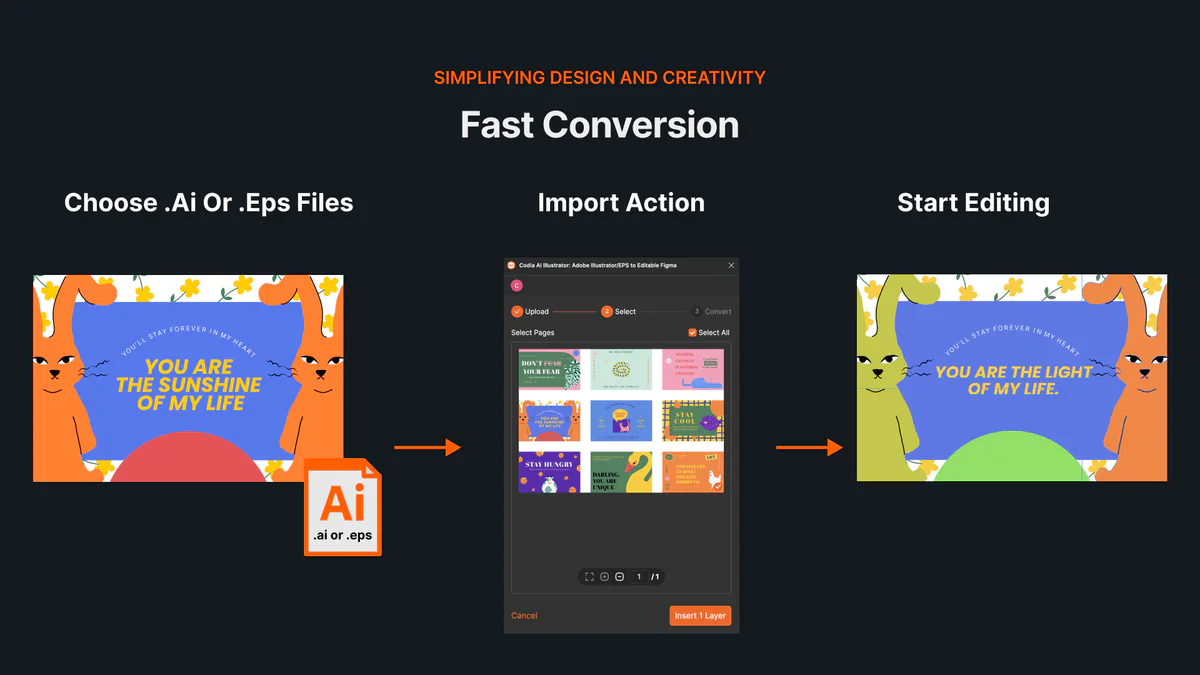
Cara membuka dan mengedit file AI atau EPS online tanpa Illustrator
Pelajari cara membuka file AI dan EPS online, mengimpor artboard serta layer vektor yang dapat diedit ke Codia Studio, dan memeriksa kompatibilitas.
NotebookLM Kini Bernama Gemini Notebook: Apa yang Berubah dan Dampaknya pada Ekspor Slide
Google mengganti nama NotebookLM menjadi Gemini Notebook pada Juli 2026. Simak apa yang benar-benar berubah, apa yang tetap sama, dan pengaruhnya terhadap alur ekspor slide.
How to Review NoteSlide Output: A Text, Image, Chart, and Number Checklist
After NoteSlide converts a PDF into editable PPTX, review text, images, charts, numbers, citations, and slide status before using the deck formally.
How to Prepare Files for NoteSlide: A PDF to PPTX Quality Checklist
Before converting a PDF into editable PPTX with NoteSlide, check source quality, page scope, image clarity, and file size to reduce rework.

How Teachers Can Turn PDF Handouts into Editable Slides with NoteSlide
Teachers can use NoteSlide to turn PDF handouts, scanned slides, or NotebookLM decks into editable PPTX files for classroom review and presentation.
How Researchers Can Turn a Paper PDF into a Conference Presentation with NoteSlide
Researchers can use NoteSlide to convert paper PDFs, research summaries, or scanned materials into editable PPTX files, then review figures, citations, and claims before presenting.
How Marketing Teams Can Turn Whitepapers into Sales Decks with NoteSlide
Marketing teams can use NoteSlide to turn whitepapers, product PDFs, and long-form documents into editable PPTX decks for sales, events, and training.
How Consultants Can Turn Report PDFs into Client Decks with NoteSlide
Consultants can use NoteSlide to turn report PDFs into editable PPTX decks, then refine structure, reduce density, review claims, and prepare client-ready presentations.
What Can You Edit After NoteSlide Conversion? Text, Images, Layout, and More
NoteSlide conversion is not just about placing PDF pages into slides. This guide explains what users can edit after conversion and when complex visuals may remain image-based.

How to Turn NotebookLM Slides into an Editable PPTX with NoteSlide
NotebookLM often gives you a PDF slide deck, not a PowerPoint file you can keep editing. This guide explains how NoteSlide converts NotebookLM PDFs into editable PPTX decks.
Edit Slide NotebookLM: cara membuatnya benar-benar bisa diedit
Slide NotebookLM tidak selalu bisa diedit setelah diekspor sebagai PDF. Panduan ini menjelaskan cara edit NotebookLM slides, mengubah teks, menyesuaikan layout, dan mendapatkan PowerPoint editable.
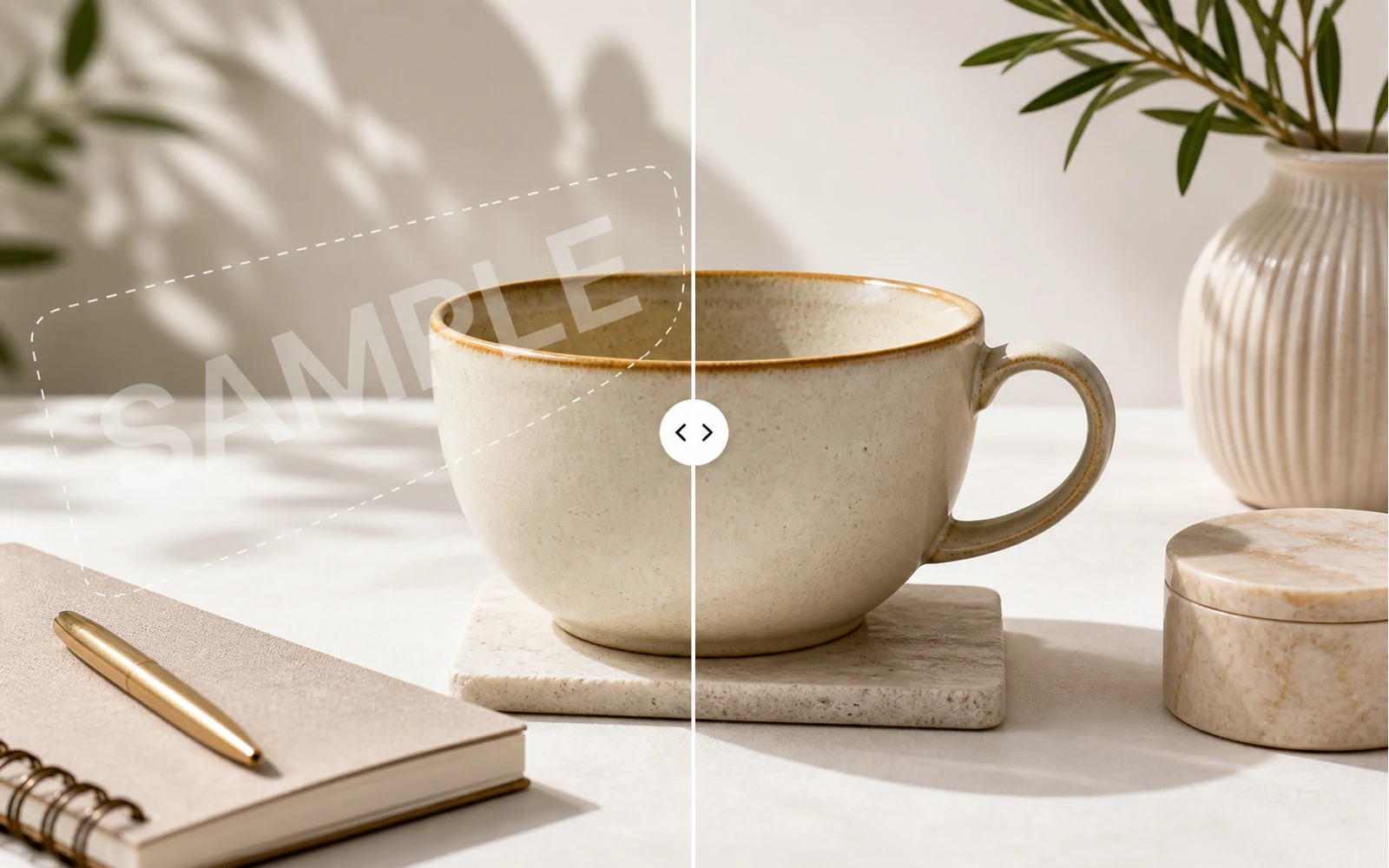
How to Remove a Watermark from an Image with AI
A practical guide for removing watermarks, draft labels, and sample overlays from images you own or are authorized to edit, then continuing the cleanup in Codia Studio.
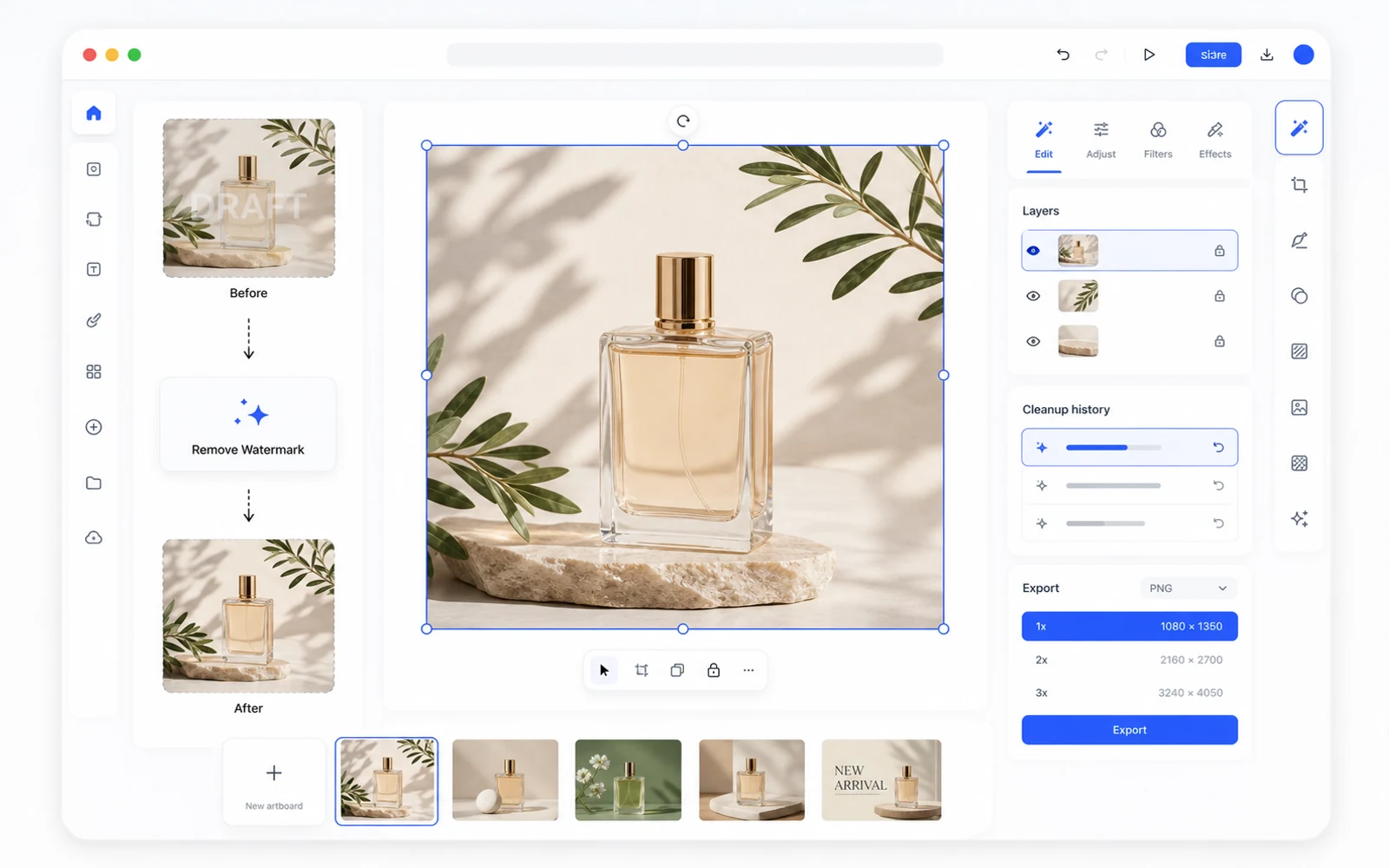
Remove a Watermark, Then Keep Editing in Codia Studio
Why watermark removal works better when it is part of a broader design workflow, not a one-off upload-download task.
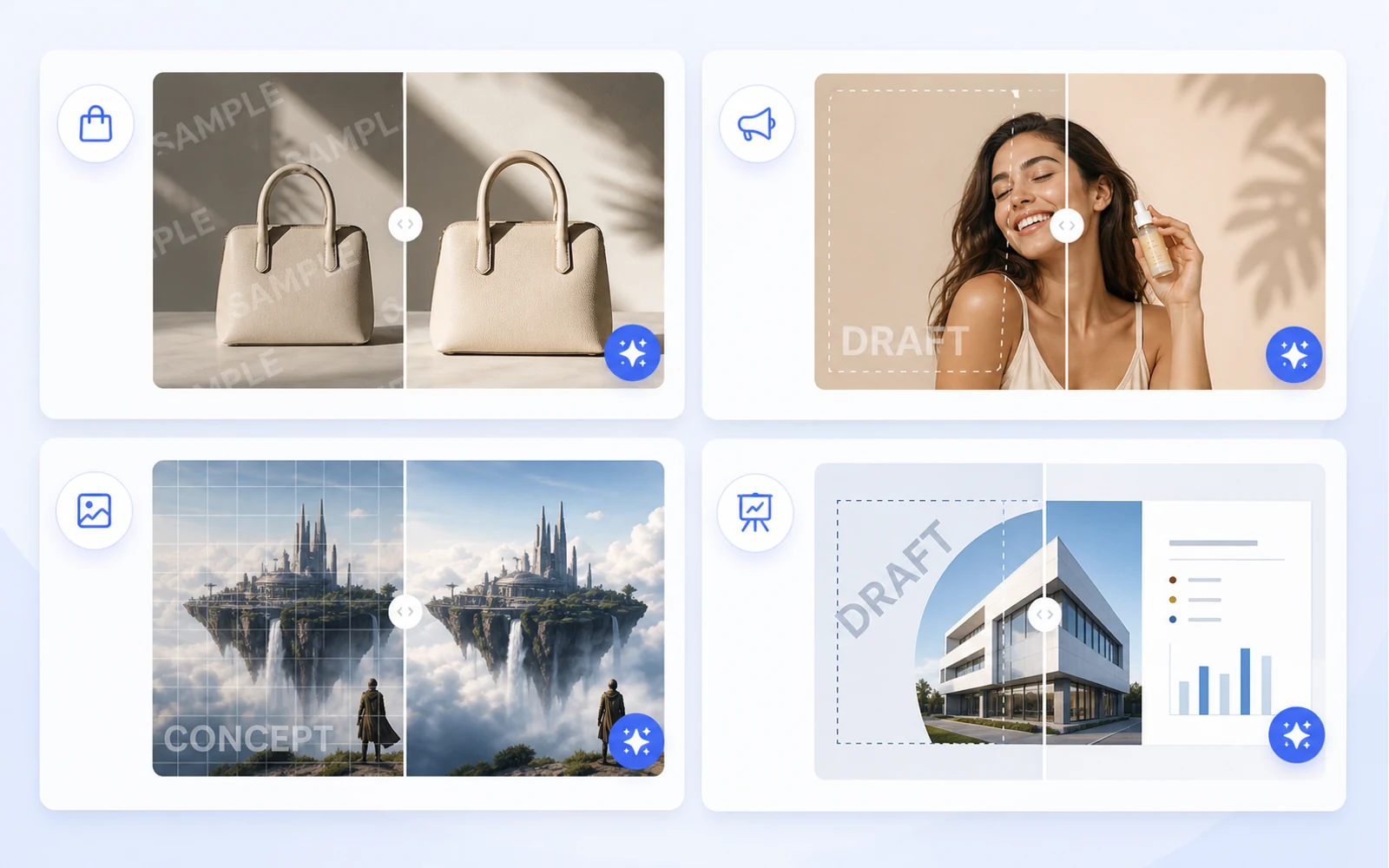
Clean Product Images Before Publishing: Remove Draft Marks and Sample Overlays
How ecommerce teams and marketers can clean authorized product images by removing draft marks, sample overlays, timestamps, and visual clutter before publishing.
Ubah Screenshot Menjadi Figma yang Bisa Diedit: Alur Kerja Praktis untuk Referensi UI
Saat satu-satunya sumber adalah screenshot, Anda tetap bisa membuat titik awal Figma yang berguna. Gunakan alur kerja ini untuk redesign, referensi, dan pemulihan UI lama.
Cara Menggunakan Kembali Aset Canva dan Gambar sebagai Desain yang Bisa Diedit
Aset marketing sering datang sebagai tautan Canva, PNG hasil ekspor, atau gambar datar. Pelajari cara mengubahnya menjadi file desain yang bisa diedit untuk dipakai ulang, lokalisasi, dan produksi.
PDF ke PowerPoint: Cara Mendapatkan PPT yang Benar-Benar Bisa Diedit, Bukan Gambar Slide Datar
Kebanyakan konverter PDF ke PPT menempatkan setiap halaman sebagai gambar datar. Pelajari cara menguji ketereditan dan kapan harus memakai alur kerja PDF ke Editable PPT dari Codia.
Perkenalkan Codia PSD Editor Online: Edit File Photoshop di Browser
Codia PSD Editor Online kini tersedia untuk tim yang perlu membuka, mengedit, dan mengekspor file PSD tanpa alur kerja Photoshop penuh.
Perkenalkan Codia Magic Layers: Ubah Gambar Datar Menjadi Layer yang Bisa Diedit
Codia Magic Layers kini tersedia untuk memisahkan gambar datar menjadi objek, teks, latar belakang, produk, dan elemen visual yang bisa diedit.
Perkenalkan Codia AI Image Text Editor: Perbaiki dan Tulis Ulang Teks di Gambar
Codia AI Image Text Editor kini tersedia untuk memperbaiki teks AI yang berantakan, memperbarui copy di gambar datar, dan mengubah teks gambar menjadi layer yang bisa diedit.
Teks Gambar AI Berantakan: Cara Memperbaiki Kata yang Rusak Tanpa Regenerasi Seluruh Gambar
Generator gambar AI sering menghasilkan visual yang indah dengan kata-kata yang rusak. Pelajari kapan harus regenerasi, kapan harus mengedit, dan bagaimana Codia mengubah teks gambar menjadi layer yang bisa diedit.
Cara Mengedit Teks di Gambar Tanpa Membuat Ulang Seluruh Desain
Perlu mengubah headline, harga, tanggal, atau label di dalam gambar datar? Ini alur kerja praktis untuk mengubah teks gambar menjadi layer yang bisa diedit.
Cara Mengedit PSD Online Tanpa Menginstal Photoshop
Perlu membuka PSD, melakukan edit cepat, lalu mengekspornya lagi? Pelajari kapan editor PSD online cukup dipakai dan bagaimana Codia menjaga alur kerja tetap sadar layer.
AI Prompting Lessons from Practical Product Work
AI Prompting Lessons from Practical Product Work explained through practical product workflow, design-to-code handoff, review steps, and how Codia helps teams move from visual input to usable output.
Flutter or React Native: Choosing a Cross-Platform Framework
Flutter or React Native: Choosing a Cross-Platform Framework explained through practical product workflow, design-to-code handoff, review steps, and how Codia helps teams move from visual input to usable output.
Top 15 Tools for macOS App Development
Top 15 Tools for macOS App Development explained through practical product workflow, design-to-code handoff, review steps, and how Codia helps teams move from visual input to usable output.
The Evolution of UI Development
The Evolution of UI Development explained through practical product workflow, design-to-code handoff, review steps, and how Codia helps teams move from visual input to usable output.
Image Processing for UI Element Segmentation
Image Processing for UI Element Segmentation explained through practical product workflow, design-to-code handoff, review steps, and how Codia helps teams move from visual input to usable output.
SwiftUI UI Layout Introduction
SwiftUI UI Layout Introduction explained through practical product workflow, design-to-code handoff, review steps, and how Codia helps teams move from visual input to usable output.
Start Here: A Practical Guide to Codia
Start Here: A Practical Guide to Codia explained through practical product workflow, design-to-code handoff, review steps, and how Codia helps teams move from visual input to usable output.
Set Up an iOS Development Environment
Set Up an iOS Development Environment explained through practical product workflow, design-to-code handoff, review steps, and how Codia helps teams move from visual input to usable output.
Set Up a Flutter Development Environment
Set Up a Flutter Development Environment explained through practical product workflow, design-to-code handoff, review steps, and how Codia helps teams move from visual input to usable output.
Set Up an Android Development Environment
Set Up an Android Development Environment explained through practical product workflow, design-to-code handoff, review steps, and how Codia helps teams move from visual input to usable output.
Transform Wireframes into Polished Design Drafts with AI
Transform Wireframes into Polished Design Drafts with AI explained through practical product workflow, design-to-code handoff, review steps, and how Codia helps teams move from visual input to usable output.
React Native Tutorial: Build Your First Mobile App
React Native Tutorial: Build Your First Mobile App explained through practical product workflow, design-to-code handoff, review steps, and how Codia helps teams move from visual input to usable output.
PDF to HTML: Turn Static Documents into Web Layouts
PDF to HTML: Turn Static Documents into Web Layouts explained through practical product workflow, design-to-code handoff, review steps, and how Codia helps teams move from visual input to usable output.
Node.js API Development Best Practices
Node.js API Development Best Practices explained through practical product workflow, design-to-code handoff, review steps, and how Codia helps teams move from visual input to usable output.
Mastering macOS: 17 Common Development Challenges
Mastering macOS: 17 Common Development Challenges explained through practical product workflow, design-to-code handoff, review steps, and how Codia helps teams move from visual input to usable output.
Mastering Figma to Vue
Mastering Figma to Vue explained through practical product workflow, design-to-code handoff, review steps, and how Codia helps teams move from visual input to usable output.
JPEG to SVG: Convert Raster References into Editable Vector Assets
JPEG to SVG: Convert Raster References into Editable Vector Assets explained through practical product workflow, design-to-code handoff, review steps, and how Codia helps teams move from visual input to usable output.
Jetpack Compose Mastery Finale: 38 Key UI Issues
Jetpack Compose Mastery Finale: 38 Key UI Issues explained through practical product workflow, design-to-code handoff, review steps, and how Codia helps teams move from visual input to usable output.
Jetpack Compose Mastery Part 1: Build Your First Compose App
Jetpack Compose Mastery Part 1: Build Your First Compose App explained through practical product workflow, design-to-code handoff, review steps, and how Codia helps teams move from visual input to usable output.
An In-Depth Perspective on Flutter
An In-Depth Perspective on Flutter explained through practical product workflow, design-to-code handoff, review steps, and how Codia helps teams move from visual input to usable output.
Cara Menggunakan Screenshot ke Figma yang Dapat Diedit
Penjelasan praktis tentang cara memakai Screenshot to Editable Figma, alur handoff desain ke code, langkah review, dan bagaimana Codia membantu tim bergerak dari input visual ke output yang bisa dipakai.
The Future of Design to Code: Automating Figma to Vue.js
The Future of Design to Code: Automating Figma to Vue.js explained through practical product workflow, design-to-code handoff, review steps, and how Codia helps teams move from visual input to usable output.
Flutter Development from Zero to Production
Flutter Development from Zero to Production explained through practical product workflow, design-to-code handoff, review steps, and how Codia helps teams move from visual input to usable output.
Figma to React: Convert Design Structure into Components
Figma to React: Convert Design Structure into Components explained through practical product workflow, design-to-code handoff, review steps, and how Codia helps teams move from visual input to usable output.
Figma to Code: An Automated Journey from Design to Implementation
Figma to Code: An Automated Journey from Design to Implementation explained through practical product workflow, design-to-code handoff, review steps, and how Codia helps teams move from visual input to usable output.
Figma to Android: From Design Frames to Buildable UI
Figma to Android: From Design Frames to Buildable UI explained through practical product workflow, design-to-code handoff, review steps, and how Codia helps teams move from visual input to usable output.
Starting a macOS Development Journey from Zero
Starting a macOS Development Journey from Zero explained through practical product workflow, design-to-code handoff, review steps, and how Codia helps teams move from visual input to usable output.
How Deep Learning Accelerates Application Development
How Deep Learning Accelerates Application Development explained through practical product workflow, design-to-code handoff, review steps, and how Codia helps teams move from visual input to usable output.
A Comprehensive Guide to Flutter Development for macOS
A Comprehensive Guide to Flutter Development for macOS explained through practical product workflow, design-to-code handoff, review steps, and how Codia helps teams move from visual input to usable output.
A Comprehensive Exploration of Flutter
A Comprehensive Exploration of Flutter explained through practical product workflow, design-to-code handoff, review steps, and how Codia helps teams move from visual input to usable output.
Electron vs. Flutter: A Practical Comparison
Electron vs. Flutter: A Practical Comparison explained through practical product workflow, design-to-code handoff, review steps, and how Codia helps teams move from visual input to usable output.
Understanding the Compose UI Layout System
Understanding the Compose UI Layout System explained through practical product workflow, design-to-code handoff, review steps, and how Codia helps teams move from visual input to usable output.
Codia AI UI Generator Design Toolkit Guide
Codia AI UI Generator Design Toolkit Guide explained through practical product workflow, design-to-code handoff, review steps, and how Codia helps teams move from visual input to usable output.
Codia AI Design OCR Technology
Codia AI Design OCR Technology explained through practical product workflow, design-to-code handoff, review steps, and how Codia helps teams move from visual input to usable output.
The Codia AI Design-to-Code Revolution
The Codia AI Design-to-Code Revolution explained through practical product workflow, design-to-code handoff, review steps, and how Codia helps teams move from visual input to usable output.
The Codia AI Design-to-Code Revolution, Part 2
The Codia AI Design-to-Code Revolution, Part 2 explained through practical product workflow, design-to-code handoff, review steps, and how Codia helps teams move from visual input to usable output.
Android 14 Adaptation Guide: Upgrading targetSdkVersion to 34
Android 14 Adaptation Guide: Upgrading targetSdkVersion to 34 explained through practical product workflow, design-to-code handoff, review steps, and how Codia helps teams move from visual input to usable output.
Advanced iOS Development: Practical SwiftUI Tips
Advanced iOS Development: Practical SwiftUI Tips explained through practical product workflow, design-to-code handoff, review steps, and how Codia helps teams move from visual input to usable output.
A Deep Dive into Apple Vision Pro and visionOS
A Deep Dive into Apple Vision Pro and visionOS explained through practical product workflow, design-to-code handoff, review steps, and how Codia helps teams move from visual input to usable output.
Supercharge Your Mobile Dev Skills: 10 Essential Tools for Max Efficiency
A practical mobile development toolkit for shipping faster across Android, iOS, Flutter, and React Native: IDEs, design-to-code, backend, testing, monitoring, API, CI, and release automation.
Screenshot to Figma Design by AI: A New Chapter in Future Design
How AI screenshot-to-Figma workflows turn flat UI images into editable design structure, where they help, where they fail, and how teams use them responsibly.
Jetpack Compose Mastery Part 2: Advanced Tools and Resources for Mastering Compose UI
A practical guide to advanced Jetpack Compose tooling: previews, Material theming, state, performance, testing, accessibility, and design-to-code workflow.
Image to HTML: Convert UI Screenshots into Editable Web Pages
A practical guide to converting images and UI screenshots into HTML: structure recovery, OCR, layout review, accessibility, and production cleanup.
How to Reduce Android Studio's Maximum Memory Footprint
A practical guide to lowering Android Studio's memory footprint without making builds painfully slow: IDE heap, Gradle daemon, Kotlin daemon, emulator usage, plugins, indexing, and project structure.
Figma to Vue.js: Bridging Design and Development
How to turn Figma designs into Vue 3 components with a clean handoff workflow, reusable structure, scoped styling, and production review.
Figma to SwiftUI: Convert iOS Designs into Native Views
A practical workflow for converting Figma iOS screens into SwiftUI views with clean hierarchy, tokens, assets, state, previews, and production review.
Figma to React Native: Turn Mobile Designs into App Screens
A practical workflow for converting Figma mobile screens into React Native components that engineers can review, refactor, and ship.
Figma to HTML: Convert Designs into Semantic Web Pages
A practical Figma-to-HTML workflow for generating clean markup, responsive CSS, semantic structure, accessible controls, and production-ready handoff.
Exploration of Flutter Hot Update Technology
A practical look at Flutter hot update technology, what hot reload is not, what app stores allow, and safer alternatives for updating mobile apps quickly.
Complete Guide to Building a Vue.js CRUD Application
A practical Vue 3 CRUD application guide covering routes, components, forms, API calls, validation, loading states, errors, and production cleanup.
AI HTML Generator: Turn Prompts and Designs into Clean Web Markup
How to use an AI HTML generator effectively: prompts, Figma input, screenshot input, semantic review, responsive cleanup, and production handoff.
AI Code Generator: What It Can Build, Where It Fails, and How to Use It Well
A practical guide to AI code generators: prompt input, design input, code review, frontend scaffolds, limitations, and production workflow.
NotebookLM-style PDF to Editable PPTX with Codia Open API
Build a server-side NotebookLM-style PDF to editable PPTX pipeline with Codia Open API: upload a private PDF, estimate credits, create a pdf_to_ppt task, receive a webhook, and download the generated PowerPoint file.
Why NotebookLM's Native PPTX Export Isn't Truly Editable (and How to Fix It)
NotebookLM's native PPTX export launched on February 18, 2026 — but the file you get back isn't truly editable. Here's what actually opens in PowerPoint, what stays locked, and how NoteSlide closes the gap.
NotebookLM's 20-Slide Limit: How to Build Longer Decks Without Losing Editability
NotebookLM caps Slide Deck output at 20 slides — fine for executive summaries, fatal for quarterly reviews and training. Four practical workarounds, ranked from quickest to most thorough, all preserving full PowerPoint editability.
How to Remove the NotebookLM Watermark Legally (Complete Guide)
A practical, ethical guide to removing the NotebookLM watermark from your exported slides — what the watermark actually is, when it's okay to remove it, and the cleanest workflow using NoteSlide.
Cara Mengubah Slide NotebookLM ke PowerPoint di 2026 (Langkah demi Langkah)
Panduan lengkap 2026 untuk mengubah slide NotebookLM menjadi deck PowerPoint yang sepenuhnya dapat diedit — tiga jalur (native export, NoteSlide, hybrid), instruksi langkah demi langkah, jebakan yang harus dihindari, dan checklist kualitas 10 poin.
7 Alat NotebookLM ke PowerPoint Terbaik Dibandingkan (2026)
Tinjauan jujur berdampingan atas tujuh alat yang benar-benar dipakai orang untuk mengubah slide NotebookLM menjadi PowerPoint — apa yang paling bagus di masing-masing alat, apa yang bukan keunggulannya, dan bagaimana memilih yang cocok.
Screenshot ke Figma dengan Cursor dan Figma MCP Server: Alur Kerja AI Coding Agent
Cara menggabungkan konversi screenshot ke Figma dari Codia dengan Figma MCP server resmi di Cursor, Claude Code, atau Windsurf — mengubah screenshot referensi datar menjadi code yang bersih dalam tiga langkah.
Image ke Figma: Ubah Gambar Apa Pun Menjadi Layer Figma yang Dapat Diedit
Ubah gambar UI - screenshot, mockup, wireframe, halaman web - menjadi layer Figma yang dapat diedit dengan teks asli, bentuk, layer gambar, dan hierarki layer bergrup yang bisa Anda rapikan dalam hitungan menit.
Codia vs image.to.design: Perbandingan Detail Screenshot ke Figma (2026)
Perbandingan jujur, fitur demi fitur, antara Codia AI dan image.to.design untuk mengubah screenshot dan gambar menjadi desain Figma yang bisa diedit — apa yang paling bagus di masing-masing alat, di mana perbedaannya, dan bagaimana memilih.

Website ke Figma: Panduan Lengkap untuk Mengubah Halaman Web Langsung Menjadi Desain yang Dapat Diedit
Ubah website live apa pun - produk Anda sendiri, halaman kompetitor, situs partner, aplikasi lawas - menjadi file Figma yang dapat diedit. Alur kerja, skenario, apa yang perlu ditangkap, dan bagaimana ini dibandingkan dengan konversi berbasis screenshot dan HTML.
Screenshot ke Figma untuk Redesign: Bangun Ulang UI yang Ada Tanpa Memulai dari Nol
Alur kerja redesign yang praktis untuk mengubah layar produk lama, referensi kompetitor, dan screenshot klien menjadi titik awal Figma yang dapat diedit.
Screenshot ke Figma: Panduan Lengkap 2026 untuk Desain UI yang Dapat Diedit
Dari screenshot UI (PNG, JPG, atau WebP) ke frame Figma yang dapat diedit - alur kerja, tips untuk tiap skenario, perbandingan 4 alat, gratis vs pro, perbaikan masalah 'tombol menjadi gambar datar', dan cara menggabungkannya dengan Cursor + Figma MCP.
Screenshot ke Code: Ubah Gambar UI Menjadi React, HTML, atau Tailwind
Pelajari alur kerja praktis untuk mengubah screenshot UI menjadi struktur desain yang dapat diedit lalu menjadi kode front-end.

PSD to Figma: The Complete Guide to Converting Photoshop Files into Editable Designs
Everything you need for PSD-to-Figma — what actually survives the conversion, how to plan it for one file or fifty thousand, layer-by-layer fidelity expectations, and the review loop that makes migrated files usable.
PSD to Figma Migration Checklist for Design and Brand Teams
A practical checklist for planning, converting, reviewing, and governing PSD-to-Figma migrations across team design archives.
PDF ke Presentasi: Cara NoteSlide Mengubah Dokumen Apa Pun Menjadi Slide Deck yang Dapat Diedit
Kenali NoteSlide dan pelajari workflow lengkap untuk mengubah PDF, laporan, paper, dan catatan menjadi deck PowerPoint dan Keynote yang bisa diedit — tanpa membangun ulang dari nol.
PDF ke Figma: Panduan Lengkap Mengubah PDF Statis Menjadi File Desain yang Dapat Diedit
Ubah PDF apa pun — one-pager marketing, laporan multi-halaman, vektor atau hasil scan, satu file atau ribuan — menjadi layer Figma yang bisa diedit. Workflow, apa yang bertahan, tips per skenario, dan opsi batch API.
NotebookLM ke PowerPoint yang Dapat Diedit: Panduan Lengkap NoteSlide
Semua yang Anda butuhkan untuk mengubah slide NotebookLM menjadi deck PowerPoint yang sepenuhnya bisa diedit — persiapan, konversi dengan NoteSlide, checklist review, workflow tim, dan FAQ dalam satu tempat.
FAQ NotebookLM PowerPoint yang Dapat Diedit
Pertanyaan yang benar-benar ditanyakan orang tentang mengubah slide NotebookLM menjadi PowerPoint yang bisa diedit — apa arti 'editable', format apa yang bekerja, apa yang perlu dicek, dan apa yang dilakukan atau tidak dilakukan NoteSlide.
HTML ke Figma: Ubah HTML, CSS, dan Kode Sumber menjadi Desain Figma yang Dapat Diedit
Saat Anda punya kode sumber alih-alih desain - ubah HTML dan CSS menjadi file Figma yang dapat diedit. Kasus penggunaan, alur kerja dev, perbandingan vs Website-to-Figma, dan apa yang bertahan setelah konversi.
Figma ke React: Ubah Desain Menjadi Komponen yang Mudah Dirawat
Panduan praktis untuk mengubah desain Figma menjadi komponen React yang bisa ditinjau, direfaktor, dan dikirim oleh engineer.
Figma ke Code: Alur Kerja Desain-ke-Kode Lengkap untuk React, Vue, HTML, Tailwind, Flutter, dan Lainnya
Cara menyiapkan file Figma agar generasi kode bersih, apa yang perlu diharapkan lintas framework (React, Vue, HTML, Tailwind, Flutter, SwiftUI, Compose), dan cara meninjau hasilnya supaya engineering bisa langsung mengirimkannya.

Canva ke Figma: Pindahkan Desain Marketing ke Alur Kerja Desain Produk
Pelajari cara tim mengubah desain Canva menjadi file Figma untuk review merek, handoff produk, redesign, dan penyelarasan design system.

Alat Figma ke Code Terbaik di 2026: Cara Memilih Alur Kerja yang Tepat
Panduan praktis untuk memilih alat Figma-to-code untuk React, HTML, Tailwind, dan alur kerja front-end produksi.
Gambar ke SVG: Ubah Logo PNG dan JPG Menjadi Vektor yang Dapat Diedit
Panduan desainer untuk mengubah logo bitmap, ikon, dan grafis sederhana menjadi file SVG yang bersih dan bisa diedit.
Visual Struct API: Convert UI Screenshots into Structured JSON
Use the Visual Struct API to convert UI screenshots into structured JSON, SVG, or Figma-compatible nodes for automation, search, QA, and design-to-code pipelines.
Remove Background API: Generate Clean Transparent PNG Cutouts
Use Codia's Remove Background API to turn product photos, portraits, and creative assets into clean transparent PNG cutouts for e-commerce and design pipelines.

From Flat PDF to Structured UI: Inside the PDF-to-Visual-Struct Pipeline
A deep look at how Codia's PDF to Visual Struct API turns static documents into a hierarchical, render-ready UI schema in under two seconds — and what you can build on top of it.

Privasi, Keamanan, dan Kepemilikan Data di Codia
Bagaimana Codia menangani upload privat, pelatihan AI, retensi, subprocessors, dan kepemilikan atas file serta output yang Anda buat dengan Codia.
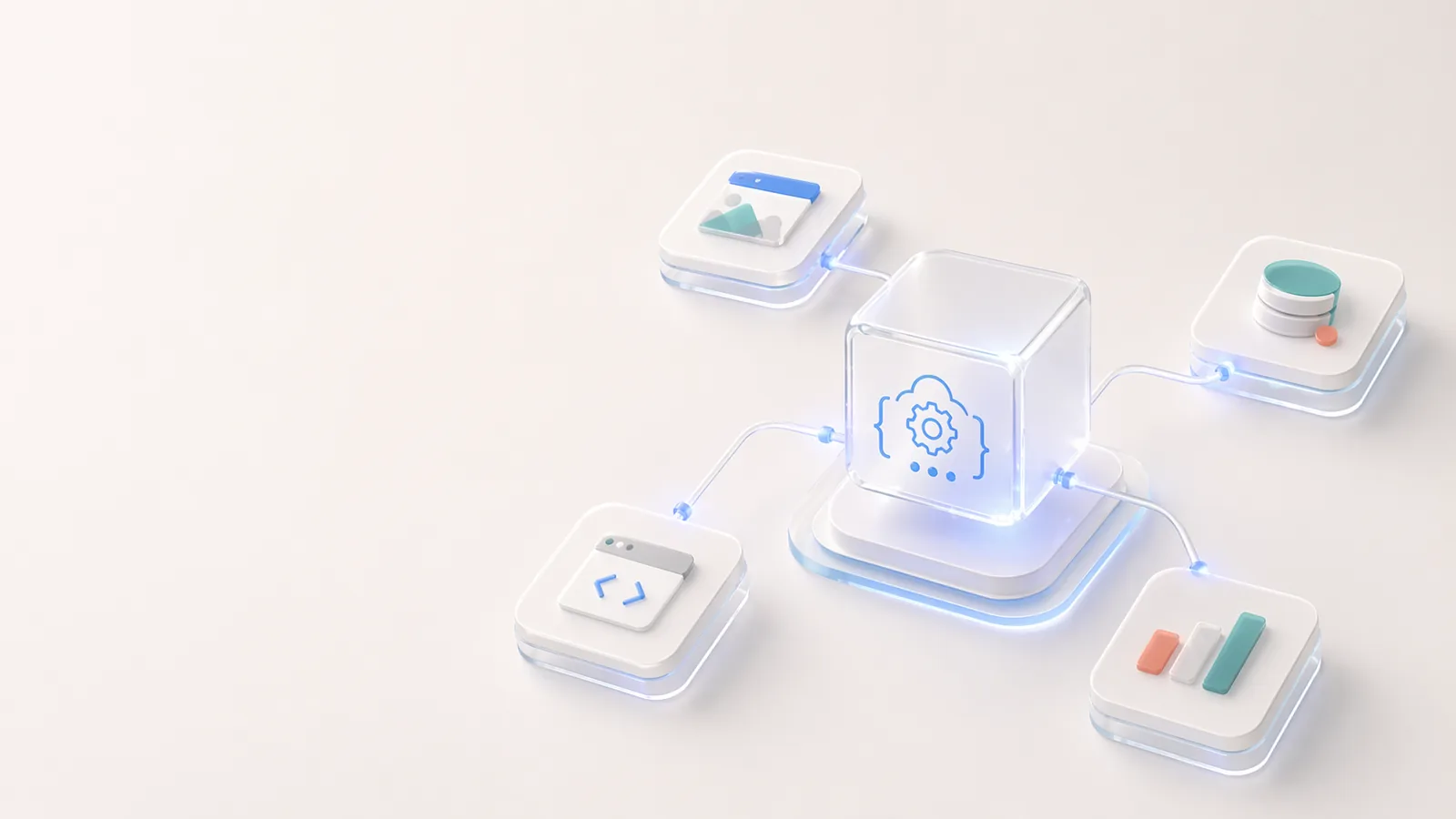
Open API dan Ekosistem Developer Codia
Bangun di atas Codia dengan API untuk ekstraksi struktur visual, konversi PDF ke schema, upload, alur kerja task, dan otomasi desain yang bisa diedit.
Komitmen Codia terhadap Kreativitas
Komitmen Codia adalah membuat kerja kreatif lebih mudah diedit, digunakan kembali, dan diakses dengan memakai AI untuk menghapus pekerjaan rekonstruksi berulang dari alur kerja desain, konten, dan pengembangan.
Codia untuk Tim Enterprise
Cara tim enterprise menggunakan Codia untuk migrasi batch, otomasi API, konversi yang bisa diedit, tinjauan keamanan, dan perencanaan deployment privat.
Pendekatan Kami terhadap Desain Bertenaga AI
Pendekatan Codia terhadap desain AI bukanlah pembuatan gambar datar. Kami menggunakan vision AI untuk memahami struktur, menjaga ketereditan, dan membawa visual statis kembali ke alur kerja desain dan kode yang nyata.

About Codia AI: Product Suite, Design Philosophy, Trust, and Developer Platform
One page on everything Codia AI: what we build, what we believe about AI-powered design, how we work with enterprise teams, how we protect your data, and how developers can build on top of us.
Memulai dengan Codia AI
Pelajari cara menggunakan Codia AI untuk mempercepat alur kerja desain dan pengembangan Anda dari awal.