
Editor teks gambar AI
Edit teks pada gambar dengan bebas
Unggah gambar apa pun, ketik kata-kata baru, dan AI menulis ulang dengan font dan gaya aslinya.
Tidak punya gambar? Coba ini:
Hasil nyata
Teks pada gambar yang sepenuhnya dapat diedit
Codia mengubah kata-kata yang sudah ada di dalam gambar Anda, bukan menaruh kotak teks di atasnya. Ketik teks baru dan AI menulis ulang langsung di tempatnya, sementara bagian lain gambar tetap sama.
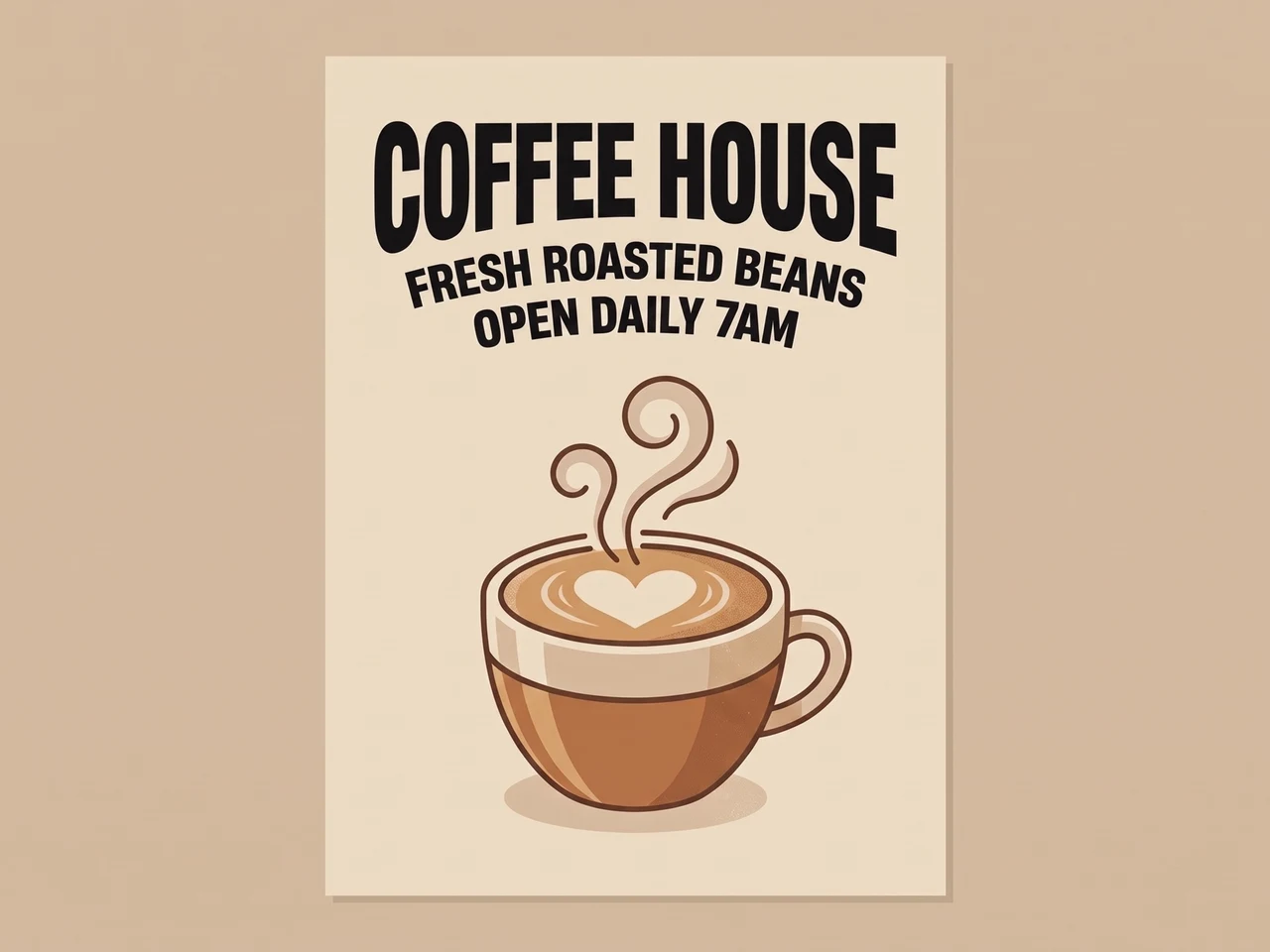 SebelumSesudah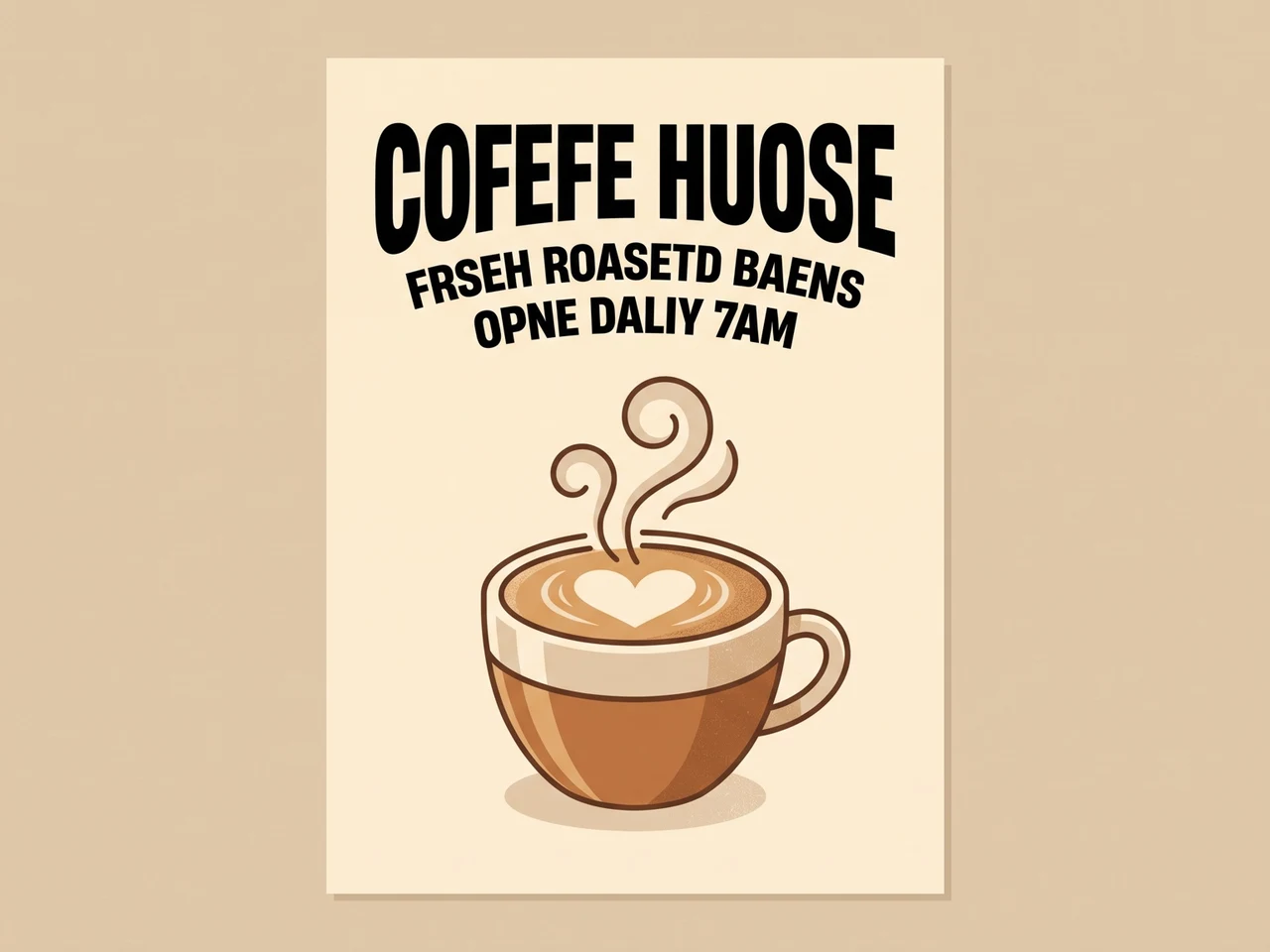
Perbaiki teks AI yang kacau
Huruf AI yang salah eja ditulis ulang dengan benar dalam jenis huruf yang sama.
 SebelumSesudah
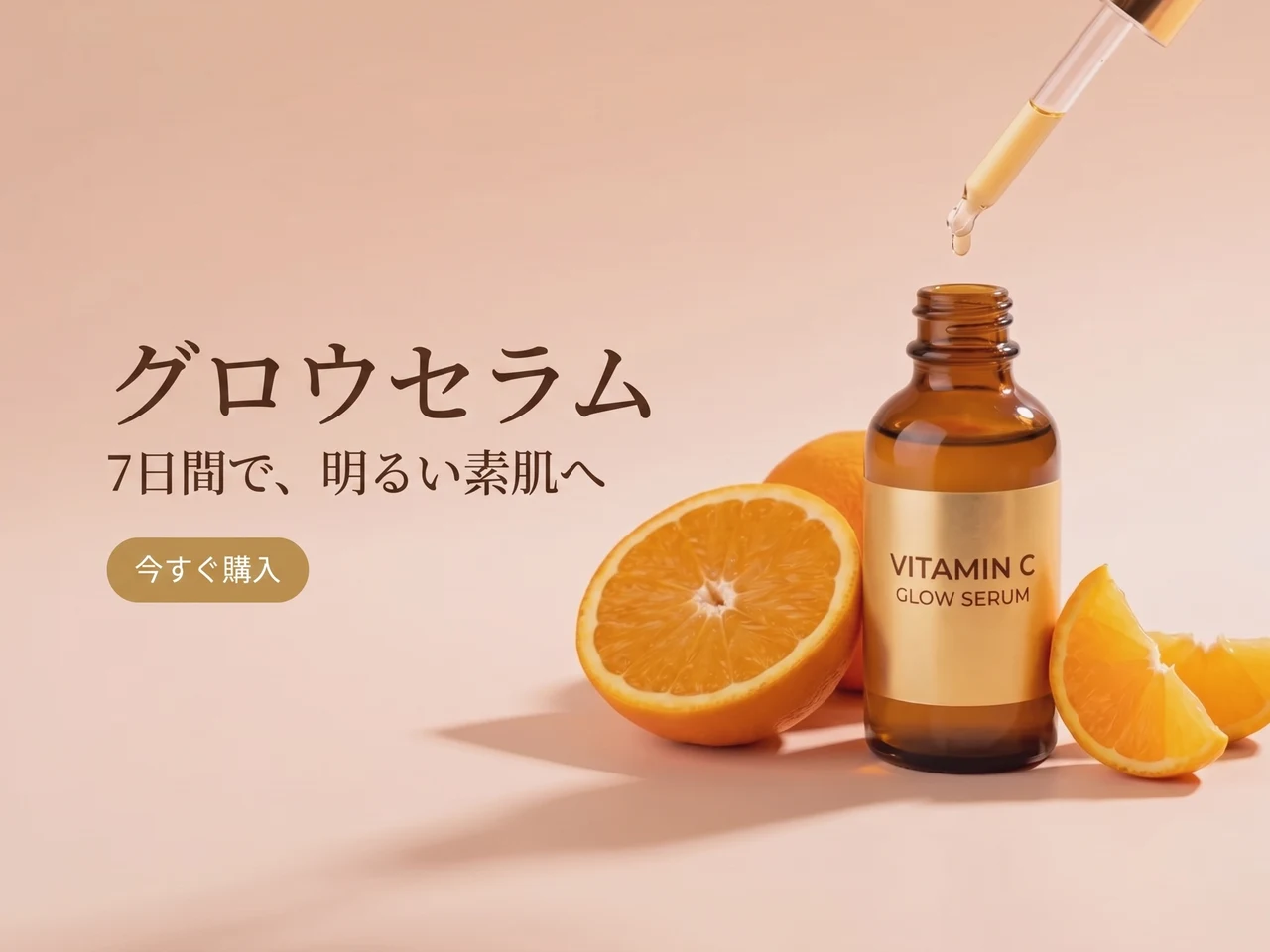
Terjemahkan iklan
Teks bahasa Inggris diubah ke bahasa Jepang, tata letak dan gayanya tetap.
 SebelumSesudah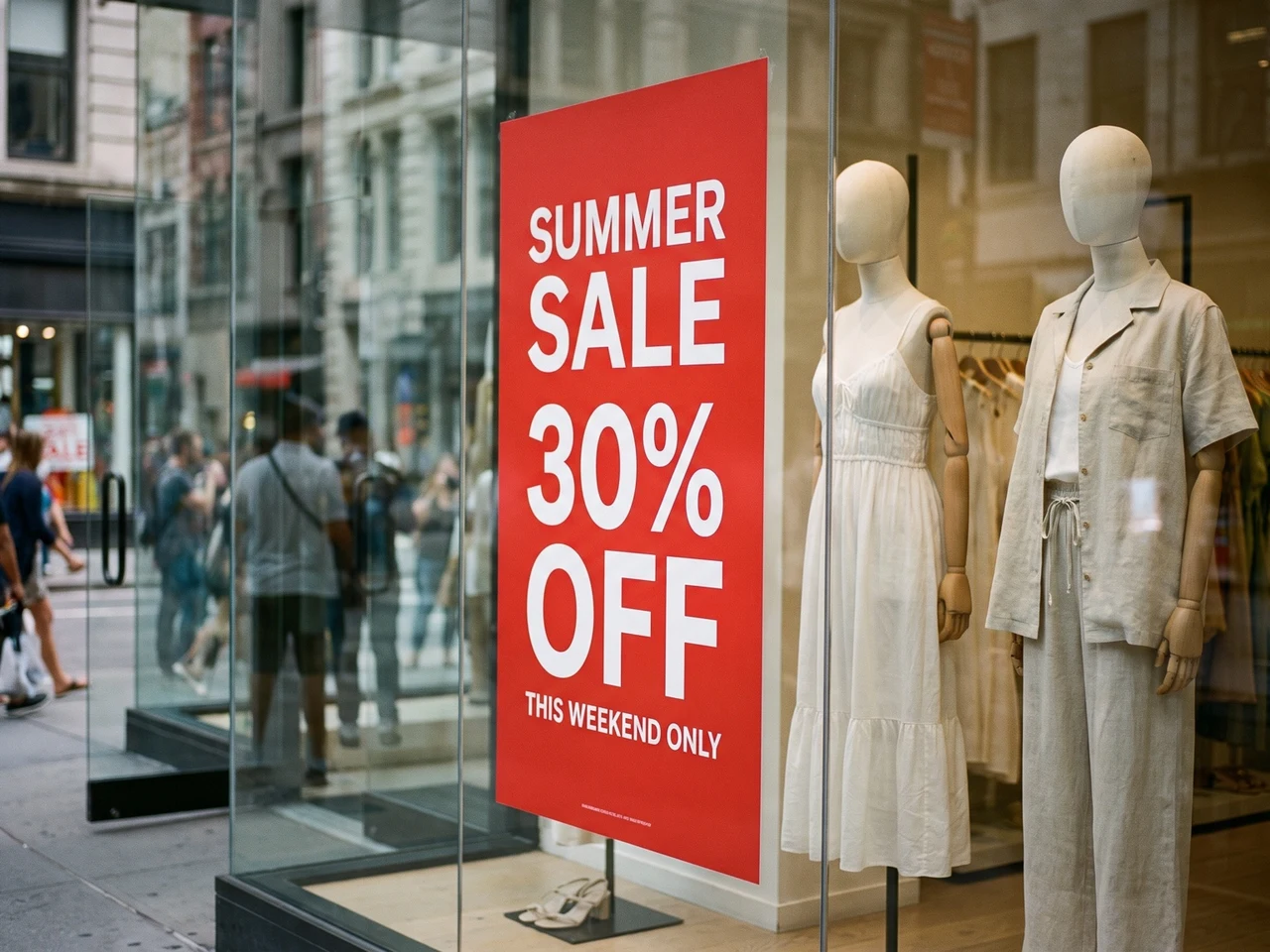
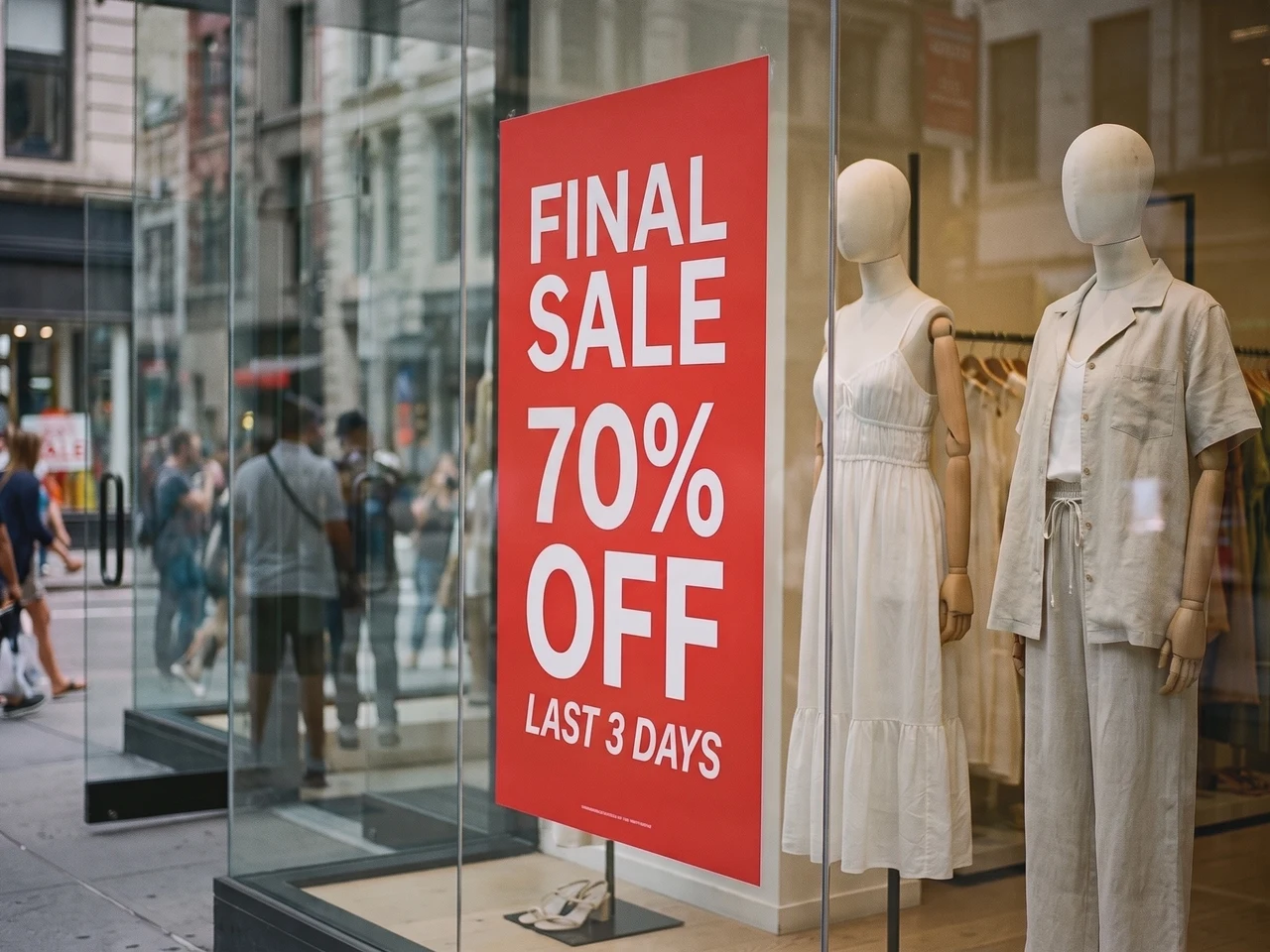
Perbarui foto asli
Promo baru di poster etalase, pencahayaan dan pantulannya tetap utuh.
Rekonstruksi gaya teks 1:1
Codia mempertahankan detail tipografi seperti ketebalan font, ukuran, perataan, warna, jarak, dan hierarki sehingga teks yang diedit tetap sesuai dengan gambar sumber.
Mengenali teks dalam 108 bahasa
Bekerja dengan konten gambar global. Codia mengenali teks multibahasa di seluruh gambar AI, tangkapan layar, poster, visual produk, dan aset pemasaran.
PNG dan WebP transparan
Logo dan stiker tetap berlatar transparan, jadi file hasil edit bisa langsung dipakai lagi di desain Anda.
Butuh kontrol lebih? Buka di editor lengkap
Untuk mengedit per layer, buka gambar yang sama di Editor Foto Codia untuk mengubah font, warna, dan posisi, lalu lanjutkan retouch dengan alat lain.
Pilih teks yang ingin diedit
Edit teks dengan font yang sama, di screenshot, atau di JPG
Ganti tulisan yang sudah ada di gambar, bukan sekadar menambahkan teks baru di atasnya.
Edit tulisan di foto dengan font yang sama
Ganti judul, harga, atau label dengan gaya huruf yang menyerupai aslinya. Usahakan panjang teks baru tidak jauh berbeda dan bandingkan hasilnya. Font dekoratif, teks kecil, dan latar ramai mungkin perlu diperbaiki lagi.
Edit teks di screenshot
Perbarui label UI, mockup, atau screenshot presentasi. Unggah screenshot yang jelas, koreksi teks yang dikenali, lalu masukkan penggantinya. Periksa pergantian baris dan tulisan di sekitarnya sebelum mengunduh.
Edit teks di gambar JPG atau PNG
Ubah tulisan pada foto atau gambar tersimpan tanpa file desain asli. Unggah gambar langsung, edit teks yang dikenali, lalu buat gambar baru. Simpan file asli untuk membandingkan hasil.
Edit teks di PDF, lalu unduh file lengkapnya
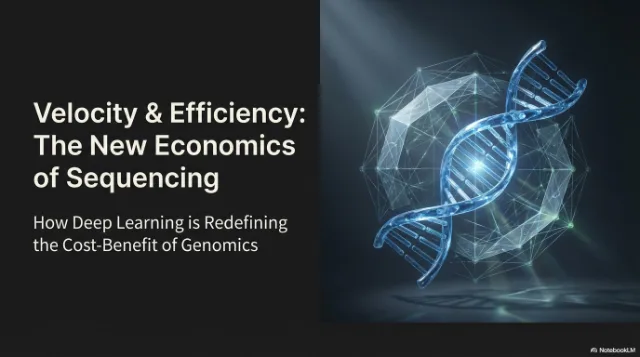
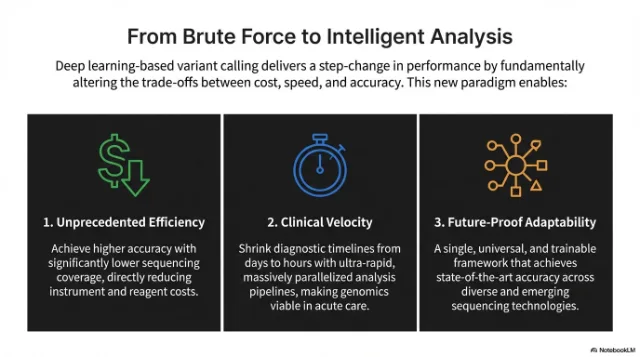
Unggah PDF dan pilih halaman yang perlu teks baru. Edit seperti gambar biasa, lalu unduh PDF lengkap dengan halaman tersebut sudah diganti.
Pilih halaman yang ingin diubah
Setiap halaman tampil sebagai thumbnail. Pilih hingga 10 sekaligus.
Edit teks di tempatnya
Font, warna, dan tata letak tetap sama. Hanya teksnya yang berubah.
Unduh PDF lengkap
Halaman yang diedit diganti, halaman lain tetap dengan teks asli yang bisa dipilih.
 Diedit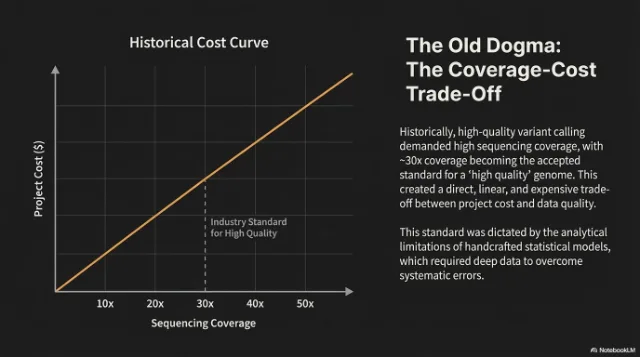
 Diedit
Cara kerjanya
Dari teks gambar datar menjadi teks yang bisa diedit
Unggah gambar bermasalah
Masukkan tangkapan layar, layar aplikasi, poster, grafik produk, atau gambar generatif dengan teks rusak.
Edit kata yang dikenali
Codia menemukan teks di gambar Anda secara otomatis. Ketik kata baru di samping setiap baris, atau kosongkan baris untuk menghapusnya.
Buat dan unduh
AI menulis ulang teks dengan font dan gaya aslinya. Bandingkan dengan gambar asli, lalu unduh gambar akhirnya.
Contoh penggunaan
Editor teks foto dan gambar untuk pekerjaan desain nyata
Gunakan editor teks gambar saat visual yang sudah bagus butuh teks yang lebih rapi, terjemahan, atau tipografi yang bisa diedit.
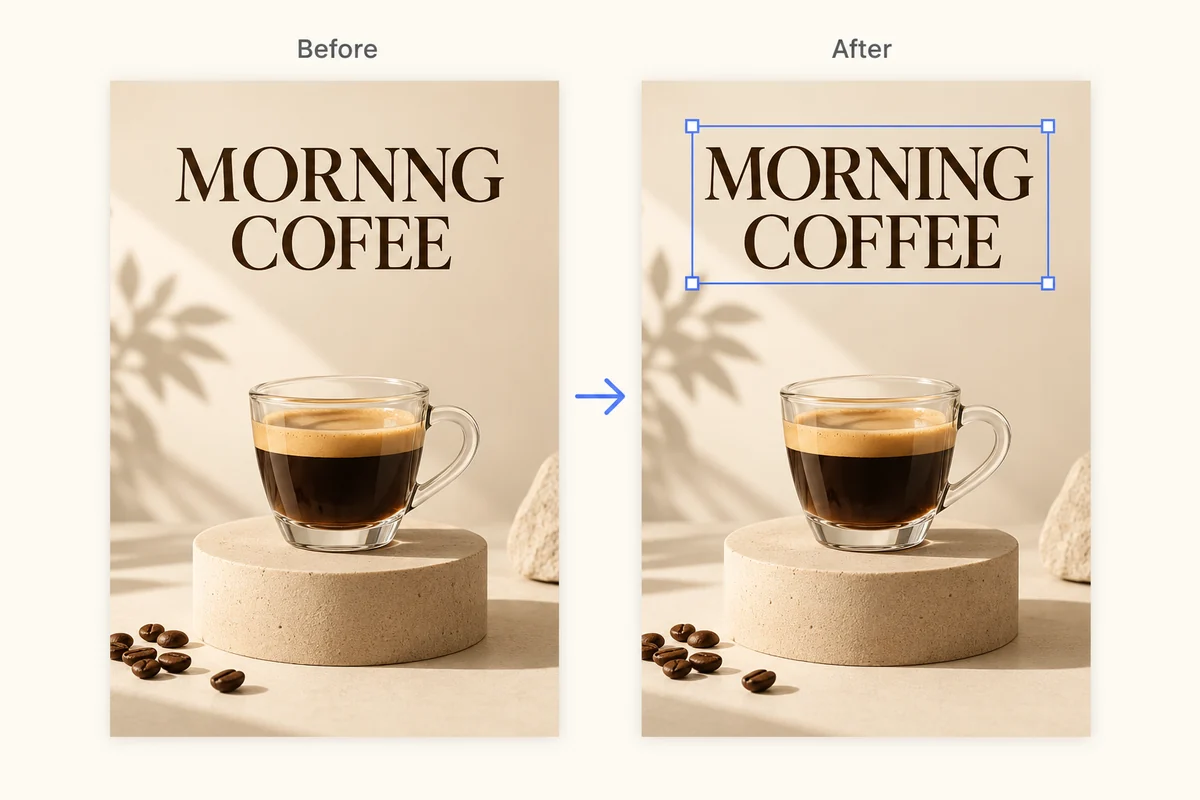
Perbaiki teks rusak pada gambar AI
Rapikan kata yang tidak terbaca, label salah ketik, dan tipografi rusak di gambar buatan AI tanpa melukis ulang seluruh visual.
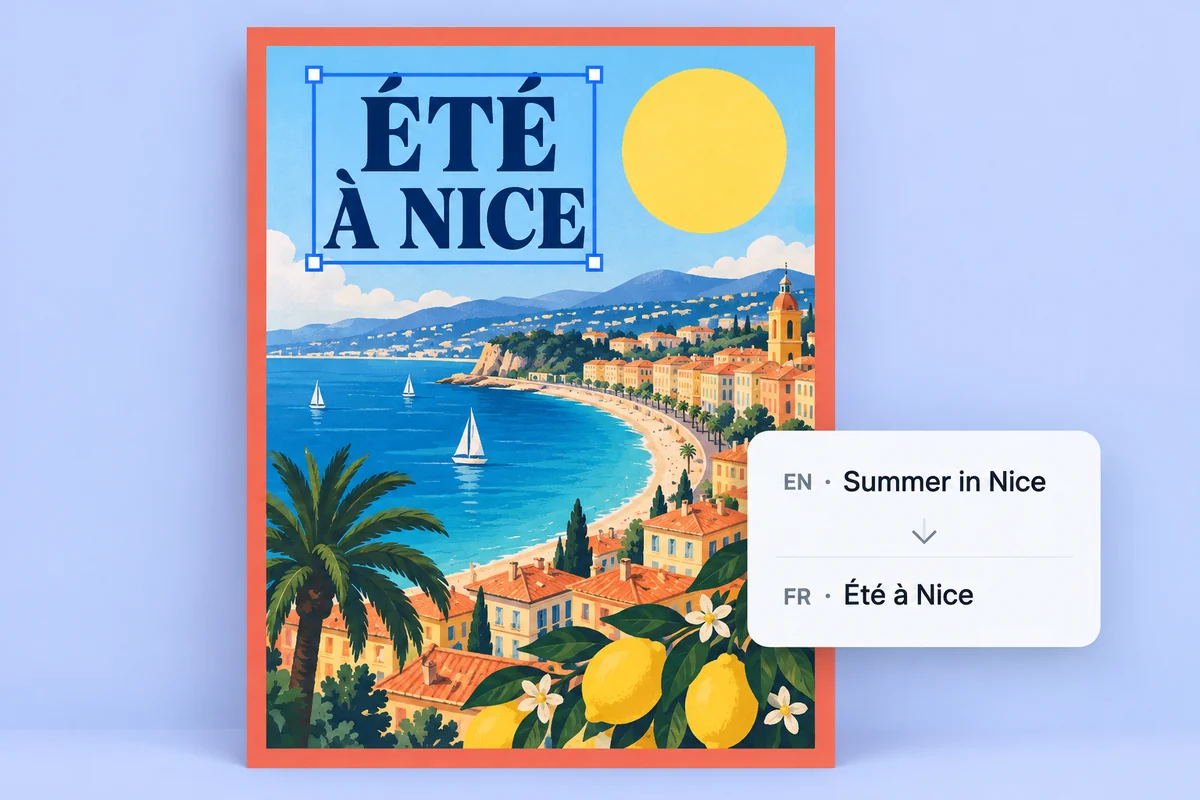
Lokalkan poster dan grafik produk
Ubah teks yang tertanam menjadi layer teks yang bisa diedit agar visual kampanye lebih cepat diterjemahkan, direvisi, dan ditinjau.
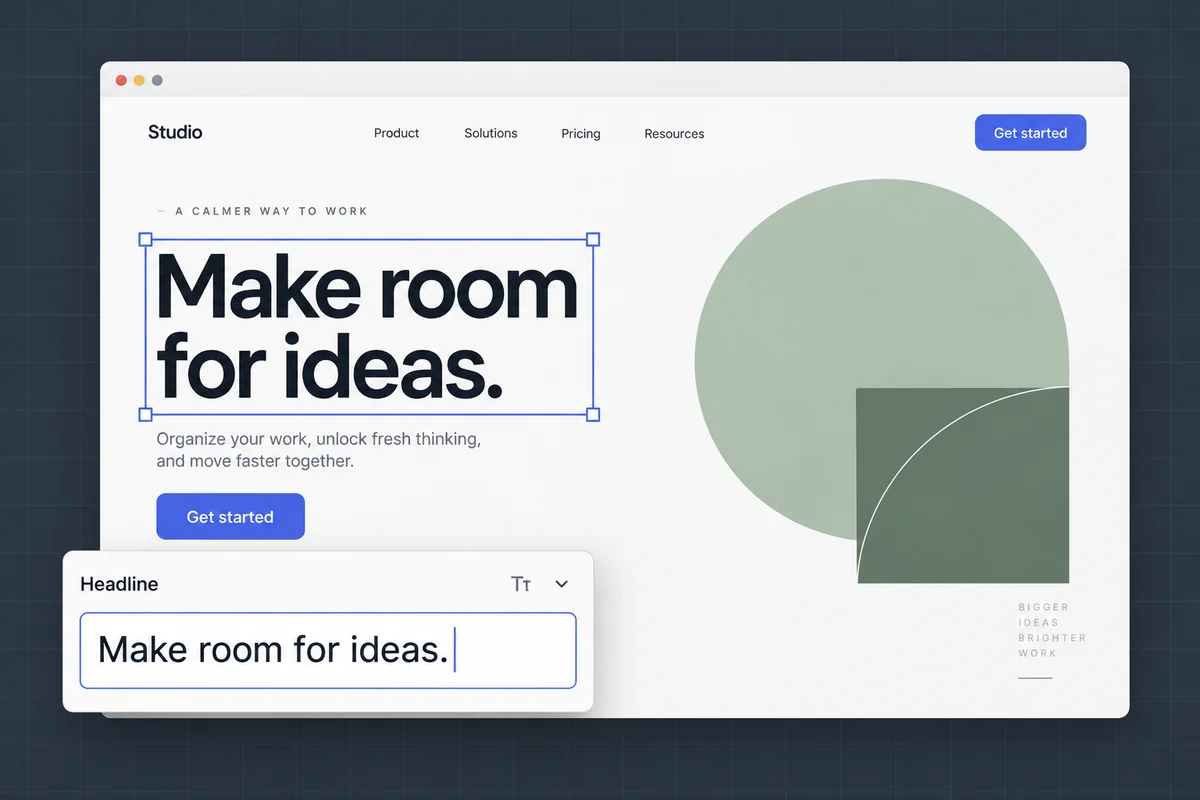
Edit teks di screenshot dan mockup
Perbarui label UI, teks mockup, dan screenshot presentasi tanpa mengubah tata letak dan konteks visual aslinya.
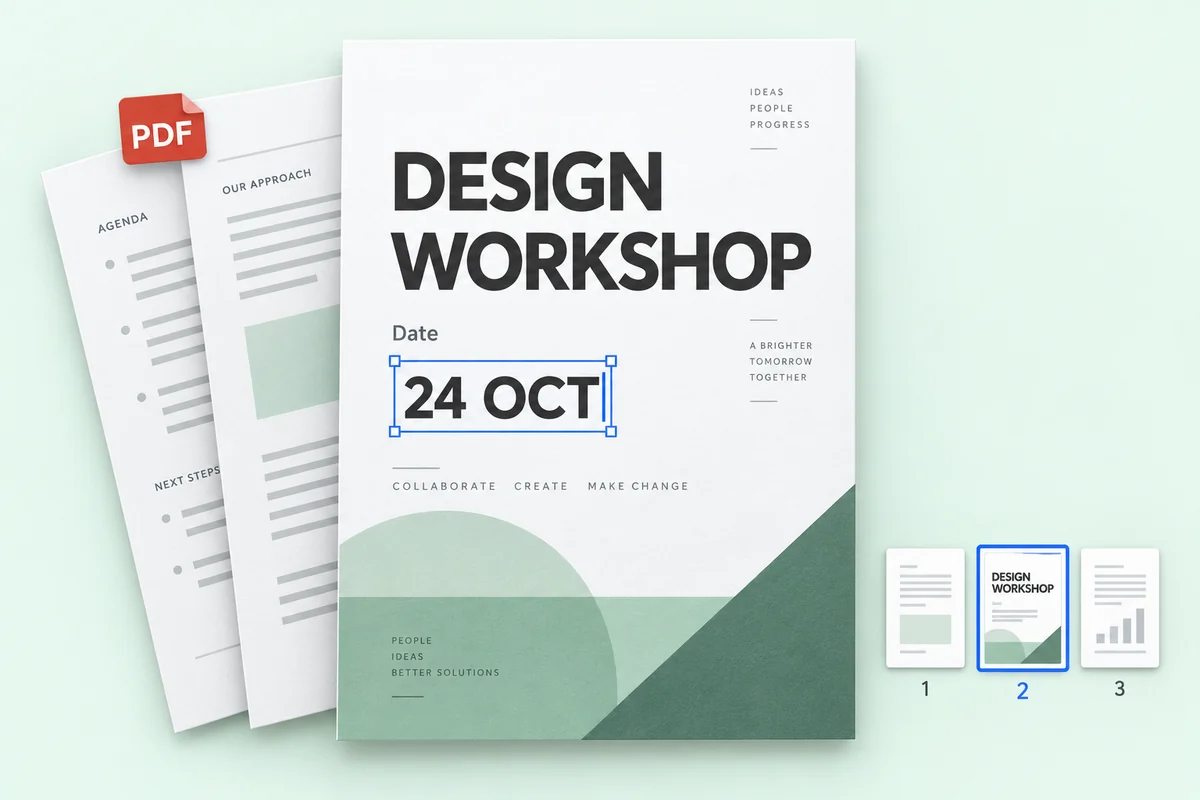
Edit teks di file PDF
Perbaiki harga, tanggal, atau nama di beberapa halaman PDF, lalu unduh file lengkapnya dengan halaman lain tetap seperti semula.
Harga
Mulai gratis, bayar hanya saat butuh lebih
Edit 1K memakai 1 kredit, 2K memakai 2, dan 4K memakai 3. Pengenalan teks tidak pernah memakai kredit.
Coba gratis
Pengenalan teks gratis, tanpa daftar. Akun gratis mendapat 1 kredit setiap bulan untuk satu edit 1K.
Privasi
Gambar Anda tetap milik Anda
Edit foto produk, poster, dan tangkapan layar dengan tenang. Anda yang menentukan apa yang disimpan.
Baca kebijakan privasi kamiTidak dipakai untuk melatih AI
Gambar Anda hanya dipakai untuk membuat editan yang Anda minta. Kami tidak pernah memakainya untuk melatih model.
Hanya Anda yang bisa melihat
Unggahan dan hasil Anda hanya muncul di riwayat Anda sendiri, tidak pernah di galeri publik.
Simpan atau hapus sesuka Anda
Hapus editan mana pun dari riwayat, atau kosongkan semuanya sekaligus, kapan saja.
FAQ
FAQ Image Text Editor
Bisakah saya mengedit teks langsung pada gambar?
Ya. Unggah gambar ke Codia. AI akan menemukan kata-kata yang ada di dalam gambar; ketik kata-kata baru dan AI menulis ulang di tempat yang sama, sesuai font, warna, dan tata letak aslinya.
Apakah pengenalan teks gratis?
Ya. Pengenalan teks gratis, dan setiap akun gratis Codia mendapat kredit bulanan untuk membuat gambar hasil edit dalam 1K. Lite dan paket kredit membuka 2K; paket Starter dan Pro menambahkan output 4K dan edit massal.
Berapa banyak bahasa yang dikenali Codia?
Codia mendukung pengenalan teks dalam 108 bahasa, sehingga berguna untuk iklan terlokalisasi, gambar produk, tangkapan layar, dan karya kreatif global.
Format gambar apa yang bisa saya edit?
Anda dapat mengunggah gambar JPG, PNG, dan WebP, termasuk foto, screenshot, poster, serta label produk. Edit teks yang dikenali, lalu buat dan unduh gambar hasilnya.
Bagaimana cara mengedit teks di screenshot?
Unggah screenshot dalam format JPG, PNG, atau WebP. Periksa teks yang dikenali, masukkan tulisan pengganti, lalu buat dan bandingkan gambar hasil edit. Screenshot yang jelas membantu pengenalan label UI kecil. Periksa pergantian baris dan elemen di sekitarnya sebelum mengunduh.
Bisakah saya mengedit teks JPG atau PNG tanpa file desain asli?
Bisa. Unggah JPG atau PNG langsung, tanpa PSD atau file desain sumber lainnya. Codia mengenali tulisan di gambar agar Anda dapat menggantinya dan membuat gambar baru. Hasilnya berupa file gambar, bukan file desain sumber yang dipulihkan.
Berapa biayanya?
Pengenalan teks gratis. Setiap akun gratis mendapat 1 kredit per bulan untuk satu edit 1K. Lite dan paket kredit membuka 2K; Starter dan Pro menambahkan output 4K dan edit massal. Paket kredit tidak pernah kedaluwarsa.
Apakah saya perlu akun?
Anda tidak perlu akun untuk mengunggah gambar dan melihat teks yang dikenali. Daftar gratis saat Anda siap membuat gambar hasil edit, agar kredit Anda tercatat.
Berapa kredit yang dipakai untuk satu edit?
Edit 1K memakai 1 kredit, 2K memakai 2 kredit, dan 4K memakai 3 kredit, berapa pun blok teks yang Anda ubah. Jika edit gagal, tidak ada kredit yang terpakai.
Apakah latar transparan tetap dipertahankan?
Ya. Gambar PNG dan WebP transparan, seperti logo dan stiker, dikembalikan sebagai file PNG dengan latar transparan tetap utuh.
File apa saja yang bisa saya unggah?
Gambar PNG, JPG, dan WebP hingga 20 MB, serta PDF hingga 100 MB. Gambar yang sangat besar diperkecil menjadi 4096 piksel di sisi terpanjang sebelum diproses.
Bisakah saya mengedit teks di PDF?
Bisa. Unggah PDF, pilih hingga 10 halaman, lalu edit teksnya. Yang diunduh adalah PDF lengkap: halaman yang diedit diganti dan halaman lain tetap persis seperti semula. Edit PDF adalah bagian dari edit massal, tersedia di paket Starter dan Pro.
Siap mengubah teks di gambar Anda?
Pengenalan teks gratis dan tanpa perlu mendaftar. Unggah gambar untuk memulai.