
Редактор текста в AI-изображениях
Свободно редактируйте текст на изображениях
Загрузите любое изображение, введите новые слова — и ИИ перепишет их исходным шрифтом и в том же стиле.
Нет изображения? Попробуйте эти:
Реальные результаты
Полностью редактируемый текст на изображениях
Codia меняет слова, которые уже есть на изображении, а не накладывает поверх текстовое поле. Введите новый текст — ИИ перепишет его на том же месте, а остальное изображение останется прежним.
 ДоПосле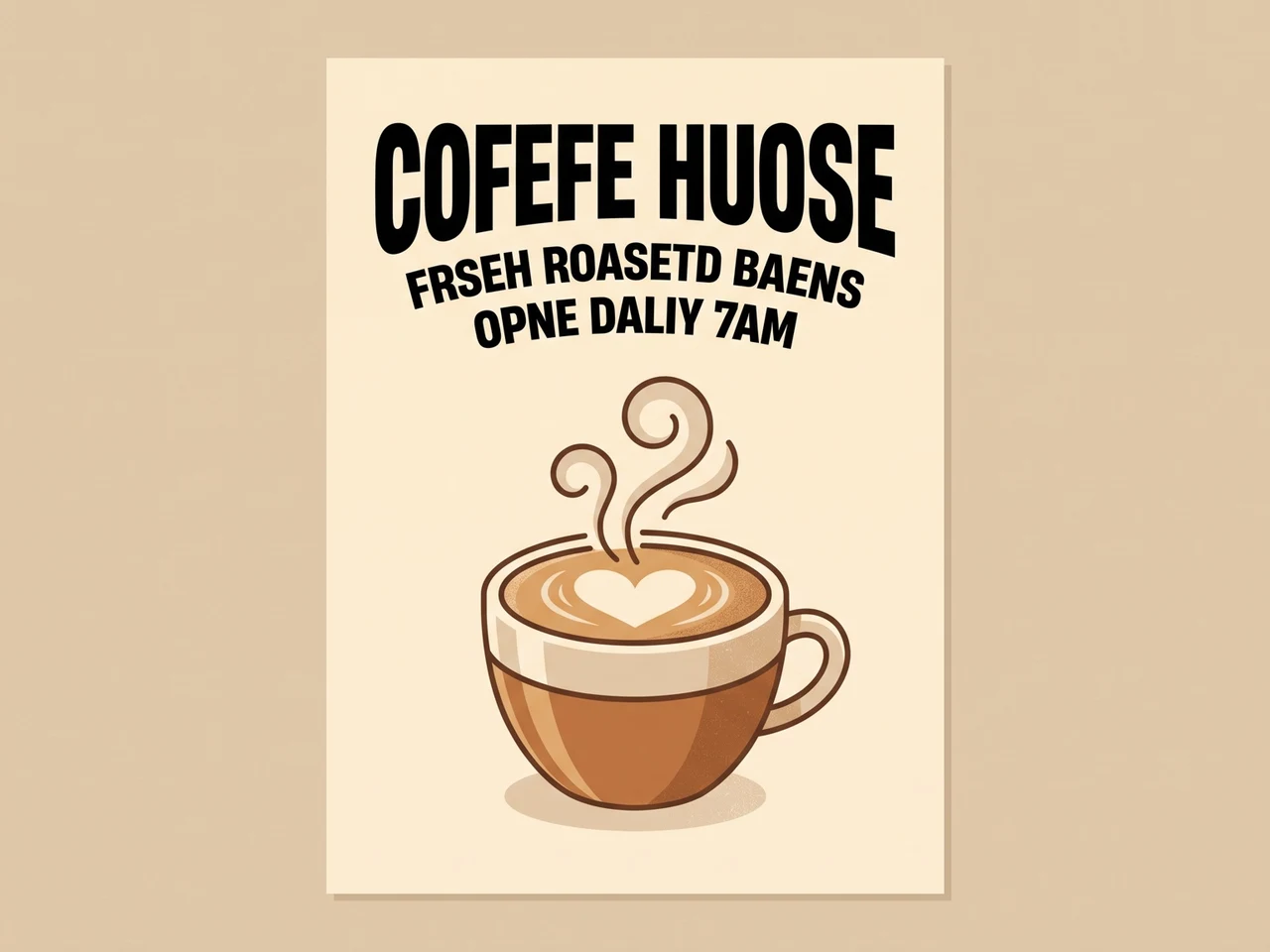
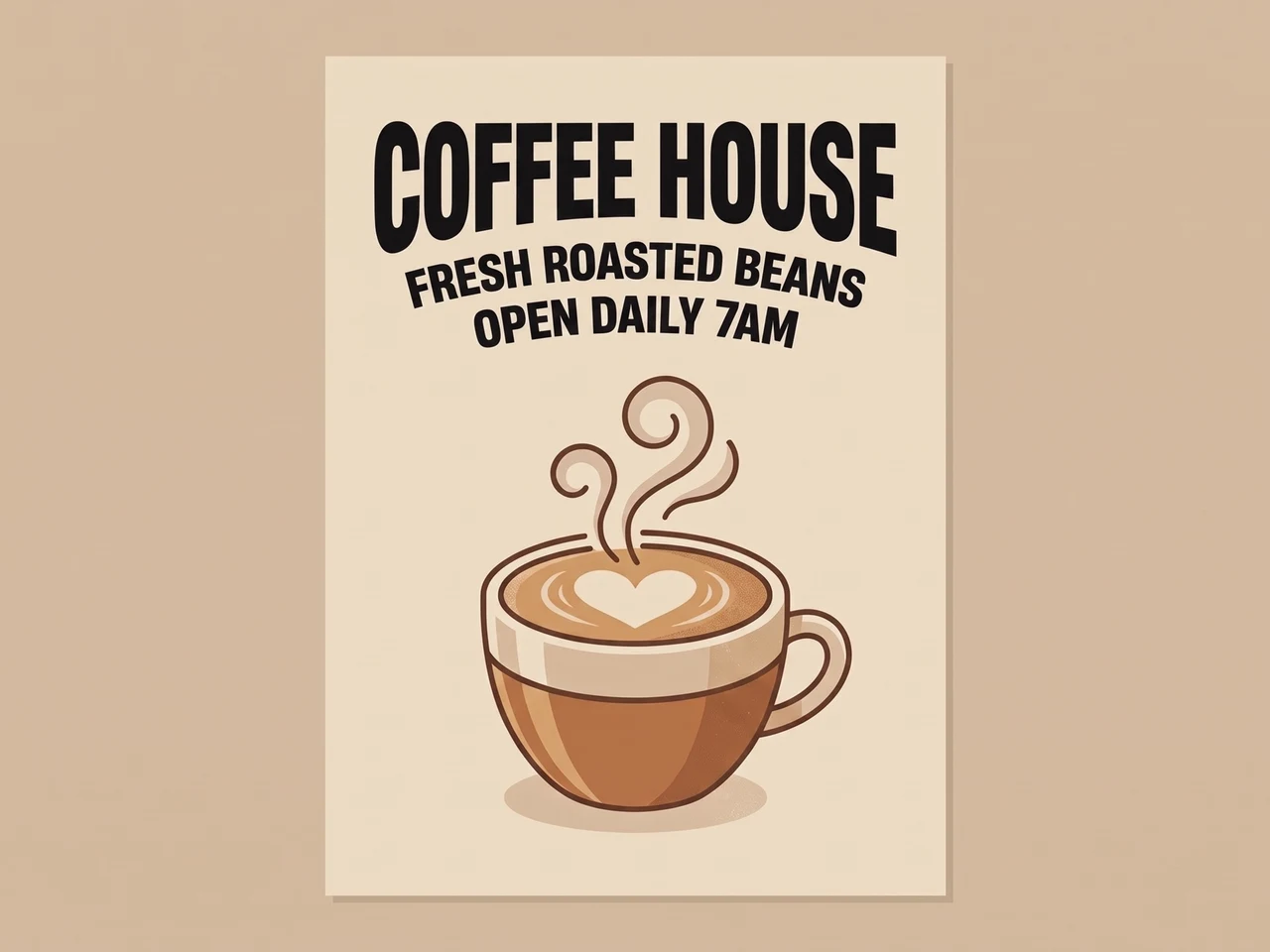
Исправьте искажённый AI-текст
AI-надпись с ошибками переписана правильно тем же шрифтом.
 ДоПосле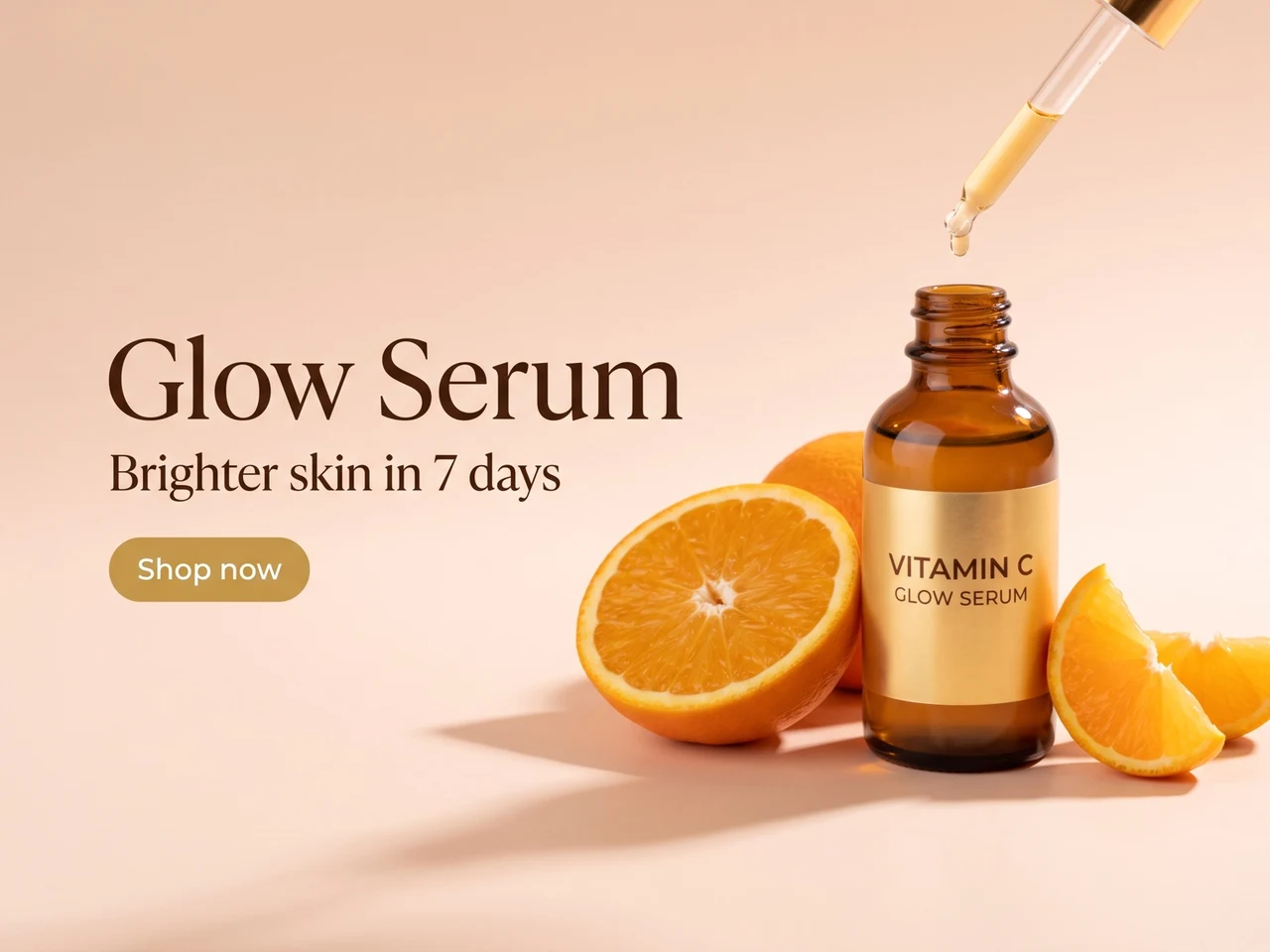
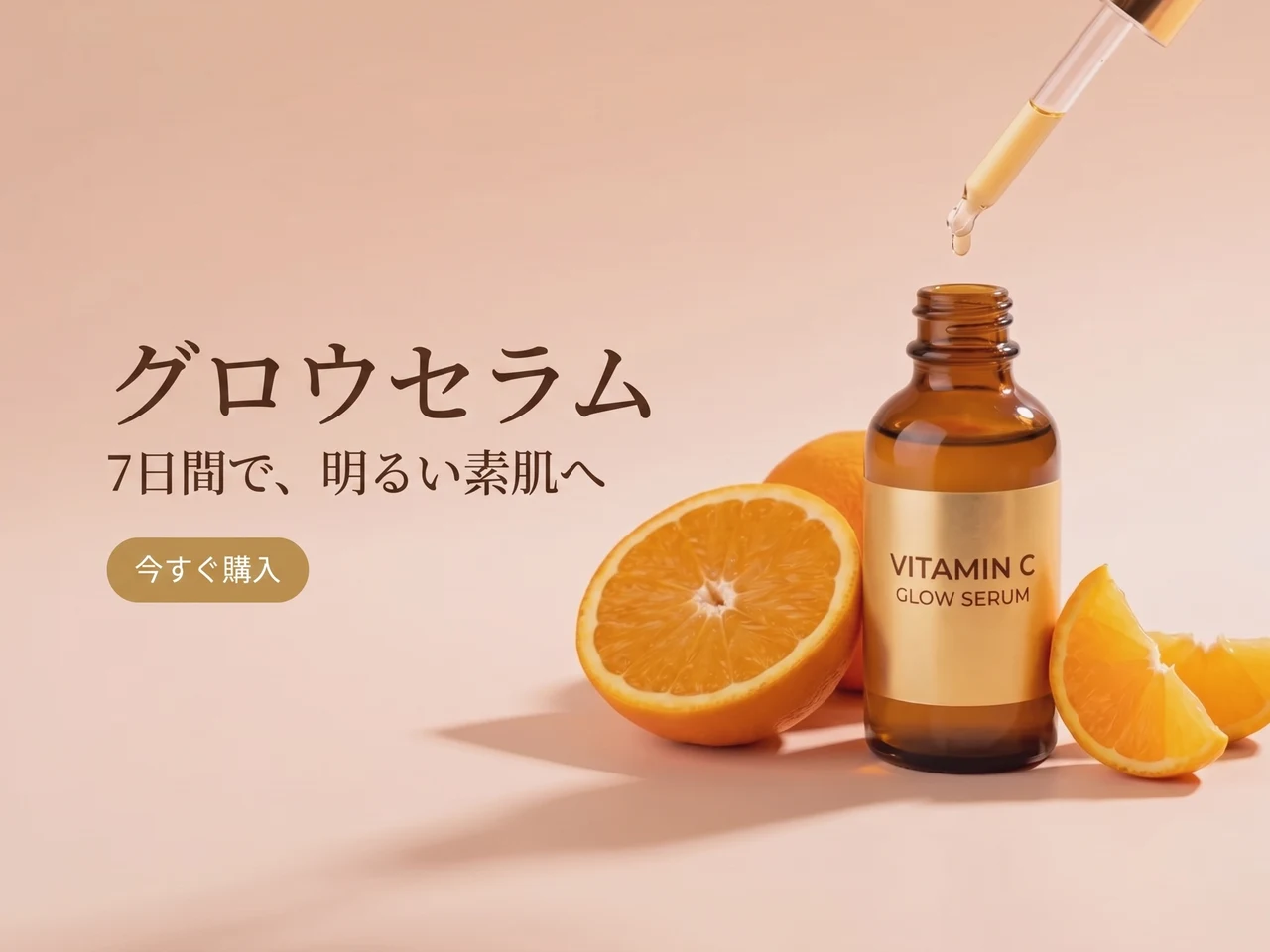
Переведите рекламу
Английский текст переведён на японский, макет и стиль сохранены.
 ДоПосле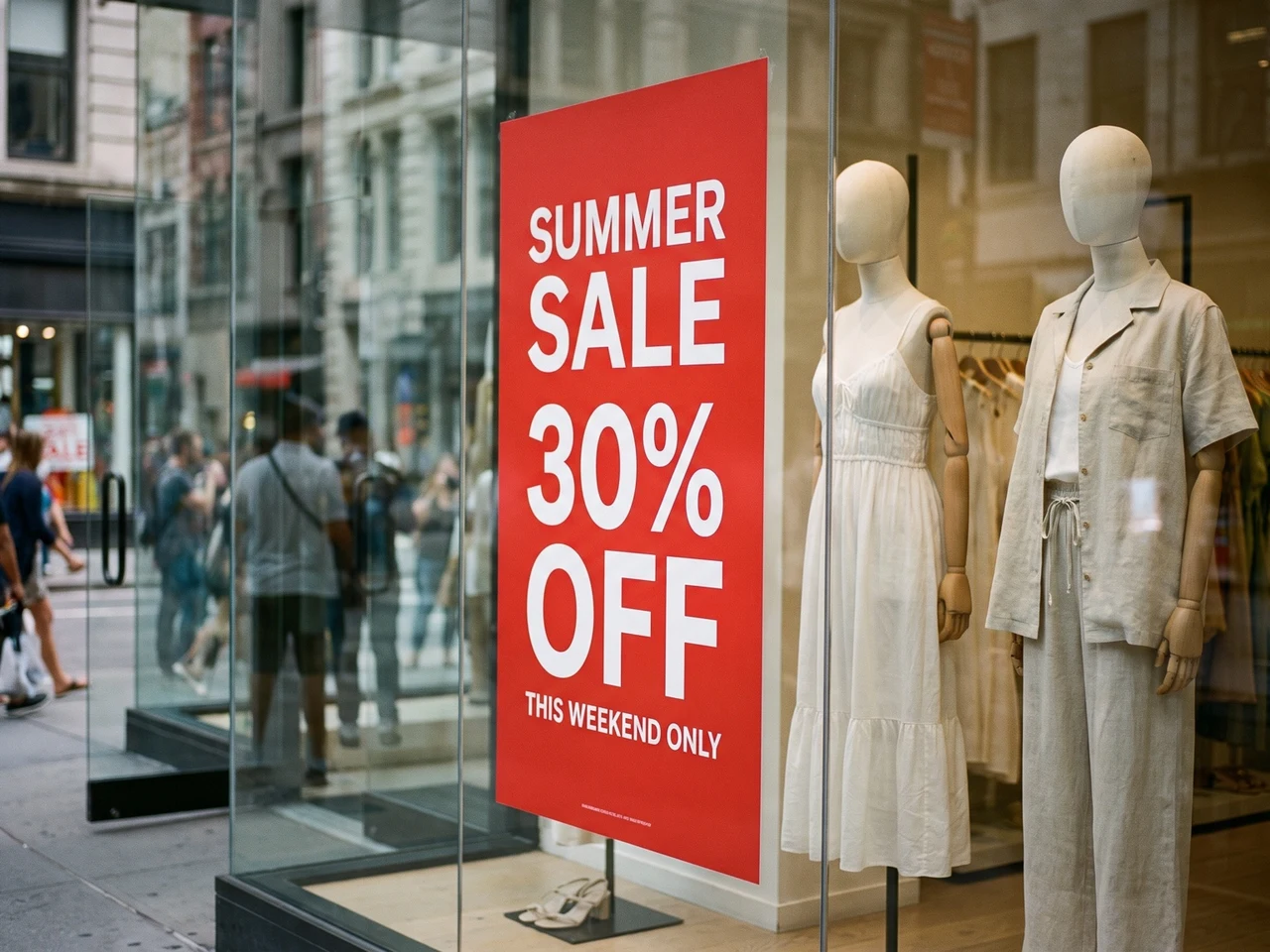
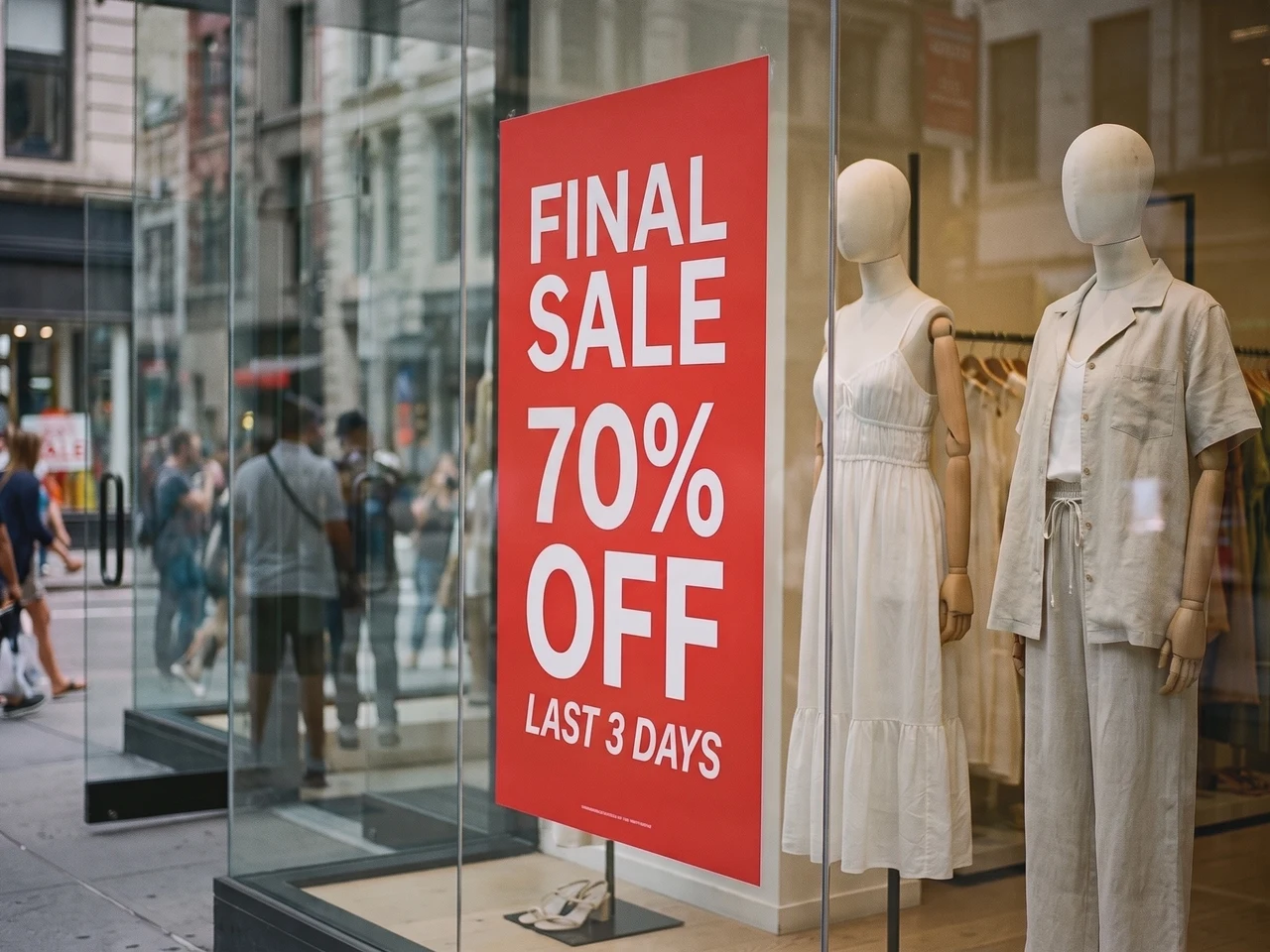
Обновите реальное фото
Новая распродажа на плакате в витрине, а освещение и отражения не тронуты.
Точное восстановление стиля текста 1:1
Codia сохраняет детали типографики — насыщенность шрифта, размер, выравнивание, цвет, интервалы и иерархию, чтобы отредактированный текст по-прежнему совпадал с исходным изображением.
Распознавание текста на 108 языках
Работайте с контентом со всего мира. Codia распознаёт многоязычный текст на ИИ-изображениях, скриншотах, постерах, товарных и маркетинговых материалах.
Прозрачные PNG и WebP
Логотипы и стикеры сохраняют прозрачный фон, так что отредактированный файл сразу встаёт обратно в ваш дизайн.
Нужно больше контроля? Откройте в полном редакторе
Для правок по слоям откройте то же изображение в фоторедакторе Codia: меняйте шрифты, цвета и положение, а затем продолжайте ретушь другими инструментами.
Выберите задачу редактирования
Исходный шрифт, скриншоты и текст в JPG
Заменяйте слова внутри изображения, а не накладывайте новую надпись поверх.
Изменить текст на фото с сохранением стиля шрифта
Замените заголовок, цену или надпись, стараясь сохранить исходное начертание. Используйте текст близкой длины и сравните результат. Декоративные шрифты, мелкий текст и сложный фон могут потребовать повторной правки.
Изменить текст на скриншоте
Обновите подписи интерфейса, макет или скриншот презентации. Загрузите чёткое изображение, проверьте распознанный текст и введите замену. Перед скачиванием проверьте переносы строк и соседние надписи.
Редактировать текст в JPG или PNG
Меняйте слова в сохранённой фотографии или картинке без исходного файла дизайна. Загрузите изображение, отредактируйте распознанный текст и создайте новое изображение. Сохраните оригинал для сравнения.
Меняйте текст в PDF и скачивайте файл целиком
Загрузите PDF и выберите страницы, где нужен новый текст. Отредактируйте их как изображения и скачайте весь PDF с заменёнными страницами.
Выберите страницы
Каждая страница показана миниатюрой. За раз можно выбрать до 10.
Меняйте текст на месте
Шрифты, цвета и вёрстка остаются прежними. Меняется только текст.
Скачайте PDF целиком
Отредактированные страницы встают на свои места, а остальные сохраняют исходный текст, который можно выделить.
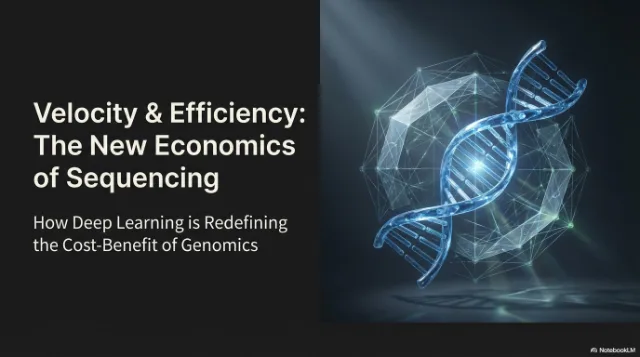
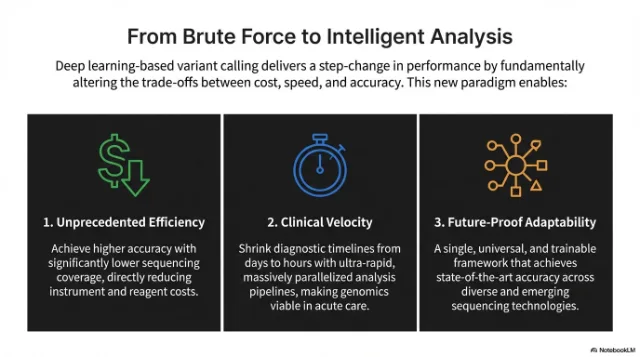 Изменена
 Изменена
Как это работает
От плоского текста на изображении к редактируемому тексту
Загрузите проблемное изображение
Добавляйте скриншоты, экраны приложений, постеры, продуктовую графику или сгенерированные изображения со сломанным текстом.
Измените распознанные слова
Codia автоматически находит текст на изображении. Впишите новые слова рядом с каждой строкой или очистите строку, чтобы удалить её.
Создайте и скачайте
ИИ перепишет текст исходным шрифтом и в исходном стиле. Сравните с оригиналом и скачайте готовое изображение.
Сценарии использования
Редактор текста на фото и изображениях для реальной дизайн-работы
Используйте редактор текста на изображениях, когда в удачном визуале нужно поправить надписи, перевести текст или получить редактируемую типографику.
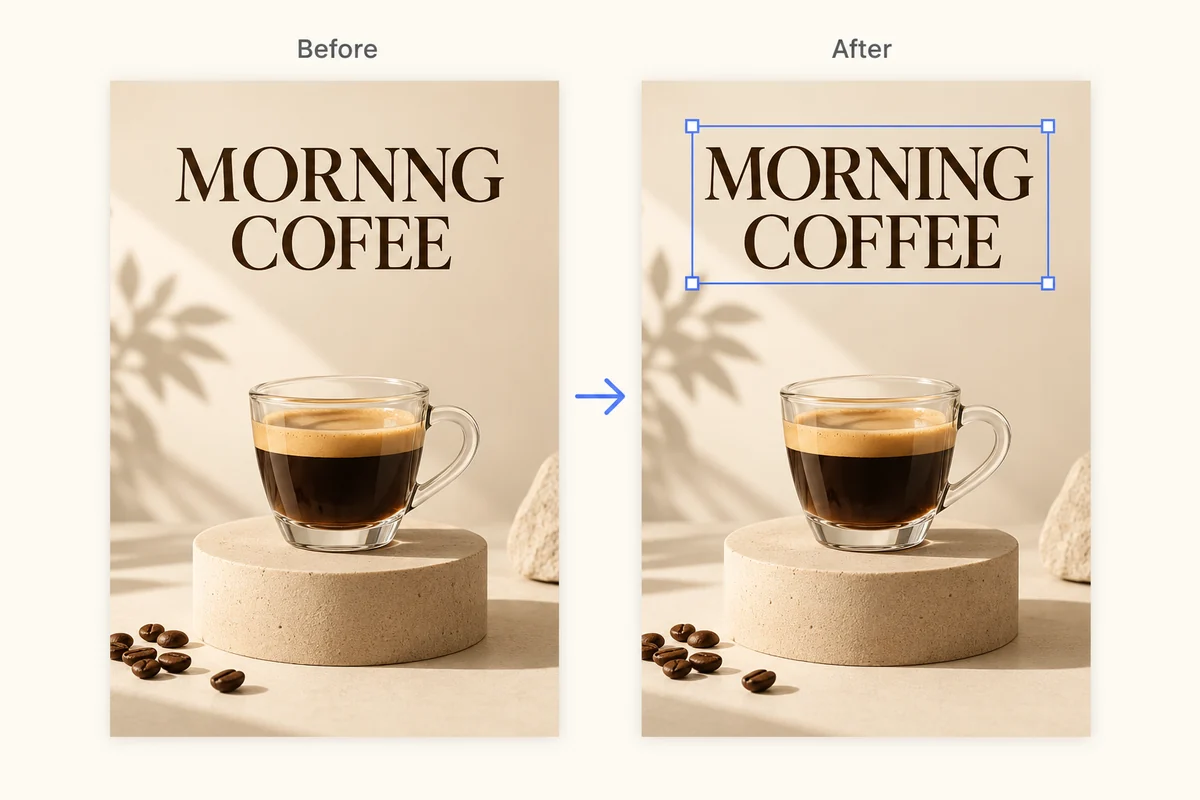
Исправляйте искаженный текст в AI-изображениях
Исправляйте нечитаемые слова, надписи с опечатками и сломанную типографику в сгенерированных изображениях, не перерисовывая весь визуал.
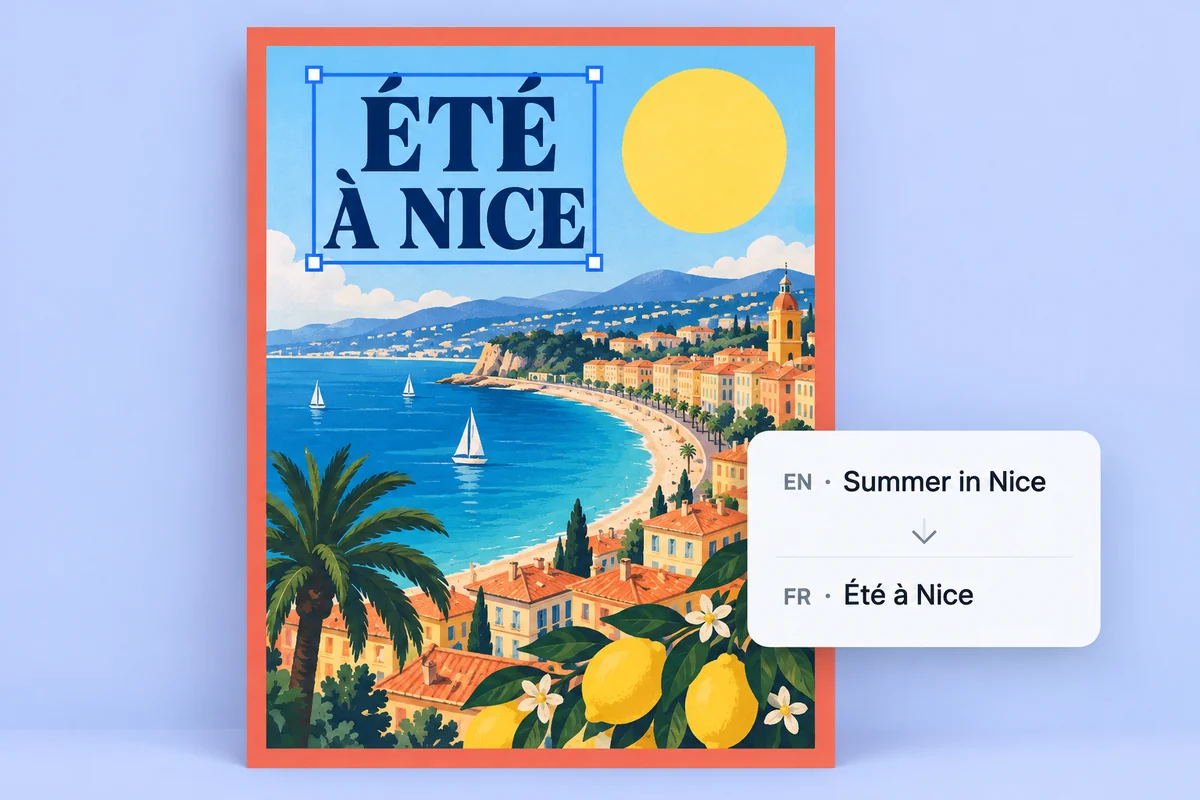
Локализуйте постеры и продуктовую графику
Превращайте встроенный текст в редактируемые текстовые слои, чтобы быстрее переводить, править и согласовывать визуалы кампаний.
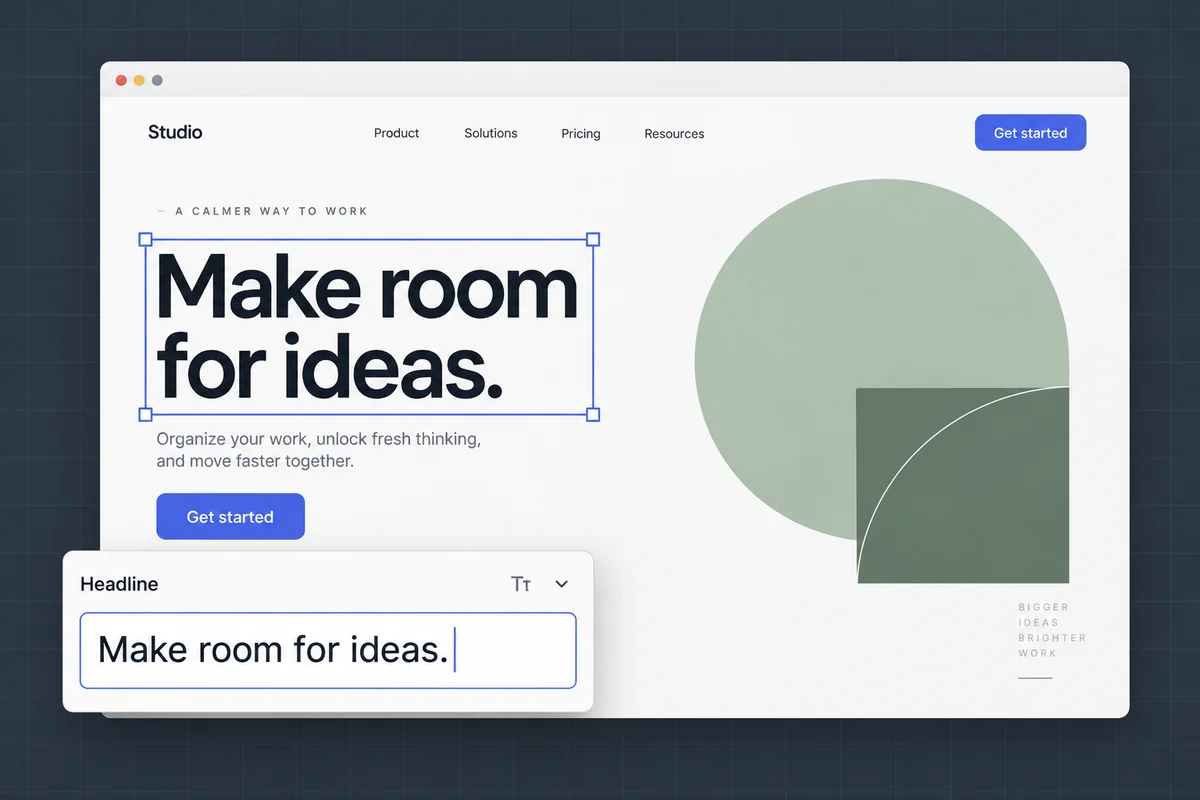
Редактируйте текст на скриншотах и макетах
Обновляйте подписи интерфейса, тексты макетов и скриншоты для презентаций, сохраняя исходную верстку и визуальный контекст.
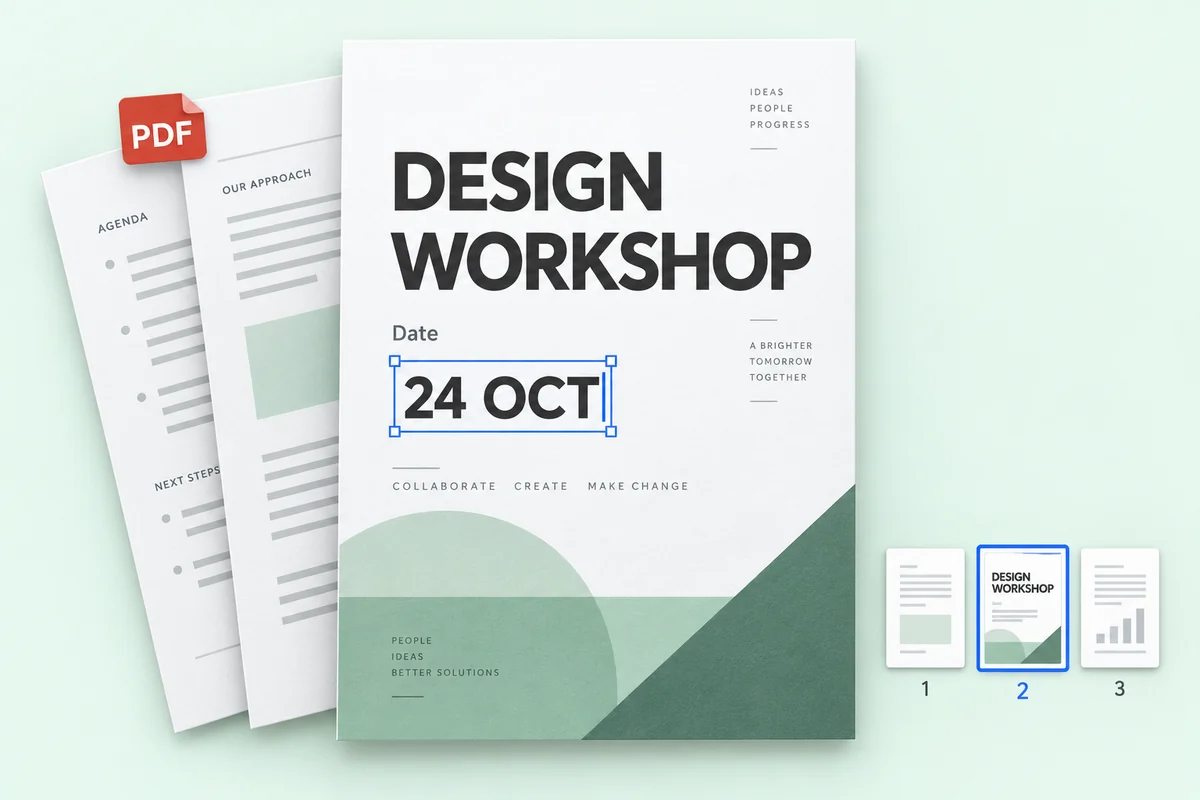
Правка текста в PDF-файлах
Исправьте цену, дату или имя на нескольких страницах PDF и скачайте весь файл — остальные страницы останутся без изменений.
Цены
Начните бесплатно — платите, только когда нужно больше
Правка в 1K стоит 1 кредит, в 2K — 2, в 4K — 3. Распознавание текста кредиты не расходует.
Попробуйте бесплатно
Бесплатное распознавание текста без регистрации. Бесплатные аккаунты получают 1 кредит в месяц на одну правку в 1K.
Конфиденциальность
Ваши изображения принадлежат только вам
Редактируйте фото товаров, постеры и скриншоты спокойно. Что сохранить, решаете вы.
Политика конфиденциальностиНе используются для обучения ИИ
Изображения нужны только для правок, которые вы запросили. Мы никогда не обучаем на них модели.
Видите только вы
Загрузки и результаты показываются только в вашей истории и никогда не попадают в публичную галерею.
Сохранить или удалить, решать вам
Удаляйте отдельные правки или очищайте всю историю в любой момент.
FAQ
Частые вопросы о редакторе текста на изображениях
Можно ли напрямую редактировать текст на изображении?
Да. Загрузите изображение в Codia. AI найдёт слова, которые уже есть на изображении; введите новые — и он перепишет их на том же месте, сохранив исходный шрифт, цвет и макет.
Распознавание текста бесплатно?
Да. Распознавание текста бесплатное, а каждый бесплатный аккаунт Codia ежемесячно получает кредиты на изображения с правками в 1K. Lite и пакеты кредитов открывают 2K; тарифы Starter и Pro добавляют вывод в 4K и пакетное редактирование.
Сколько языков распознаёт Codia?
Codia поддерживает распознавание текста на 108 языках, что полезно для локализованной рекламы, товарных изображений, скриншотов и глобальной креативной работы.
Какие форматы изображений можно редактировать?
Можно загружать JPG, PNG и WebP: фотографии, скриншоты, плакаты и этикетки товаров. Измените распознанный текст, создайте новое изображение и скачайте результат.
Как изменить текст на скриншоте?
Загрузите скриншот в JPG, PNG или WebP. Проверьте распознанный текст, введите новые слова, создайте изображение и сравните результат. Чёткий скриншот помогает распознать мелкие подписи интерфейса. Проверьте переносы строк и соседние элементы перед скачиванием.
Можно ли изменить текст в JPG или PNG без исходного файла?
Да. Загрузите JPG или PNG напрямую: PSD или другой исходный файл дизайна не нужен. Codia распознает слова, чтобы вы могли заменить их и создать новое изображение. Результат — файл изображения, а не восстановленный исходный документ.
Сколько это стоит?
Распознавание текста бесплатное. Каждый бесплатный аккаунт получает 1 кредит в месяц на одну правку в 1K. Lite и пакеты кредитов открывают 2K; в Starter и Pro есть вывод в 4K и пакетное редактирование. Пакеты кредитов не сгорают.
Нужен ли аккаунт?
Чтобы загрузить изображение и увидеть распознанный текст, аккаунт не нужен. Зарегистрируйтесь бесплатно, когда будете готовы сгенерировать отредактированное изображение, — так ваши кредиты будут учитываться.
Сколько кредитов стоит одна правка?
Правка в 1K стоит 1 кредит, в 2K — 2 кредита, в 4K — 3 кредита, сколько бы текстовых блоков вы ни меняли. Если правка не удалась, кредиты не списываются.
Сохраняется ли прозрачный фон?
Да. Прозрачные изображения PNG и WebP, например логотипы и стикеры, возвращаются в формате PNG с сохранённым прозрачным фоном.
Какие файлы можно загрузить?
Изображения PNG, JPG и WebP до 20 МБ, а также PDF до 100 МБ. Очень большие изображения перед обработкой уменьшаются до 4096 пикселей по длинной стороне.
Можно ли редактировать текст в PDF?
Да. Загрузите PDF, выберите до 10 страниц и измените текст. Вы скачиваете весь PDF: отредактированные страницы заменяются, остальные остаются без изменений. Редактирование PDF входит в пакетное редактирование, доступное в тарифах Starter и Pro.
Готовы изменить текст на изображении?
Распознавание текста бесплатно и без регистрации. Загрузите изображение, чтобы начать.