
圖片文字編輯器
自由編輯圖片上的文字
上傳任意圖片,輸入新文字,AI 會以原本的字體和風格幫你改寫。
沒有圖片?試試這些:
真實效果
圖片上的文字完全可編輯
Codia 改寫的是圖片內原有的文字,而不是在上面疊加一個文字框。輸入新文案,AI 會在原位置改寫,圖片其餘部分保持不變。
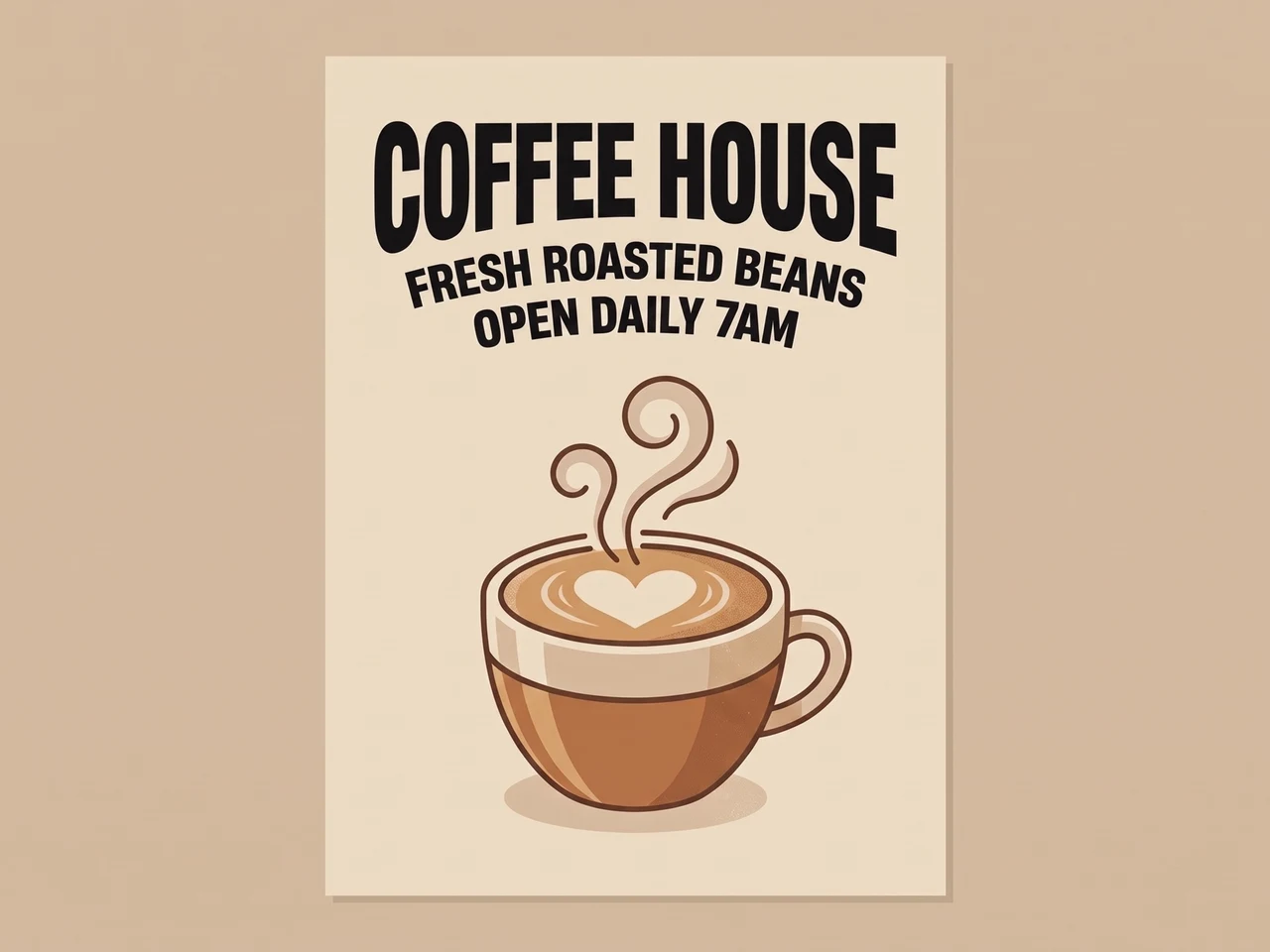 原圖效果
原圖效果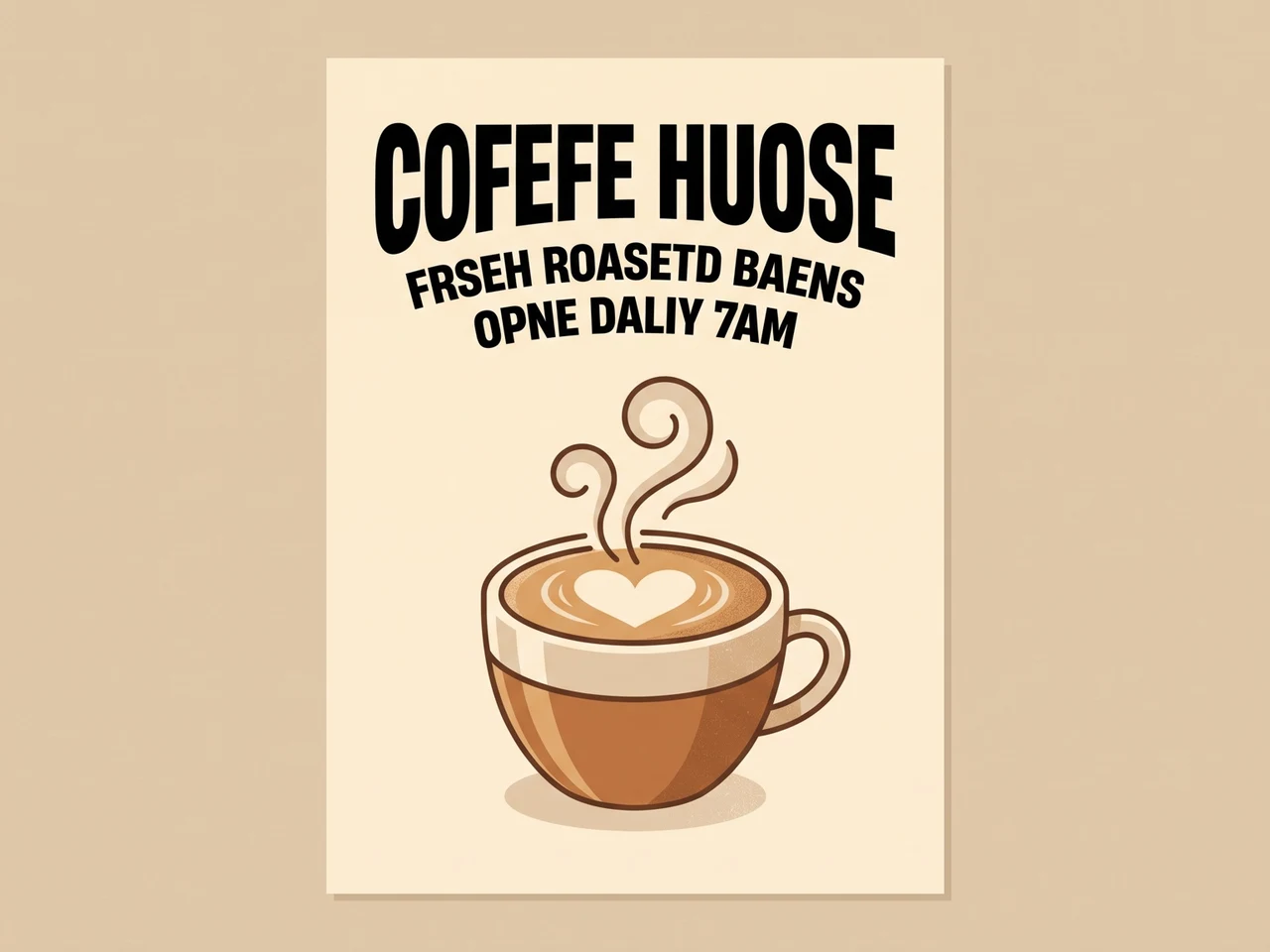
修正 AI 亂碼文字
拼錯的 AI 文字已正確改寫,字體保持不變。
 原圖效果
原圖效果
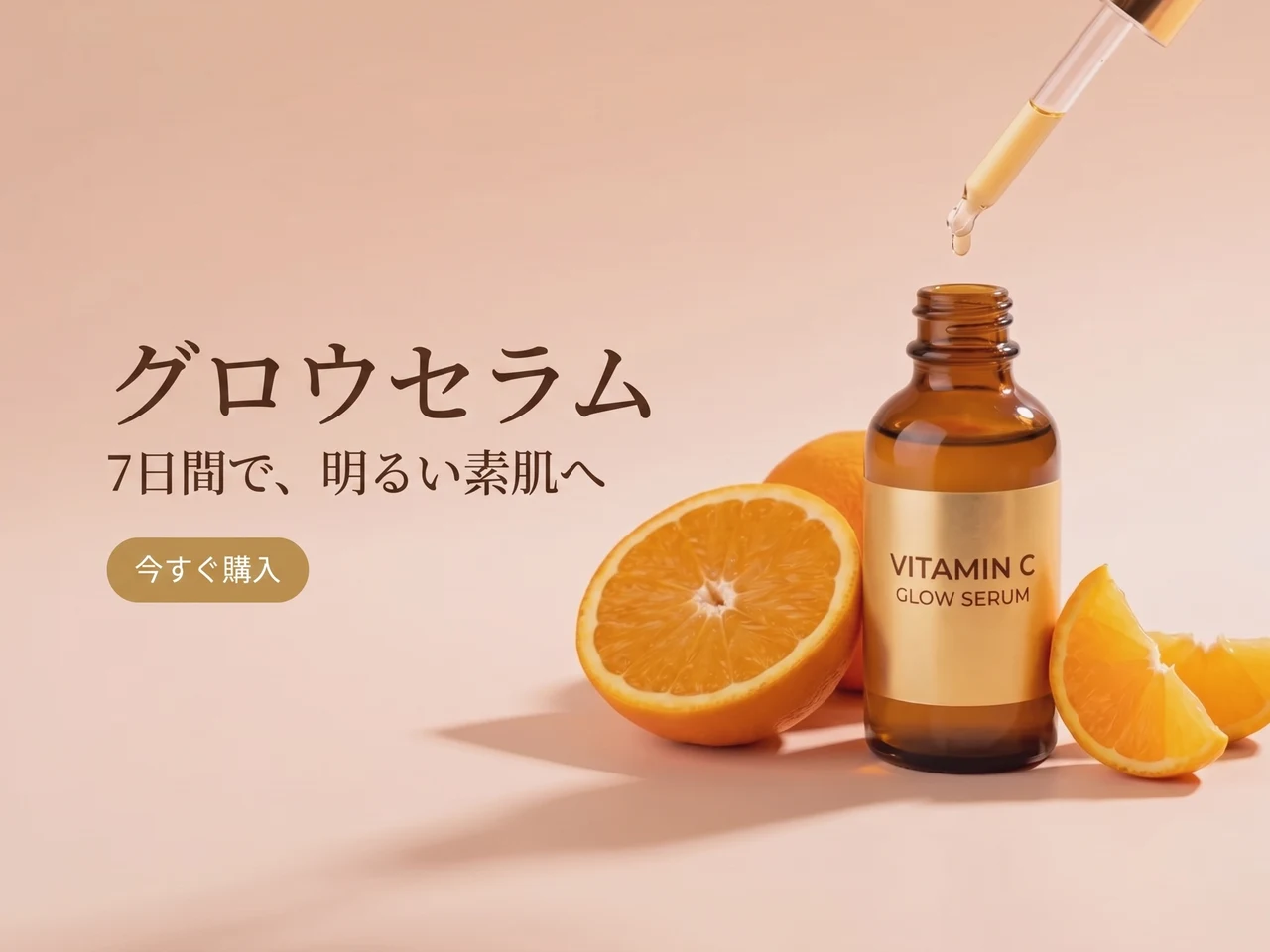
翻譯廣告
英文文案換成日文,版面和風格保持不變。
 原圖效果
原圖效果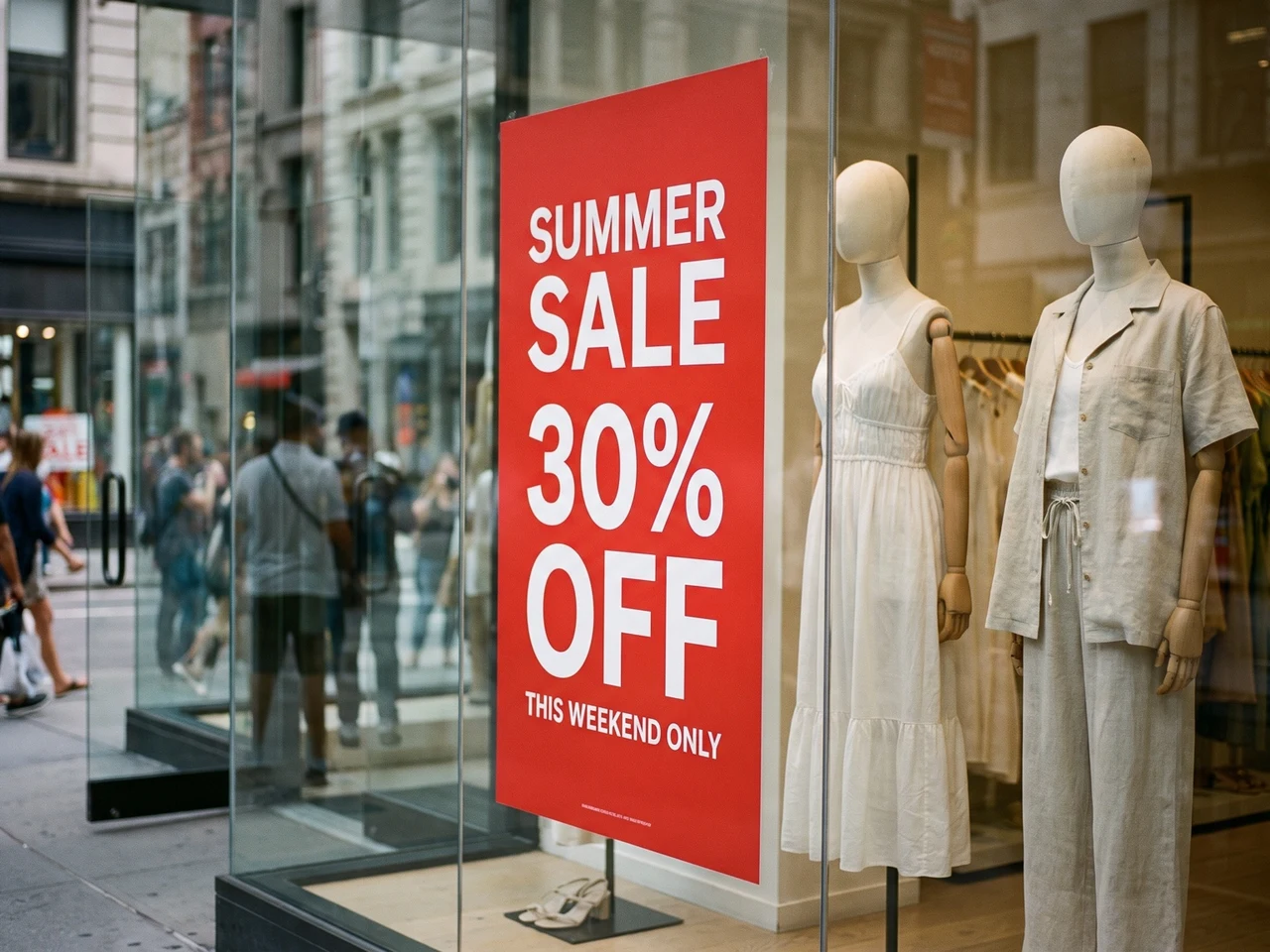
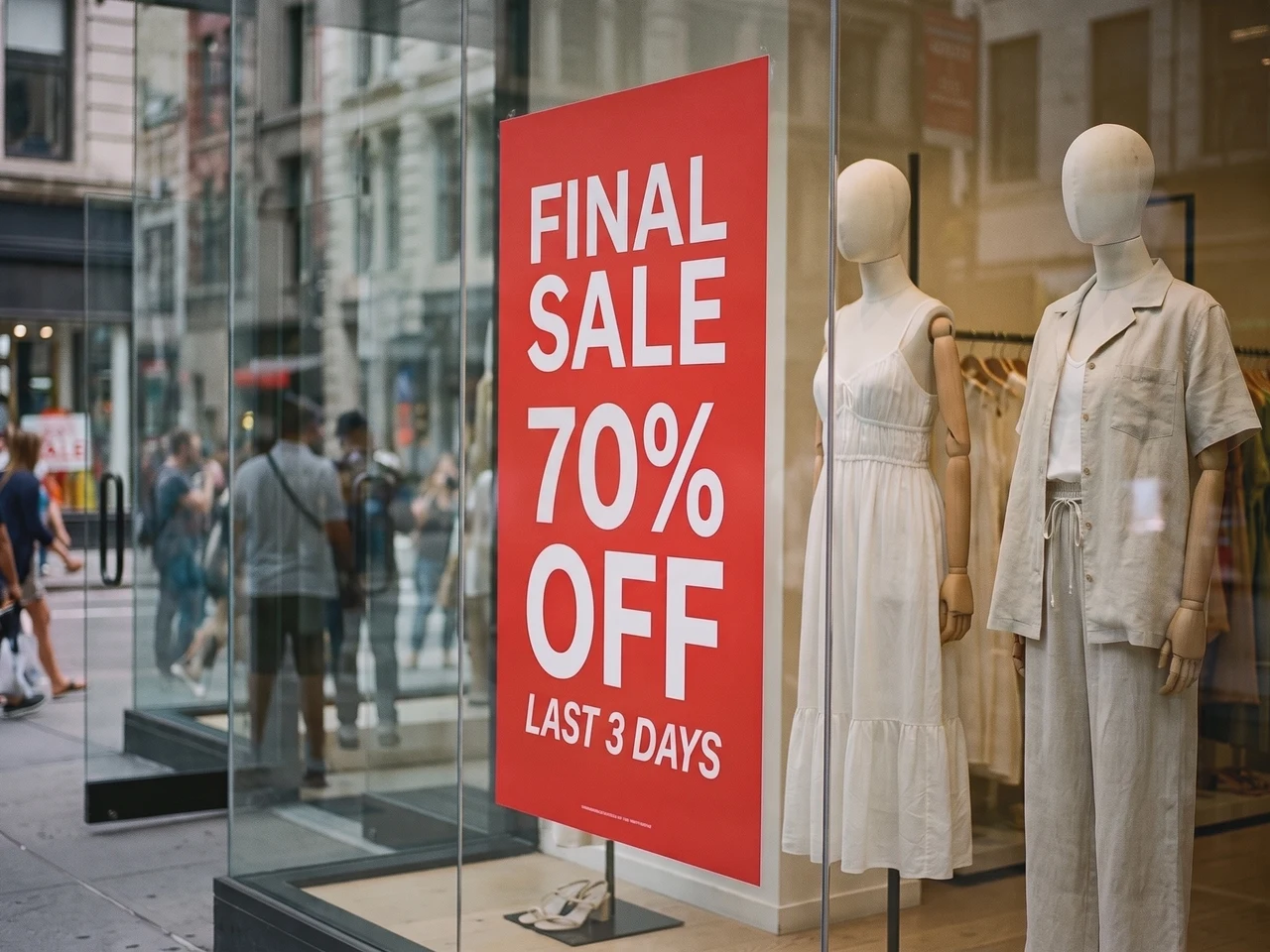
修改實拍相片
櫥窗海報換上新的減價文案,光影和反光依然自然。
文字樣式 1:1 還原
Codia 會保留字重、字號、對齊、顏色、間距和層級等排版細節,令修改後的文字仍與原圖片相符。
支援全球 108 種語言文字識別
適用於多語言圖片內容,包括 AI 生成圖、截圖、海報、商品圖及營銷素材,方便進行本地化與跨市場創意修改。
支援透明 PNG 及 WebP
Logo 和貼紙保留透明背景,編輯後的檔案可直接放回你的設計中。
需要更精細的控制?在完整編輯器中開啟
需要逐個圖層編輯時,可在 Codia 相片編輯器中開啟同一張圖片,修改字體、顏色和位置,亦可用其他工具繼續修圖。
選擇改字情境
保留字體改字、螢幕截圖改字與 JPG 改字
修改圖片中原有的文字,而非在上面疊加新的文字。
以接近原字體的樣式修改圖片文字
替換標題、價格或標籤,盡量配合原有字形。新文案長度盡量接近原文,並對照原圖檢查;花體字、小字和複雜背景可能需要再次調整。
修改螢幕截圖中的文字
更新介面標籤、模型稿文案或簡報截圖。上載清晰截圖,校正識別結果,再輸入新文字。下載前檢查換行及周圍文字。
修改 JPG 或 PNG 圖片文字
沒有原始設計檔,也能修改已儲存相片或圖片中的文字。直接上載圖片,編輯識別結果,再產生新圖片。保留原檔以便對照。
修改 PDF 內的文字,下載完整檔案
上載 PDF,揀出需要改字的頁面,像改圖片一樣修改,最後下載已替換這些頁的完整 PDF。
揀出要改的頁
每一頁都有縮圖,一次最多揀 10 頁。
原地改字
字型、顏色和版面都保持原樣,只有文字改變。
下載完整 PDF
改過的頁面會替換進去,其餘頁面保持原樣,文字仍然可以選取。
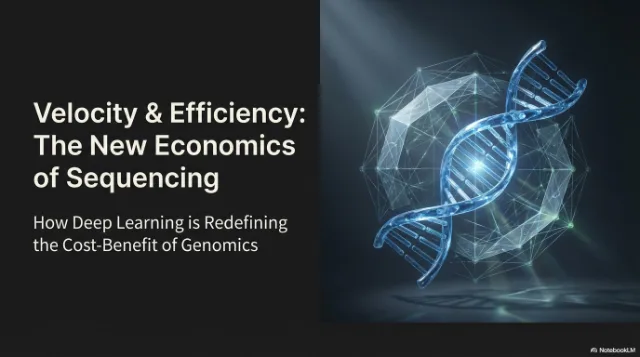
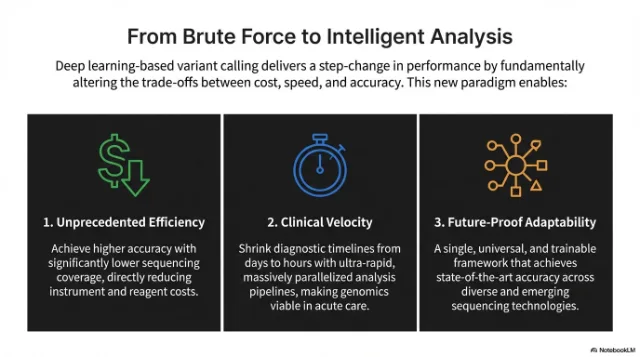 已修改
已修改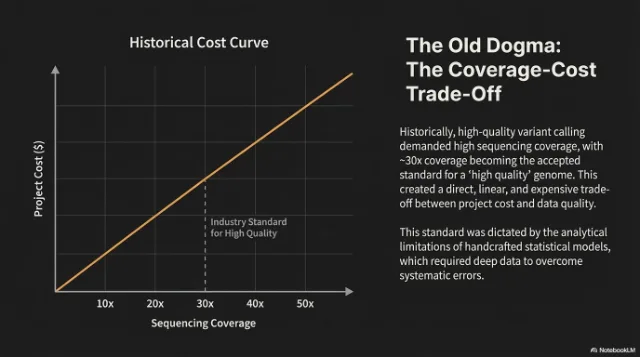
 已修改
已修改
使用方法
將圖片中的文字變成可編輯文字
上傳圖片
由 AI 生成圖、截圖、海報、商品圖或社媒素材開始。
編輯辨識出嘅文字
Codia 會自動辨識圖片入面嘅文字。喺每行旁邊輸入新文字,或者清空嗰行就可以刪除文字。
生成並下載
AI 會按原本字型同樣式改寫文字。同原圖比較之後,下載完成嘅圖片。
應用場景
為實際設計工作而設的相片及圖片文字編輯器
圖片本身可用,只是文字需要修改、翻譯或轉為可編輯字體時,便可使用圖片文字編輯器。
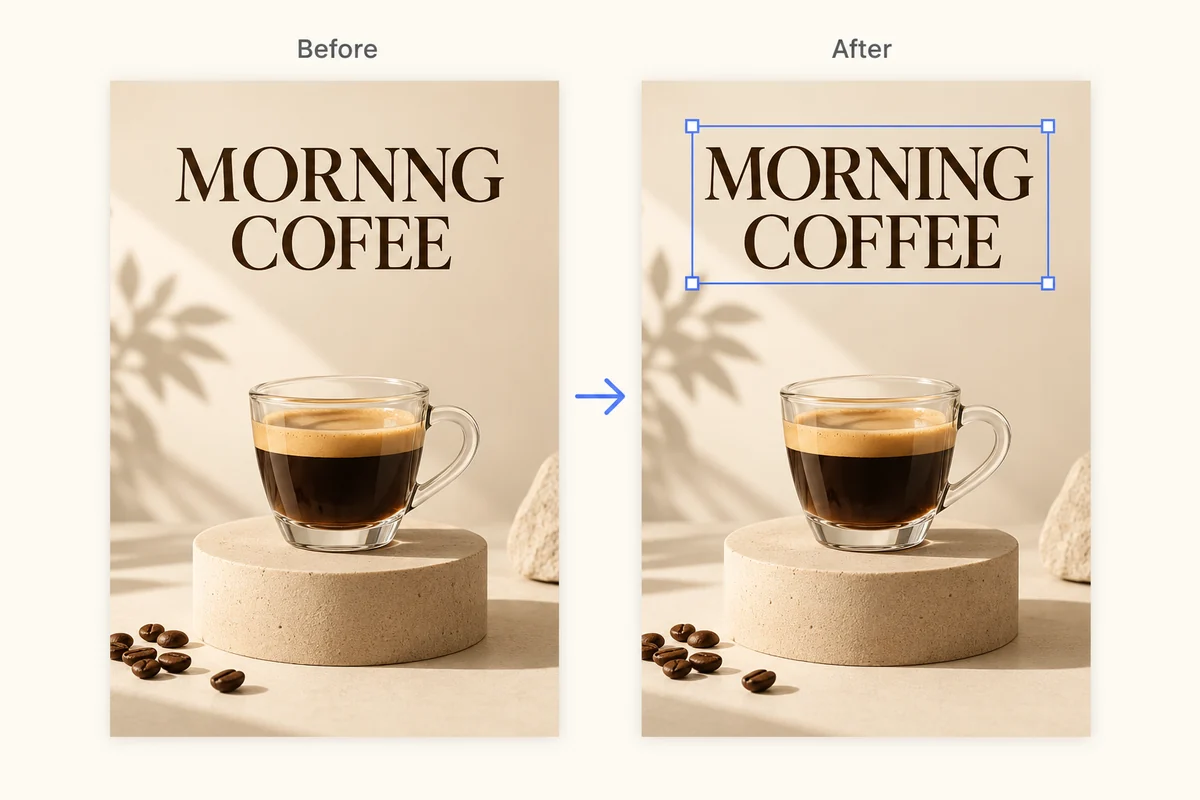
修復 AI 圖片亂碼文字
清理生成圖中無法辨識的文字、拼錯的標籤及破損的字體,毋須重繪整張圖片。
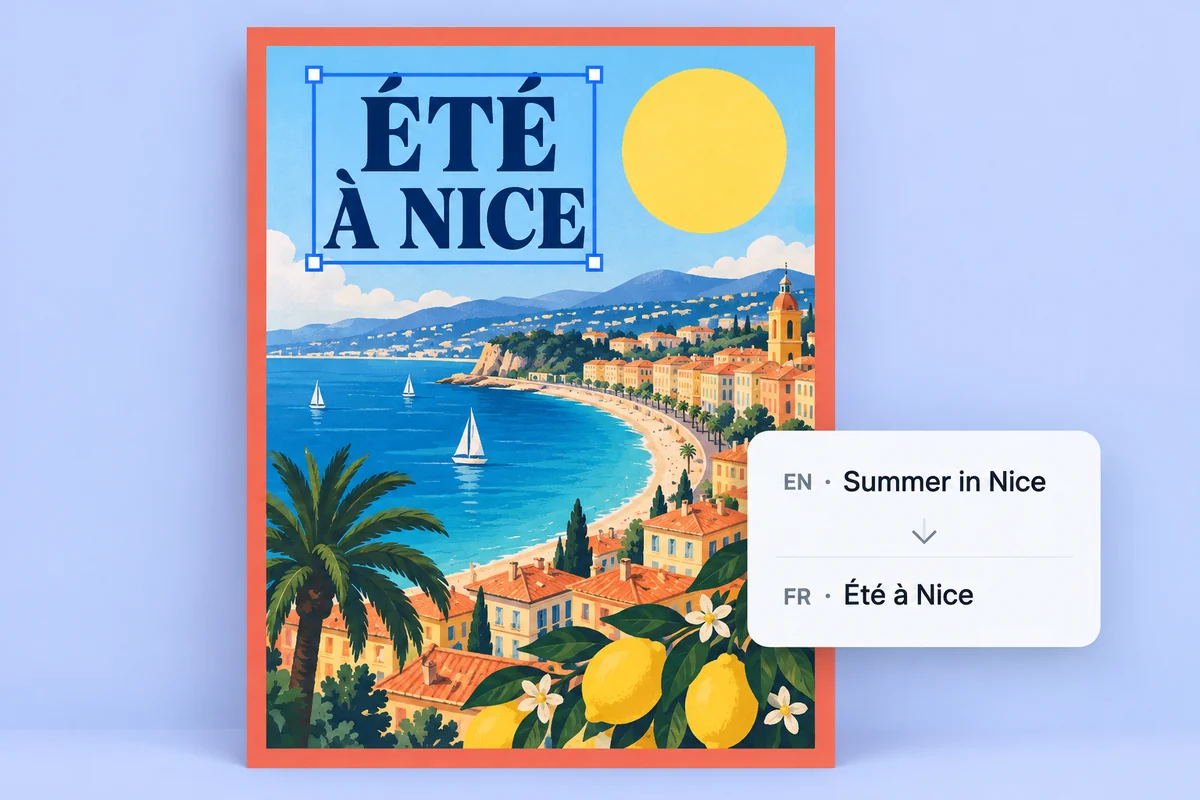
本地化海報及商品圖
將圖片中的文字轉為可編輯的文字圖層,更快完成宣傳素材的翻譯、修改及審批。
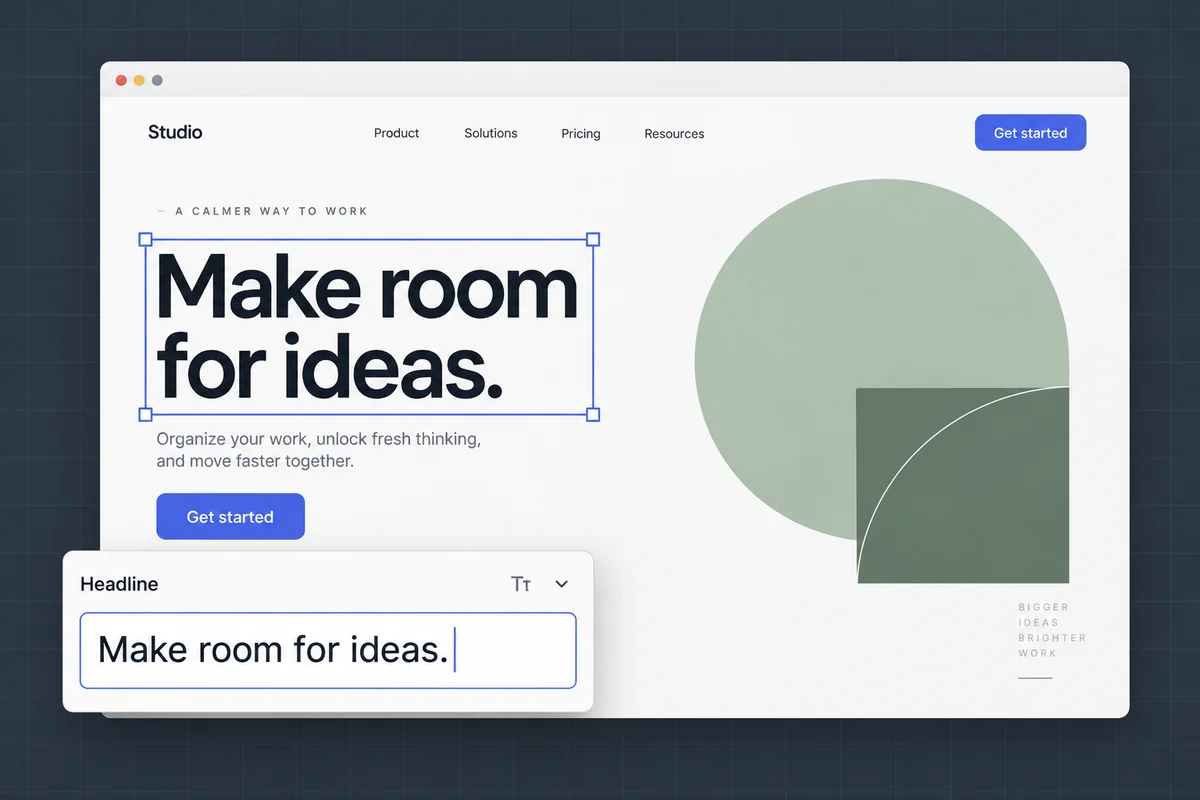
編輯截圖及設計稿中的文字
更新介面標籤、設計稿文案及簡報截圖,同時保留原有版面及視覺效果。
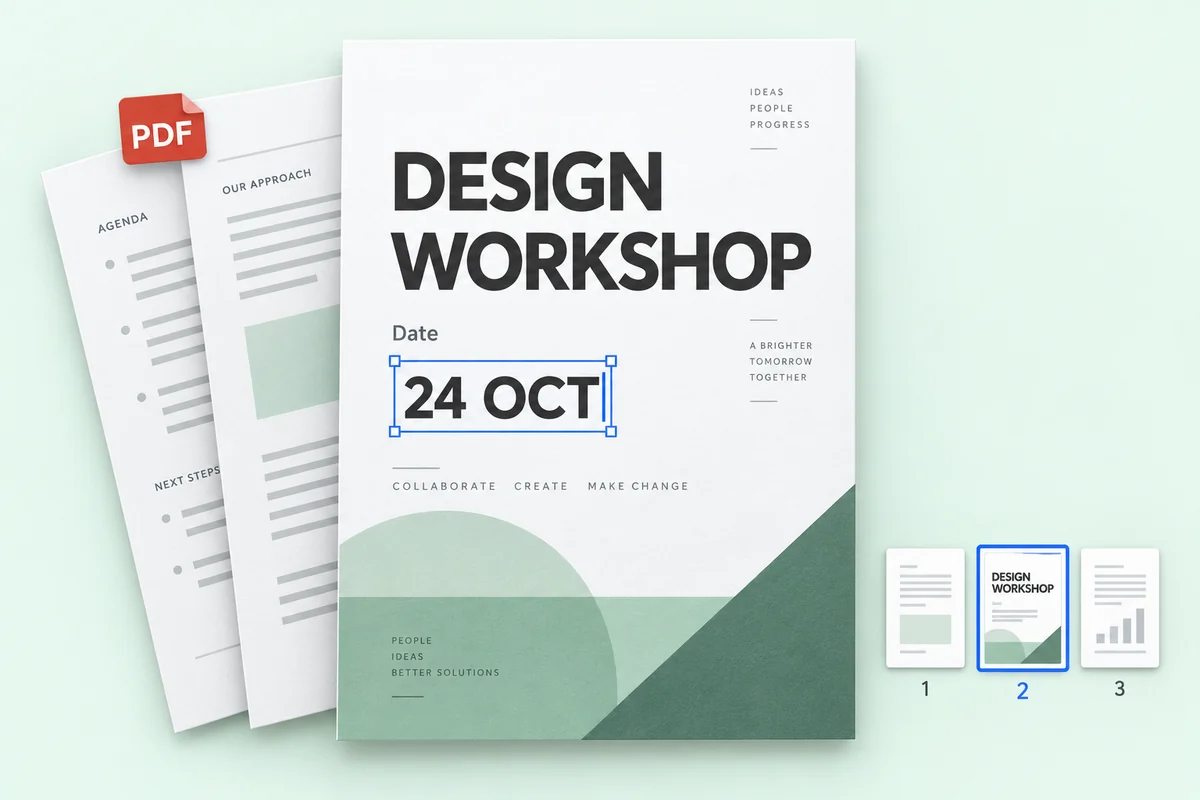
修改 PDF 檔案內的文字
改掉 PDF 中幾頁的價錢、日期或名稱,再下載完整檔案,其餘頁面保持原樣。
價格
免費開始,有需要才付費
1K 編輯使用 1 點數,2K 使用 2 點數,4K 使用 3 點數。文字辨識不會使用點數。
免費試用
免費文字辨識,無需註冊。免費帳號每月有 1 個點數,可生成 1 張 1K 圖片。
不會用來訓練 AI
圖片只用來完成你要求的修改,我們不會用它訓練模型。
只有你看得到
上載的圖片和生成結果只會出現在你自己的歷史紀錄,不會出現在任何公開頁面。
留或刪,由你決定
歷史紀錄可以逐項刪除,也可以一鍵清空,隨時都可以。
FAQ
常見問題
我可以直接編輯圖片上的文字嗎?
可以。將圖片上傳到 Codia,AI 會找出圖片中原有的文字;輸入新文字後,它會按原本的字體、顏色和版面在原位改寫。
文字識別免費嗎?
是的。文字辨識免費,每個 Codia 免費帳號每月都有點數,可生成 1K 解析度的圖片。Lite 和點數包可出 2K;Starter 和 Pro 方案支援 4K 輸出和批次編輯。
支援幾多種語言?
Codia 支援全球 108 種語言文字識別,適合本地化廣告、商品圖、截圖及多語言營銷素材。
可以編輯哪些圖片格式?
可以上載 JPG、PNG 和 WebP 圖片,包括相片、螢幕截圖、海報和商品標籤。編輯識別出的文字後,產生並下載修改後的圖片。
如何修改螢幕截圖中的文字?
上載 JPG、PNG 或 WebP 格式的截圖,檢查識別結果並輸入替換文字,再產生並比較新圖片。清晰截圖有助識別介面小字,下載前請檢查換行及周圍元素。
沒有原始設計檔,可以修改 JPG 或 PNG 中的文字嗎?
可以直接上載 JPG 或 PNG,毋須 PSD 等原始設計檔。Codia 識別圖中文字後,你可以替換文字並產生新圖片。結果是圖片檔,並非還原的原始設計文件。
收費多少?
文字辨識免費。每個免費帳號每月有 1 個點數,可生成 1 張 1K 圖片。Lite 和點數包可出 2K;Starter 和 Pro 支援 4K 輸出和批次編輯。點數包永不過期。
需要註冊帳戶嗎?
上傳圖片並查看文字辨識結果毋須帳戶。準備生成編輯後的圖片時才免費註冊即可,方便記錄你的點數。
每次編輯使用多少點數?
無論修改多少處文字,1K 編輯使用 1 點數,2K 使用 2 點數,4K 使用 3 點數。編輯失敗不會扣除點數。
可以保留透明背景嗎?
可以。Logo、貼紙等透明 PNG 及 WebP 圖片會以 PNG 格式傳回,並保留透明背景。
可以上傳哪些檔案?
支援 20 MB 以內的 PNG、JPG、WebP 圖片,以及 100 MB 以內的 PDF。超大圖片會先將長邊縮小至 4096 像素再處理。
可以修改 PDF 內的文字嗎?
可以。上載 PDF,最多揀 10 頁修改文字。下載的是完整 PDF:改過的頁面會替換進去,其餘頁面完全保持原樣。PDF 編輯屬於批量編輯功能,Starter 和 Pro 計劃可用。
準備好修改圖片上的文字了嗎?
文字辨識免費,毋須註冊。上傳圖片即可開始。