
المدونة
رؤى وشروحات وآخر مستجدات المنتج من فريق Codia.
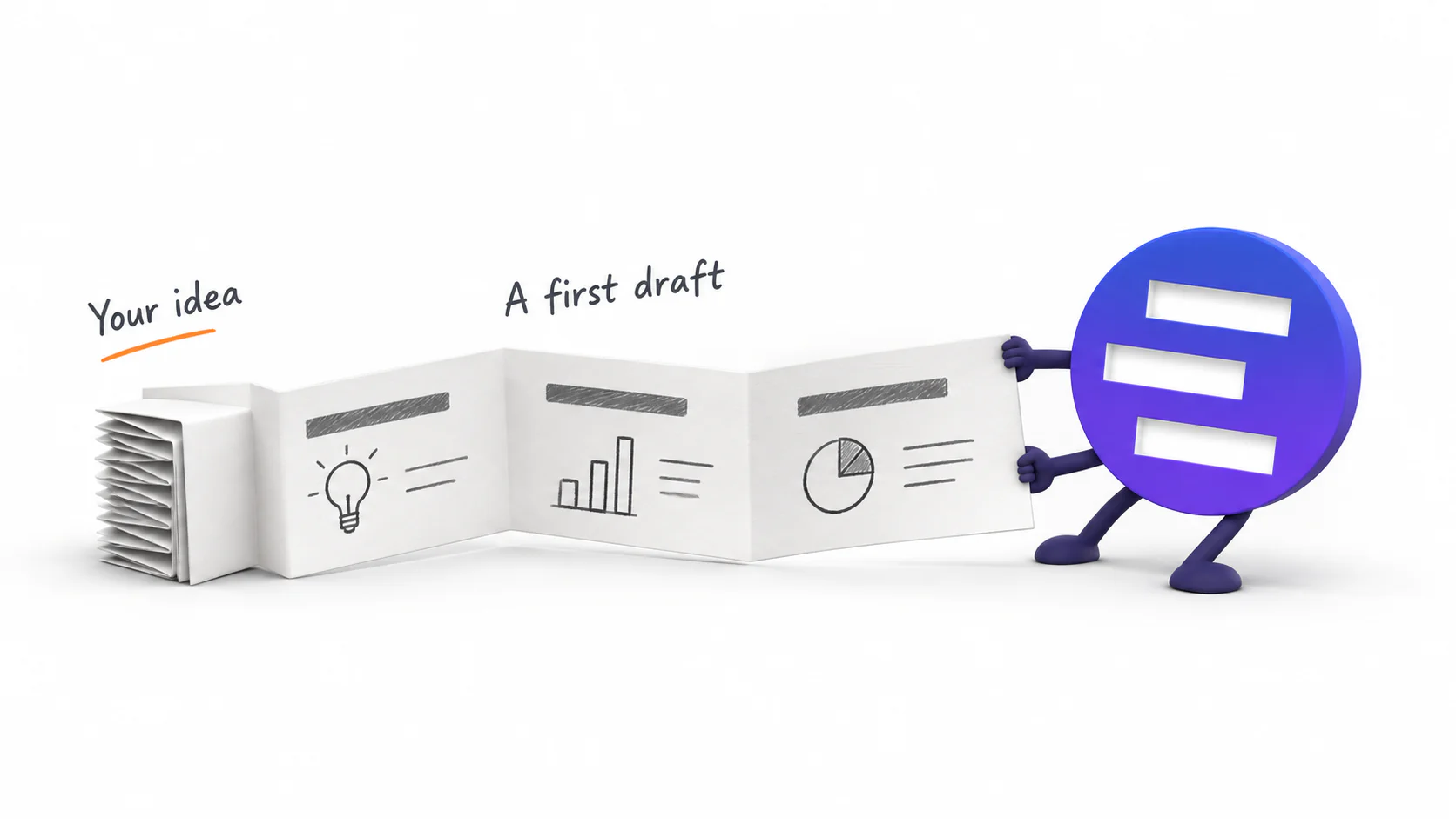
Introducing AI Presentation Generation in NoteSlide
Turn ideas, notes, and documents into AI-generated presentations with NoteSlide. Review the outline, preview the design, and download an editable PPTX.

How to Prepare a PowerPoint for AI Beautification: A Practical Checklist
Prepare fonts, images, charts, sensitive wording, page scope, and brand references before AI redesigns a PowerPoint. A cleaner source means a faster, safer review.

PowerPoint Template vs. AI Beautifier: Which One Actually Fixes a Bad Deck?
A template controls theme rules; an AI beautifier can reinterpret each slide. Compare what each approach changes, preserves, costs, and risks before redesigning a presentation.
Is an AI-Generated PowerPoint Really Editable? Five Tests to Find Out
A file ending in .pptx is not necessarily editable. Use five practical tests for text, objects, images, charts, and slide structure before choosing or handing off an AI presentation tool.

How to Create a PowerPoint from Word, PDF, a Webpage, or Pasted Text
Word documents, PDFs, webpages, and pasted notes need different preparation before AI turns them into slides. Learn which source works best and how to get a cleaner editable PPTX.
How to Beautify an Old PowerPoint Without Rewriting the Content
Redesign a dated PowerPoint while preserving its message, facts, and approved wording. This workflow covers preparation, slide selection, visual redesign, and final review.

Generate, Beautify, or Convert a PowerPoint? How to Choose the Right AI Workflow
AI presentation tools can create a new deck, redesign an old one, or rebuild a flat PDF as editable PowerPoint. Use this guide to choose the right workflow before you upload anything.
لماذا يبدو عرضك التقديمي غير احترافي: 6 علامات وكيف تعالج كلًا منها
ستة أمور يلتقطها المراجع في أول ثلاث ثوانٍ — أنظمة بصرية مختلفة، أحجام خط متذبذبة، محاذاة مكسورة، شرائح مكتظة بالنص، صور متنافرة، وألوان بلا قاعدة — مع أسرع علاج لكل منها.
كيف تبني عرضًا تقديميًا كاملًا بـ Nano Banana Pro — والخطوة الأخيرة
طريقة عمل فعلية مع Nano Banana Pro: صورة واحدة لكل شريحة، هيكل موجّه قابل لإعادة الاستخدام، لغة بصرية ثابتة عبر عشر شرائح، وإعداد التصدير الذي يقرر إن كنت ستتمكن من تعديل النتيجة أصلًا.
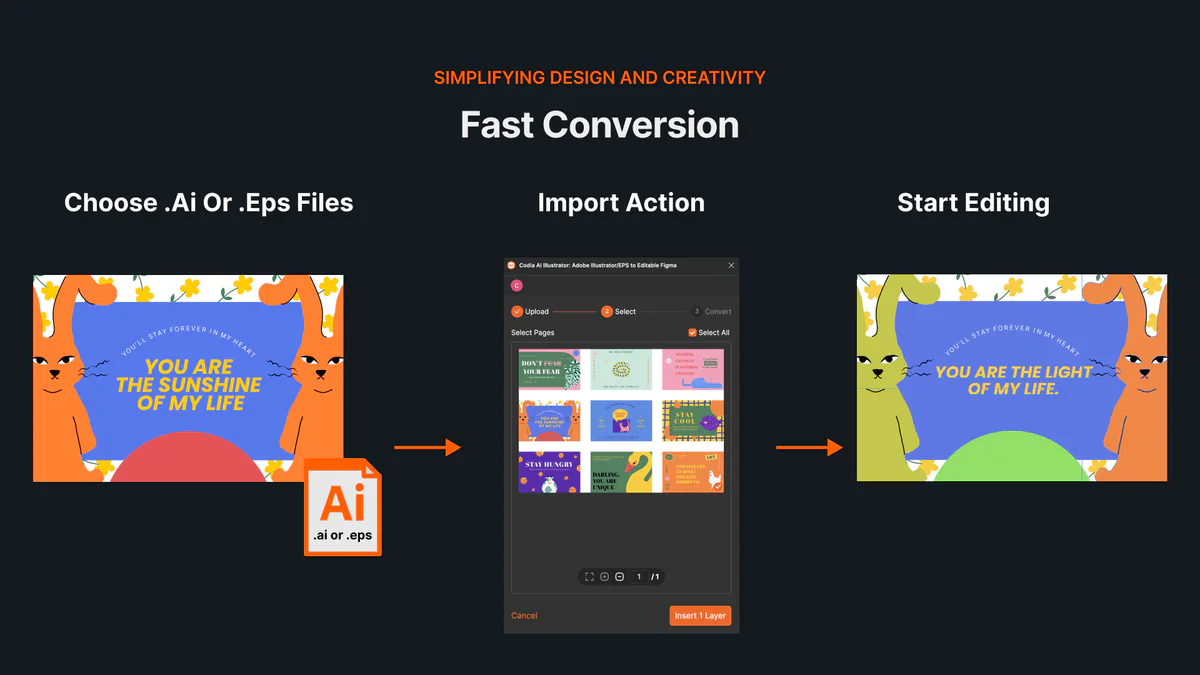
كيفية فتح ملفات AI أو EPS وتعديلها عبر الإنترنت دون Illustrator
تعرّف على طريقة فتح ملفات AI وEPS عبر الإنترنت واستيراد لوحات الرسم والطبقات المتجهة القابلة للتعديل إلى Codia Studio وفحص التوافق.
NotebookLM أصبح Gemini Notebook: ما الذي تغيّر وماذا يعني ذلك لتصدير الشرائح؟
غيّرت Google اسم NotebookLM إلى Gemini Notebook في يوليو 2026. إليك ما تغيّر فعلاً، وما بقي كما هو، وكيف تتعامل مع ملفات PDF وتصدير الشرائح بعد التسمية الجديدة.
How to Review NoteSlide Output: A Text, Image, Chart, and Number Checklist
After NoteSlide converts a PDF into editable PPTX, review text, images, charts, numbers, citations, and slide status before using the deck formally.
How to Prepare Files for NoteSlide: A PDF to PPTX Quality Checklist
Before converting a PDF into editable PPTX with NoteSlide, check source quality, page scope, image clarity, and file size to reduce rework.

How Teachers Can Turn PDF Handouts into Editable Slides with NoteSlide
Teachers can use NoteSlide to turn PDF handouts, scanned slides, or NotebookLM decks into editable PPTX files for classroom review and presentation.
How Researchers Can Turn a Paper PDF into a Conference Presentation with NoteSlide
Researchers can use NoteSlide to convert paper PDFs, research summaries, or scanned materials into editable PPTX files, then review figures, citations, and claims before presenting.

How Marketing Teams Can Turn Whitepapers into Sales Decks with NoteSlide
Marketing teams can use NoteSlide to turn whitepapers, product PDFs, and long-form documents into editable PPTX decks for sales, events, and training.
How Consultants Can Turn Report PDFs into Client Decks with NoteSlide
Consultants can use NoteSlide to turn report PDFs into editable PPTX decks, then refine structure, reduce density, review claims, and prepare client-ready presentations.
What Can You Edit After NoteSlide Conversion? Text, Images, Layout, and More
NoteSlide conversion is not just about placing PDF pages into slides. This guide explains what users can edit after conversion and when complex visuals may remain image-based.

How to Turn NotebookLM Slides into an Editable PPTX with NoteSlide
NotebookLM often gives you a PDF slide deck, not a PowerPoint file you can keep editing. This guide explains how NoteSlide converts NotebookLM PDFs into editable PPTX decks.
تحرير شرائح NotebookLM: كيف تجعلها قابلة للتعديل فعلاً
شرائح NotebookLM بعد تصدير PDF لا تكون دائمًا قابلة للتعديل. يشرح هذا الدليل كيفية تحرير NotebookLM slides وتعديل النص والتخطيط والحصول على PowerPoint قابل للتعديل.
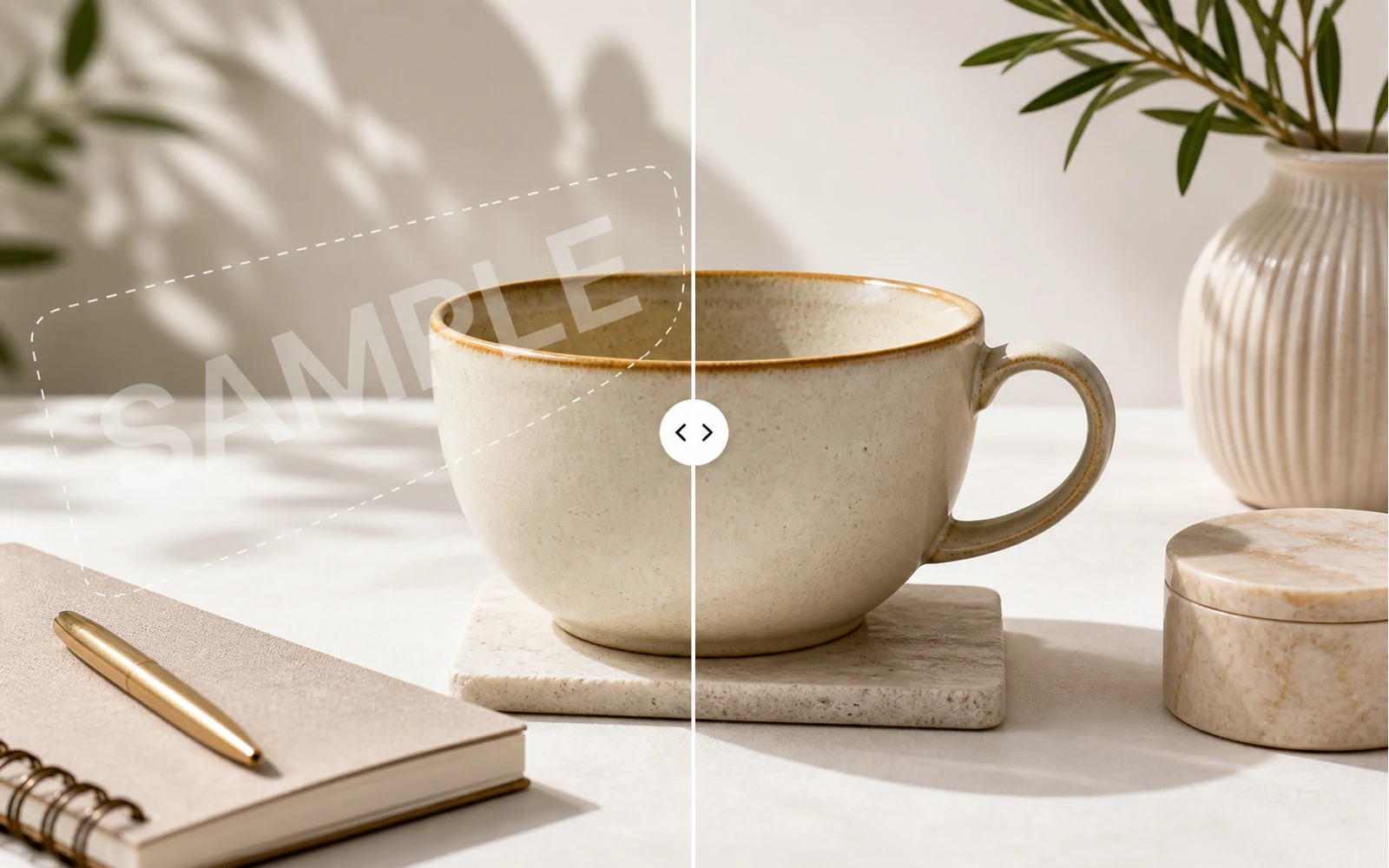
How to Remove a Watermark from an Image with AI
A practical guide for removing watermarks, draft labels, and sample overlays from images you own or are authorized to edit, then continuing the cleanup in Codia Studio.
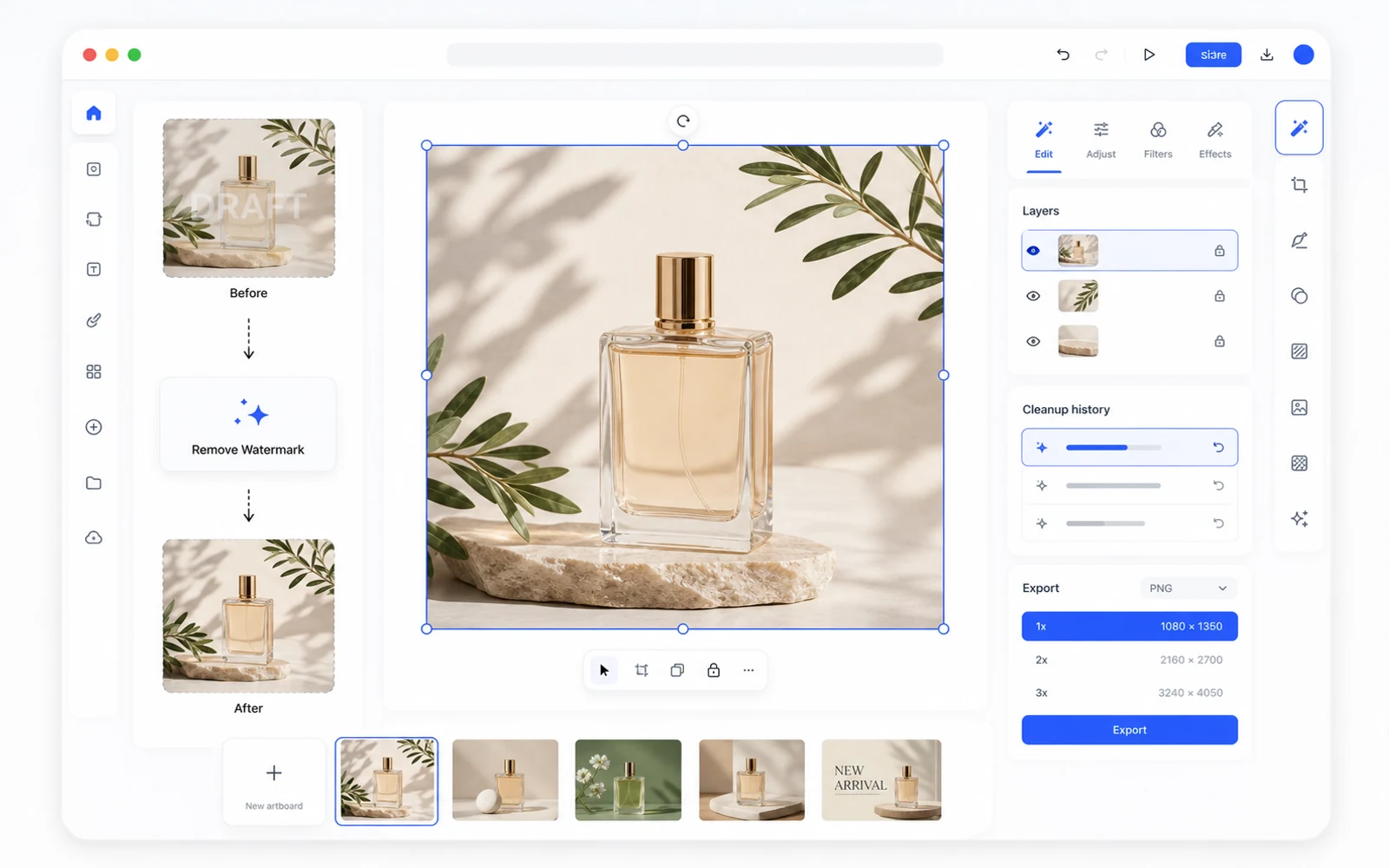
Remove a Watermark, Then Keep Editing in Codia Studio
Why watermark removal works better when it is part of a broader design workflow, not a one-off upload-download task.
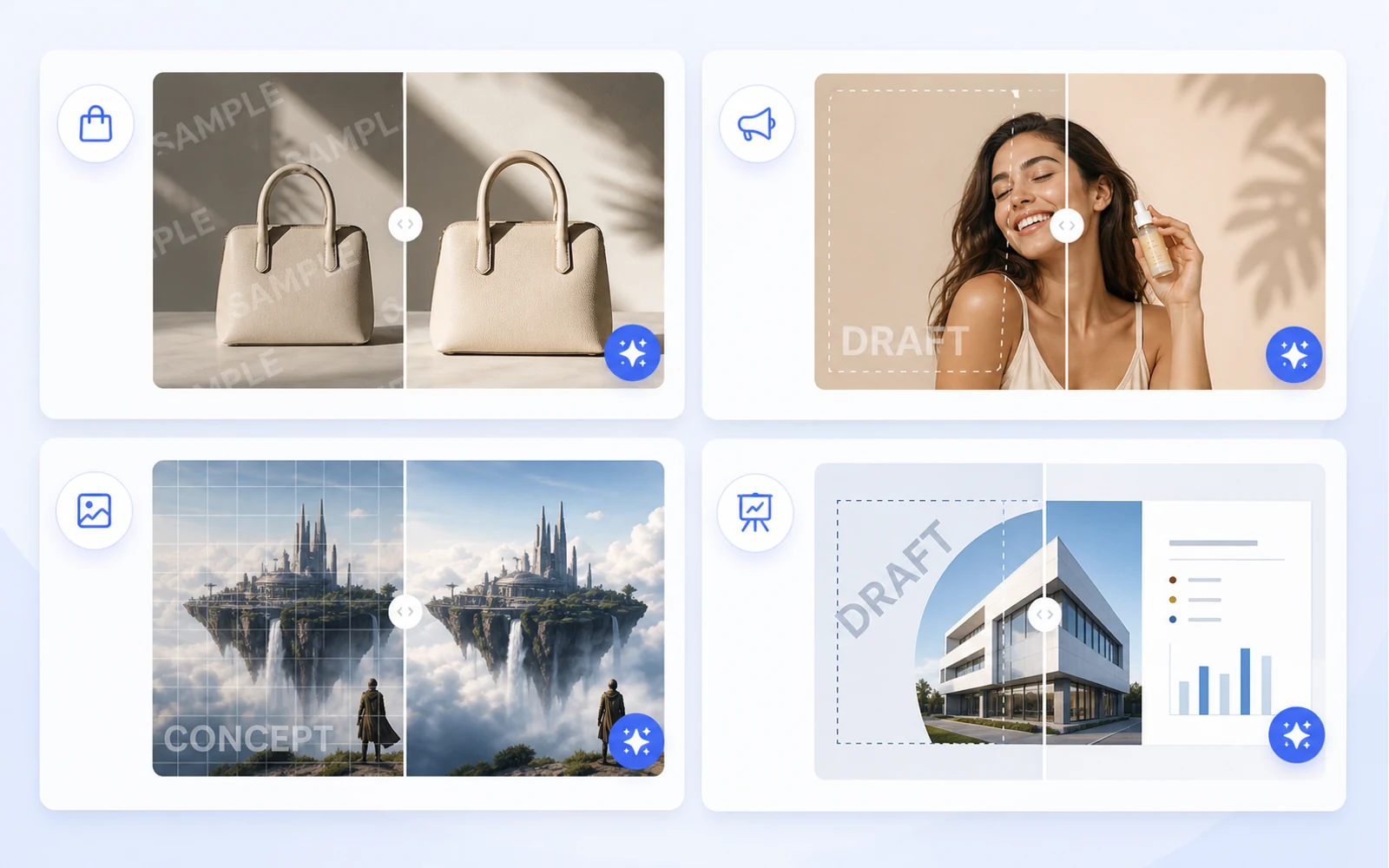
Clean Product Images Before Publishing: Remove Draft Marks and Sample Overlays
How ecommerce teams and marketers can clean authorized product images by removing draft marks, sample overlays, timestamps, and visual clutter before publishing.
حوّل لقطة شاشة إلى Figma قابلة للتحرير: سير عمل عملي لمراجع واجهات المستخدم
عندما يكون المصدر الوحيد هو لقطة شاشة، لا يزال بإمكانك إنشاء نقطة بداية مفيدة في Figma. استخدم هذا السير لإعادة التصميم، والمراجع، واستعادة الواجهات القديمة.

كيف تعيد استخدام أصول Canva والصور كتصاميم قابلة للتحرير
غالبا ما تصل مواد التسويق كروابط Canva أو ملفات PNG مصدرة أو صور مسطحة. تعلّم كيف تحولها إلى ملفات تصميم قابلة للتحرير لإعادة الاستخدام والتعريب والإنتاج.

من PDF إلى PowerPoint: كيف تحصل على PPT قابل للتحرير فعلا، لا مجرد صور شرائح مسطحة
معظم محولات PDF إلى PPT تضع كل صفحة كصورة مسطحة. تعلّم كيف تختبر قابلية التحرير ومتى تستخدم سير عمل Codia من PDF إلى PowerPoint قابل للتحرير.
نقدم Codia PSD Editor Online: عدّل ملفات Photoshop في المتصفح
أصبح Codia PSD Editor Online متاحا الآن للفرق التي تحتاج إلى فتح ملفات PSD وتحريرها وتصديرها من دون سير عمل Photoshop كامل.
نقدم Codia Magic Layers: حوّل الصور المسطحة إلى طبقات قابلة للتحرير
أصبح Codia Magic Layers متاحا الآن لفصل الصور المسطحة إلى كائنات قابلة للتحرير، ونصوص، وخلفيات، ومنتجات، وعناصر بصرية.

نقدم Codia AI Image Text Editor: إصلاح وإعادة كتابة النص داخل الصور
أصبح Codia AI Image Text Editor متاحا الآن لإصلاح النص المكسور في صور الذكاء الاصطناعي، وتحديث النسخ في الصور المسطحة، وتحويل نص الصورة إلى طبقات قابلة للتحرير.
نص صور الذكاء الاصطناعي مشوّه: كيف تصلح الكلمات المكسورة من دون إعادة توليد الصورة كلها
غالبا ما تنتج مولدات الصور بالذكاء الاصطناعي صورا جميلة بكلمات مكسورة. تعرّف على متى تعيد التوليد، ومتى تعدل، وكيف يحوّل Codia نص الصورة إلى طبقات قابلة للتحرير.
كيف تعدل النص داخل صورة من دون إعادة إنشاء التصميم بالكامل
هل تحتاج إلى تغيير عنوان أو سعر أو تاريخ أو تسمية داخل صورة مسطحة؟ إليك سير العمل العملي لتحويل نص الصورة إلى طبقات قابلة للتحرير.
كيف تعدل ملف PSD أونلاين بدون تثبيت Photoshop
هل تحتاج إلى فتح ملف PSD، إجراء تعديل سريع، ثم تصديره من جديد؟ تعرّف على متى يكفيك محرر PSD عبر المتصفح، وكيف يحافظ Codia على سير عمل يراعي الطبقات.
AI Prompting Lessons from Practical Product Work
AI Prompting Lessons from Practical Product Work explained through practical product workflow, design-to-code handoff, review steps, and how Codia helps teams move from visual input to usable output.
Flutter or React Native: Choosing a Cross-Platform Framework
Flutter or React Native: Choosing a Cross-Platform Framework explained through practical product workflow, design-to-code handoff, review steps, and how Codia helps teams move from visual input to usable output.
Top 15 Tools for macOS App Development
Top 15 Tools for macOS App Development explained through practical product workflow, design-to-code handoff, review steps, and how Codia helps teams move from visual input to usable output.
The Evolution of UI Development
The Evolution of UI Development explained through practical product workflow, design-to-code handoff, review steps, and how Codia helps teams move from visual input to usable output.
Image Processing for UI Element Segmentation
Image Processing for UI Element Segmentation explained through practical product workflow, design-to-code handoff, review steps, and how Codia helps teams move from visual input to usable output.
SwiftUI UI Layout Introduction
SwiftUI UI Layout Introduction explained through practical product workflow, design-to-code handoff, review steps, and how Codia helps teams move from visual input to usable output.
Start Here: A Practical Guide to Codia
Start Here: A Practical Guide to Codia explained through practical product workflow, design-to-code handoff, review steps, and how Codia helps teams move from visual input to usable output.
Set Up an iOS Development Environment
Set Up an iOS Development Environment explained through practical product workflow, design-to-code handoff, review steps, and how Codia helps teams move from visual input to usable output.
Set Up a Flutter Development Environment
Set Up a Flutter Development Environment explained through practical product workflow, design-to-code handoff, review steps, and how Codia helps teams move from visual input to usable output.
Set Up an Android Development Environment
Set Up an Android Development Environment explained through practical product workflow, design-to-code handoff, review steps, and how Codia helps teams move from visual input to usable output.
Transform Wireframes into Polished Design Drafts with AI
Transform Wireframes into Polished Design Drafts with AI explained through practical product workflow, design-to-code handoff, review steps, and how Codia helps teams move from visual input to usable output.
React Native Tutorial: Build Your First Mobile App
React Native Tutorial: Build Your First Mobile App explained through practical product workflow, design-to-code handoff, review steps, and how Codia helps teams move from visual input to usable output.
PDF to HTML: Turn Static Documents into Web Layouts
PDF to HTML: Turn Static Documents into Web Layouts explained through practical product workflow, design-to-code handoff, review steps, and how Codia helps teams move from visual input to usable output.
Node.js API Development Best Practices
Node.js API Development Best Practices explained through practical product workflow, design-to-code handoff, review steps, and how Codia helps teams move from visual input to usable output.
Mastering macOS: 17 Common Development Challenges
Mastering macOS: 17 Common Development Challenges explained through practical product workflow, design-to-code handoff, review steps, and how Codia helps teams move from visual input to usable output.
Mastering Figma to Vue
Mastering Figma to Vue explained through practical product workflow, design-to-code handoff, review steps, and how Codia helps teams move from visual input to usable output.
JPEG to SVG: Convert Raster References into Editable Vector Assets
JPEG to SVG: Convert Raster References into Editable Vector Assets explained through practical product workflow, design-to-code handoff, review steps, and how Codia helps teams move from visual input to usable output.
Jetpack Compose Mastery Finale: 38 Key UI Issues
Jetpack Compose Mastery Finale: 38 Key UI Issues explained through practical product workflow, design-to-code handoff, review steps, and how Codia helps teams move from visual input to usable output.
Jetpack Compose Mastery Part 1: Build Your First Compose App
Jetpack Compose Mastery Part 1: Build Your First Compose App explained through practical product workflow, design-to-code handoff, review steps, and how Codia helps teams move from visual input to usable output.
An In-Depth Perspective on Flutter
An In-Depth Perspective on Flutter explained through practical product workflow, design-to-code handoff, review steps, and how Codia helps teams move from visual input to usable output.
كيفية استخدام Screenshot للوصول إلى Figma قابلة للتحرير
شرح كيفية استخدام Screenshot للوصول إلى Figma قابلة للتحرير عبر سير عمل عملي للمنتج، وتسليم من التصميم إلى الكود، وخطوات المراجعة، وكيف تساعد Codia الفرق على الانتقال من المدخلات البصرية إلى مخرجات قابلة للاستخدام.
The Future of Design to Code: Automating Figma to Vue.js
The Future of Design to Code: Automating Figma to Vue.js explained through practical product workflow, design-to-code handoff, review steps, and how Codia helps teams move from visual input to usable output.
Flutter Development from Zero to Production
Flutter Development from Zero to Production explained through practical product workflow, design-to-code handoff, review steps, and how Codia helps teams move from visual input to usable output.
Figma to React: Convert Design Structure into Components
Figma to React: Convert Design Structure into Components explained through practical product workflow, design-to-code handoff, review steps, and how Codia helps teams move from visual input to usable output.
Figma to Code: An Automated Journey from Design to Implementation
Figma to Code: An Automated Journey from Design to Implementation explained through practical product workflow, design-to-code handoff, review steps, and how Codia helps teams move from visual input to usable output.
Figma to Android: From Design Frames to Buildable UI
Figma to Android: From Design Frames to Buildable UI explained through practical product workflow, design-to-code handoff, review steps, and how Codia helps teams move from visual input to usable output.
Starting a macOS Development Journey from Zero
Starting a macOS Development Journey from Zero explained through practical product workflow, design-to-code handoff, review steps, and how Codia helps teams move from visual input to usable output.
How Deep Learning Accelerates Application Development
How Deep Learning Accelerates Application Development explained through practical product workflow, design-to-code handoff, review steps, and how Codia helps teams move from visual input to usable output.
A Comprehensive Guide to Flutter Development for macOS
A Comprehensive Guide to Flutter Development for macOS explained through practical product workflow, design-to-code handoff, review steps, and how Codia helps teams move from visual input to usable output.
A Comprehensive Exploration of Flutter
A Comprehensive Exploration of Flutter explained through practical product workflow, design-to-code handoff, review steps, and how Codia helps teams move from visual input to usable output.
Electron vs. Flutter: A Practical Comparison
Electron vs. Flutter: A Practical Comparison explained through practical product workflow, design-to-code handoff, review steps, and how Codia helps teams move from visual input to usable output.
Understanding the Compose UI Layout System
Understanding the Compose UI Layout System explained through practical product workflow, design-to-code handoff, review steps, and how Codia helps teams move from visual input to usable output.
Codia AI UI Generator Design Toolkit Guide
Codia AI UI Generator Design Toolkit Guide explained through practical product workflow, design-to-code handoff, review steps, and how Codia helps teams move from visual input to usable output.
Codia AI Design OCR Technology
Codia AI Design OCR Technology explained through practical product workflow, design-to-code handoff, review steps, and how Codia helps teams move from visual input to usable output.
The Codia AI Design-to-Code Revolution
The Codia AI Design-to-Code Revolution explained through practical product workflow, design-to-code handoff, review steps, and how Codia helps teams move from visual input to usable output.
The Codia AI Design-to-Code Revolution, Part 2
The Codia AI Design-to-Code Revolution, Part 2 explained through practical product workflow, design-to-code handoff, review steps, and how Codia helps teams move from visual input to usable output.
Android 14 Adaptation Guide: Upgrading targetSdkVersion to 34
Android 14 Adaptation Guide: Upgrading targetSdkVersion to 34 explained through practical product workflow, design-to-code handoff, review steps, and how Codia helps teams move from visual input to usable output.
Advanced iOS Development: Practical SwiftUI Tips
Advanced iOS Development: Practical SwiftUI Tips explained through practical product workflow, design-to-code handoff, review steps, and how Codia helps teams move from visual input to usable output.
A Deep Dive into Apple Vision Pro and visionOS
A Deep Dive into Apple Vision Pro and visionOS explained through practical product workflow, design-to-code handoff, review steps, and how Codia helps teams move from visual input to usable output.
Supercharge Your Mobile Dev Skills: 10 Essential Tools for Max Efficiency
A practical mobile development toolkit for shipping faster across Android, iOS, Flutter, and React Native: IDEs, design-to-code, backend, testing, monitoring, API, CI, and release automation.
Screenshot to Figma Design by AI: A New Chapter in Future Design
How AI screenshot-to-Figma workflows turn flat UI images into editable design structure, where they help, where they fail, and how teams use them responsibly.
Jetpack Compose Mastery Part 2: Advanced Tools and Resources for Mastering Compose UI
A practical guide to advanced Jetpack Compose tooling: previews, Material theming, state, performance, testing, accessibility, and design-to-code workflow.
Image to HTML: Convert UI Screenshots into Editable Web Pages
A practical guide to converting images and UI screenshots into HTML: structure recovery, OCR, layout review, accessibility, and production cleanup.
How to Reduce Android Studio's Maximum Memory Footprint
A practical guide to lowering Android Studio's memory footprint without making builds painfully slow: IDE heap, Gradle daemon, Kotlin daemon, emulator usage, plugins, indexing, and project structure.
Figma to Vue.js: Bridging Design and Development
How to turn Figma designs into Vue 3 components with a clean handoff workflow, reusable structure, scoped styling, and production review.
Figma to SwiftUI: Convert iOS Designs into Native Views
A practical workflow for converting Figma iOS screens into SwiftUI views with clean hierarchy, tokens, assets, state, previews, and production review.
Figma to React Native: Turn Mobile Designs into App Screens
A practical workflow for converting Figma mobile screens into React Native components that engineers can review, refactor, and ship.
Figma to HTML: Convert Designs into Semantic Web Pages
A practical Figma-to-HTML workflow for generating clean markup, responsive CSS, semantic structure, accessible controls, and production-ready handoff.
Exploration of Flutter Hot Update Technology
A practical look at Flutter hot update technology, what hot reload is not, what app stores allow, and safer alternatives for updating mobile apps quickly.
Complete Guide to Building a Vue.js CRUD Application
A practical Vue 3 CRUD application guide covering routes, components, forms, API calls, validation, loading states, errors, and production cleanup.
AI HTML Generator: Turn Prompts and Designs into Clean Web Markup
How to use an AI HTML generator effectively: prompts, Figma input, screenshot input, semantic review, responsive cleanup, and production handoff.
AI Code Generator: What It Can Build, Where It Fails, and How to Use It Well
A practical guide to AI code generators: prompt input, design input, code review, frontend scaffolds, limitations, and production workflow.
NotebookLM-style PDF to Editable PPTX with Codia Open API
Build a server-side NotebookLM-style PDF to editable PPTX pipeline with Codia Open API: upload a private PDF, estimate credits, create a pdf_to_ppt task, receive a webhook, and download the generated PowerPoint file.
Why NotebookLM's Native PPTX Export Isn't Truly Editable (and How to Fix It)
NotebookLM's native PPTX export launched on February 18, 2026 — but the file you get back isn't truly editable. Here's what actually opens in PowerPoint, what stays locked, and how NoteSlide closes the gap.
NotebookLM's 20-Slide Limit: How to Build Longer Decks Without Losing Editability
NotebookLM caps Slide Deck output at 20 slides — fine for executive summaries, fatal for quarterly reviews and training. Four practical workarounds, ranked from quickest to most thorough, all preserving full PowerPoint editability.
How to Remove the NotebookLM Watermark Legally (Complete Guide)
A practical, ethical guide to removing the NotebookLM watermark from your exported slides — what the watermark actually is, when it's okay to remove it, and the cleanest workflow using NoteSlide.
كيفية تحويل شرائح NotebookLM إلى PowerPoint في 2026 (خطوة بخطوة)
الدليل الكامل لعام 2026 لتحويل شرائح NotebookLM إلى عرض PowerPoint قابل للتحرير بالكامل — ثلاثة مسارات (التصدير الأصلي، NoteSlide، والنهج الهجين)، وتعليمات خطوة بخطوة، والمزالق التي يجب تجنبها، وقائمة جودة من 10 نقاط.
أفضل 7 أدوات من NotebookLM إلى PowerPoint مقارنةً في 2026
نظرة صريحة ومباشرة على الأدوات السبع التي يستخدمها الناس فعلا لتحويل شرائح NotebookLM إلى PowerPoint — ما الذي يجيده كل منها، وما الذي لا يجيده، وكيف تختار الأنسب لعملك.
تحويل Screenshot إلى Figma باستخدام Cursor وخادم Figma MCP: سير عمل وكيل برمجة بالذكاء الاصطناعي
كيف تجمع بين تحويل Codia من لقطة الشاشة إلى Figma مع خادم Figma MCP الرسمي داخل Cursor أو Claude Code أو Windsurf، لتحويل لقطة مرجعية مسطحة إلى كود نظيف في ثلاث خطوات.
Image to Figma: تحويل أي صورة إلى طبقات Figma قابلة للتحرير
حوّل أي صورة - لقطة واجهة، أو wireframe، أو sketch، أو illustration، أو صورة شاشة - إلى ملف Figma قابل للتحرير بالكامل مع Auto Layout، وطبقات نص حقيقية، ومكونات قابلة لإعادة الاستخدام.
Codia مقابل image.to.design: مقارنة مفصلة بين Screenshot-to-Figma (2026)
مقارنة صريحة وبند-بند بين Codia AI وimage.to.design لتحويل لقطات الشاشة والصور إلى تصاميم Figma قابلة للتحرير: ما الذي يتفوق فيه كل منهما، وأين يفترقان، وكيف تختار.
Screenshot to Canva: Turn Any UI or Design Screenshot into an Editable Canva File
Bring any UI screenshot, app screen, or inspiration image into Canva as editable layers — text, shapes, and components — using Codia AI Vision and a clean PPTX or PNG bridge.

Website to Figma: الدليل الكامل لتحويل صفحات الويب الحية إلى تصاميم قابلة للتحرير
حوّل أي موقع ويب حي - منتجك، أو صفحة منافس، أو موقع شريك، أو تطبيق قديم - إلى ملف Figma قابل للتحرير. سير العمل، والسيناريوهات، وما الذي تلتقطه، وكيف يقارن هذا بالتحويل المبني على screenshot وHTML.
Screenshot to Figma من أجل إعادة التصميم: أعد بناء UI الموجود من دون البدء من الصفر
سير عمل عملي لإعادة التصميم يحول شاشات المنتجات القديمة، ومراجع المنافسين، وscreenshots العملاء إلى نقاط بداية قابلة للتحرير داخل Figma.
Screenshot to Figma (و Image to Figma): الدليل الكامل لعام 2026 لتحويل صور الواجهات إلى تصاميم قابلة للتحرير
من أي لقطة شاشة أو صورة واجهة إلى ملف Figma قابل للتحرير خلال ثوانٍ - سير العمل، نصائح حسب السيناريو، مقارنة بين 4 أدوات، الفرق بين المجاني والمدفوع، حل مشكلة تحويل الأزرار إلى صور مسطحة، وكيف ينسجم مع Cursor + Figma MCP.
Screenshot to Code: تحويل صور الواجهات إلى React أو HTML أو Tailwind
تعرّف على سير العمل العملي لتحويل screenshots الواجهة إلى بنية تصميم قابلة للتحرير ثم إلى code الواجهة الأمامية.

PSD to Figma: The Complete Guide to Converting Photoshop Files into Editable Designs
Everything you need for PSD-to-Figma — what actually survives the conversion, how to plan it for one file or fifty thousand, layer-by-layer fidelity expectations, and the review loop that makes migrated files usable.
PSD to Figma Migration Checklist for Design and Brand Teams
A practical checklist for planning, converting, reviewing, and governing PSD-to-Figma migrations across team design archives.
PDF إلى عرض تقديمي: كيف يحول NoteSlide أي مستند إلى مجموعة شرائح قابلة للتحرير
تعرف على NoteSlide وتعلم سير العمل الكامل لتحويل ملفات PDF والتقارير والأوراق والملاحظات إلى عروض PowerPoint وKeynote قابلة للتحرير — من دون إعادة البناء يدويا.
PDF إلى Figma: الدليل الكامل لتحويل ملفات PDF الثابتة إلى ملفات تصميم قابلة للتحرير
حوّل أي PDF — صفحة تسويقية واحدة، أو تقريرا متعدد الصفحات، أو ملفا متجها أو ممسوحا ضوئيا، أو ملفا واحدا أو آلافا — إلى طبقات Figma قابلة للتحرير. سير العمل، وما الذي يبقى سليما، ونصائح السيناريوهات، وخيارات API للدفعات.
NotebookLM إلى PowerPoint قابل للتحرير: الدليل الكامل لـ NoteSlide
كل ما تحتاجه لتحويل شرائح NotebookLM إلى عرض PowerPoint قابل للتحرير بالكامل — التحضير، والتحويل باستخدام NoteSlide، وقائمة المراجعة، وسير عمل الفريق، والأسئلة الشائعة في مكان واحد.
الأسئلة الشائعة حول NotebookLM وPowerPoint القابل للتحرير
الأسئلة التي يطرحها الناس فعلا حول تحويل شرائح NotebookLM إلى PowerPoint قابل للتحرير — ما معنى 'قابل للتحرير'، وما الصيغ التي تعمل، وما الذي يجب التحقق منه، وما الذي يفعله NoteSlide وما لا يفعله.
HTML to Figma: تحويل HTML وCSS وSource Code إلى تصاميم Figma قابلة للتحرير
عندما يكون لديك source code بدلا من التصميم - حوّل HTML وCSS إلى ملفات Figma قابلة للتحرير. حالات الاستخدام، وسير العمل للمطورين، والمقارنة مع Website-to-Figma، وما الذي ينجو من التحويل.
Figma to React: تحويل التصاميم إلى Components قابلة للصيانة
دليل عملي لتحويل تصاميم Figma إلى React components يستطيع المهندسون مراجعتها، وإعادة هيكلتها، وشحنها.
Figma to Code: سير العمل الكامل من التصميم إلى code لـ React وVue وHTML وTailwind وFlutter وأكثر
كيف تجهز ملفات Figma لتوليد code نظيف، وما الذي يمكن توقعه عبر الأطر المختلفة (React وVue وHTML وTailwind وFlutter وSwiftUI وCompose)، وكيف تراجع الناتج بحيث يستطيع engineering شحنه.

Canva to Figma: نقل تصاميم التسويق إلى سير العمل الخاص بتصميم المنتج
تعرّف على كيفية تحويل الفرق لتصاميم Canva إلى ملفات Figma من أجل مراجعة العلامة، والتسليم للمنتج، وإعادة التصميم، ومطابقة design system.

أفضل أدوات Figma to Code في 2026: كيف تختار سير العمل المناسب
دليل عملي لاختيار أداة Figma-to-code لـ React وHTML وTailwind وسير عمل الواجهة الأمامية الإنتاجي.
تحويل Image إلى SVG: تحويل شعارات PNG وJPG إلى متجهات قابلة للتحرير
دليل للمصممين لتحويل الشعارات النقطية والأيقونات والرسومات البسيطة إلى ملفات SVG نظيفة وقابلة للتحرير.
Visual Struct API: Convert UI Screenshots into Structured JSON
Use the Visual Struct API to convert UI screenshots into structured JSON, SVG, or Figma-compatible nodes for automation, search, QA, and design-to-code pipelines.
Remove Background API: Generate Clean Transparent PNG Cutouts
Use Codia's Remove Background API to turn product photos, portraits, and creative assets into clean transparent PNG cutouts for e-commerce and design pipelines.

From Flat PDF to Structured UI: Inside the PDF-to-Visual-Struct Pipeline
A deep look at how Codia's PDF to Visual Struct API turns static documents into a hierarchical, render-ready UI schema in under two seconds — and what you can build on top of it.

الخصوصية والأمان وملكية البيانات في Codia
كيف تتعامل Codia مع uploads الخاصة، وتدريب AI، والاحتفاظ، وsubprocessors، وملكية الملفات وoutput التي تنشئها باستخدام Codia.
Open API والنظام البيئي للمطورين في Codia
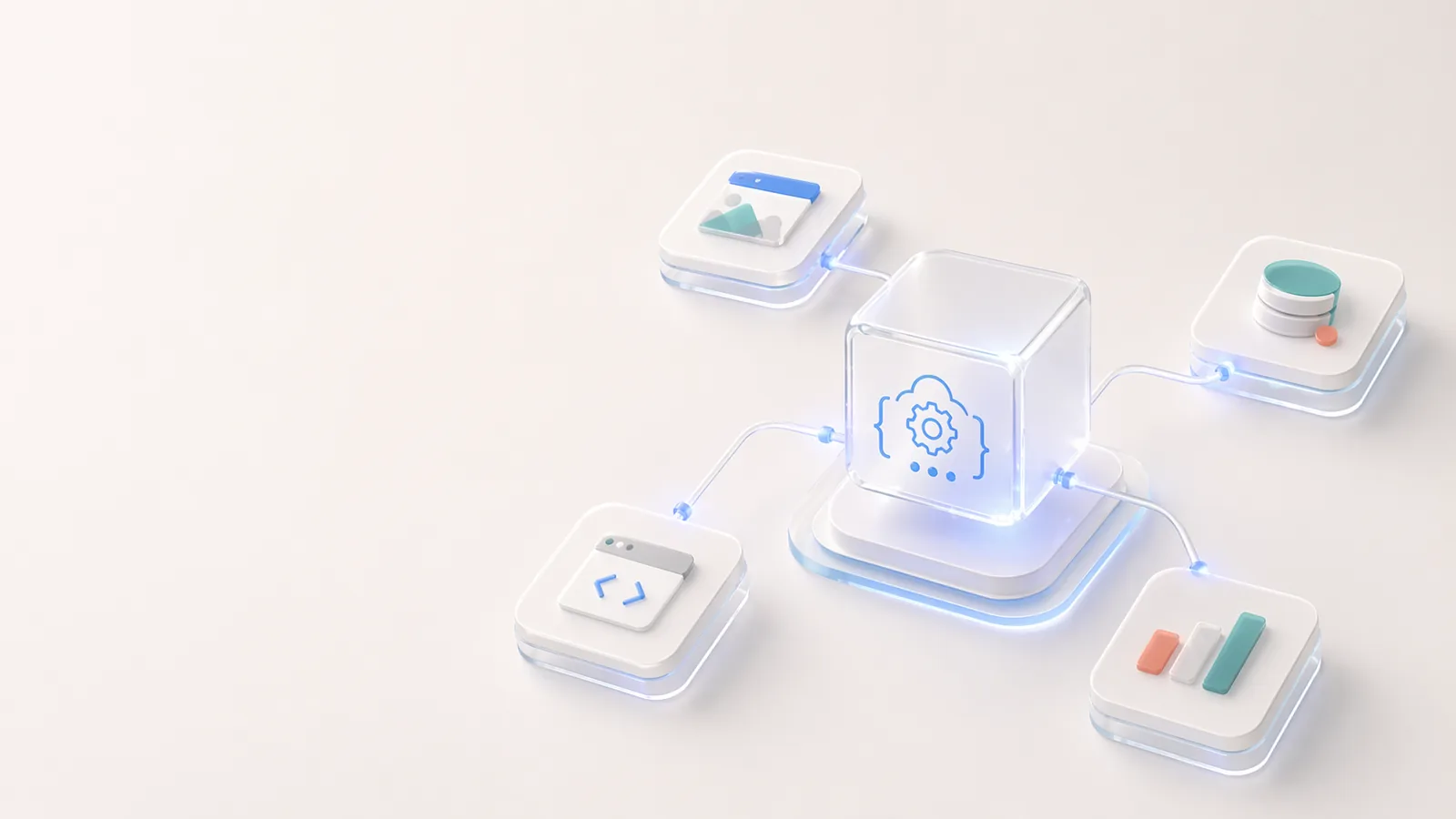
ابنِ فوق Codia عبر APIs لاستخراج البنية البصرية، وتحويل PDF إلى schema، والرفع، وسير العمل القائم على المهام، وأتمتة التصميم القابل للتحرير.
التزام Codia بالإبداع
التزام Codia هو جعل العمل الإبداعي أكثر قابلية للتحرير وإعادة الاستخدام والوصول، عبر استخدام AI لإزالة أعمال إعادة البناء المتكررة من سير عمل التصميم والمحتوى والتطوير.
Codia لفرق المؤسسات
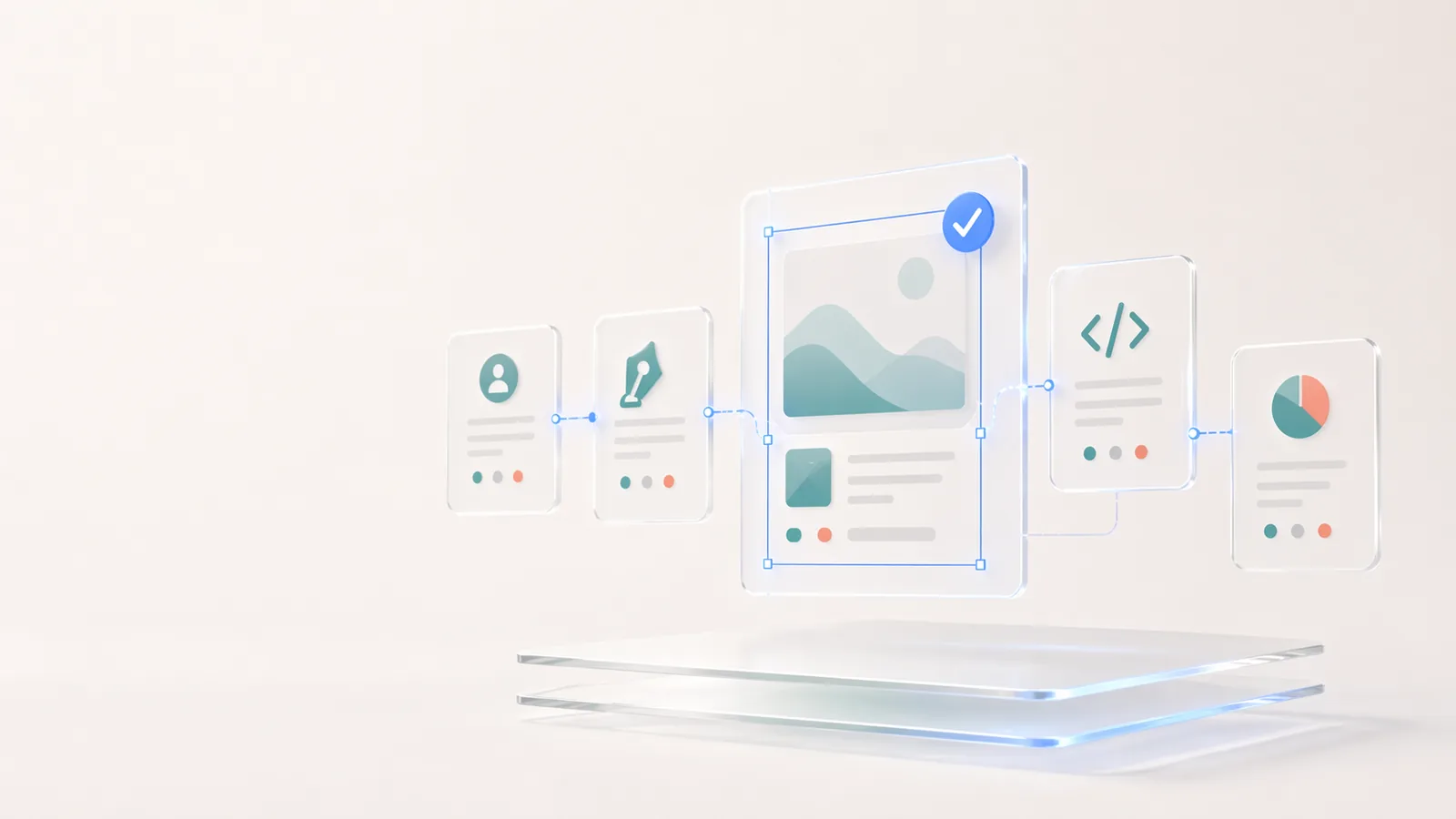
كيف تستخدم فرق المؤسسات Codia من أجل الترحيل الجماعي، وأتمتة API، والتحويل القابل للتحرير، ومراجعة الأمان، وتخطيط النشر الخاص.
نهجنا في التصميم المدعوم بالذكاء الاصطناعي
نهج Codia في التصميم بالذكاء الاصطناعي ليس إنشاء صور مسطحة. نحن نستخدم vision AI لفهم البنية، والحفاظ على قابلية التحرير، وإعادة العناصر البصرية الثابتة إلى سير العمل الحقيقي للتصميم والبرمجة.

About Codia AI: Product Suite, Design Philosophy, Trust, and Developer Platform
One page on everything Codia AI: what we build, what we believe about AI-powered design, how we work with enterprise teams, how we protect your data, and how developers can build on top of us.
البدء مع Codia AI
تعرّف على كيفية استخدام Codia AI لتسريع سير عمل التصميم والتطوير من الصفر.