
محرر نصوص صور الذكاء الاصطناعي
حرّر النص على الصور بحرية
ارفع أي صورة واكتب الكلمات الجديدة، وسيعيد الذكاء الاصطناعي كتابتها بالخط والأسلوب الأصليين.
ليس لديك صورة؟ جرّب هذه:
نتائج حقيقية
نص قابل للتحرير بالكامل على الصور
يغيّر Codia الكلمات الموجودة داخل صورتك بالفعل، لا مربع نص يوضع فوقها. اكتب النص الجديد وسيعيد الذكاء الاصطناعي كتابته في مكانه بينما يبقى باقي الصورة كما هو.
 قبلبعد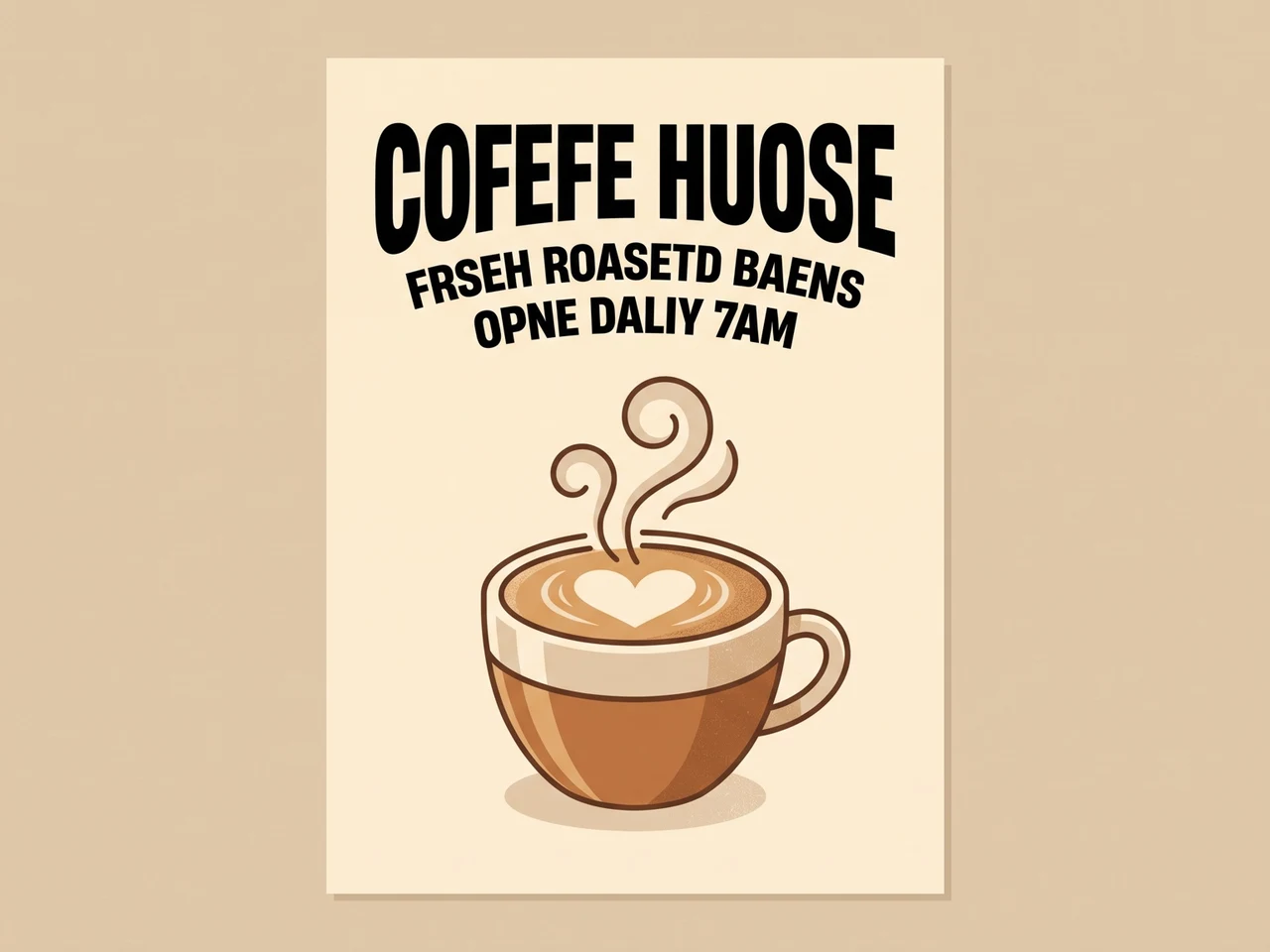
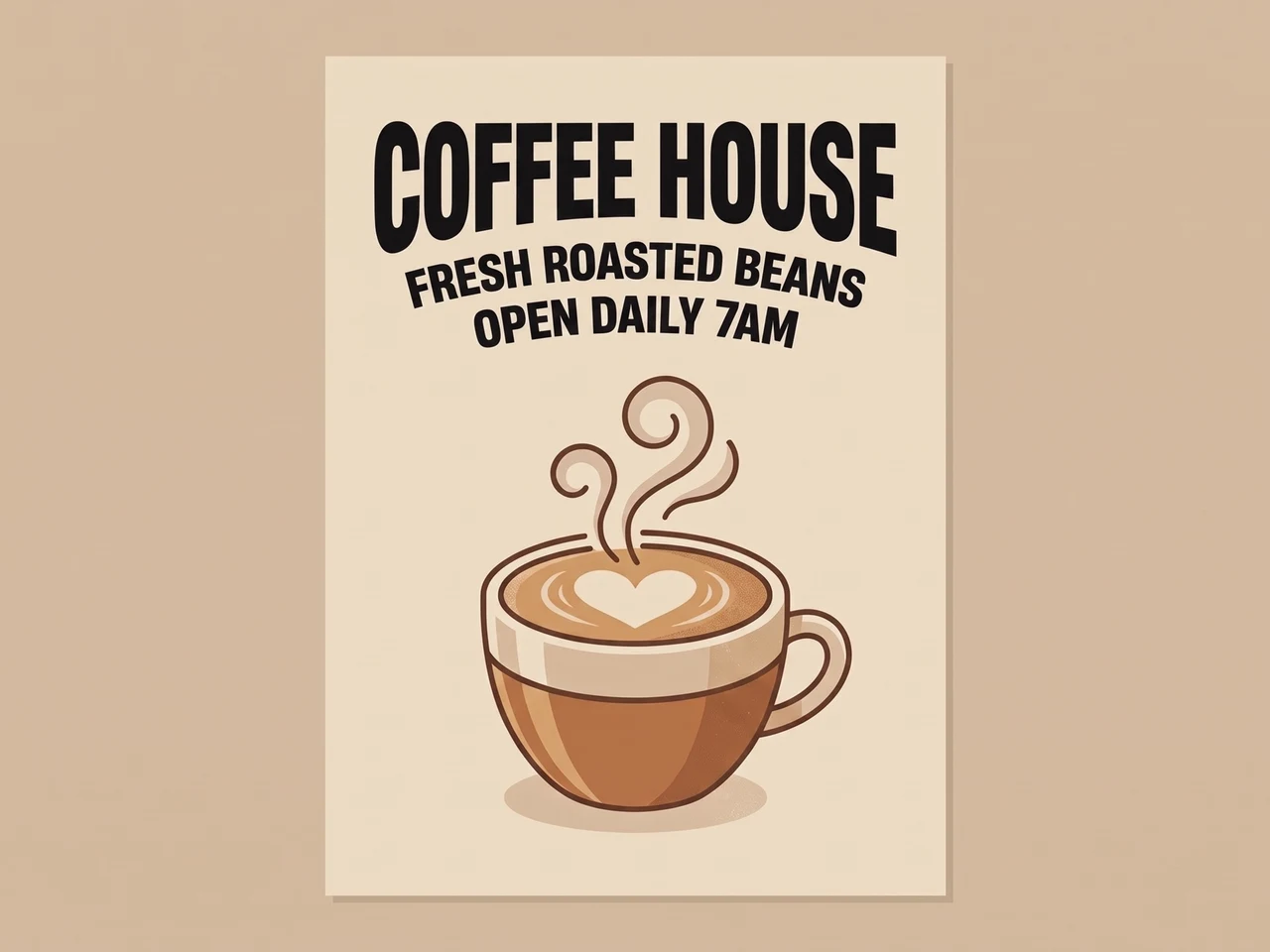
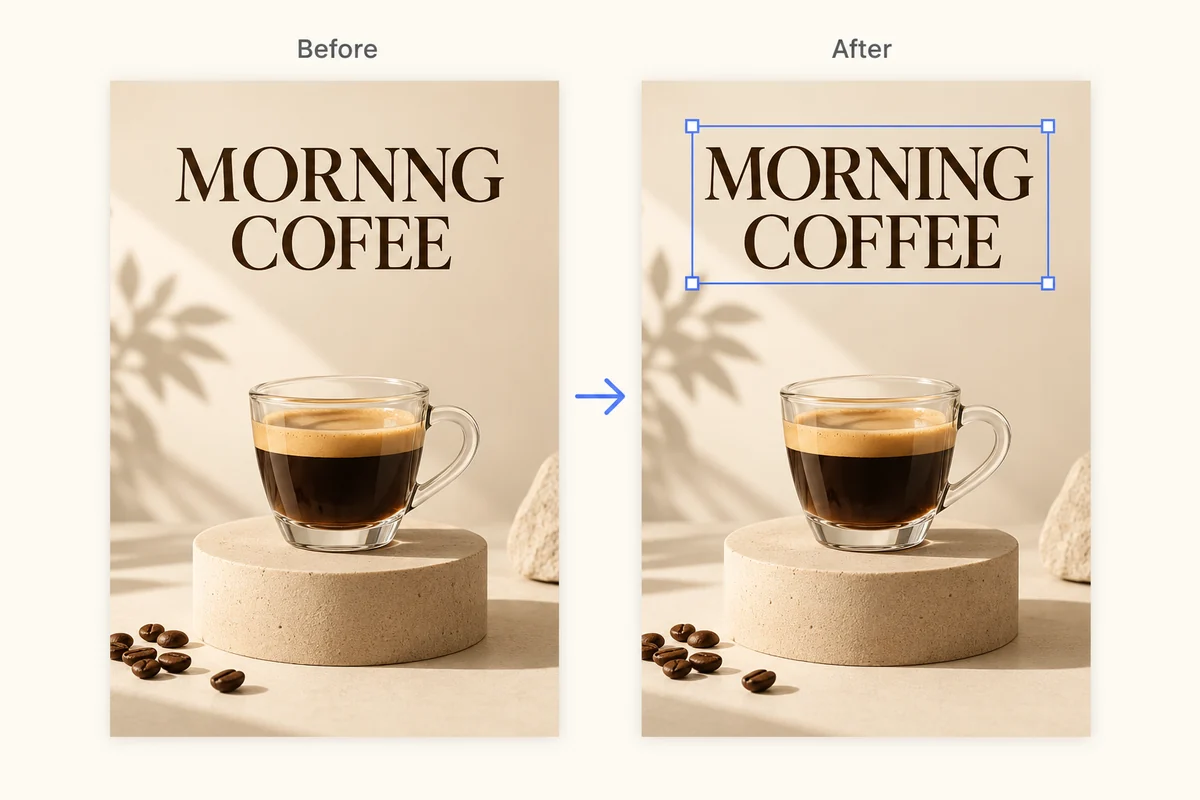
إصلاح نص الذكاء الاصطناعي المشوّه
كتابة مولّدة بالذكاء الاصطناعي بها أخطاء إملائية، أُعيدت كتابتها بشكل صحيح وبنفس الخط.
 قبلبعد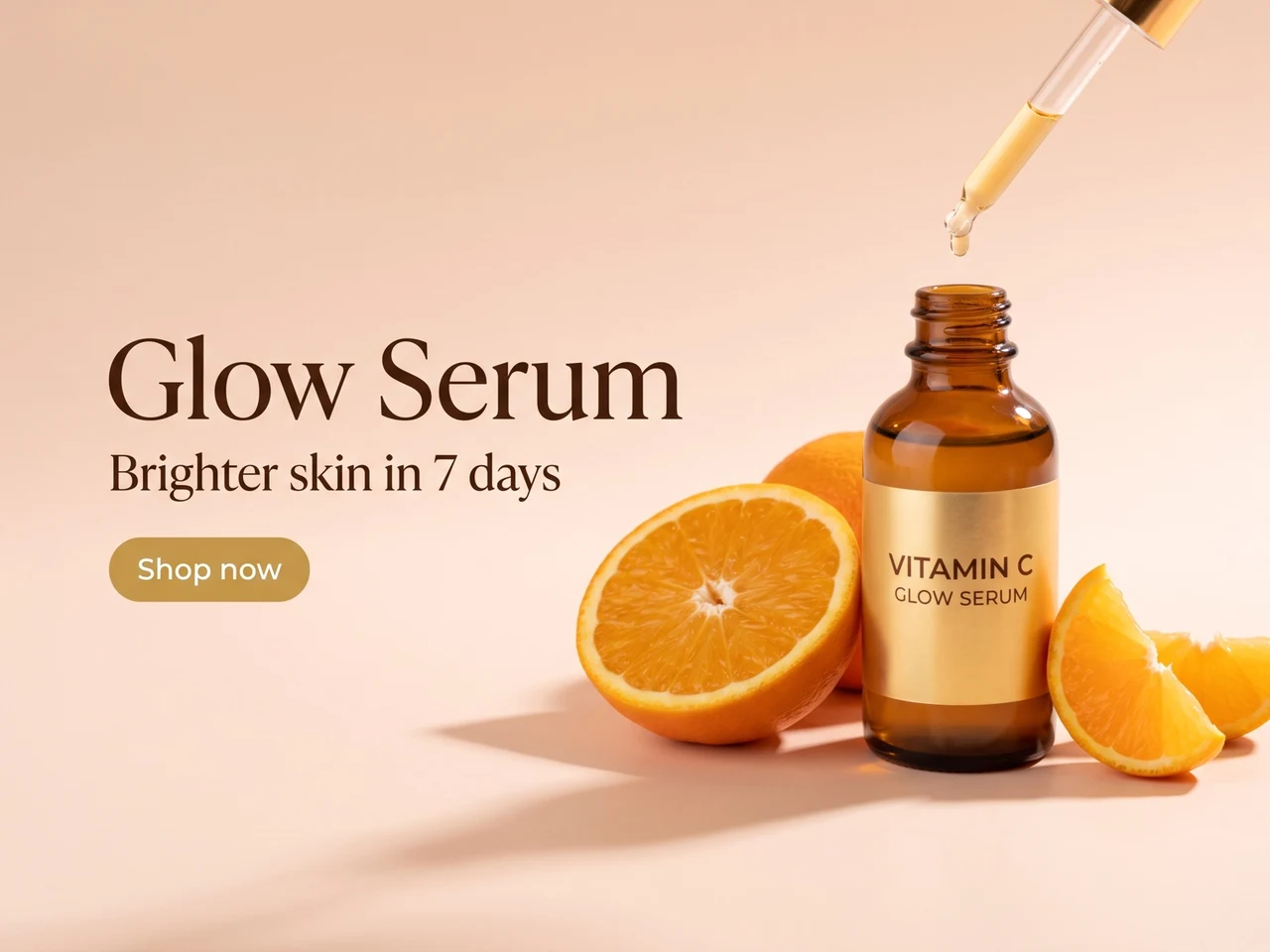
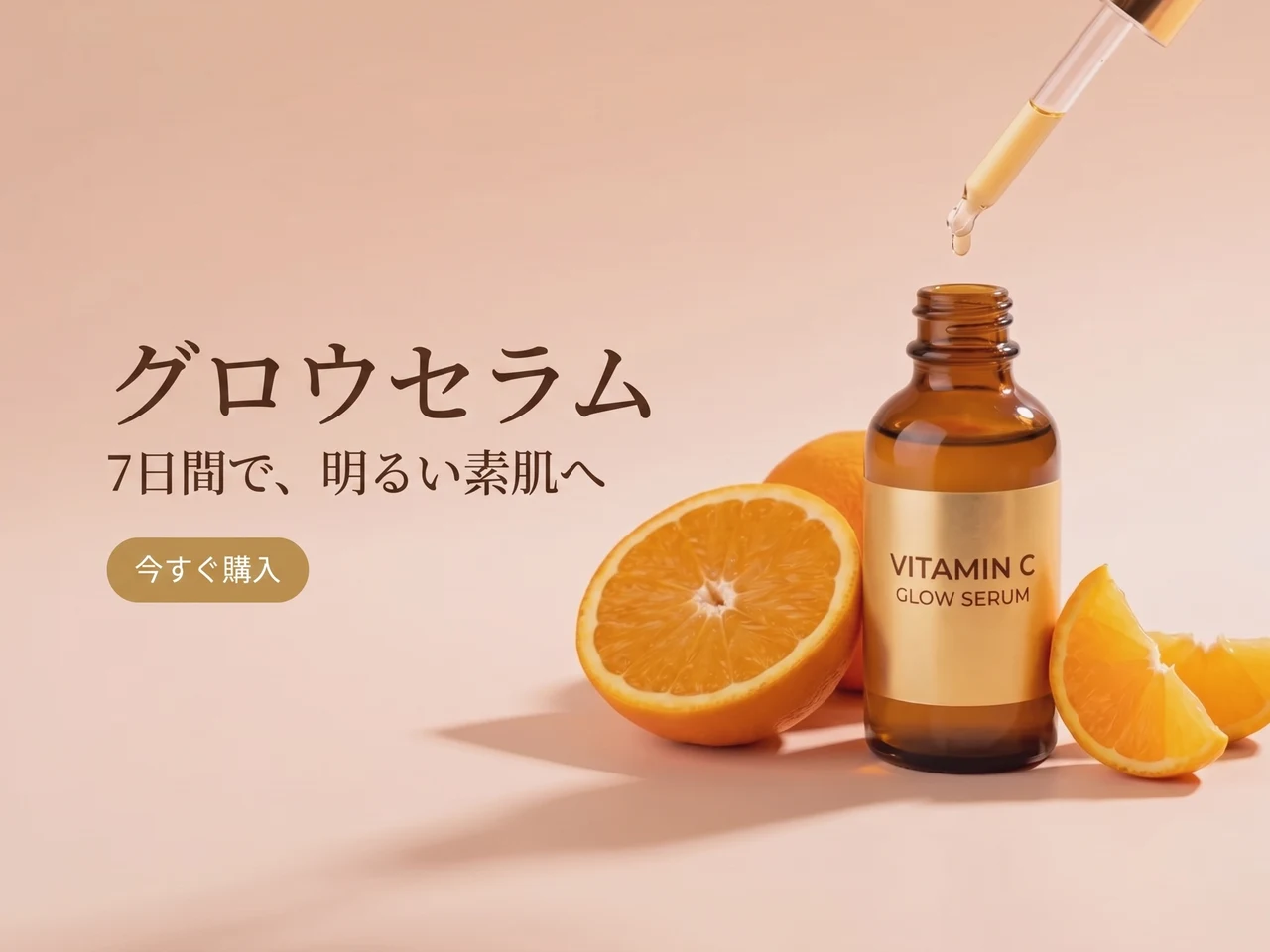
ترجمة إعلان
نص إنجليزي تحوّل إلى اليابانية مع الحفاظ على التخطيط والأسلوب.
 قبلبعد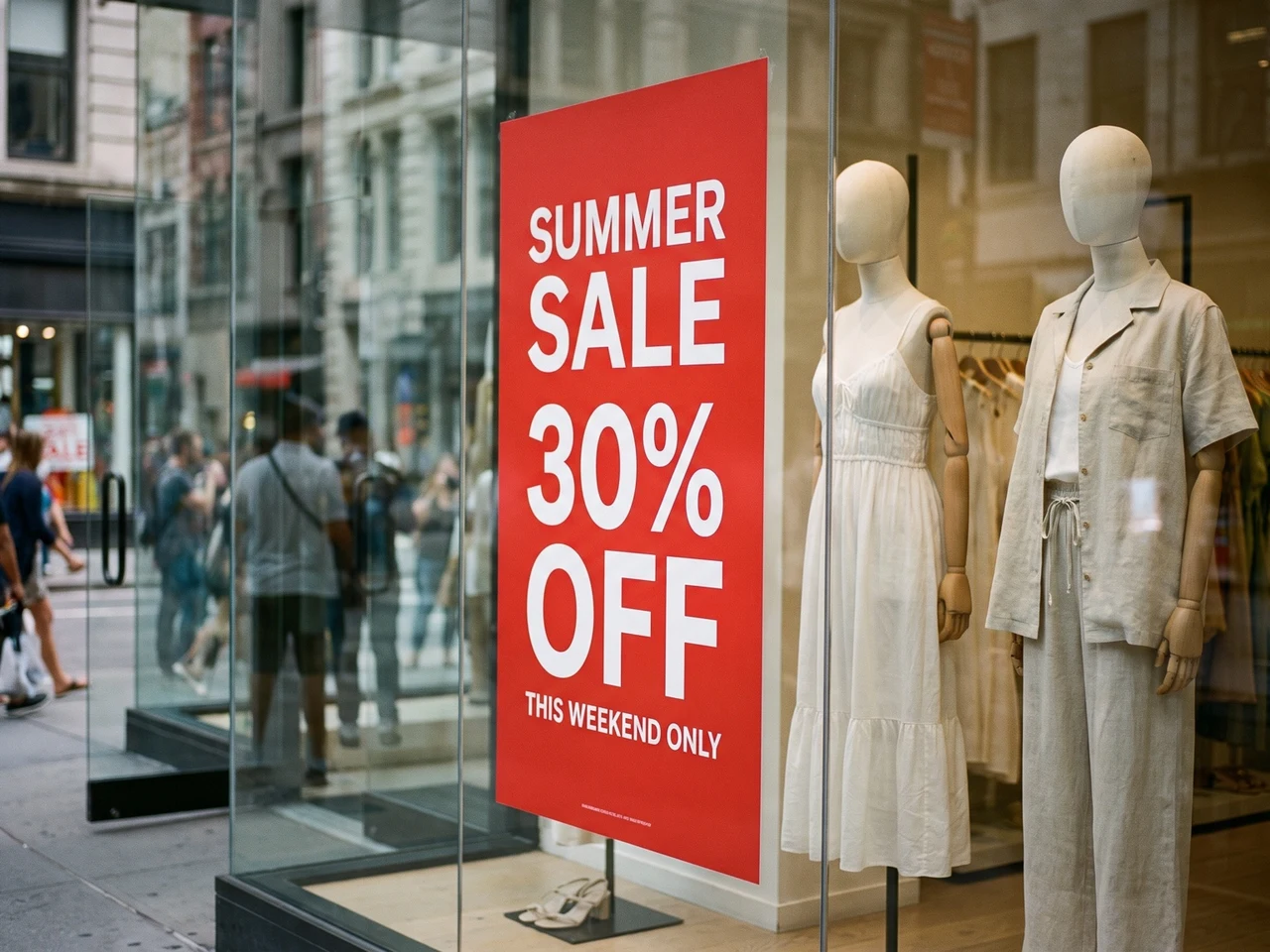
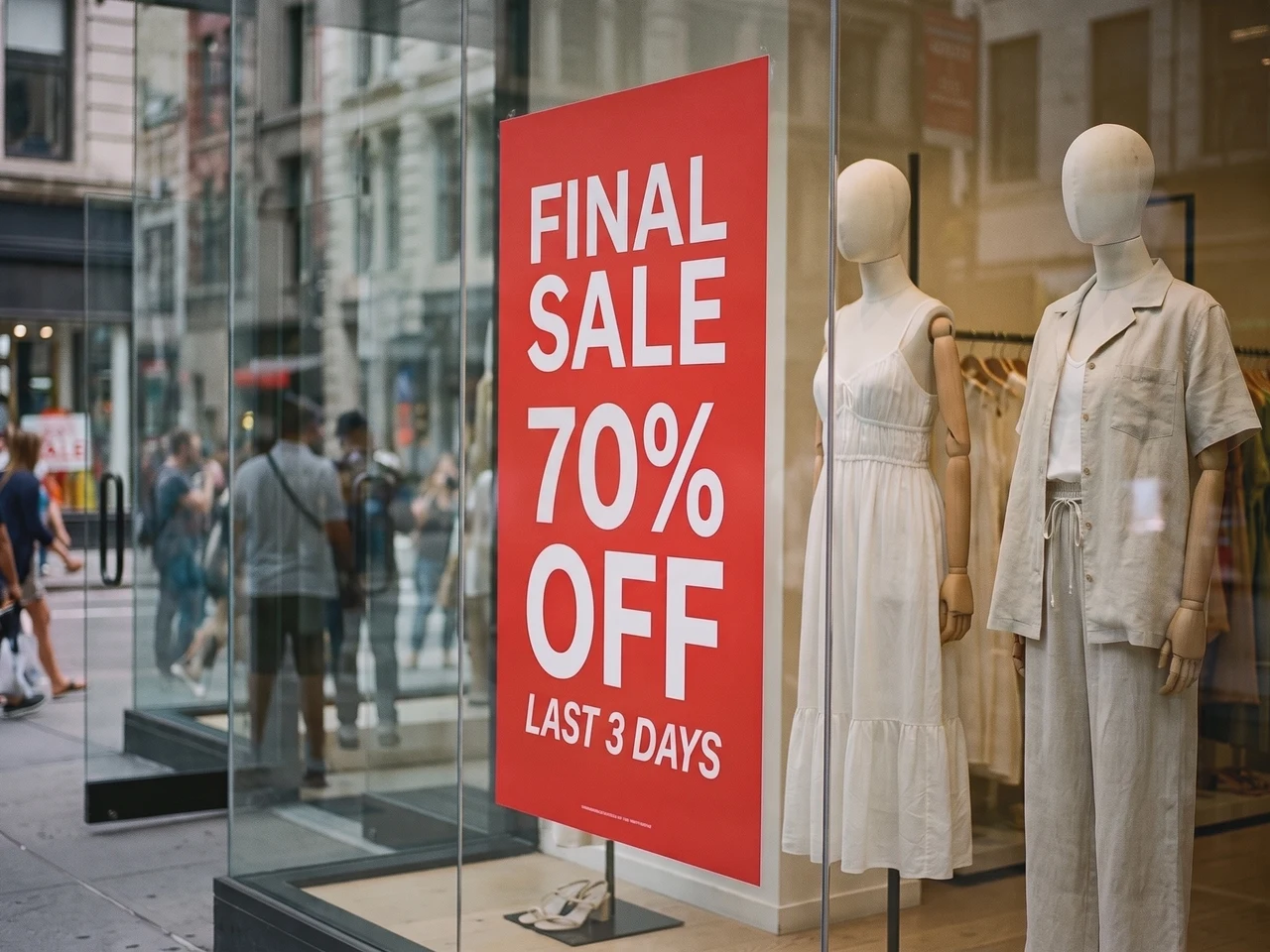
تحديث صورة حقيقية
عرض تخفيضات جديد على ملصق الواجهة، مع بقاء الإضاءة والانعكاسات كما هي.
إعادة بناء نمط النص بدقة 1:1
يحافظ Codia على تفاصيل الطباعة مثل وزن الخط وحجمه ومحاذاته ولونه والتباعد والتسلسل، لتبقى النصوص المحررة مطابقة للصورة المصدر.
التعرّف على النصوص في 108 لغة
اعمل مع محتوى صور عالمي. يتعرّف Codia على النصوص متعددة اللغات في صور AI ولقطات الشاشة والملصقات وصور المنتجات والأصول التسويقية.
PNG وWebP بخلفية شفافة
تحتفظ الشعارات والملصقات بخلفيتها الشفافة، فيعود الملف المعدّل مباشرةً إلى تصميمك.
تحتاج إلى تحكم أكبر؟ افتحها في المحرر الكامل
لإجراء تعديلات على مستوى الطبقات، افتح الصورة نفسها في محرر الصور من Codia لتغيير الخطوط والألوان والمواضع، ثم تابع التنقيح بأدوات أخرى.
اختر تعديل النص
تعديل الخط الأصلي ولقطات الشاشة ونصوص JPG
استبدل الكلمات الموجودة داخل الصورة بدلاً من إضافة كتابة جديدة فوقها.
تعديل النص في الصورة بخط يشبه الأصل
استبدل عنواناً أو سعراً أو ملصقاً مع محاولة مطابقة شكل الحروف الأصلي. اجعل النص الجديد قريباً من طول الأصل وقارن النتيجة. قد تحتاج الخطوط المزخرفة والنصوص الصغيرة والخلفيات المعقدة إلى تعديل إضافي.
تعديل نص لقطة الشاشة
حدّث تسميات الواجهة أو النماذج أو لقطات العروض التقديمية. ارفع لقطة واضحة وصحّح النص المتعرّف عليه ثم أدخل النص البديل. راجع فواصل الأسطر والنصوص المجاورة قبل التنزيل.
تعديل النص في JPG أو PNG
غيّر الكلمات في صورة محفوظة دون ملف التصميم الأصلي. ارفع الصورة مباشرة وعدّل النص المتعرّف عليه ثم أنشئ صورة جديدة. احتفظ بالأصل للمقارنة.
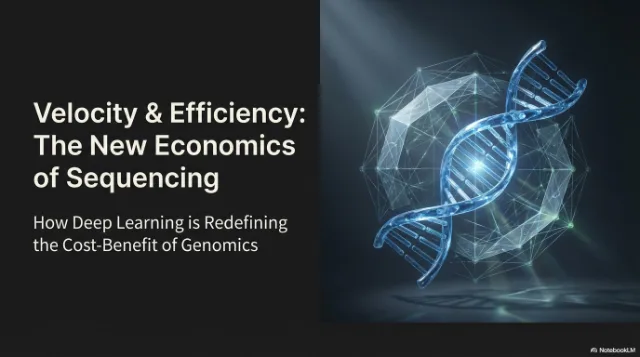
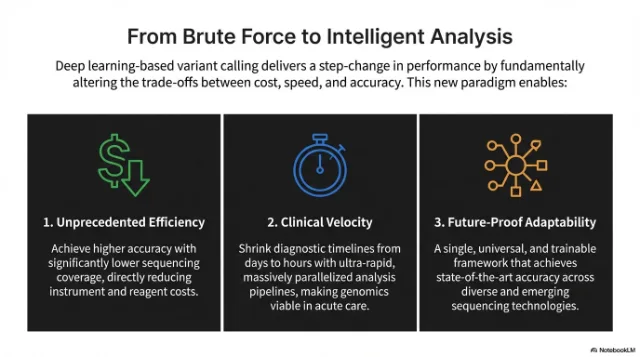
عدّل النص داخل ملف PDF ثم نزّل الملف كاملًا
ارفع ملف PDF واختر الصفحات التي تحتاج إلى نص جديد. عدّلها كأي صورة، ثم نزّل ملف PDF كاملًا مع استبدال تلك الصفحات.
اختر الصفحات التي تريد تغييرها
تظهر كل صفحة كصورة مصغّرة. اختر حتى 10 صفحات في كل مرة.
عدّل النص في مكانه
تبقى الخطوط والألوان والتخطيط كما هي، ويتغير النص فقط.
نزّل ملف PDF كاملًا
تُستبدل الصفحات المعدّلة، وتحتفظ بقية الصفحات بنصها الأصلي القابل للتحديد.
 معدّلة
 معدّلة
طريقة العمل
من نص مسطّح داخل الصورة إلى نص قابل للتحرير
ارفع الصورة التي تحتوي على المشكلة
أدخل لقطات شاشة أو شاشات تطبيقات أو ملصقات أو رسومات منتجات أو صوراً مولدة تحتوي على نص مكسور.
عدّل الكلمات المتعرَّف عليها
يعثر Codia على النص في صورتك تلقائيًا. اكتب الكلمات الجديدة بجوار كل سطر، أو أفرغ السطر لحذفه.
أنشئ ونزّل
يعيد الذكاء الاصطناعي كتابة النص بالخط والنمط الأصليين. قارن النتيجة بالأصل ثم نزّل الصورة النهائية.
حالات الاستخدام
محرر نصوص للصور الفوتوغرافية والتصاميم لأعمال التصميم الحقيقية
استخدم محرر نصوص الصور عندما تحتاج صورة جيدة إلى نص أوضح أو ترجمة أو خطوط قابلة للتحرير.
إصلاح النص المشوه في صور الذكاء الاصطناعي
نظّف الكلمات غير المقروءة والتسميات ذات الأخطاء الإملائية والخطوط المكسورة في الصور المولدة دون إعادة رسم الصورة بالكامل.
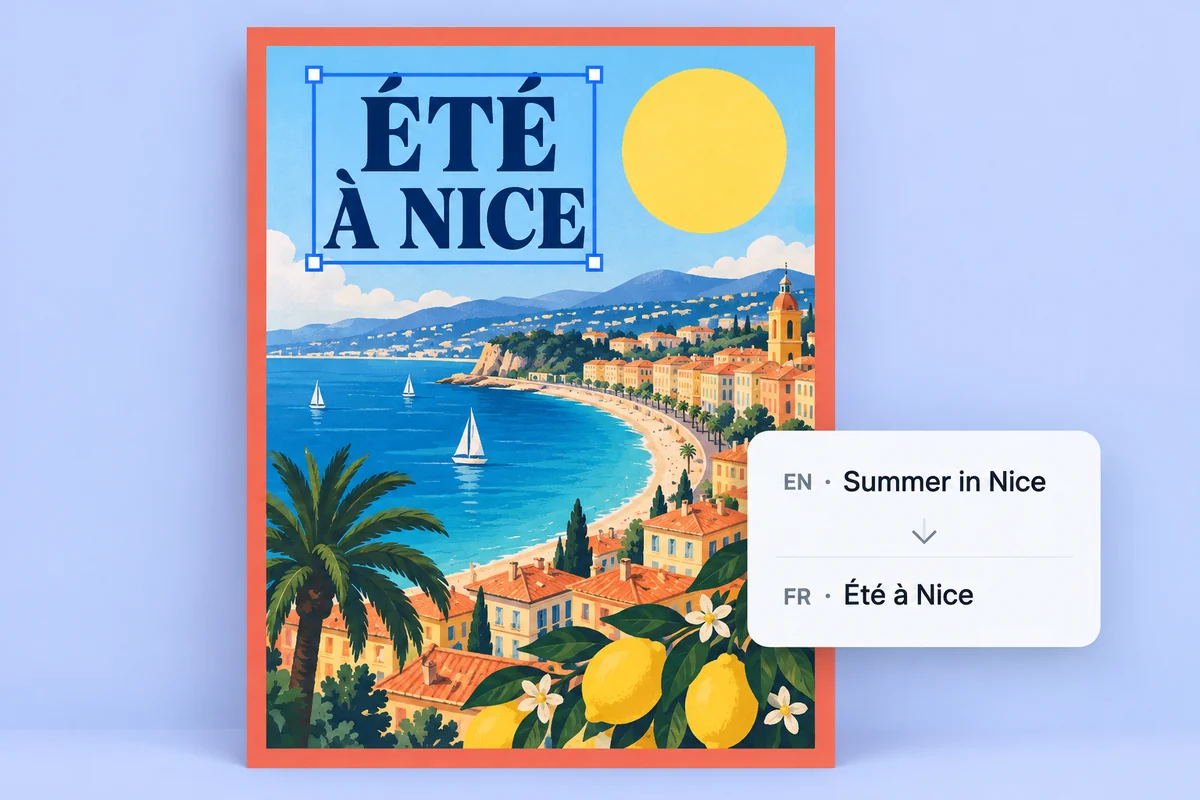
توطين الملصقات ورسومات المنتجات
حوّل النص المضمّن إلى طبقات نص قابلة للتحرير لترجمة مرئيات الحملات ومراجعتها واعتمادها بشكل أسرع.
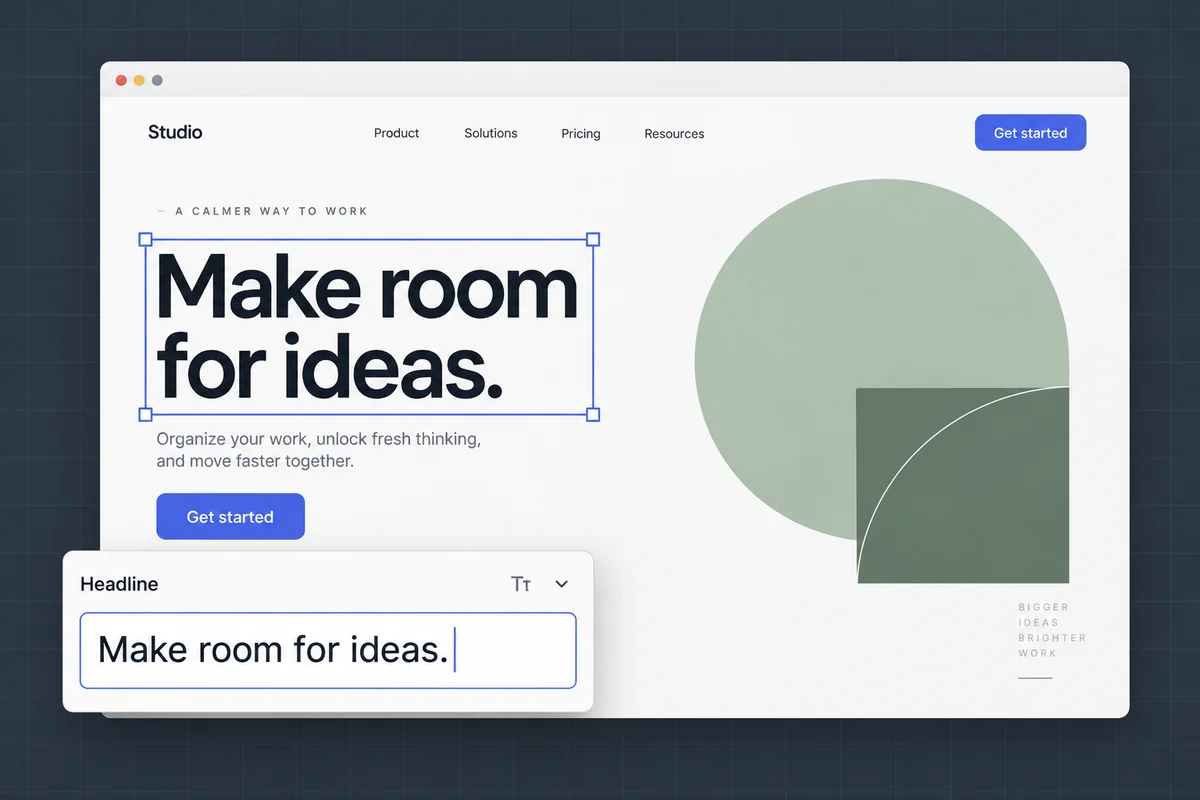
تعديل النص في لقطات الشاشة والنماذج
حدّث تسميات الواجهة ونصوص النماذج ولقطات العروض التقديمية مع الحفاظ على التخطيط والسياق البصري الأصليين.
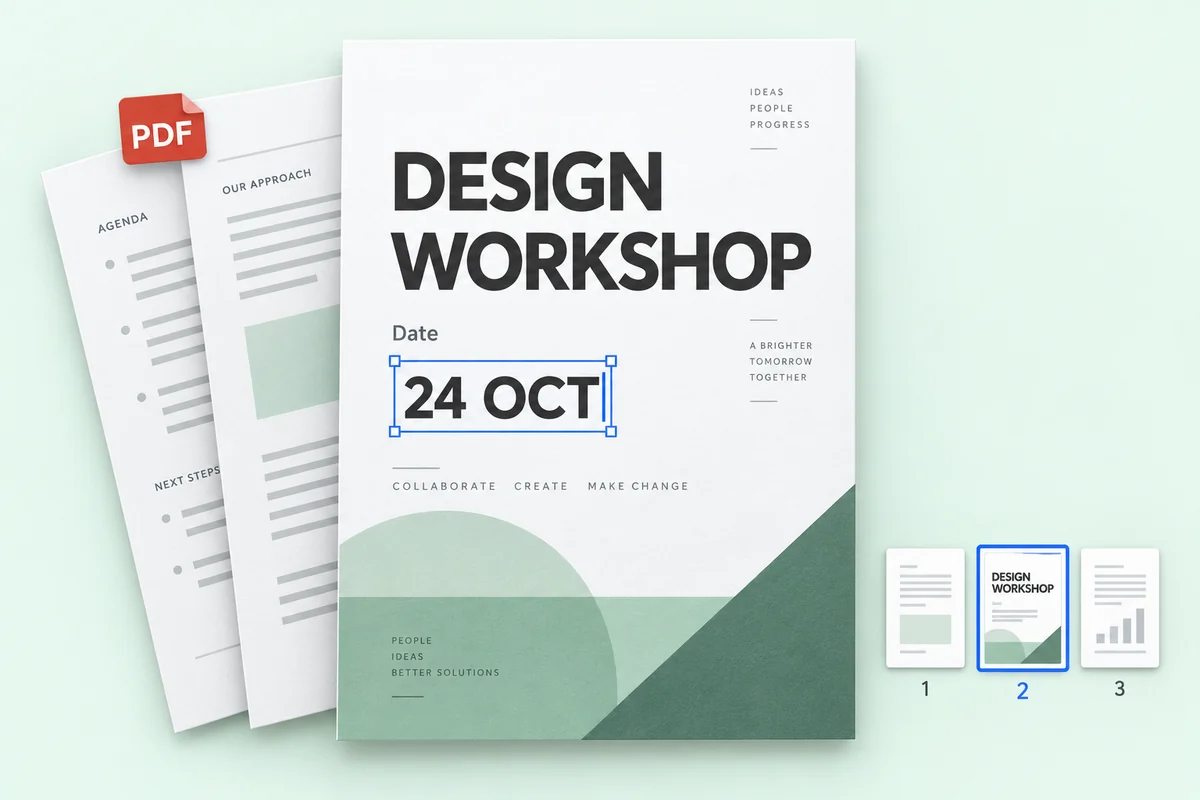
تعديل النص في ملفات PDF
صحّح سعرًا أو تاريخًا أو اسمًا في بضع صفحات من ملف PDF، ثم نزّل الملف كاملًا مع بقاء بقية الصفحات كما هي.
الأسعار
ابدأ مجانًا وادفع فقط عندما تحتاج إلى المزيد
تكلفة التعديل 1 رصيد بدقة 1K، و2 بدقة 2K، و3 بدقة 4K. ولا يستهلك التعرّف على النص أي أرصدة.
جرّبه مجانًا
التعرف على النص مجاني دون تسجيل. تحصل الحسابات المجانية على رصيد واحد كل شهر لتعديل واحد بدقة 1K.
الخصوصية
صورك تبقى لك
عدّل صور المنتجات والملصقات ولقطات الشاشة براحة بال. أنت من يقرّر ما يبقى.
اقرأ سياسة الخصوصيةلا تُستخدم لتدريب الذكاء الاصطناعي
نستخدم صورك فقط لإجراء التعديلات التي تطلبها، ولا نستخدمها أبدًا لتدريب النماذج.
لا يراها أحد سواك
تظهر صورك المرفوعة ونتائجها في سجلك أنت فقط، ولا تظهر أبدًا في معرض عام.
احتفظ بها أو احذفها
احذف أي تعديل من سجلك، أو امسحه بالكامل دفعة واحدة، متى شئت.
الأسئلة الشائعة
أسئلة شائعة عن Image Text Editor
هل يمكنني تحرير النص على صورة مباشرةً؟
نعم. ارفع الصورة إلى Codia، وسيعثر الذكاء الاصطناعي على الكلمات الموجودة داخلها؛ اكتب الكلمات الجديدة وسيعيد كتابتها في مكانها بنفس الخط واللون والتخطيط الأصلي.
هل التعرّف على النص مجاني؟
نعم. التعرف على النص مجاني، ويحصل كل حساب Codia مجاني على أرصدة شهرية لإنشاء صور معدّلة بدقة 1K. تفتح Lite وحزم الأرصدة دقة 2K، وتضيف باقتا Starter وPro الإخراج بدقة 4K والتعديل الجماعي.
كم عدد اللغات التي يتعرّف عليها Codia؟
يدعم Codia التعرّف على النصوص عبر 108 لغة، ما يجعله مفيداً للإعلانات المترجمة وصور المنتجات ولقطات الشاشة والأعمال الإبداعية العالمية.
ما صيغ الصور التي يمكنني تعديلها؟
يمكنك رفع صور JPG وPNG وWebP، بما فيها الصور الفوتوغرافية ولقطات الشاشة والملصقات وملصقات المنتجات. عدّل النص المتعرّف عليه ثم أنشئ الصورة المعدّلة ونزّلها.
كيف أعدّل النص في لقطة شاشة؟
ارفع اللقطة بصيغة JPG أو PNG أو WebP. راجع النص المتعرّف عليه وأدخل الكلمات الجديدة ثم أنشئ الصورة وقارن النتيجة. تساعد اللقطة الواضحة في التعرّف على تسميات الواجهة الصغيرة. راجع فواصل الأسطر والعناصر المجاورة قبل التنزيل.
هل يمكن تعديل نص JPG أو PNG دون الملف الأصلي؟
نعم. ارفع JPG أو PNG مباشرة دون الحاجة إلى PSD أو ملف التصميم الأصلي. يتعرّف Codia على الكلمات لتتمكن من استبدالها وإنشاء صورة جديدة. النتيجة ملف صورة وليست استعادة لمستند التصميم الأصلي.
كم التكلفة؟
التعرف على النص مجاني. يحصل كل حساب مجاني على رصيد واحد شهريًا لتعديل واحد بدقة 1K. تفتح Lite وحزم الأرصدة دقة 2K، وتضيف Starter وPro الإخراج بدقة 4K والتعديل الجماعي. لا تنتهي صلاحية حزم الأرصدة.
هل أحتاج إلى حساب؟
لا تحتاج إلى حساب لرفع صورة ورؤية النص الذي تم التعرّف عليه. سجّل مجانًا عندما تكون مستعدًا لإنشاء الصورة المعدّلة، حتى تُحتسب أرصدتك في حسابك.
كم رصيدًا يستهلك التعديل الواحد؟
تكلفة التعديل 1 رصيد بدقة 1K، و2 بدقة 2K، و3 بدقة 4K، مهما كان عدد كتل النص التي تغيّرها. وإذا فشل التعديل، فلن تُستهلك أي أرصدة.
هل تبقى الخلفيات الشفافة؟
نعم. تُعاد صور PNG وWebP الشفافة، مثل الشعارات والملصقات، كملفات PNG مع الحفاظ على الخلفية الشفافة.
ما الملفات التي يمكنني رفعها؟
صور PNG وJPG وWebP حتى 20 ميغابايت، وملفات PDF حتى 100 ميغابايت. تُصغَّر الصور الكبيرة جدًا إلى 4096 بكسل على الضلع الأطول قبل المعالجة.
هل يمكنني تعديل النص داخل ملف PDF؟
نعم. ارفع ملف PDF واختر حتى 10 صفحات وعدّل نصها. ستنزّل ملف PDF كاملًا: تُستبدل الصفحات المعدّلة وتبقى بقية الصفحات كما هي تمامًا. تعديل ملفات PDF جزء من التعديل الدفعي المتاح في خطتي Starter وPro.
هل أنت مستعد لتغيير النص في صورتك؟
التعرّف على النص مجاني ولا يتطلب التسجيل. ارفع صورة للبدء.