
Figma AI Design Generator:
Turn Text Prompts into Editable Designs
Describe the screen you need in plain words and the Codia AI DesignGen plugin builds it on your Figma canvas as an editable auto layout design, with desktop, tablet and mobile breakpoints.
See it in action
Prompt:
"Create a modern dashboard with sidebar navigation, stats cards, and a data table"
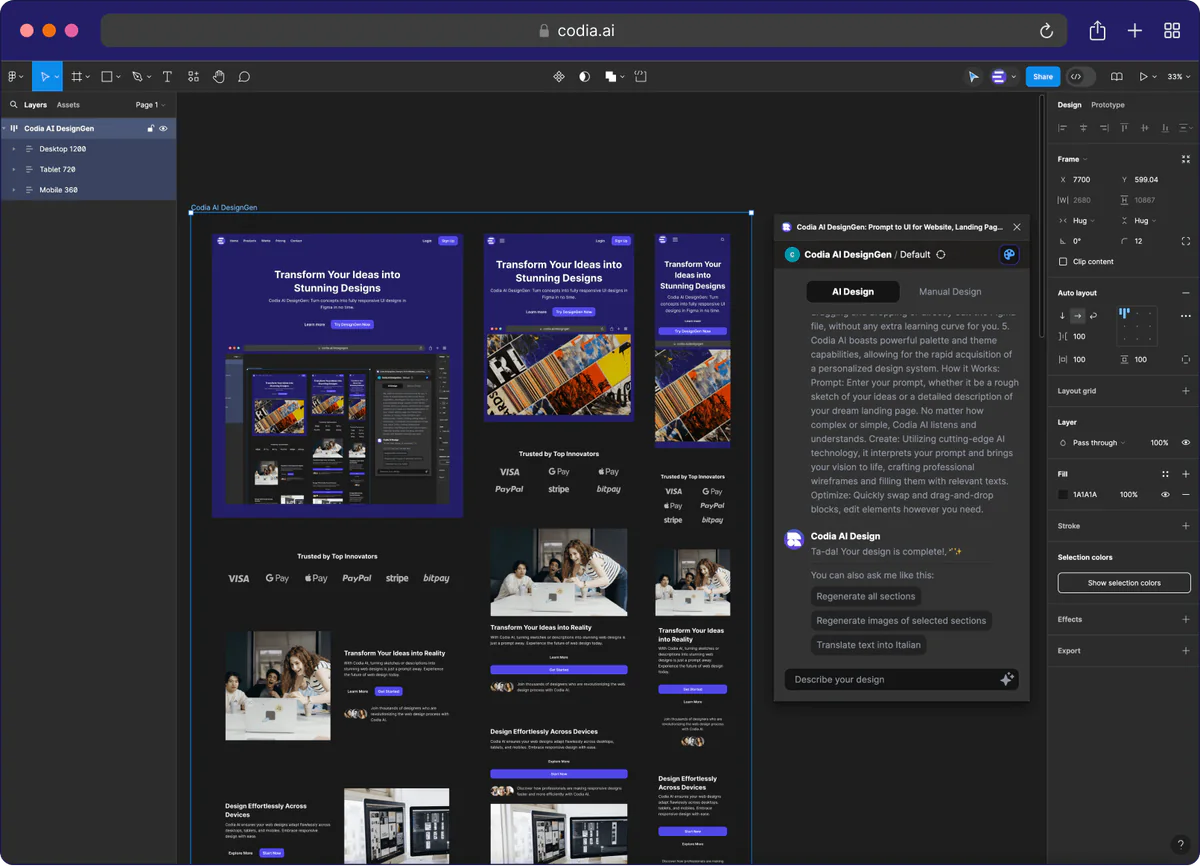
Complete responsive layout with components
Why Design Teams Choose Codia AI
Stop spending hours on repetitive design work. Focus on creativity while AI handles the heavy lifting.
Instant Generation
Transform text prompts into complete UI layouts in seconds, not hours. Skip the wireframing phase entirely.
Responsive by Default
Every design automatically includes mobile, tablet, and desktop layouts with proper breakpoints and scaling.
Reusable Components
Generate modular design blocks that can be mixed, matched, and reused across different projects.
Smart Design Systems
Consistent typography, spacing, and color schemes applied automatically across all generated components.
Figma Native
Creates real Figma components, not images. Full editing capabilities with layers, constraints, and auto-layout.
Iterate Quickly
Refine designs with follow-up prompts. Add features, change layouts, or adjust styling with natural language.
From Idea to Design in 3 Steps
No design experience needed. Just describe what you want and let AI do the rest.
Write Your Prompt
Describe your UI in plain English. Be as detailed or as simple as you want.
"Create a landing page with hero section, features grid, and pricing table"
AI Generates Design
Our AI analyzes your prompt and creates a complete, responsive UI layout with proper components.
Complete design with mobile, tablet, and desktop views
Edit in Figma
Import directly to Figma as editable components. Customize colors, text, and layout as needed.
Real Figma components with layers, constraints, and auto-layout
5 free AI prompt credits every month • No credit card required
Responsive Design Built In
Every generated design automatically includes optimized layouts for all screen sizes. No manual breakpoint adjustments needed.
Desktop First
Full-width layouts with proper grid systems and spacing for large screens.
Tablet Optimized
Adaptive layouts that work perfectly on iPad and tablet devices.
Mobile Ready
Touch-friendly interfaces with proper spacing and navigation patterns.
Our AI understands how content should reflow across devices. Sidebars become drawers, grids stack vertically, and navigation adapts automatically.

Themes & Color Palettes
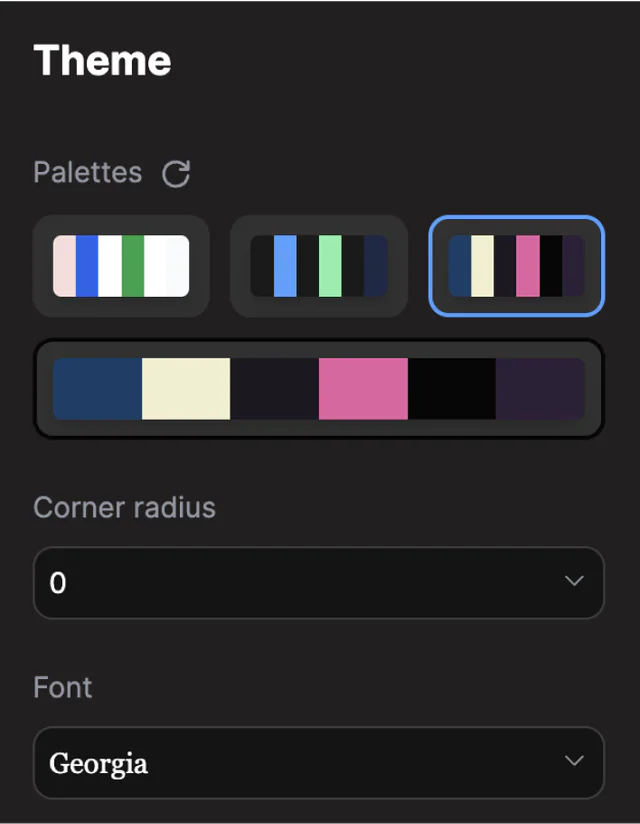
Switch between design systems instantly. Dark mode, light mode, and custom brand colors applied consistently across all components.
Dark Mode
Modern dark themes with proper contrast ratios and accessibility standards.
Light Mode
Clean light themes with subtle shadows and professional color schemes.
Custom Brands
Upload your brand colors and watch them apply across all generated components.
Design System Control
Every generated design follows consistent design principles. Typography scales, spacing units, and color relationships are maintained across all components and screen sizes.
- Consistent typography hierarchy
- Harmonious color relationships
- Proper spacing and rhythm
- Accessibility compliant contrast
Built for Figma
Generate real Figma components, not static images. Full editing capabilities with proper layers, constraints, and auto-layout.
Reusable Components
Component Library
Every generated element becomes a reusable Figma component with proper variants and properties.
Drag & Drop Blocks
Mix and match design blocks across projects. Build new layouts from existing components.
Proper Layer Structure
Organized layers with meaningful names, groups, and proper nesting for easy editing.
Ready-Made Design Blocks
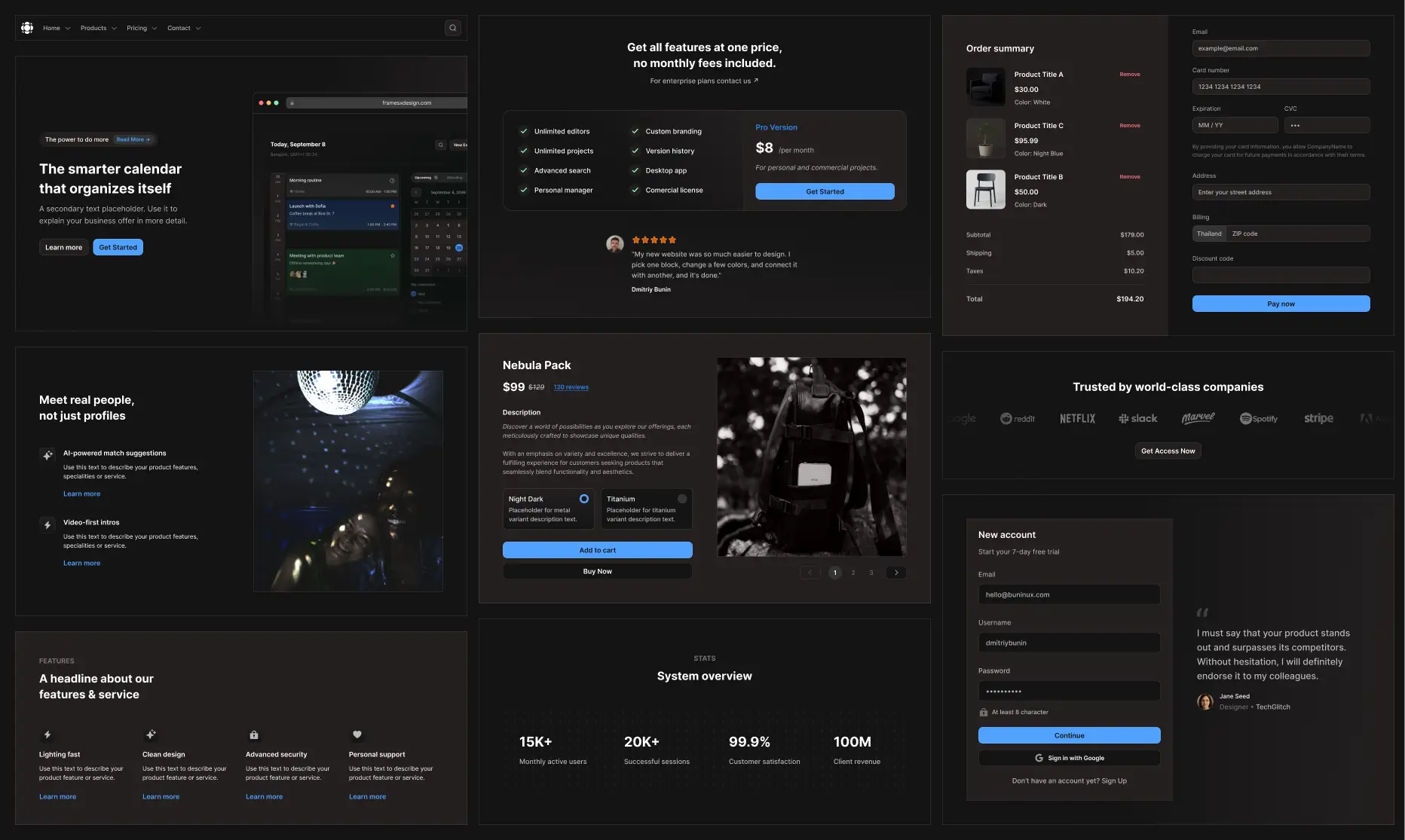
Prefer to build by hand? In manual mode, browse blocks such as headers, footers, pricing tables and testimonials, and drop them into your page.
Pricing
Transparent pricing for every product. Start free, upgrade as you grow.
AI UI Design Generator FAQ
Everything you need to know about Codia AI. Can't find what you're looking for? Contact our support team.
Still have questions?
Our support team is here to help you get the most out of Codia AI.
More Codia plugins for Figma
- Screenshot to FigmaTurn a screenshot, PNG or JPG into editable Figma layers.
- Figma to CodeExport Figma frames as React, Vue, HTML, Flutter or SwiftUI code.
- HTML to FigmaImport any website or URL as an editable Figma design.
- RemixGenerate and remix visuals with AI without leaving Figma.
- Image to SVGVectorize PNG and JPG images into full-color SVGs.
- Canva to FigmaPaste a Canva link and get editable Figma frames.