
Editor de texto para imagens IA
Edite livremente texto em imagens
Envie qualquer imagem, escreva as novas palavras e a IA reescreve-as com o tipo de letra e o estilo originais.
Não tem uma imagem? Experimente estas:
Resultados reais
Texto totalmente editável nas imagens
O Codia altera as palavras que já estão dentro da imagem, em vez de colocar uma caixa de texto por cima. Escreva o novo texto e a IA reescreve-o no mesmo sítio, enquanto o resto da imagem fica igual.
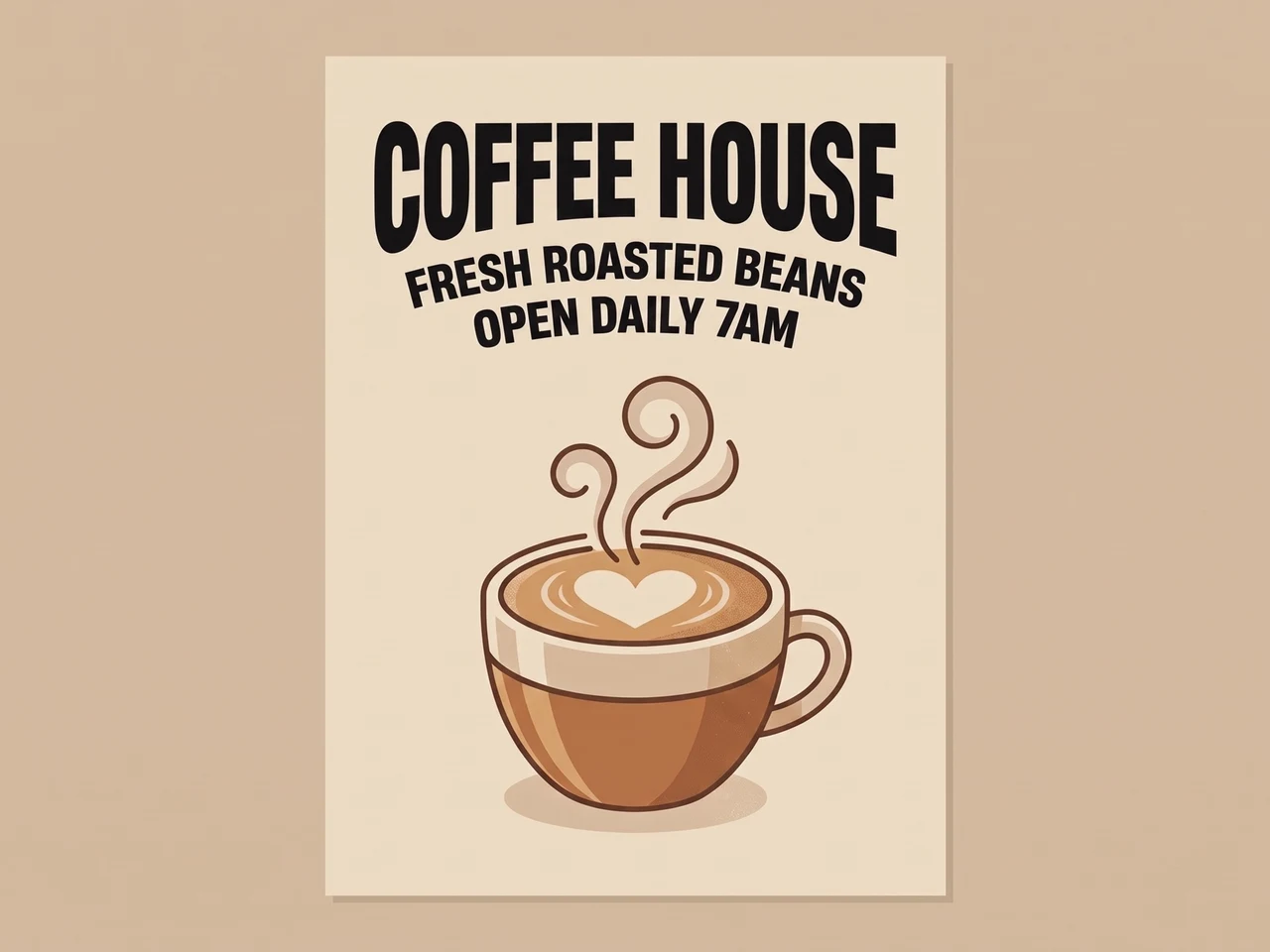 AntesDepois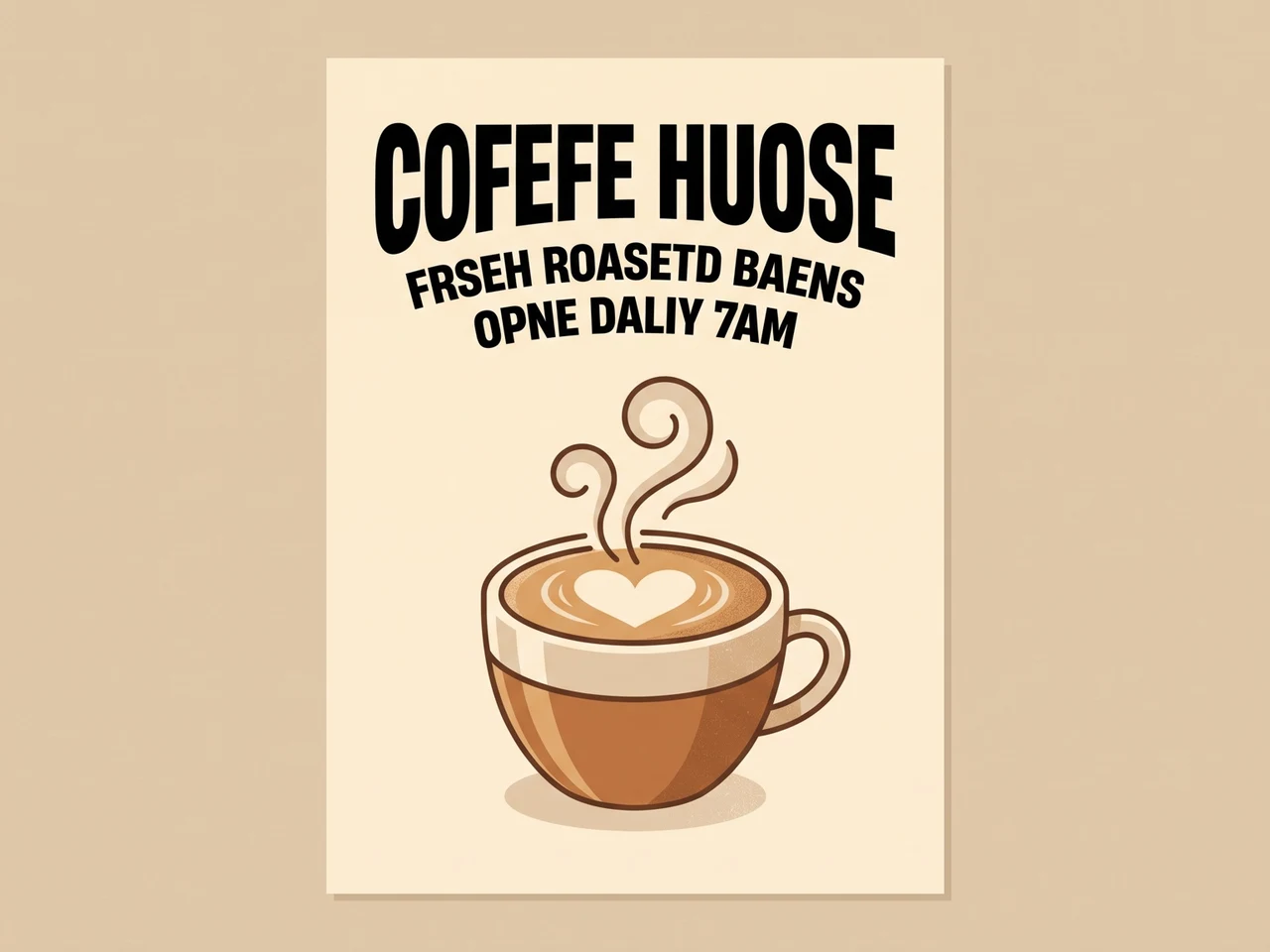
Corrija texto de IA ilegível
Letras de IA com erros, reescritas corretamente no mesmo tipo de letra.
 AntesDepois
Traduza um anúncio
Texto em inglês passado para japonês, com o layout e o estilo mantidos.
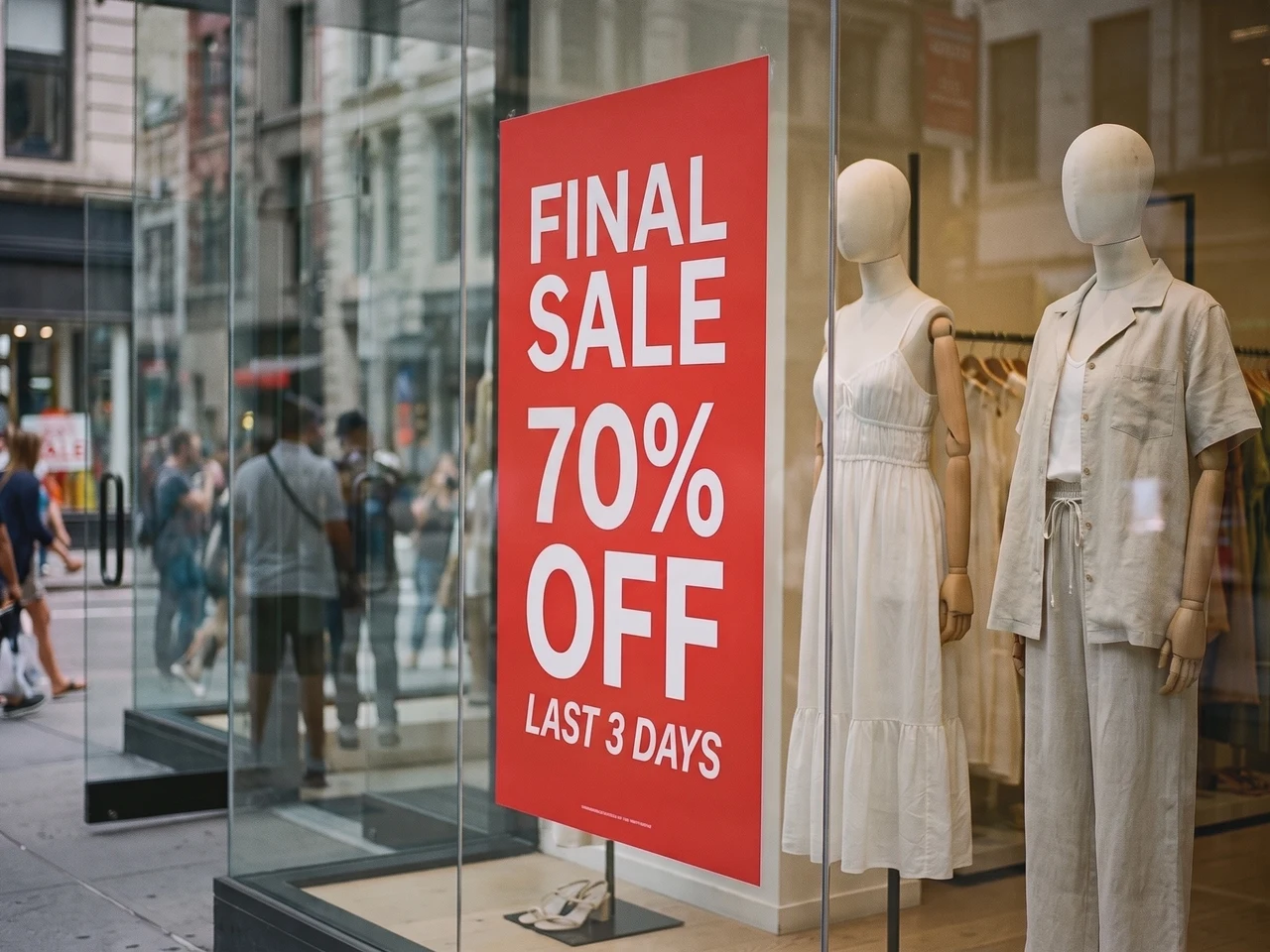 AntesDepois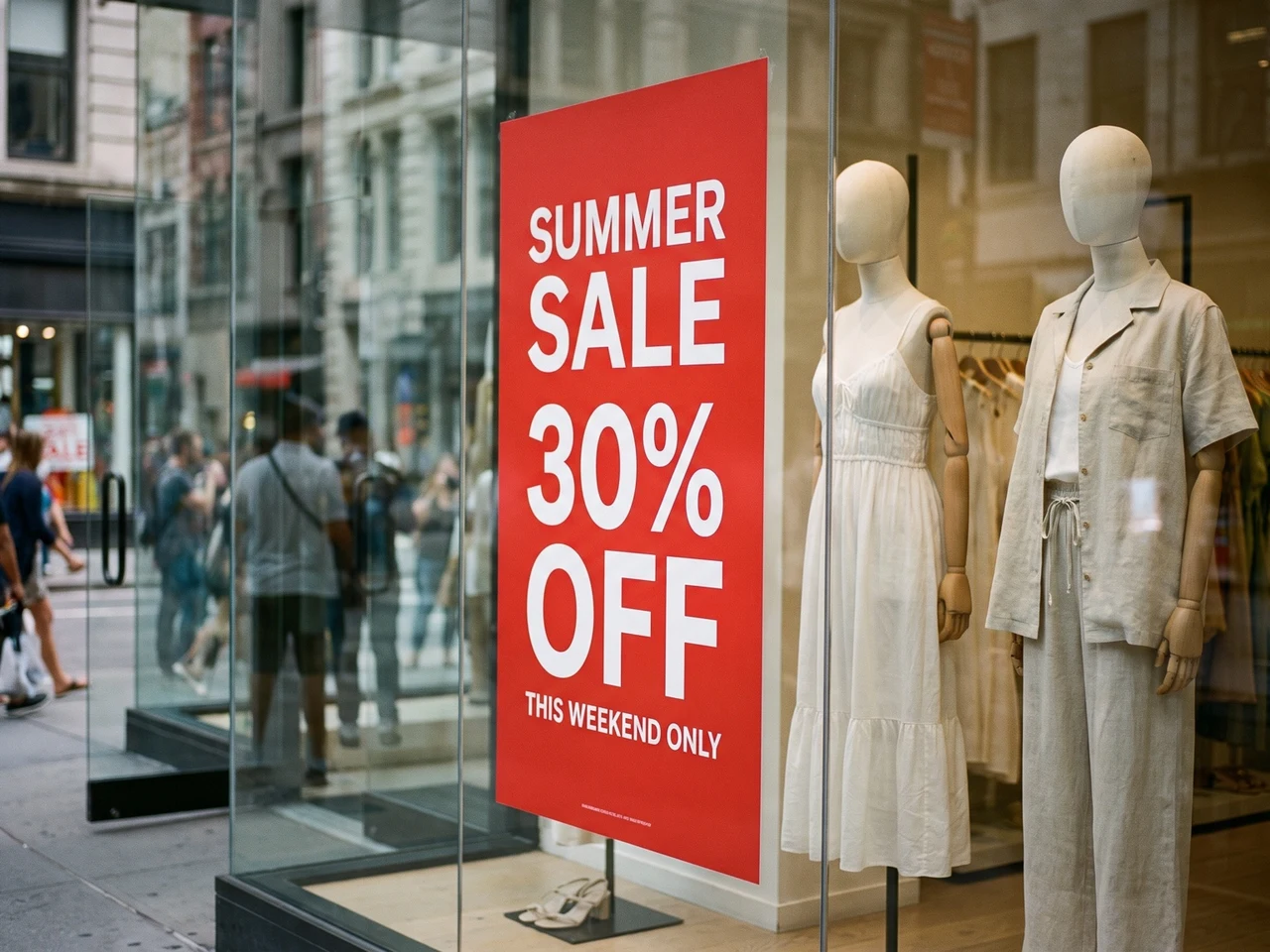
Atualize uma fotografia real
Novos saldos no cartaz da montra, com a luz e os reflexos intactos.
Reconstrução do estilo de texto 1:1
O Codia preserva detalhes tipográficos como o peso da fonte, o tamanho, o alinhamento, a cor, o espaçamento e a hierarquia, para que o texto editado continue a corresponder à imagem de origem.
Reconhece texto em 108 idiomas
Trabalhe com conteúdo de imagem global. O Codia reconhece texto multilingue em imagens de IA, capturas de ecrã, cartazes, imagens de produtos e materiais de marketing.
PNG e WebP transparentes
Logótipos e autocolantes mantêm o fundo transparente, para que o ficheiro editado volte diretamente ao seu design.
Precisa de mais controlo? Abra-a no editor completo
Para editar camada a camada, abra a mesma imagem no Editor de fotografias do Codia, altere tipos de letra, cores e posições, e continue a retocar com outras ferramentas.
Escolha o texto a editar
Manter o tipo de letra, editar capturas de ecrã e JPG
Substitua as palavras que já estão na imagem, em vez de adicionar texto por cima.
Editar texto numa imagem com o mesmo tipo de letra
Altere um título, preço ou etiqueta procurando manter o estilo original. Use um texto de comprimento semelhante e compare o resultado: letras decorativas, texto pequeno e fundos complexos podem precisar de outro ajuste.
Editar texto numa captura de ecrã
Atualize etiquetas de interface, maquetes ou capturas de apresentações. Carregue uma captura nítida, corrija o texto reconhecido e introduza o novo. Verifique as quebras de linha e o texto próximo antes de descarregar.
Editar texto em JPG ou PNG
Altere palavras numa fotografia ou imagem guardada sem o ficheiro de design original. Carregue a imagem, edite o texto reconhecido e gere uma nova imagem. Guarde o original para comparar.
Edite o texto de um PDF e transfira o ficheiro completo
Carregue um PDF e escolha as páginas que precisam de texto novo. Edite-as como qualquer imagem e transfira o PDF completo com essas páginas já substituídas.
Escolha as páginas a alterar
Todas as páginas aparecem em miniatura. Escolha até 10 de cada vez.
Edite o texto no sítio
Os tipos de letra, as cores e o layout mantêm-se. Só o texto muda.
Transfira o PDF completo
As páginas editadas são substituídas e as restantes mantêm o texto original, selecionável.
 Editada
 Editada
Como funciona
Do texto fixo na imagem a texto editável
Envie a imagem com problema
Traga capturas, ecrãs de app, pôsteres, gráficos de produto ou imagens geradas com texto quebrado.
Edite as palavras reconhecidas
O Codia encontra automaticamente o texto da sua imagem. Escreva as novas palavras junto a cada linha ou esvazie uma linha para a remover.
Gere e transfira
A IA reescreve o texto com o tipo de letra e o estilo originais. Compare com a original e transfira a imagem final.
Casos de utilização
Um editor de texto para fotos e imagens pensado para trabalho de design real
Use o editor de texto de imagens quando um visual que já funciona precisa de texto mais limpo, de uma tradução ou de tipografia editável.
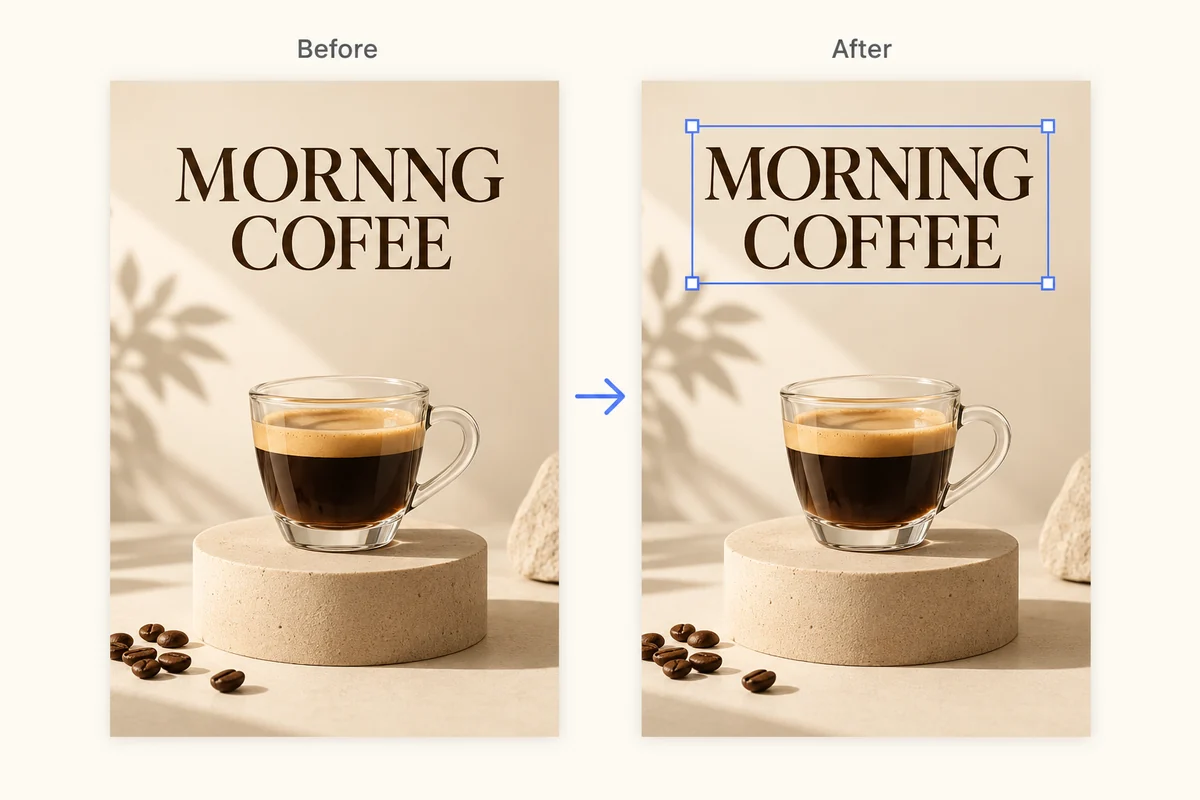
Corrigir texto distorcido em imagens IA
Limpe palavras ilegíveis, legendas com erros ortográficos e tipografia partida em imagens geradas, sem redesenhar todo o visual.
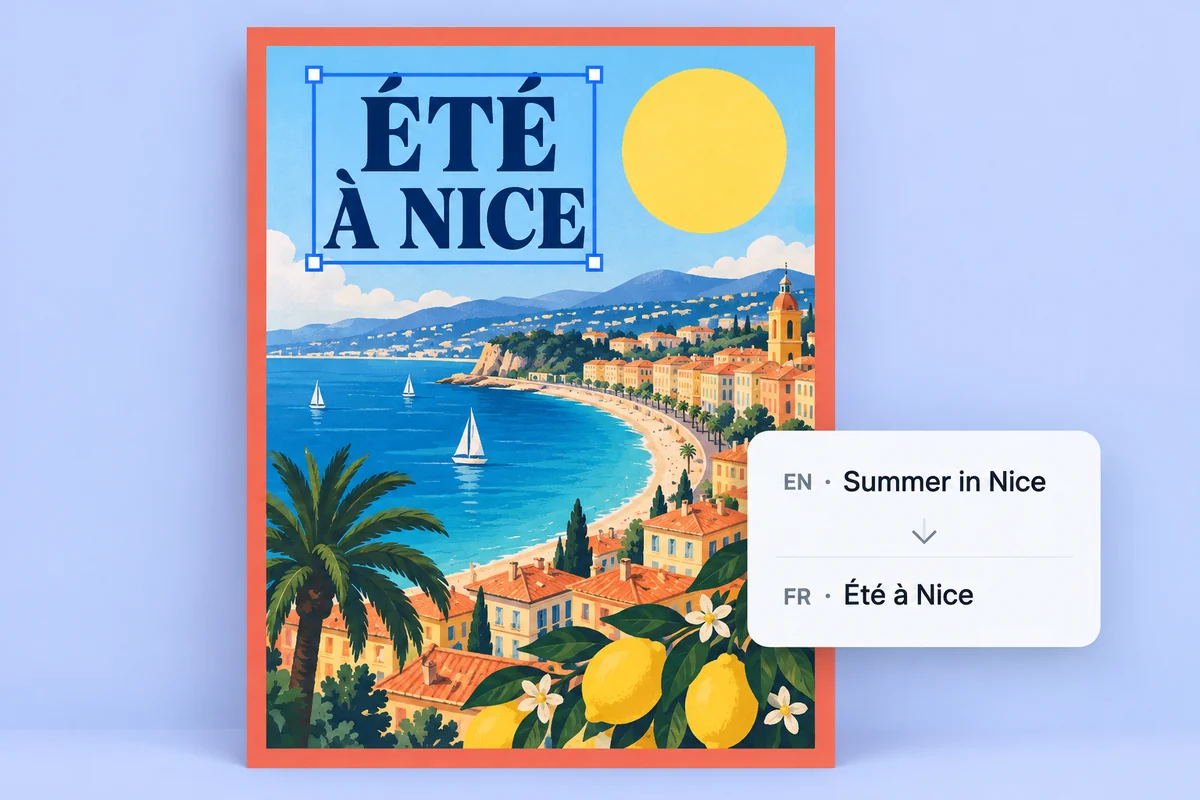
Localizar pósteres e gráficos de produto
Transforme o texto incorporado em camadas de texto editáveis para traduzir, rever e aprovar visuais de campanha mais depressa.
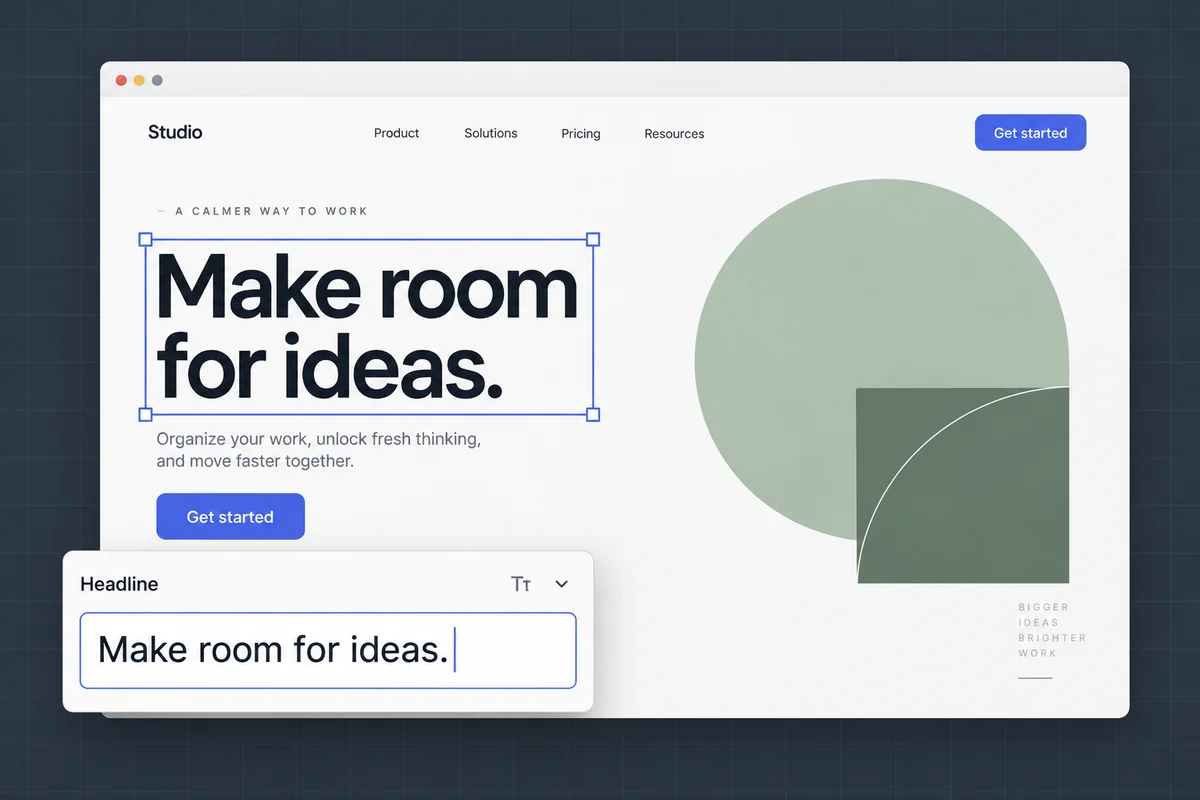
Editar texto em capturas de ecrã e mockups
Atualize etiquetas de interface, textos de mockups e capturas de apresentações mantendo o layout e o contexto visual originais.
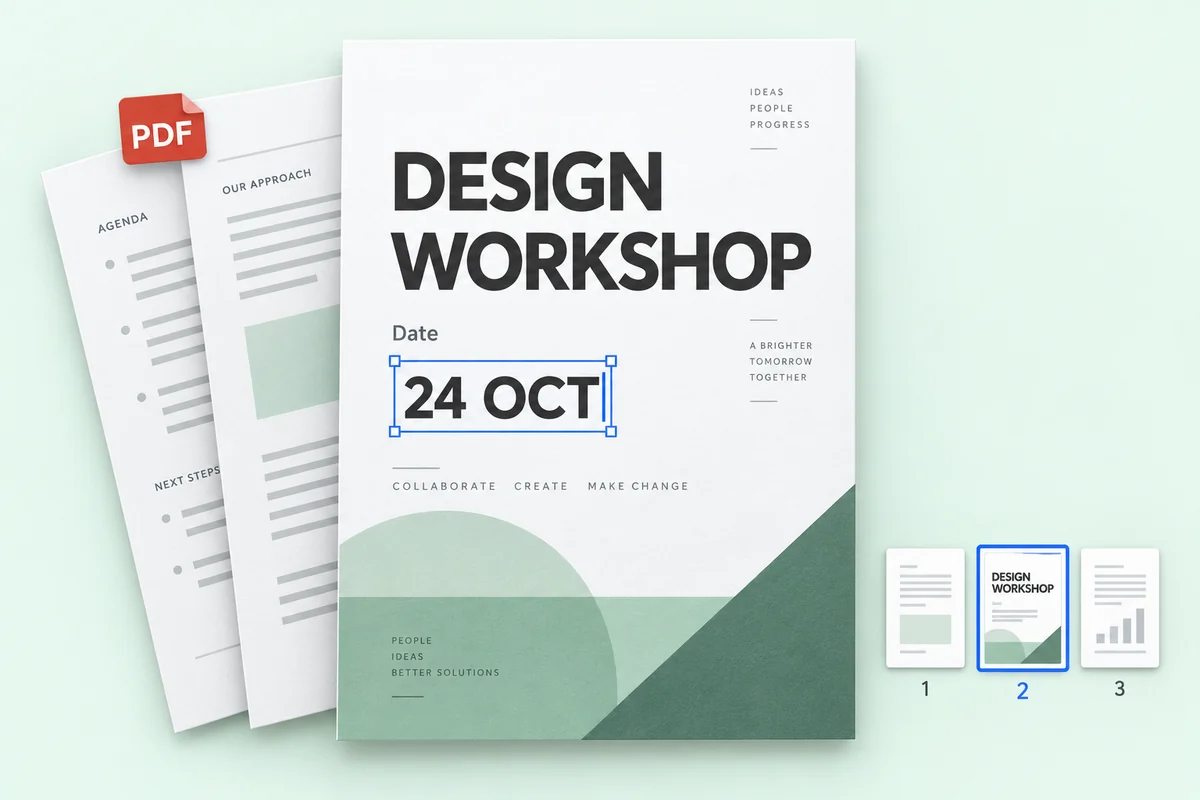
Edite o texto de ficheiros PDF
Corrija um preço, uma data ou um nome em algumas páginas de um PDF e transfira o ficheiro completo com as restantes páginas intactas.
Preços
Comece grátis e pague só quando precisar de mais
Uma edição em 1K usa 1 crédito, em 2K usa 2 e em 4K usa 3. O reconhecimento de texto nunca usa créditos.
Experimente grátis
Reconhecimento de texto grátis, sem cadastro. Contas gratuitas recebem 1 crédito por mês para uma edição em 1K.
Privacidade
As suas imagens são só suas
Edite fotos de produto, cartazes e capturas de ecrã com tranquilidade. É você quem decide o que fica.
Ler a nossa política de privacidadeNão são usadas para treinar IA
As suas imagens servem apenas para fazer as edições que pede. Nunca as usamos para treinar modelos.
Só você as vê
Os seus carregamentos e resultados aparecem apenas no seu histórico, nunca numa galeria pública.
Guarde ou apague quando quiser
Apague qualquer edição do histórico, ou limpe-o todo de uma vez, quando quiser.
FAQ
FAQ do AI Image Text Editor
Posso editar diretamente o texto numa imagem?
Sim. Carregue a imagem no Codia. A IA encontra as palavras que já estão na imagem; escreva as novas e ela reescreve-as no mesmo sítio, com o tipo de letra, a cor e o layout originais.
O reconhecimento de texto é gratuito?
Sim. O reconhecimento de texto é grátis, e toda conta gratuita da Codia recebe créditos mensais para gerar imagens editadas em 1K. Lite e pacotes de créditos liberam 2K; os planos Starter e Pro adicionam saída 4K e edição em lote.
Quantos idiomas é que o Codia reconhece?
O Codia suporta o reconhecimento de texto em 108 idiomas, o que o torna útil para anúncios localizados, imagens de produtos, capturas de ecrã e trabalho criativo global.
Que formatos de imagem posso editar?
Pode carregar imagens JPG, PNG e WebP, incluindo fotografias, capturas de ecrã, cartazes e etiquetas de produtos. Edite o texto reconhecido, gere a imagem alterada e descarregue-a.
Como edito texto numa captura de ecrã?
Carregue a captura em JPG, PNG ou WebP. Reveja o texto reconhecido, introduza as novas palavras e gere a imagem para comparar. Uma captura nítida ajuda a reconhecer etiquetas pequenas. Verifique as quebras de linha e os elementos próximos antes de descarregar.
Posso editar texto num JPG ou PNG sem o ficheiro original?
Sim. Carregue o JPG ou PNG diretamente, sem precisar de um PSD ou de outro ficheiro de design original. A Codia reconhece as palavras para as poder substituir e gerar uma nova imagem. O resultado é um ficheiro de imagem, não o documento de design recuperado.
Quanto custa?
O reconhecimento de texto é grátis. Toda conta gratuita recebe 1 crédito por mês para uma edição em 1K. Lite e pacotes de créditos liberam 2K; Starter e Pro adicionam saída 4K e edição em lote. Os pacotes de créditos não expiram.
Preciso de uma conta?
Não precisa de conta para carregar uma imagem e ver o texto reconhecido. Registe-se gratuitamente quando quiser gerar a imagem editada, para que os seus créditos fiquem associados à conta.
Quantos créditos usa uma edição?
Uma edição em 1K usa 1 crédito, em 2K usa 2 créditos e em 4K usa 3 créditos, independentemente do número de blocos de texto que alterar. Se uma edição falhar, não são usados créditos.
Os fundos transparentes são mantidos?
Sim. As imagens PNG e WebP transparentes, como logótipos e autocolantes, são devolvidas como ficheiros PNG com o fundo transparente preservado.
Que ficheiros posso carregar?
Imagens PNG, JPG e WebP até 20 MB, e PDF até 100 MB. Imagens muito grandes são reduzidas para 4096 píxeis no lado maior antes do processamento.
Posso editar o texto de um PDF?
Sim. Carregue um PDF, escolha até 10 páginas e edite o texto. A transferência é o PDF completo: as páginas editadas são substituídas e as restantes ficam exatamente iguais. A edição de PDF faz parte da edição em lote, incluída nos planos Starter e Pro.
Pronto para alterar o texto da sua imagem?
O reconhecimento de texto é gratuito e não exige registo. Carregue uma imagem para começar.